

You can request products directly from your favorite brand through your personal ambassador dashboard. This guide walks through how to submit a request and track it once it's sent.
Requesting a Product
Once you’re logged in to your personal affiliate dashboard:
From the Home page, find the Request Products section.
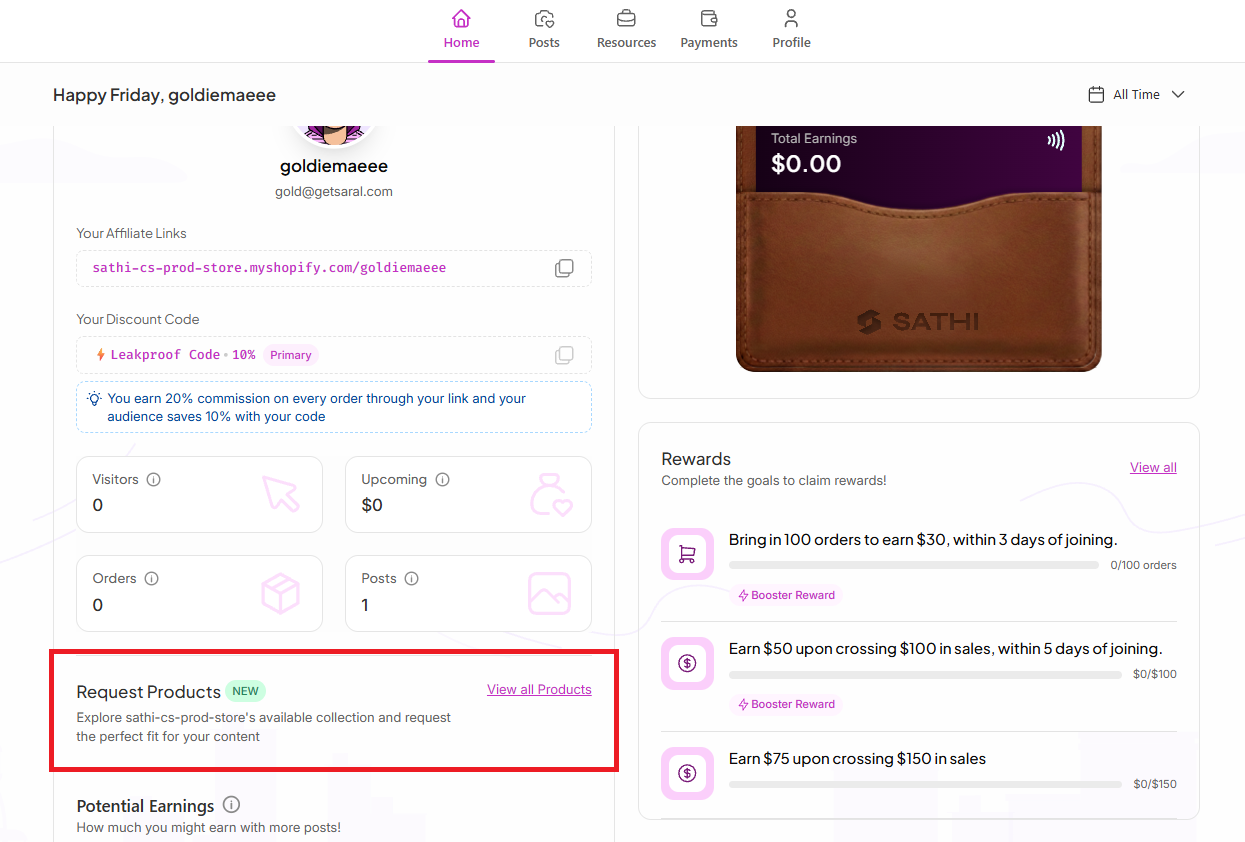
Click “View All Products.”
Browse the available products and select the item you’d like to request.
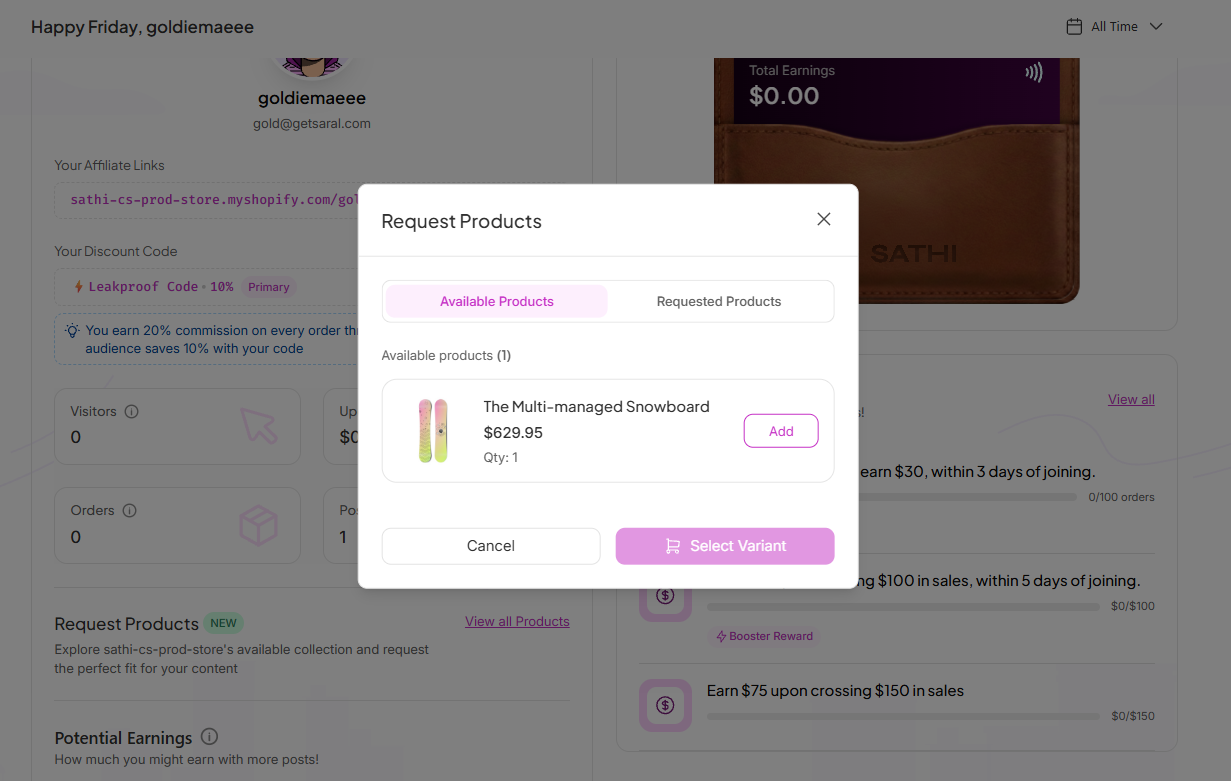
Choose your preferred product variant (if available).
Review your selected variant and confirm the product details.
Confirm your shipping address.
Click “Request Products” to submit your request.

How to Track your Requested Products
You can easily monitor the status of your requests from the same Request Products section:
Click Requested Products
Check your request status:
Pending: Waiting for the brand’s approval.
Approved: Your request has been accepted by the brand and is being prepared.
Shipped: Track your shipment details and delivery updates (when available).
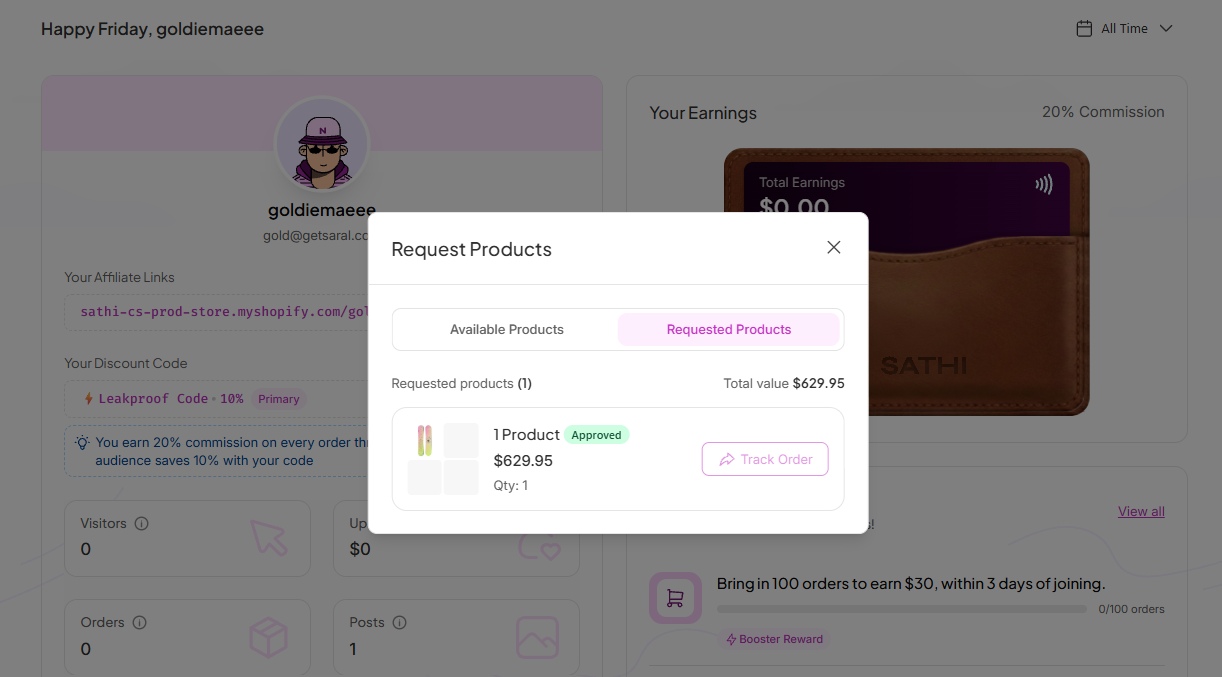
This section allows you to stay updated on your product requests from approval to shipping and delivery.
Why This Is Important
Requesting products directly through your dashboard means you don't have to message the brand to ask for what you need to create content. Being able to track your request from pending to shipped also keeps you informed without having to follow up and wait for a reply.
Still need help?
Reach out anytime to our Support team using the button at the bottom-right corner of your dashboard, or email us at [email protected].