

Some brands pay commissions or rewards as store credit instead of cash. Store credit is issued as a gift card that you can spend on the brand's store. If the brand has enabled it, you'll see it on your ambassador dashboard.
Find Your Store Credit
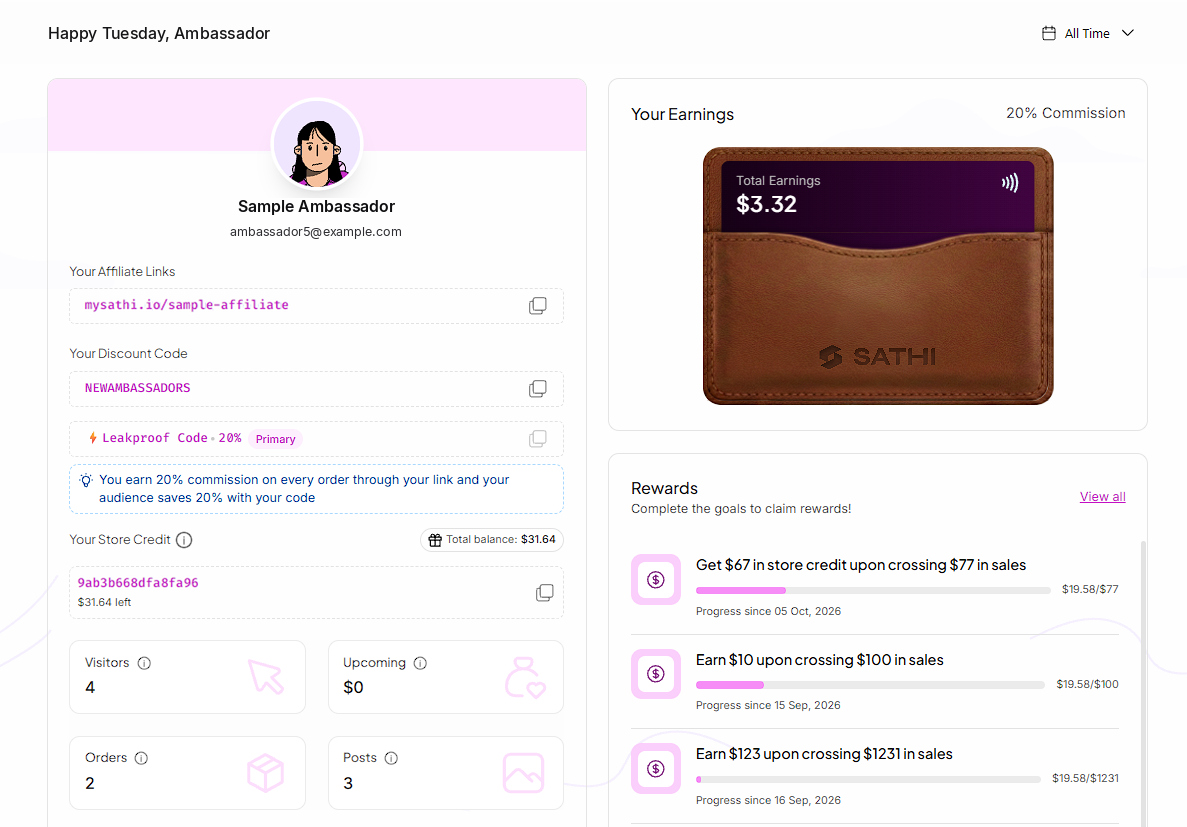
Your store credit shows under Your Store Credit on your dashboard. You'll see your gift card code, the amount left on it and your total balance.
Redeem Your Store Credit
Click the copy icon next to your gift card code.
Shop on the brand's store.
Enter the code at checkout.

Store Credit From Rewards
When you complete a reward that pays in store credit:
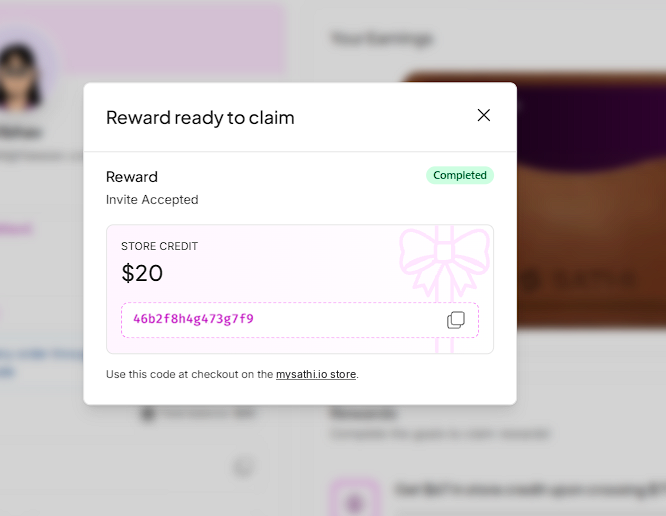
A pop-up appears on your dashboard with the store credit amount and gift card code.
You receive an email with the gift card code.
The gift card shows up under Your Store Credit.
The reward is added to your rewards history.
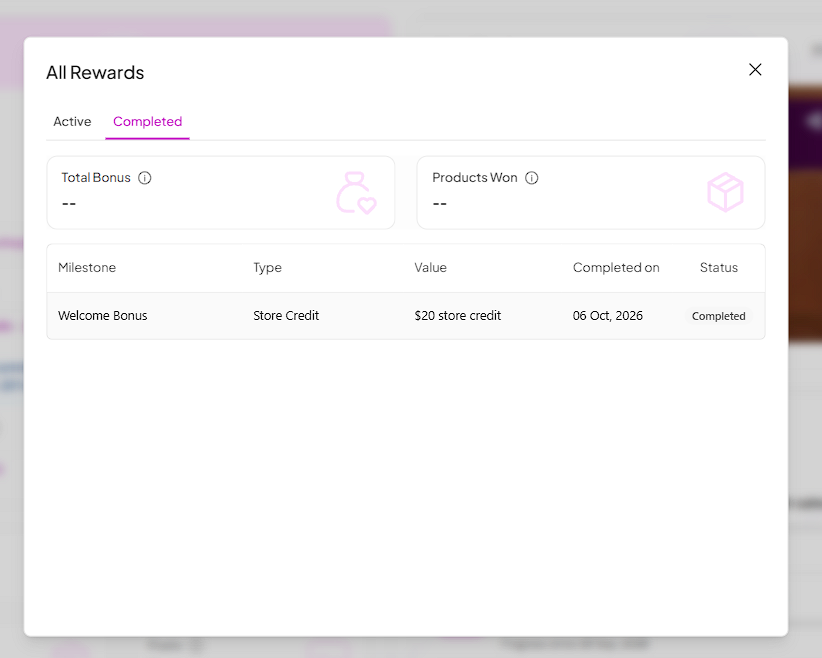
To see your rewards history, click View all in the Rewards section and open the Completed tab. Each reward shows the milestone, type, value and completion date.
Still need help?
Reach out anytime to our Support team using the button at the bottom-right corner of your dashboard, or email us at [email protected].