Brands can set up rewards that you unlock by reaching a goal, such as a number of orders or a sales total. You can see every reward from your dashboard, track how close you are to each goal, and check the status of rewards you have already earned.
Your rewards appear in the Rewards card on the Home tab, below Your Earnings. Each active reward shows:
Goal: what you need to do to earn the reward, for example “Earn $75 upon crossing $1000 in sales.”
Progress bar: how far along you are.
Progress count: where you stand against the target, for example 37/51 orders or $569.98/$1000.
Progress since: the date your progress on this reward started counting.
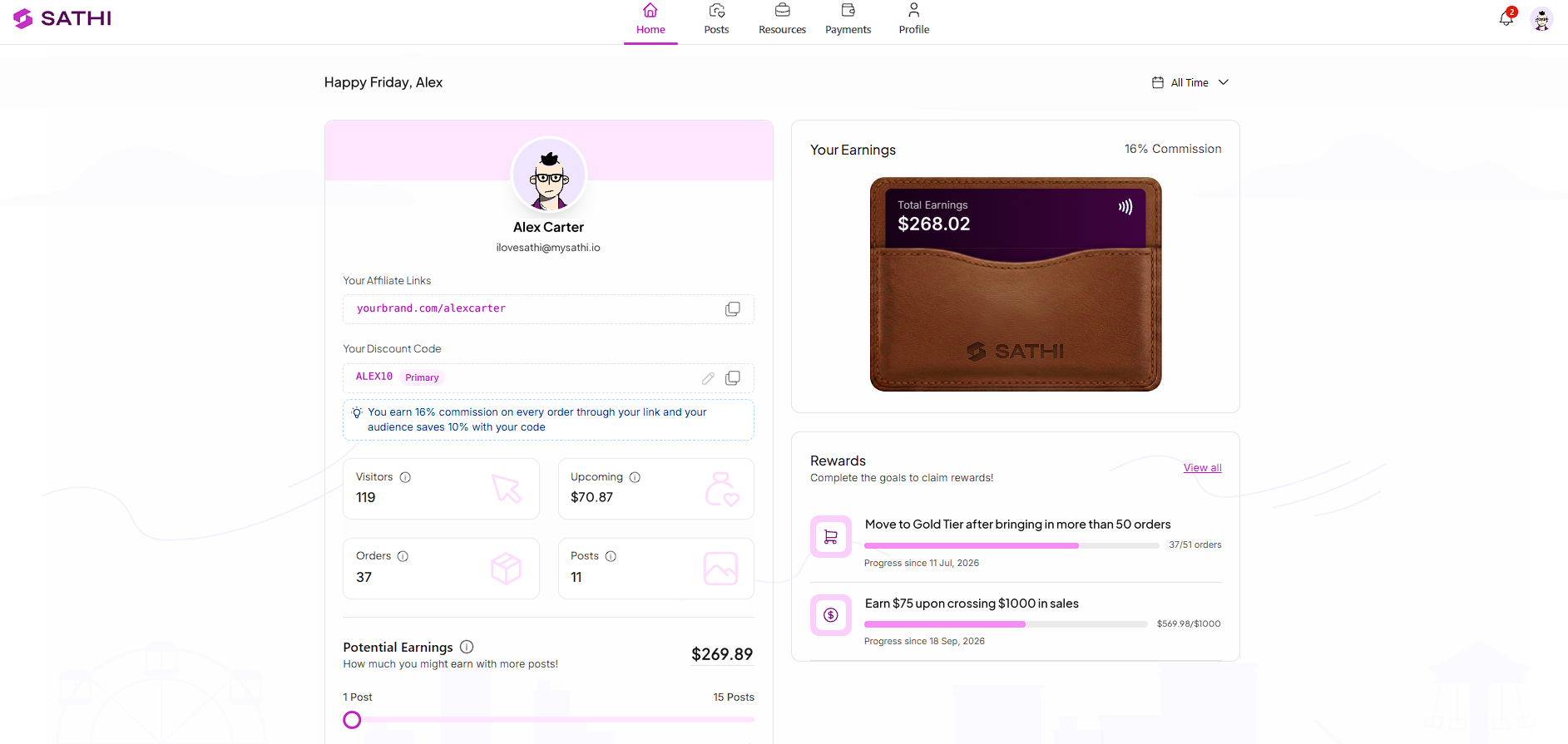
Click View all in the top-right corner of the Rewards card. This opens the All Rewards window, which has two tabs: Active and Completed.
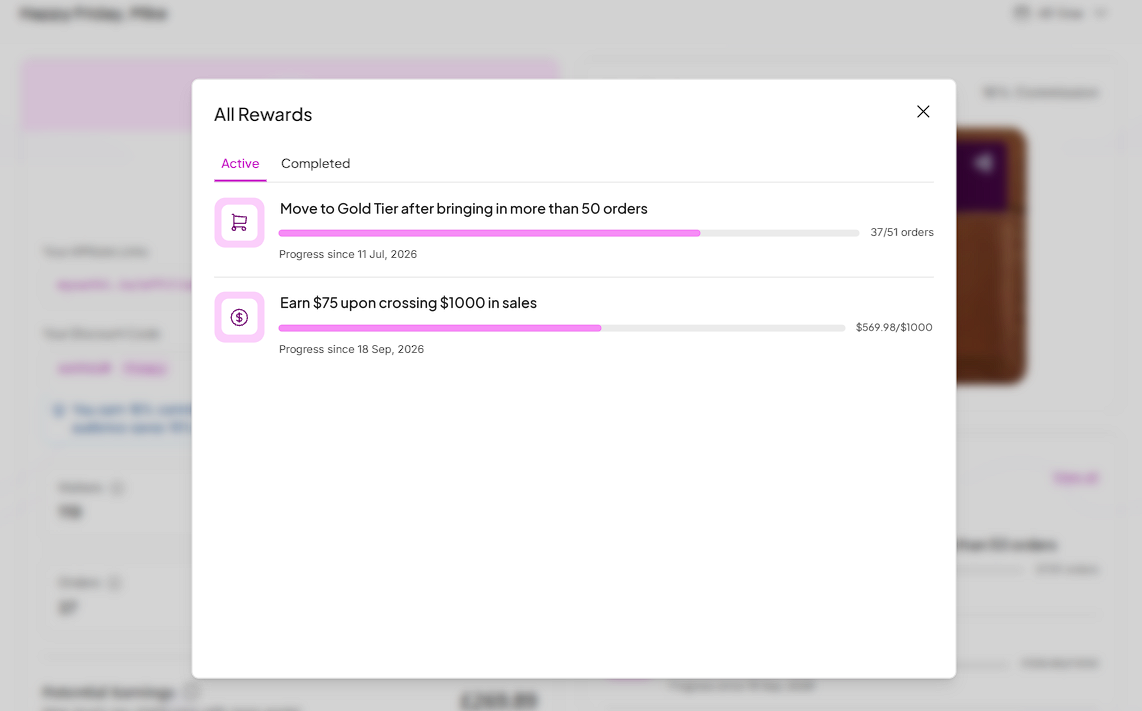
The Active tab lists rewards that are still running and that you have progress on. Each one shows the same goal, progress bar, progress count, and start date as the dashboard card.

The Completed tab shows every reward you have earned.
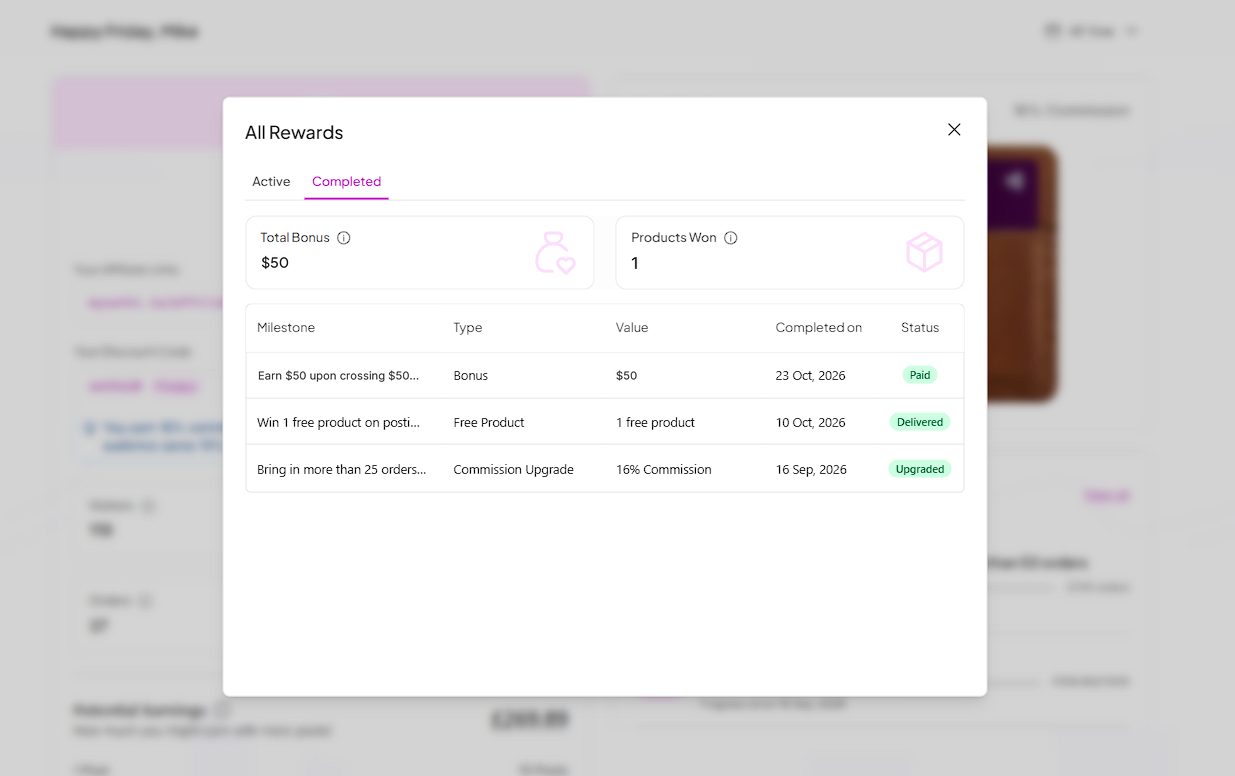
Each reward type has its own status, so you can see whether it has reached you.
Type | Value example | Status |
|---|---|---|
Bonus | £50 | Paid: the bonus has been paid to you |
Free Product | 1 free product | Delivered: the product has been sent to you |
Commission Upgrade | 16% Commission | Upgraded: your new commission rate is active |
Once a commission upgrade is active, your new rate also shows at the top of the Your Earnings card.
Still need help?
Reach out anytime to our Support team using the button at the bottom-right corner of your dashboard, or email us at [email protected].