company logo

Help center

Go to SATHI
All collectionsBrandSending EmailsHow to Pause Automatic Emails in SATHI

How to Pause Automatic Emails in SATHI

Learn how to pause an automatic system email so ambassadors stop receiving it, how to resume it, and what happens to emails triggered while it was paused.

Vibhav Deepak·November 10, 2026

System email templates with an Automatic trigger type are sent to ambassadors whenever their trigger event happens, like a tier upgrade or a campaign move. You can pause any of these emails for your brand without changing their content, and resume them whenever you’re ready. Any team member can pause or resume an email.

Which Emails Can Be Paused

Only System Templates with the Automatic trigger type can be paused. You can check the trigger type in the Trigger type column on the Email Templates page.

info icon
Only automatic emails can be paused. Manually triggered system emails and Custom Templates can be edited, but not paused.

Pause an Email

  1. Go to Email Templates and open the System Templates tab.

  2. Find the email you want to pause and click the ⋮ icon in the Actions column.

  3. Click Pause.

  4. In the confirmation window, click Pause email.
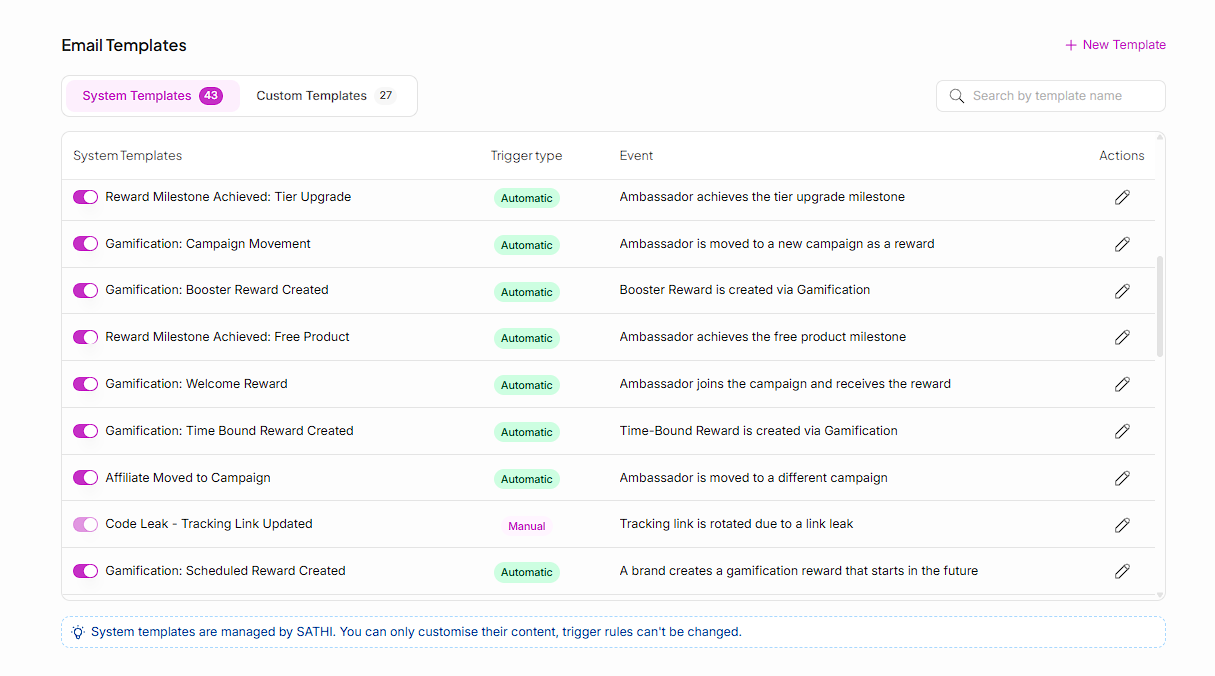
Email Templates screen with the System Templates tab selected, showing template names, trigger types, events, toggles, and edit actions. Visible: Email Templates, + New Template, System Templates, Custom Templates, Search by template name, Trigger type.

What Happens While an Email Is Paused

  • Ambassadors who qualify for the trigger event will not receive the email.

What Happens After You Resume

  1. Click on the toggle icon on the paused email’s row.

  2. In the confirmation window, click Resume.

The email is sent again from the next trigger event onwards.

warning icon
Resuming does not send the email to ambassadors who reached the trigger while it was paused. Those emails are not sent retroactively.

Still need help?
Reach out anytime to our Support team using the button at the bottom-right corner of your dashboard, or email us at [email protected].

Did this answer your question?
😞
😐
😁