You can now filter and sort the applications you receive through your application form. This makes it faster to find the ambassadors who fit your campaign, such as creators on a specific platform, in a specific country, or above a certain follower count.
Every social handle field on your application form now comes with a follower count field. It appears automatically once you add a handle field (Instagram, TikTok, YouTube, and so on) in the form builder.
Follower count accepts numbers only.
Whether a handle is mandatory or optional is still up to you. If an applicant enters a handle, its follower count becomes required on that submission.

Open the filter menu on your applications table [confirm button label] to see the Filter Applications panel. Choose your filters, then click Apply filters. Click Clear filters to reset.
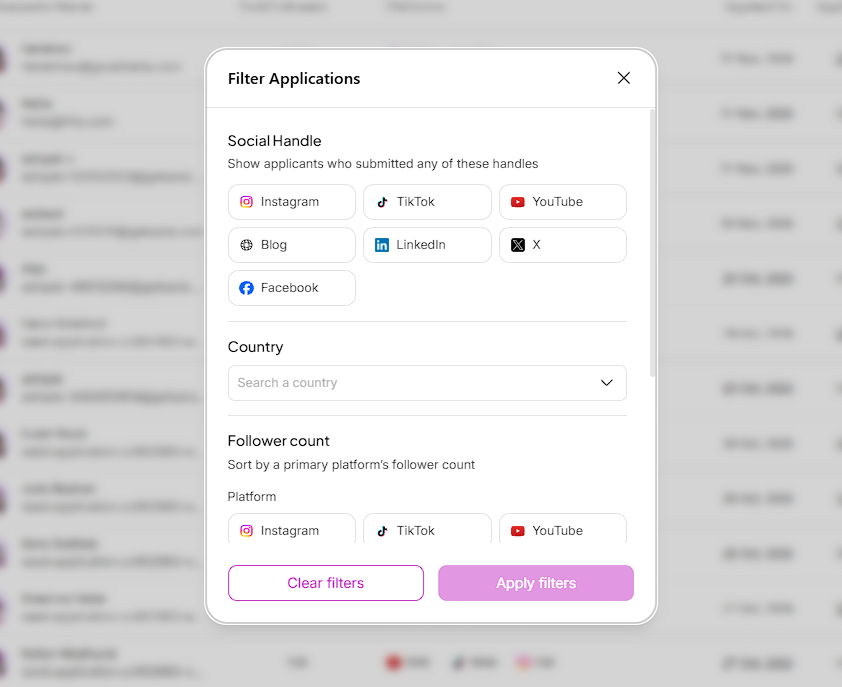
Select one or more platforms to show applicants who submitted any of those handles. All platforms are listed here, including any you have since removed from your form, so you can still find older applications that used them.
Search for and select a country to show applicants from that country. This filter is available when shipping is enabled on your form, since applicants then provide their address. The country list is built from the countries in your submitted applications.
Use this to find applicants above or below a follower threshold on one platform.
Under Platform, select a platform.
Under Condition, select Greater than or Less than.
Under Followers, select 50K, 100K, 500K, or 1M.
You can set a follower count filter for one platform at a time. Selecting a different platform or threshold replaces the current one.
Click the Total Followers or Applied On column header to sort the table in ascending or descending order.
Sorting works together with filters. If you have filters applied, sorting only reorders the filtered results.
Still need help?
Reach out anytime to our Support team using the button at the bottom-right corner of your dashboard, or email us at [email protected].