One of the most common operational headaches in affiliate partnerships is Invoice collection.
It’s usually the part that slows everything down: chasing creators, sending reminders, or manually creating invoices just to get things moving.
That’s exactly where SATHI steps in.
Invoices are system-generated (not issued by influencers), but they still function as compliant records for accounting and audit purposes.
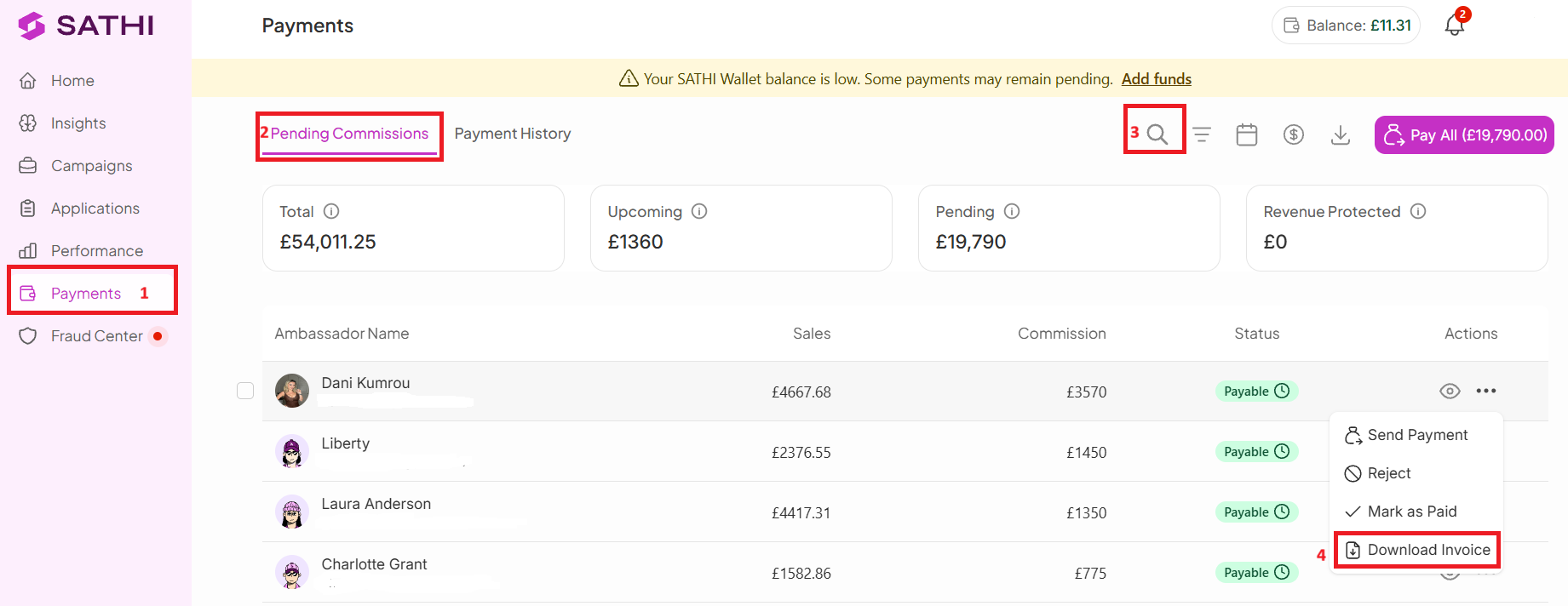
To download an affiliate invoice, follow these steps:
Go to Payments
Open Pending Commissions
Search for the affiliate
Under Actions, click the (…) icon or (👁)
Select Download Invoice
The invoice will be available and is ready for download whenever the commission reaches Payable status.
SATHI also lets you easily access invoices for completed payouts so you don’t need to manually track or recreate any records.
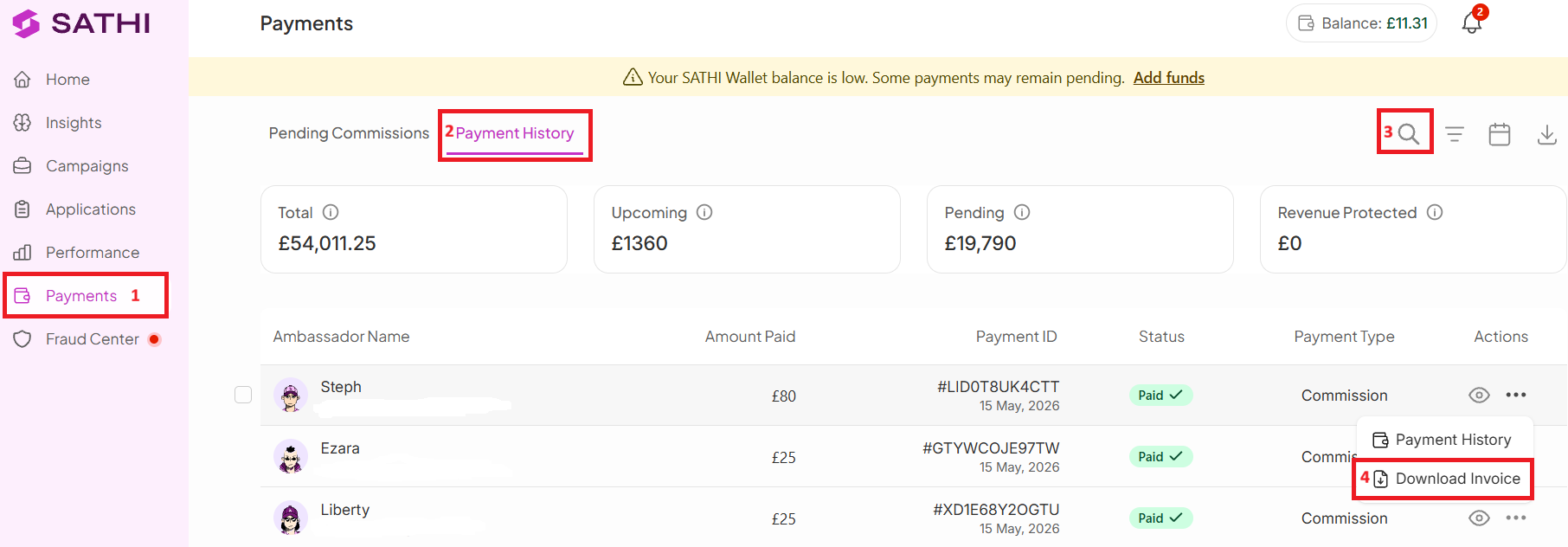
Go to Payments
Open Payment History
Search for the affiliate
Under Actions, click the (…) icon or (👁)
Select Download Invoice
The invoice will be available and reflects the details of the completed payout.
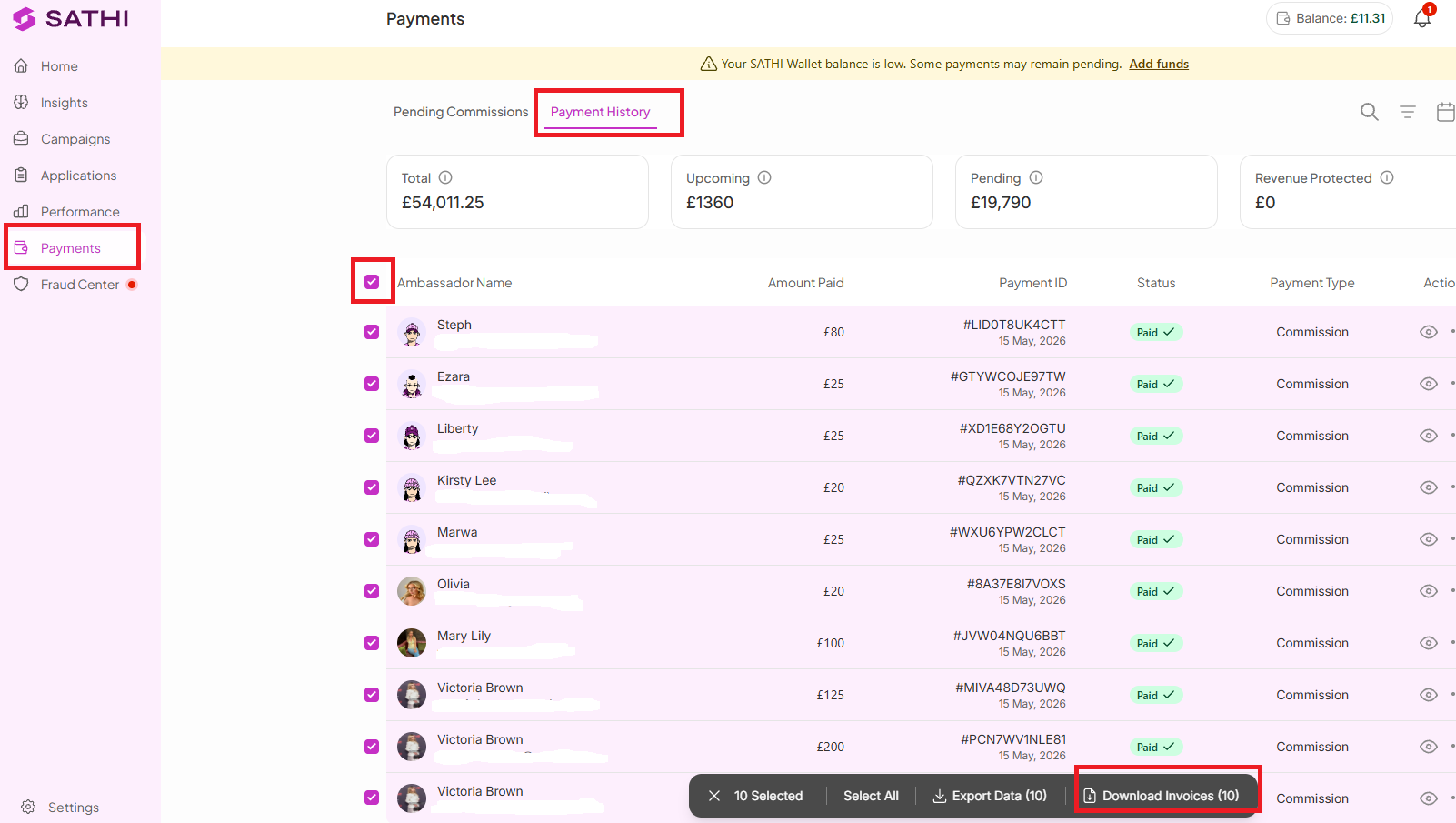
You can also download multiple invoices at once.
For example, if you need invoices for affiliates paid between March 1–30, 2026:
Go to Payments
Payment History
Use the checkboxes next to each affiliate’s name
Click Select All (if needed)
Click Download Invoices
This will generate and download invoices for all selected affiliates in bulk.
Sometimes things change after a commission is created. Refunds happen, fraud is detected, or a commission gets rejected before payout. No worries, SATHI keeps everything clean and up to date for you.
If that happens, here’s what you’ll see:

Still need help?
Reach out anytime with our Support team using the button at the bottom-right corner of your dashboard, or email us at [email protected].