Invoices are system-generated by SATHI, not issued by ambassadors, but they still function as compliant records for accounting and audit purposes.
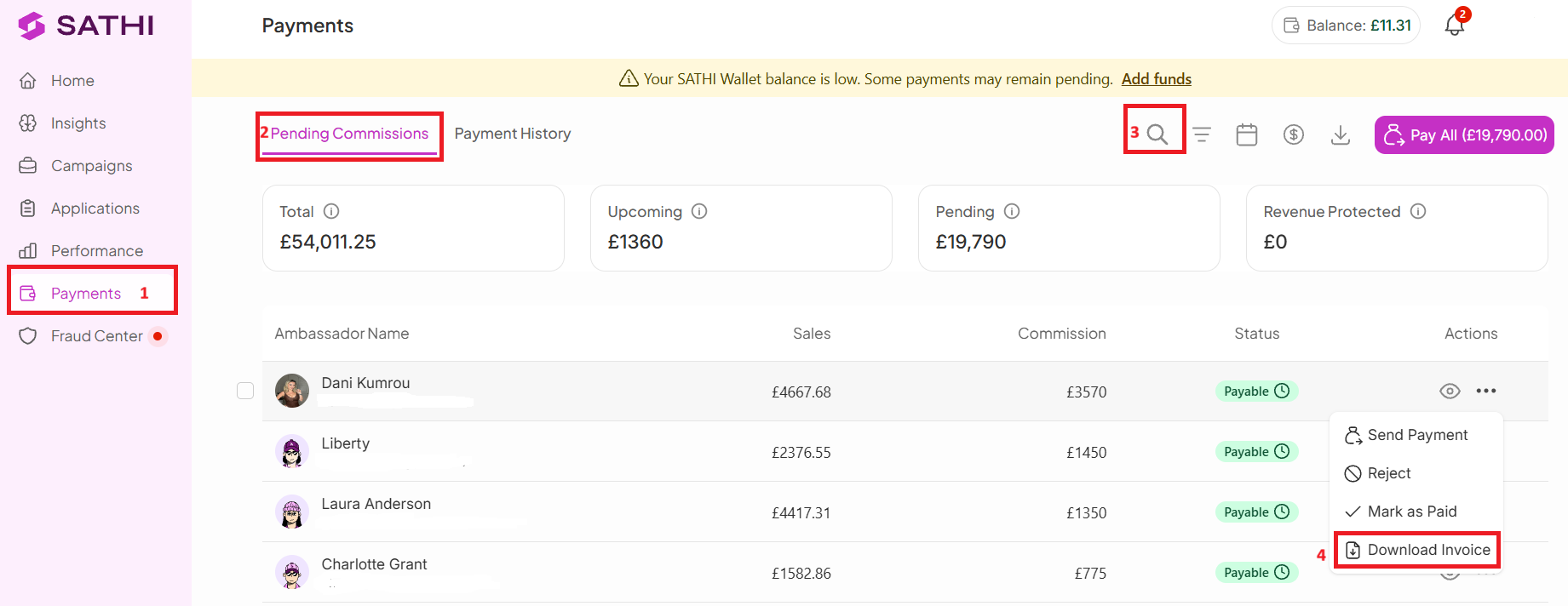
To download an ambassador invoice:
Go to Payments
Open Pending Commissions
Search for the ambassador
Under Actions, click the (…) or View icon
Select Download Invoice
The invoice becomes available for download once the commission reaches Payable status.
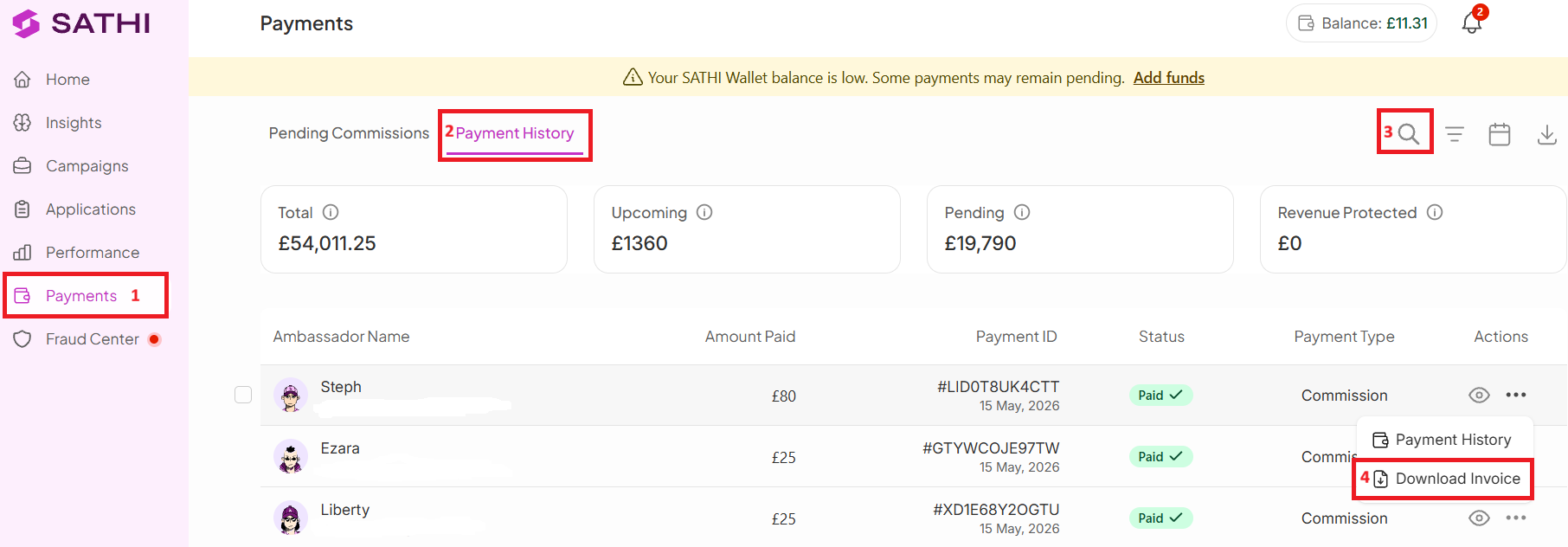
Go to Payments
Open Payment History
Search for the ambassador
Under Actions, click the (…) or View icon
Select Download Invoice
The invoice reflects the details of the completed payout.
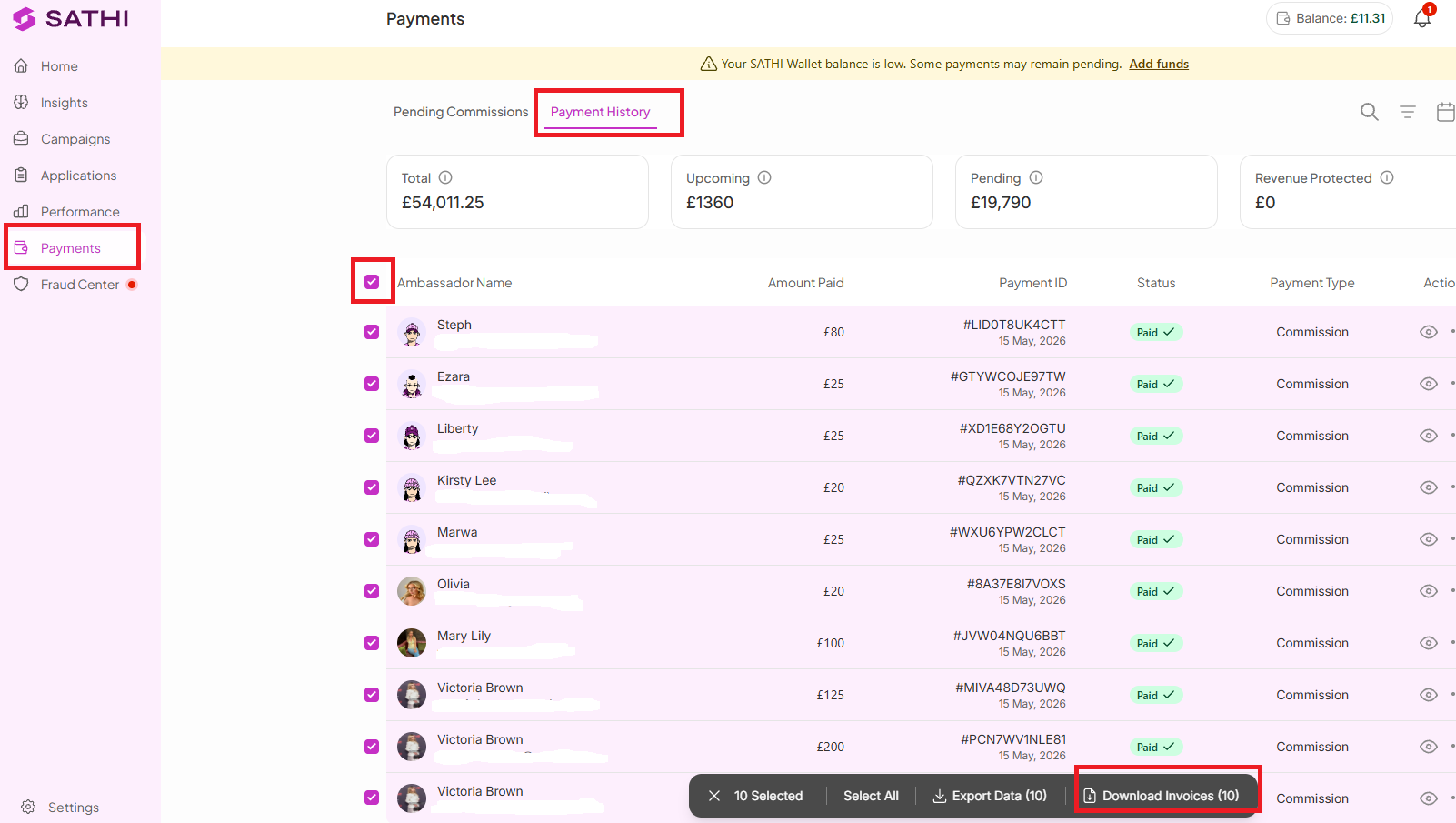
You can also download multiple invoices at once. For example, if you need invoices for ambassadors paid between March 1–30, 2026:
Go to Payments
Open Payment History
Use the checkboxes next to each ambassador's name
Click Select All if needed
Click Download Invoices
This generates and downloads invoices for all selected ambassadors in bulk.
Sometimes things change after a commission is created: a refund happens, fraud is detected, or a commission gets rejected before payout. SATHI keeps invoice records up to date automatically.

Invoice collection is normally one of the slower parts of running an ambassador program, since it usually means chasing ambassadors for records or manually creating them for accounting. Because SATHI generates invoices automatically and keeps them current, including voiding them when a commission changes after the fact, your records stay accurate for audits without any manual upkeep.
Still need help?
Reach out anytime to our Support team using the button at the bottom-right corner of your dashboard, or email us at [email protected].

