How ambassadors feel about getting paid affects your entire program. Delayed payouts erode trust, while smooth, transparent payments build loyal ambassadors who keep driving revenue for your brand. This guide walks through everything you need to know about managing payments in SATHI, including key terms, available filters, flat-fee payments, bulk actions, exporting data, and adding funds to your wallet.
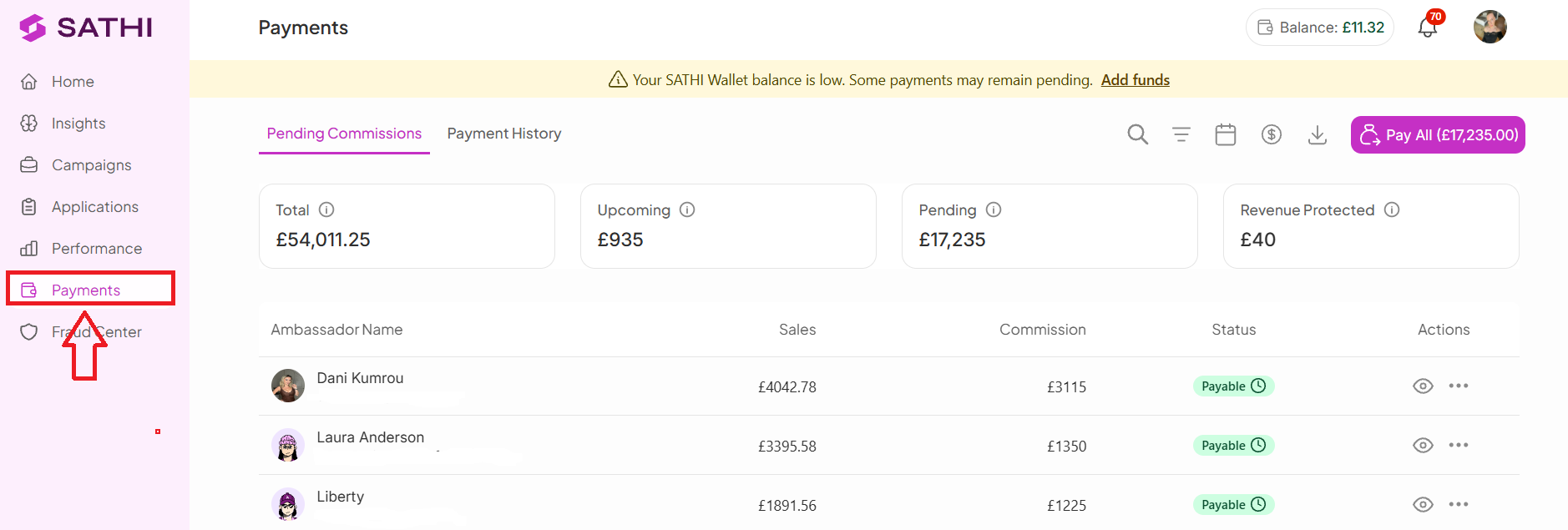
Every ambassador sale and commission generated through your program appears in the Payments section for tracking and processing. Click Payments in the left sidebar to access your dashboard.
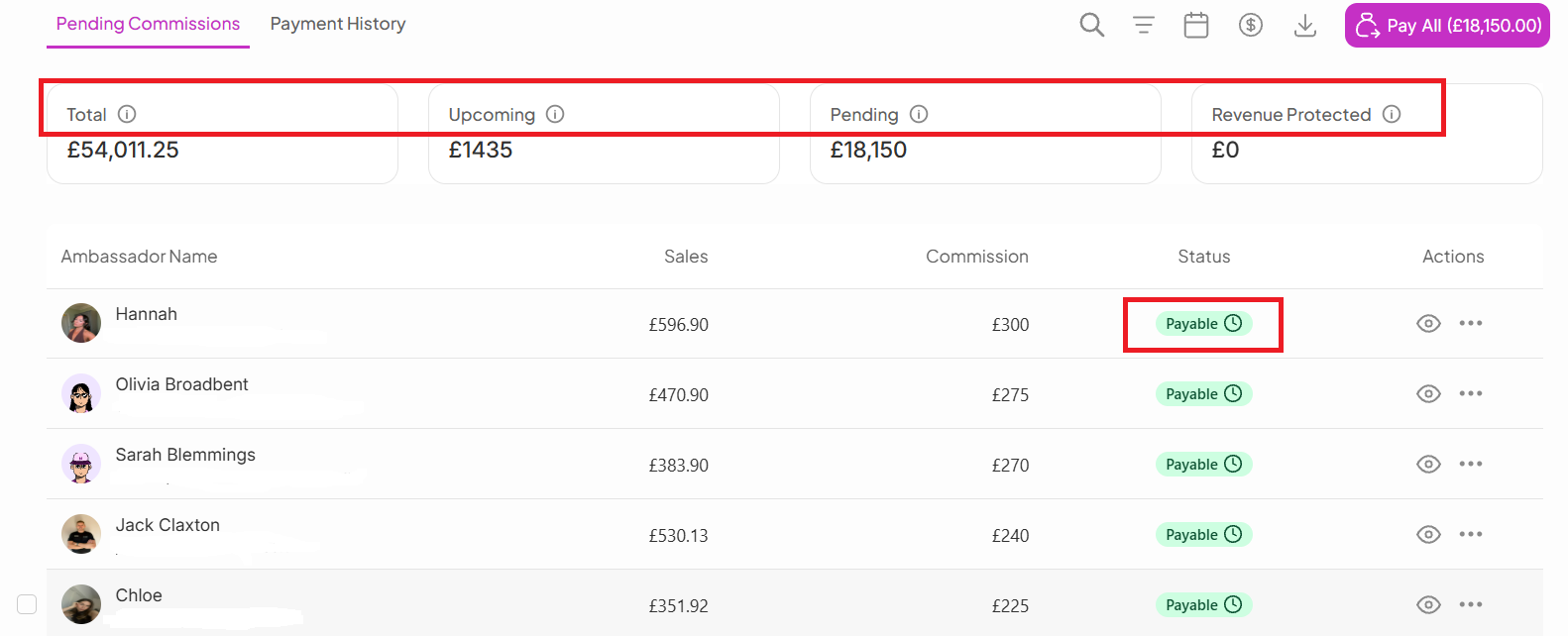
Total: The total amount successfully paid within the selected date range
Upcoming: Commissions still owed to ambassadors, currently under On Hold status. There are two On Hold conditions:
Pending — On Hold (Return Window): The commission is approved but waiting for the return/refund window to expire before becoming payable
Pending — On Hold (Below Minimum $): The commission is approved, but the total amount is still below your brand's minimum payout threshold
Pending: Commissions under Payable status. These have cleared fraud review, the return window, and minimum payout requirements, and are ready to be paid
Revenue Protected: The total amount protected from flagged or fraudulent transactions. Marking a commission as "Fraud" automatically adds that amount here, helping you track how much revenue fraud protection has saved your brand
Your Pending Payments page gives you a way to manage ambassador payouts and review payment statuses.
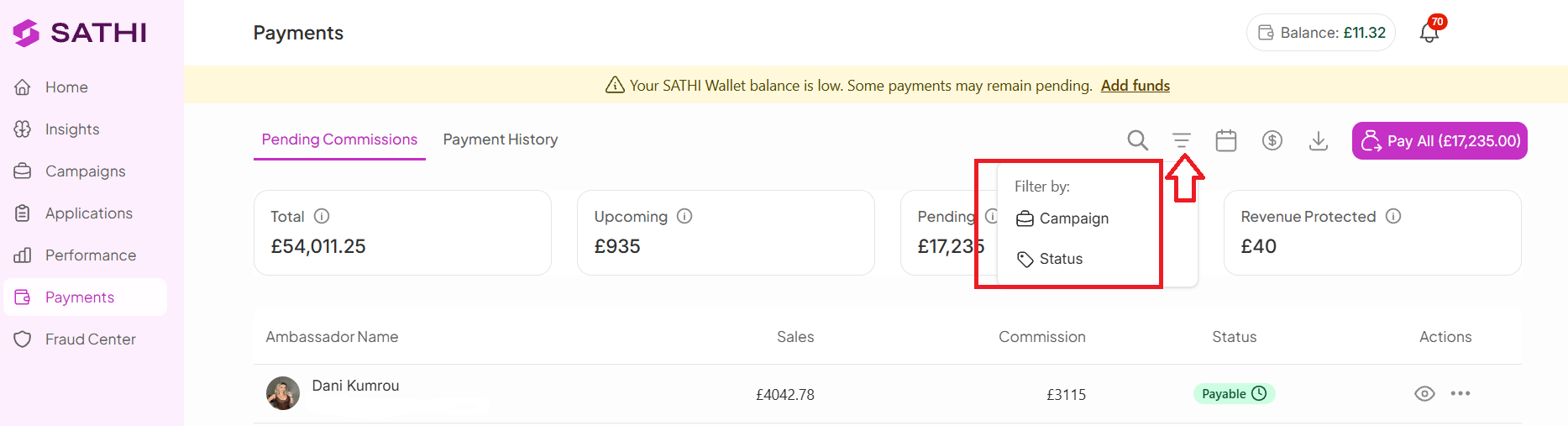
View ambassador performance based on the campaign they belong to, making it easier to track campaign-level results.
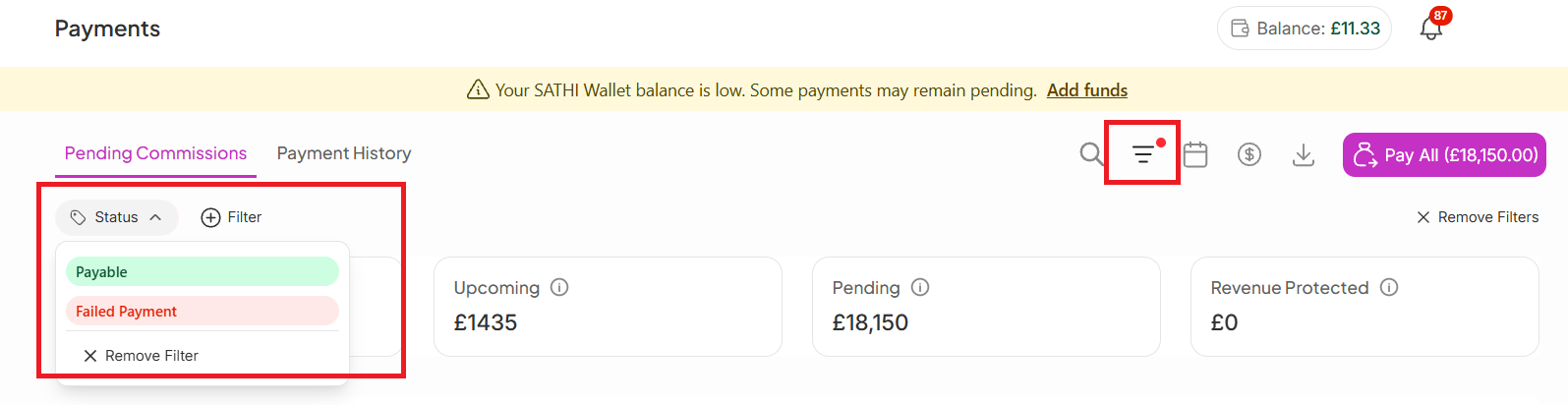
Sort ambassadors by payment status:
Payable: Ready to be paid
On Hold: Still within the return/refund window (customizable in settings)
Failed Payments: Payments that were unsuccessful
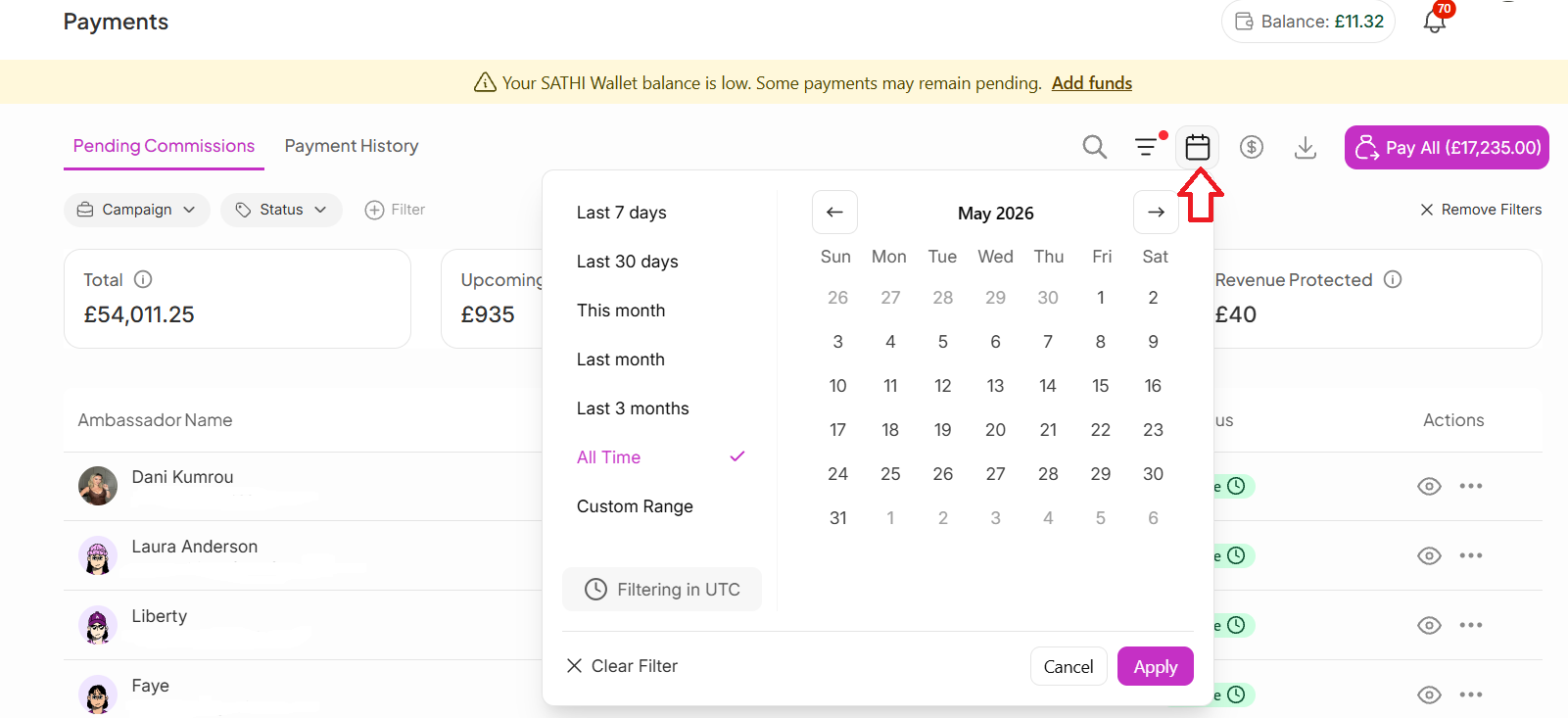
View ambassadors and payments within a selected date range.
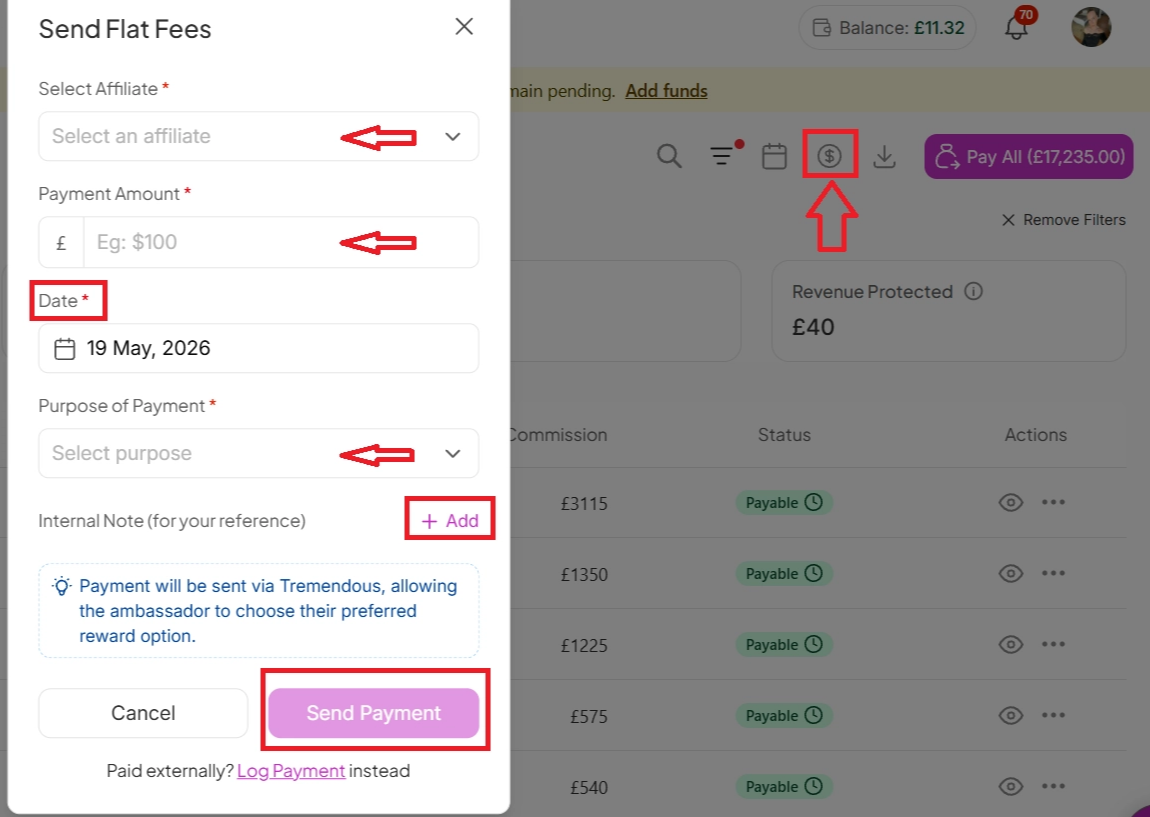
Send a flat fee payment directly from the platform:
Select the ambassador by searching their name
Enter the Payment Amount
Choose the Payment Date
Add the Purpose of the payment
Add an Internal Note for your records (optional)
Click Send Payment

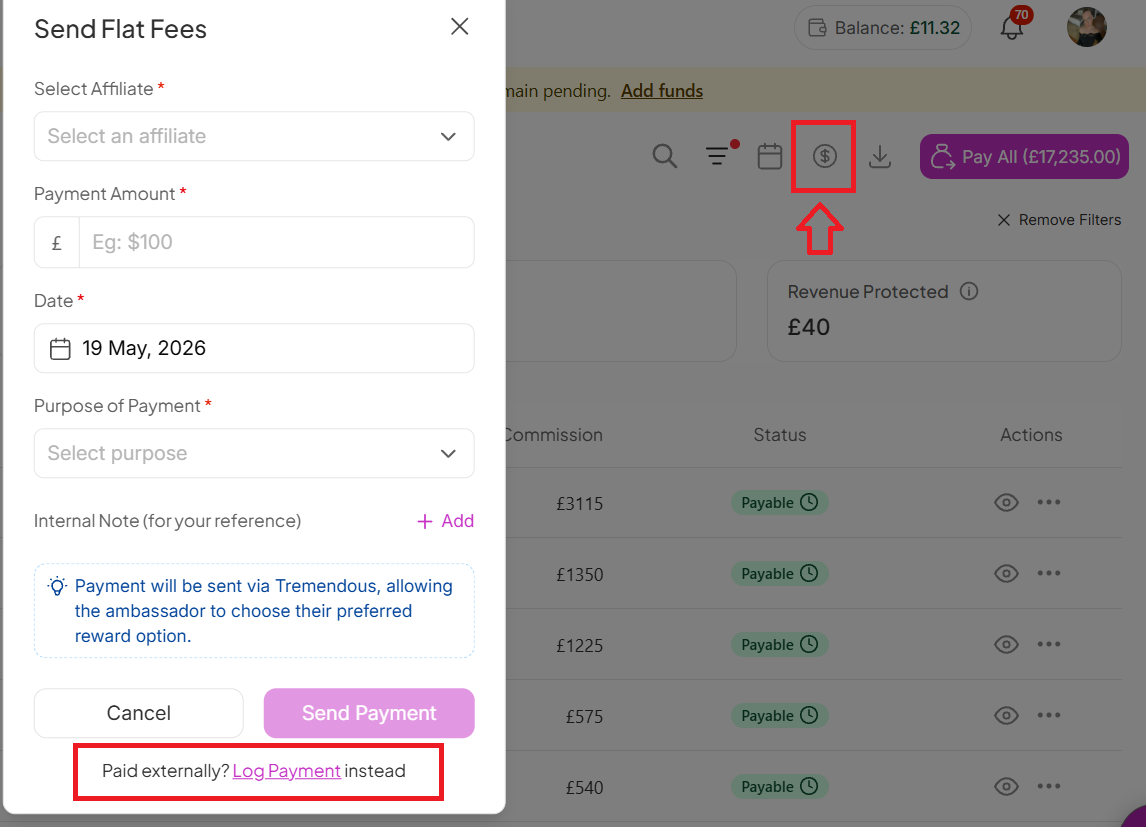
If you've already paid an ambassador externally, you can still log the payment inside SATHI to keep all your records in one place. This follows the same steps as sending a flat fee payment.
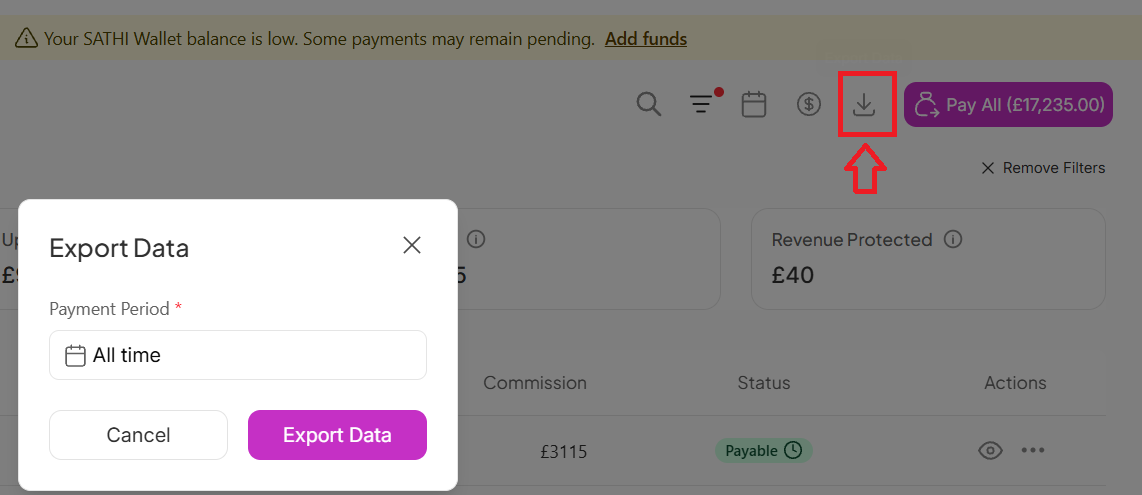
Export payment data by clicking the export icon and selecting your preferred payment period.
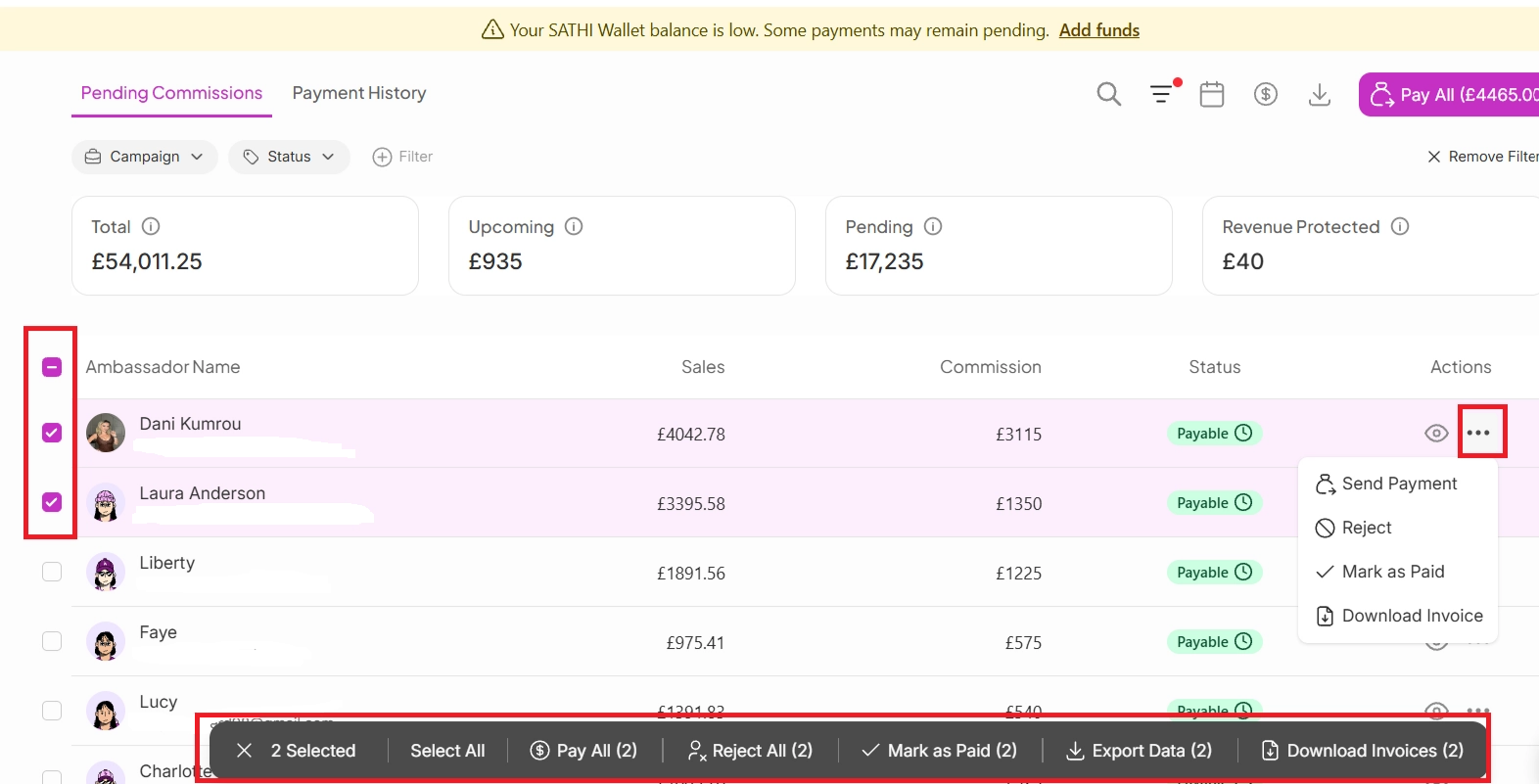
Check the boxes beside ambassador profiles to open the Bulk Actions menu. From there, you can:
Send payment to selected ambassadors
Reject selected ambassadors
Mark selected ambassadors as paid
Export selected ambassadors
Download invoices for selected ambassadors
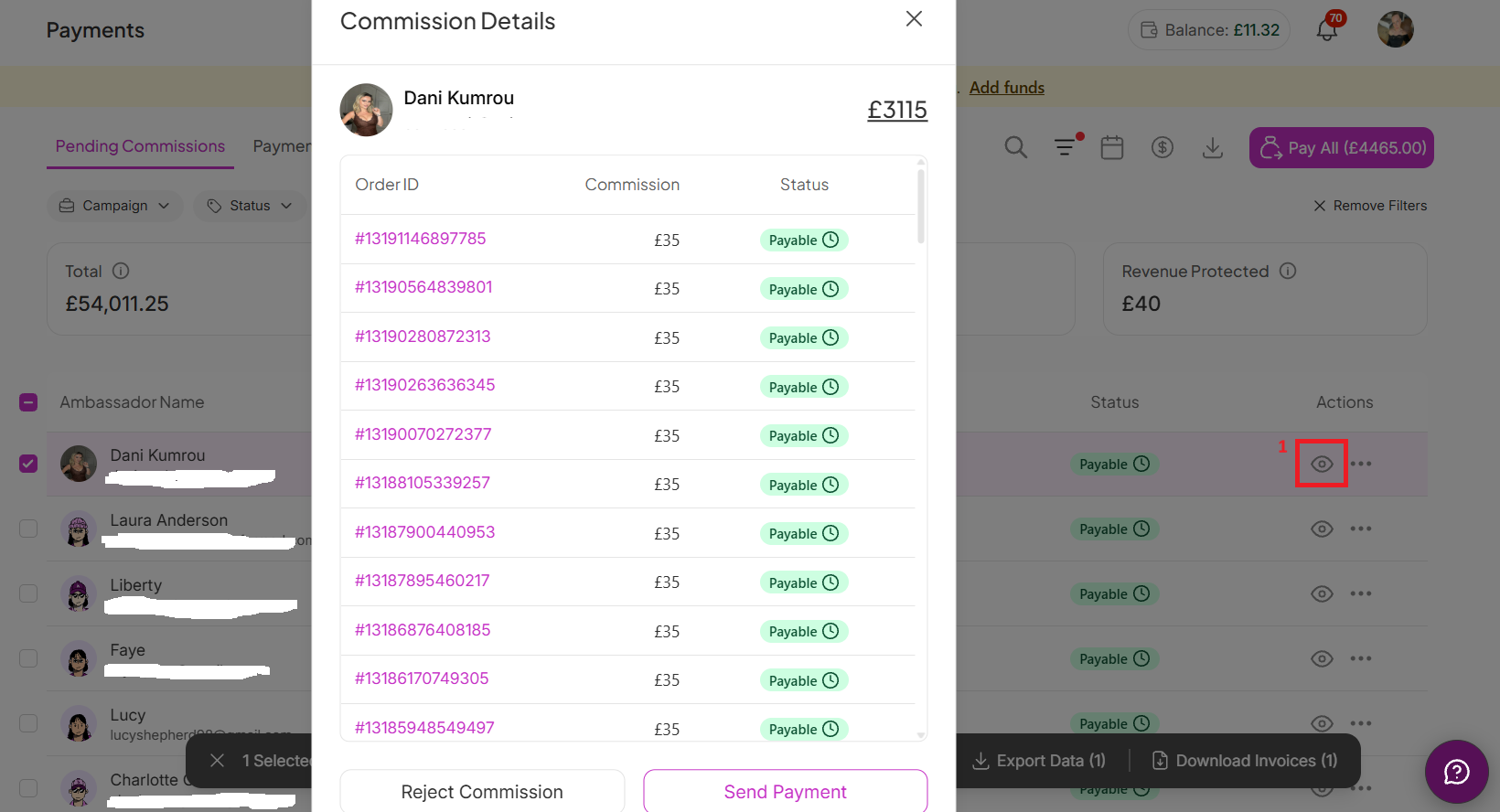
SATHI shows exactly how each commission is calculated, including the specific order IDs behind every payout, so you can see what's pending, paid, or on hold at the order level and trace every payment back to its source.
How to get there:
Go to Payments
Open Pending Payments
Click the 👁 (View) icon under Actions
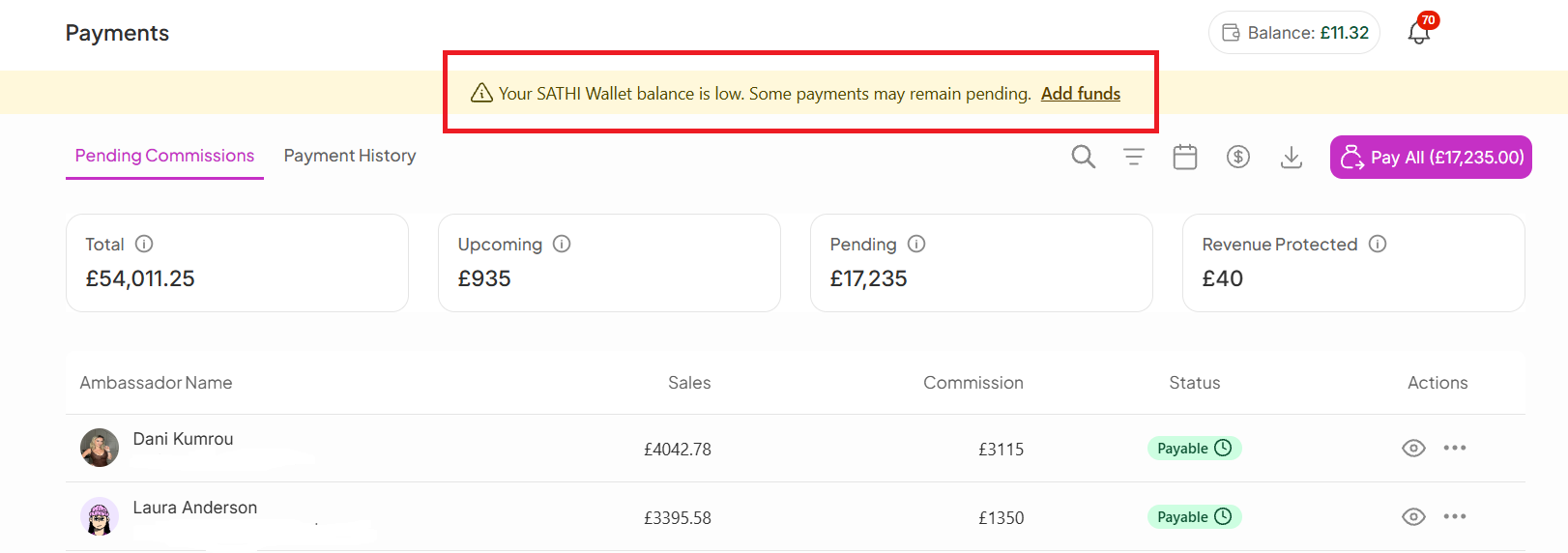
When you have more ambassadors to pay than your wallet balance covers, click Add Funds to top up. You can fund your wallet via bank account or credit card, and during setup you'll select a primary funding source. All top-ups and auto-refills process through this source, and you can update it anytime.
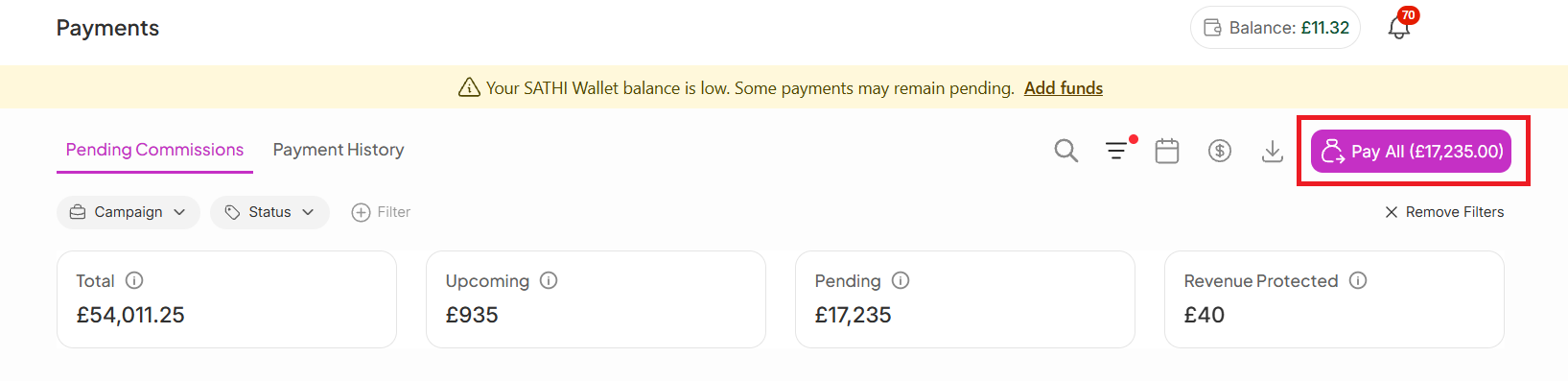
Use the Pay All button in the top-right corner of the page to pay everyone at once.
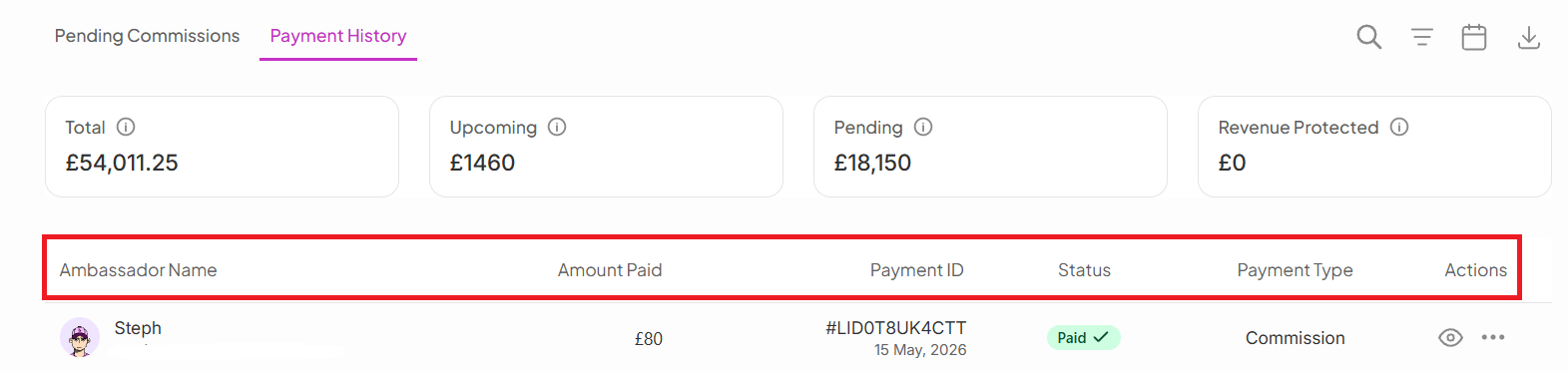
A detailed breakdown of all payments made to your ambassadors, including ambassador name, amount paid, payment ID, and payment type (most commonly commission). It also shows who processed each payment on your team, the payment method used, and lets you download invoices when needed. Filter by campaign or export your data anytime for reporting.
How reliably and transparently you pay ambassadors directly affects whether they stay engaged with your program or move on. Order-level commission detail and clear payment statuses mean neither you nor your ambassadors have to guess why a payment is pending or where an amount came from, and features like Pay All and bulk actions mean payday doesn't require processing ambassadors one at a time.
Still need help?
Reach out anytime to our Support team using the button at the bottom-right corner of your dashboard, or email us at [email protected].