Gamification lets you set up automatic rewards tied to real ambassador performance. When an ambassador hits a goal, SATHI handles both the reward and the notification for you.
Click Campaigns in the left sidebar and select the campaign you want to set up rewards for. In the top-right corner, click Customize, then open the Gamification tab.
If no rewards exist yet, click Enable Gamification to open the modal for creating your first reward. If you've already set up rewards before, you can add more by clicking + New Reward in the top-right of the tab.
The Create your reward system modal has four sections:
Reward Type — choose who's eligible:
Standard Reward — available to all ambassadors.
Booster Reward — applicable only in the first X days since an ambassador joins the program. Use this to boost initial activation.
Reward Event — choose what triggers the reward:
Crosses $X in sales — enter the sales threshold.
Brings more than #Y orders — enter the number of orders.
Brings X amount of traffic — enter the number of clicks.
Posts X times — enter the post count.
Posts X times every Y period — enter the post count and time window.
Invite Accepted — fires automatically when an ambassador joins the program.
Reward With — choose what the ambassador earns:
Flat $X bonus — enter the cash amount.
Upgrade Commission Tier — automatically moves them to a higher tier when they qualify.
Free Product — search for a product, select the variants, and SATHI ships it once approved.
Make the reward time bound (Set reward duration) — toggle this on to run the reward for a limited period. Set an end date and SATHI stops the reward automatically when it expires.
info: Time-bound rewards work well for creating urgency — a holiday push, re-engaging a quiet ambassador base with a limited-time bonus, or testing a short-term incentive before committing to it permanently. Ambassadors see the end date on their dashboard, giving them a clear deadline to work toward.
Once you're happy with the setup, click Create Reward.
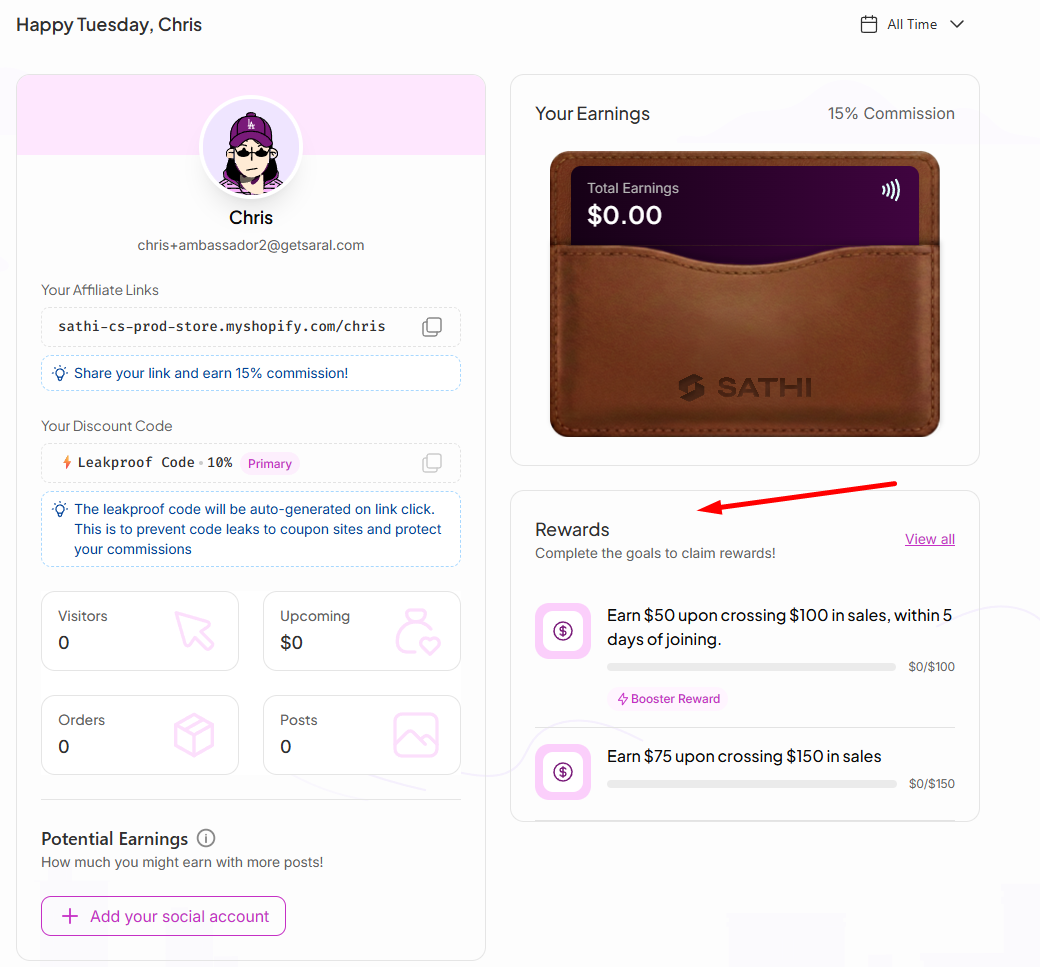
As soon as a reward is created, every ambassador in that campaign receives an email letting them know about it and what they need to do to earn it. Their dashboard also shows a Rewards section with a progress bar for each active goal, so they always know where they stand.
SATHI tracks progress automatically from there — no manual follow-up needed.
All active rewards are listed on the Gamification tab. From here you can:
Edit a reward — update the event trigger, reward type, or end date.
Pause a reward — temporarily disable it without deleting it.
Delete a reward — remove it permanently.
View Reward History — see which ambassadors have already triggered and claimed rewards.
Gamification turns performance goals into rewards ambassadors can see and work toward, without requiring you to track progress or send anything manually. Because SATHI handles notifications and delivery automatically, you can run multiple reward types at once and focus on setting the right incentives rather than administering them.
Still need help?
Reach out anytime to our Support team using the button at the bottom-right corner of your dashboard, or email us at [email protected].