While the Home page gives you a quick snapshot of your program, the Insights page helps you understand what's driving performance. From ambassador engagement and conversion metrics to program health and top performers, Insights helps you identify what's working and where there's room to improve.

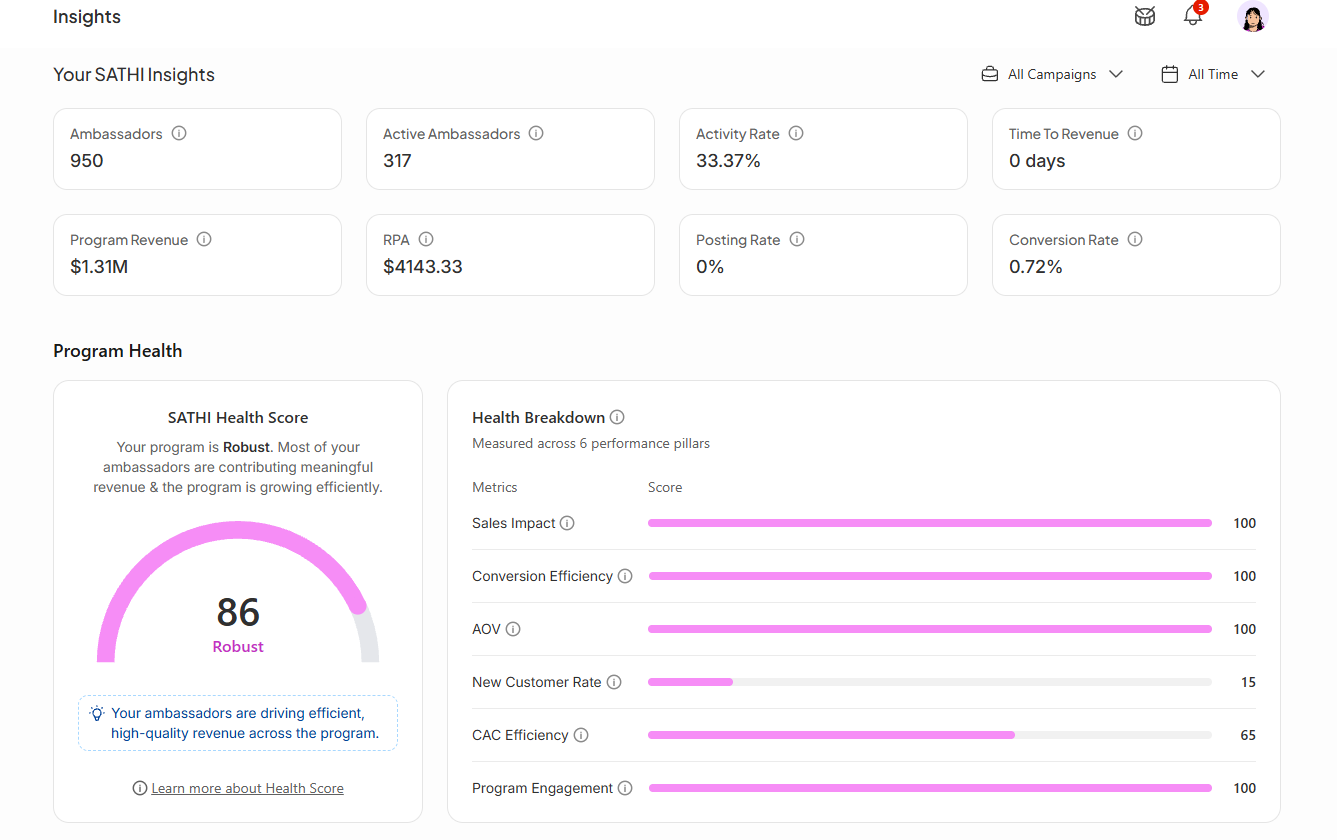
At the top of the page, you'll find key metrics that provide a high-level overview of your program's performance:
Ambassadors: The total number of ambassadors in your program, including both active and inactive members
Active Ambassadors: The number of ambassadors who generated at least one sale or published at least one post during the selected date range
Activity Rate: The percentage of ambassadors who were active during the selected period by driving traffic, posting content, or generating sales
Time to Revenue: The average number of days it takes for a newly joined ambassador to generate their first sale. This metric helps you understand how quickly ambassadors begin generating revenue after joining your program. A lower Time to Revenue generally indicates a more effective onboarding and activation experience.
Program Revenue: The total revenue generated by ambassadors during the selected date range
RPA (Revenue Per Ambassador): The average revenue generated per active ambassador, helping you understand how much revenue each engaged ambassador contributes on average
Posting Rate: The percentage of ambassadors who published at least one post during the selected period
Conversion Rate: The percentage of ambassador-driven visitors who completed a purchase after clicking an ambassador link or using an ambassador discount code
The Program Health section gives you an overall view of how healthy, balanced, and sustainable your ambassador program is, not just how much revenue it's generating.
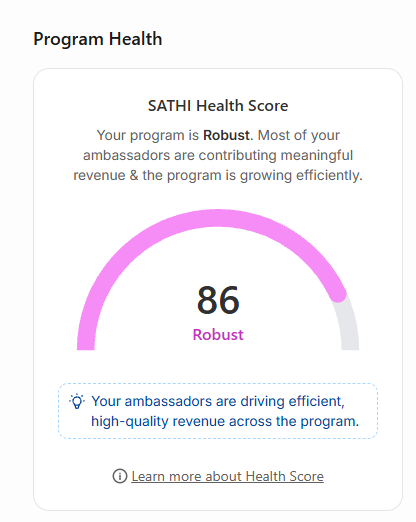
The SATHI Health Score is a composite score out of 100 that evaluates your program across several key performance indicators.
A lower score doesn't necessarily mean your program is underperforming. For example, your program may be generating strong revenue but still receive a lower score if sales are concentrated among only a handful of ambassadors, conversion rates are below benchmark, or engagement is declining. Think of this score as an overall health check for your program rather than a revenue score.
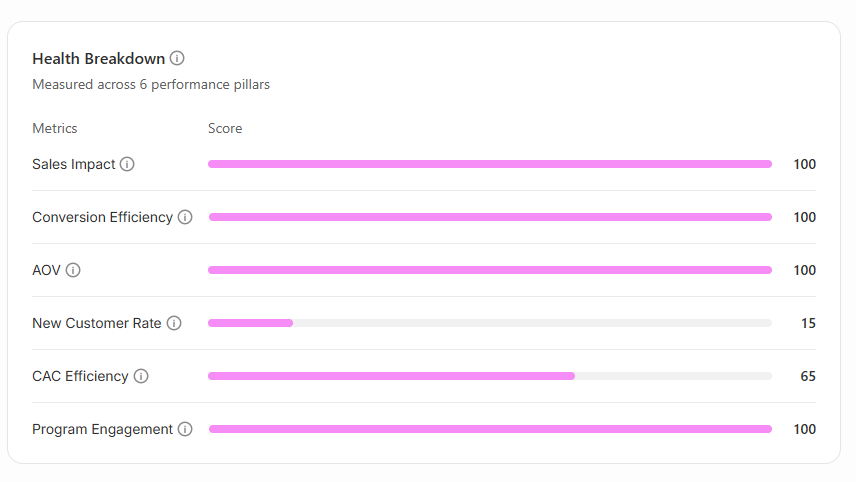
The Health Score is calculated across six performance pillars:
Sales Impact: Measures the average revenue generated per active ambassador
Conversion Efficiency: Evaluates how effectively ambassador-driven traffic converts into customers
Average Order Value: Measures whether ambassador-referred customers spend more per order
New Customer Rate: Tracks the percentage of ambassador-driven orders coming from first-time customers
CAC Efficiency: Measures how cost-efficient your ambassador program is at acquiring new customers
Program Engagement: Evaluates ambassador participation, including posting activity and overall engagement against platform benchmarks
Each pillar receives its own score, making it easy to identify your program's strengths and the areas with the greatest opportunity for improvement.
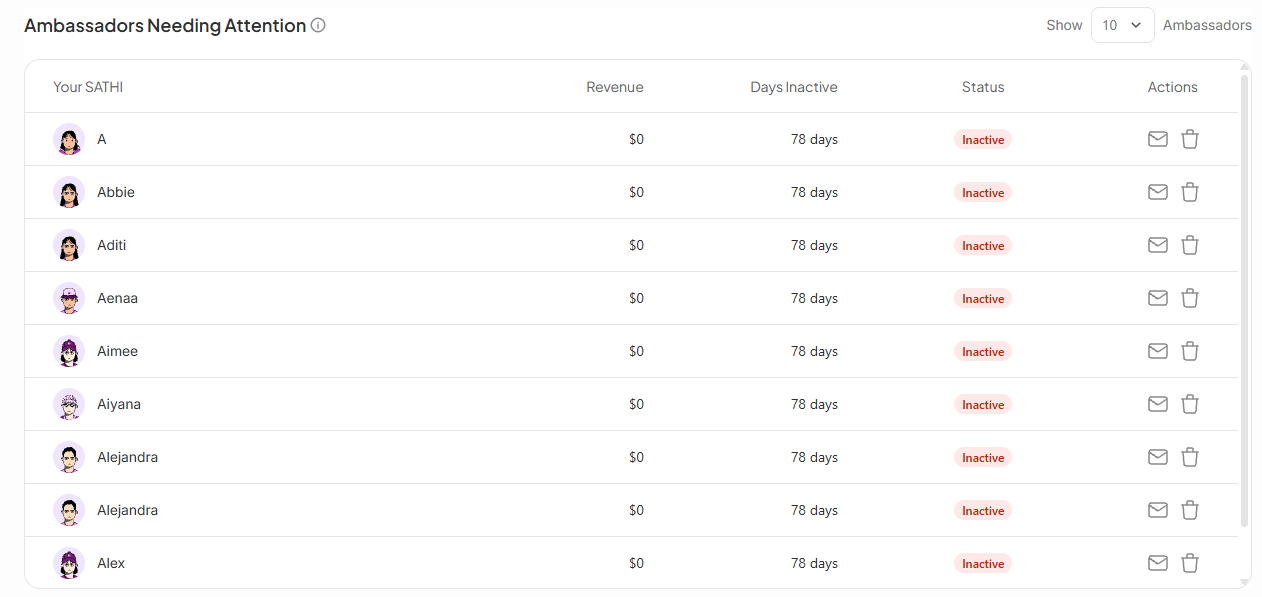
This section highlights Ambassadors who may need a follow-up because they haven’t been active or contributing recently.
Revenue generated
Number of days since their last activity
Current status (for example, "Awaiting First Post, Inactive")
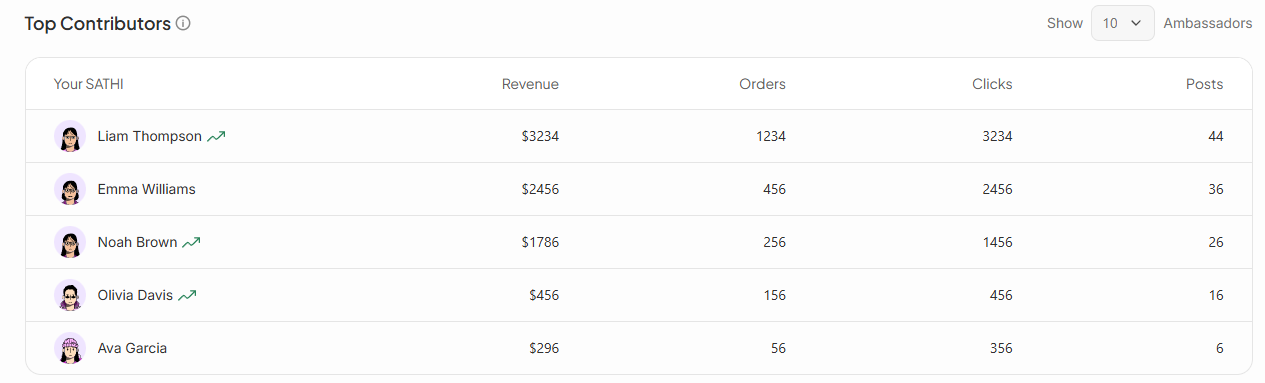
Below the attention list, SATHI shows your highest-performing ambassadors ranked by revenue. The table includes revenue, orders, clicks, and posts side by side.
Seeing these metrics together gives you a more complete understanding of how your top performers are driving results, not just how much revenue they're generating. This can help you identify successful ambassador behaviors and use them as a benchmark for the rest of your program.
Revenue alone doesn't tell you whether a program is healthy or fragile. Insights breaks that down into activity, conversion, and engagement metrics, so you can see whether growth is broad-based or riding on a handful of ambassadors, and the attention list surfaces exactly who's at risk of going inactive before it happens, giving you a chance to step in with a nudge instead of losing them silently.
Still need help?
Reach out anytime to our Support team using the button at the bottom-right corner of your dashboard, or email us at [email protected].