

Once your SATHI Wallet is set up and funded, you can manage and send all pending ambassador commissions from the Payments section in the left sidebar.
Understanding Pending Commissions
At the top of the Pending Commissions tab, you'll see four summary metrics:
Total: The total value of all commissions currently owed across your program
Upcoming: Commissions that are scheduled but not yet due for payment
Pending: Commissions that are ready to be paid out now
Revenue Protected: Revenue flagged as fraudulent and protected from payout
Paying All Ambassadors at Once
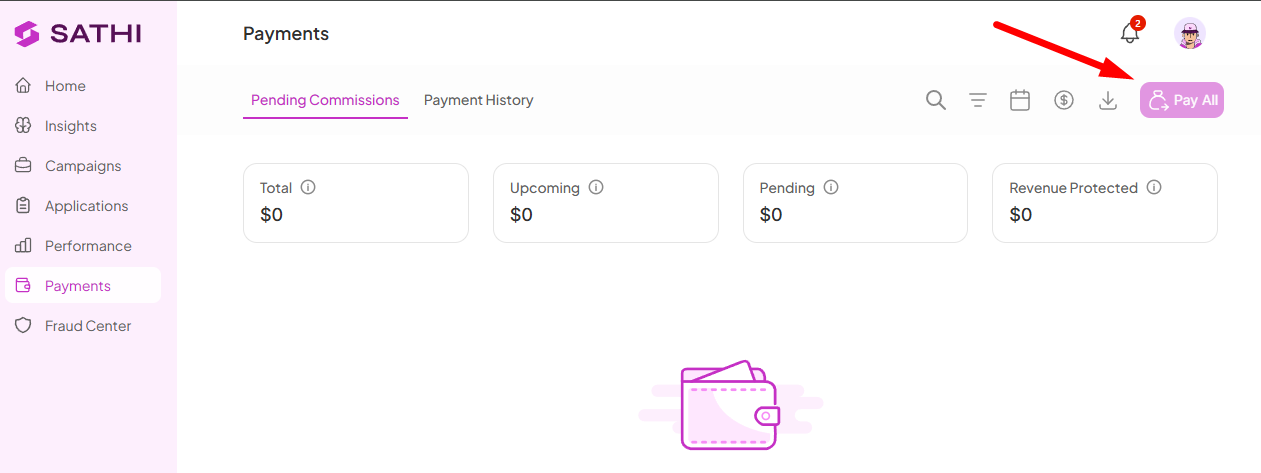
To pay every ambassador with a pending commission in one go, click Pay All in the top-right corner of the page. A confirmation modal appears before anything is processed, review the details and confirm to send all payments at once.
Paying Selected Ambassadors
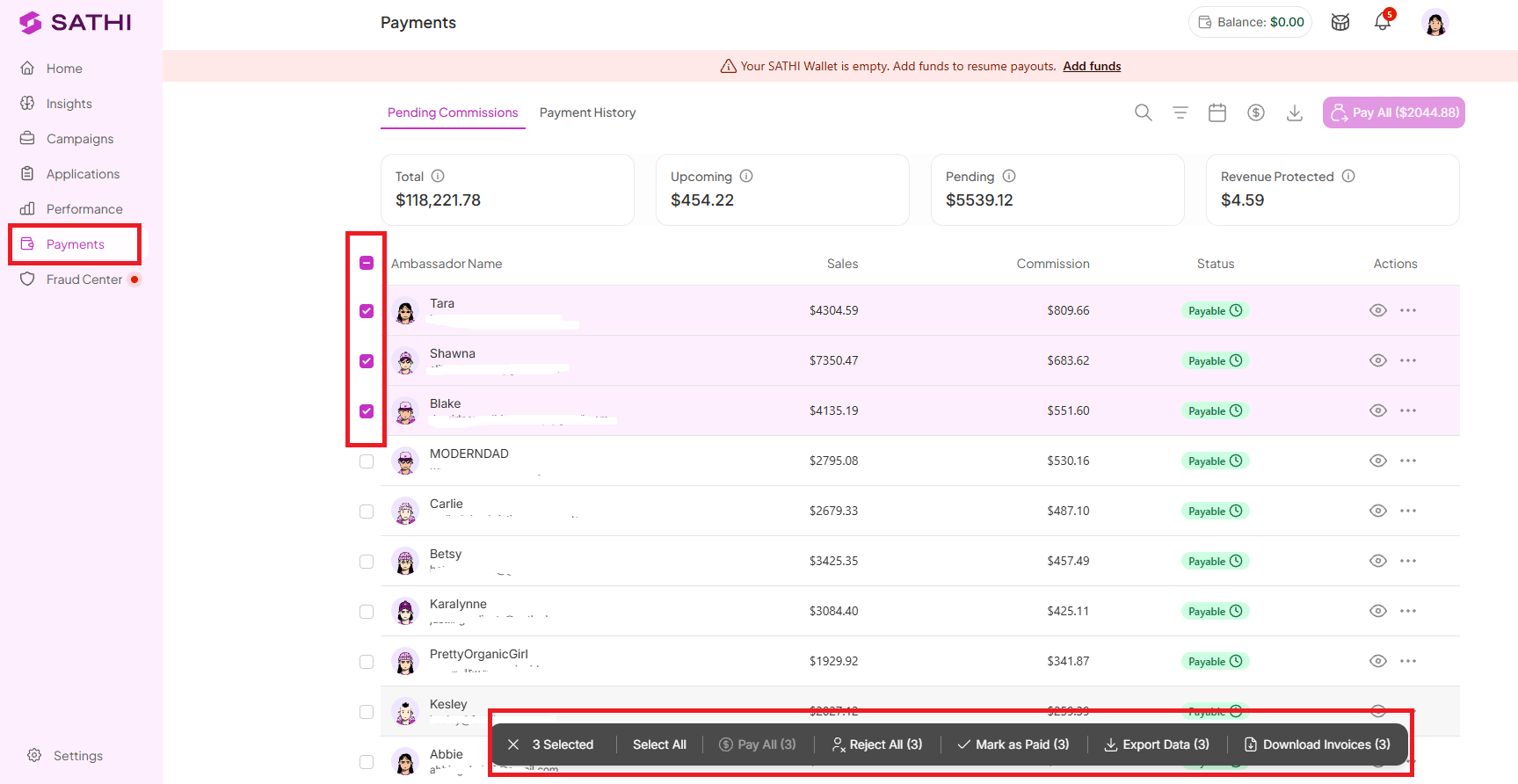
If you want to pay specific ambassadors rather than everyone at once:
Check the boxes next to the ambassadors you want to pay
A toolbar appears at the bottom of the screen showing how many are selected
Click Pay All (X) in the toolbar to send payments to the selected ambassadors only
Confirm in the modal that appears
From the same toolbar, you can also:
Select All: Select every ambassador on the page at once
Reject All (X): Reject the selected commissions
Export Data (X): Download the selected commission data
Download Invoices (X): Download invoices for the selected payments
After Payment
Once a payment is sent, the ambassador receives an email notification letting them know their commission is on its way. You can review all past payments at any time in the Payment History tab at the top of the page.
Tip: Keep an eye on the low balance banner at the top of the page. If your SATHI Wallet balance is running low, some payments may stay pending until you add funds. Head to Settings → SATHI Wallet to top up.
Why This Is Important
Whether you're running payouts for two ambassadors or two hundred, you shouldn't need a different process for each. Pay All and selective bulk actions mean payday takes the same few clicks regardless of program size, and the low balance banner catches funding issues before they turn into delayed payments to ambassadors.
Still need help?
Reach out anytime to our Support team using the button at the bottom-right corner of your dashboard, or email us at [email protected].