Before your ambassadors can start driving sales, you need a Campaign. A Campaign is where you set your commission structure, discount codes, and other preferences — every ambassador you bring on will be live inside one. This article walks you through installing SATHI and setting up your first campaign.
Open the Shopify App Store
Search for SATHI
Click Install
SATHI connects to your Shopify store automatically.
Once installed, SATHI takes you straight into campaign setup.
Give your campaign a name — this is internal, just for you.
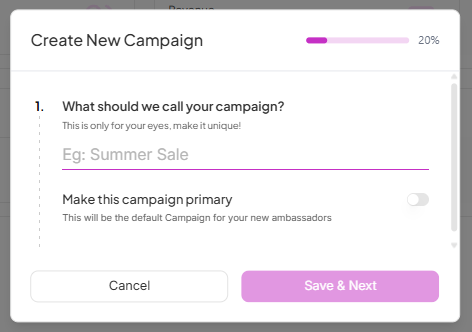

Click Save and Next to continue.
Enter the commission amount you want to offer your ambassadors, as a percentage or a fixed dollar amount. Your store domain is already populated — update it here if needed.
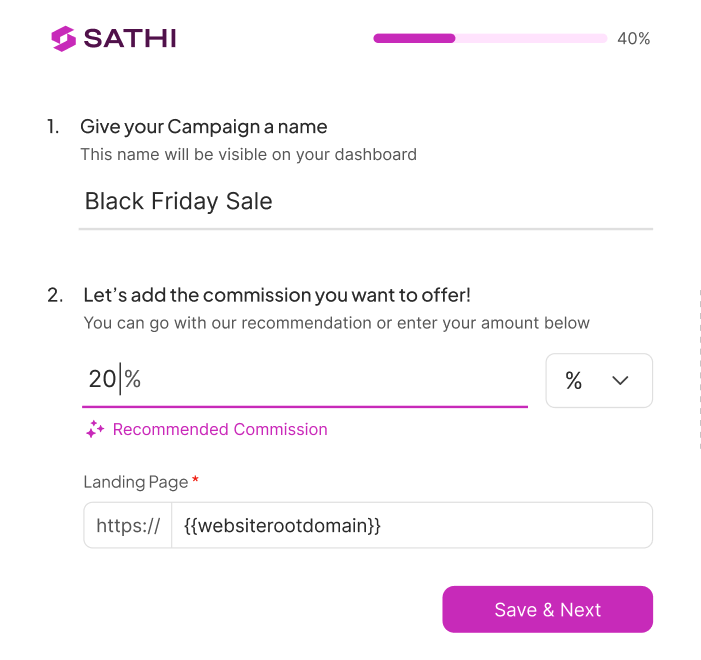
Click Save and Next.
These are optional but worth reviewing:
Shorten links — generate cleaner, more readable referral links for your ambassadors. See our guide on shortening links.
Lower commission for returning customers — set a reduced rate for orders from customers who've bought before. See our guide on new and returning customers.
Apply commission for — choose between all products or a specific product. Use the search bar to find products directly from your Shopify store.
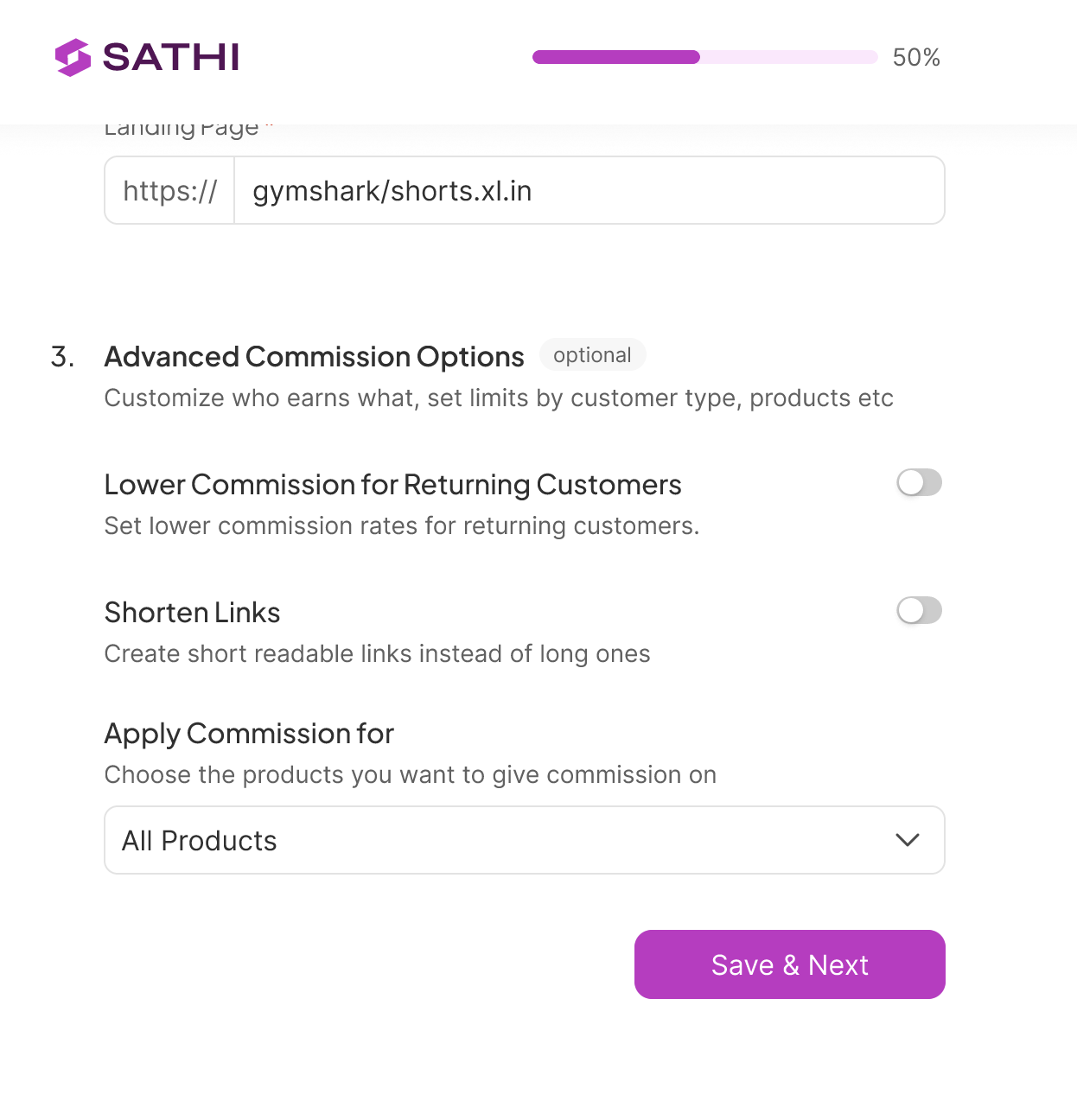
Click Save and Next.
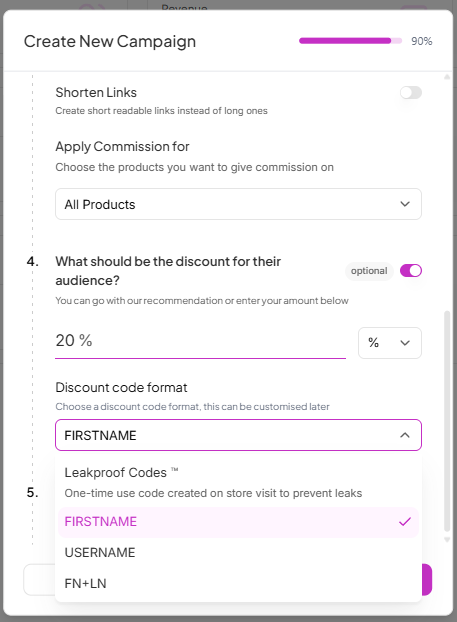
Choose how SATHI generates discount codes for your ambassadors.
Personalized codes — unique discount codes based on the ambassador's information. Choose one of the following formats:
First Name — e.g. SARAH10
Username — e.g. SARAHSMITH10
First Name + Last Name — e.g. SARAHSMITH10
Personalized codes are easy for ambassadors to remember and share with their audience.
LeakProof Codes — a unique code is generated every time an ambassador's link is clicked and applied silently at checkout. Read more in our guide on dynamic LeakProof codes.

Fine-tune how your discount codes behave. All of these are optional and can be skipped.
Non-numeric code — removes numbers from the code format
Single use per customer — the code can only be used once per customer
New customers only — restricts the discount to first-time buyers
Minimum order value — discount applies only when the cart meets a set value
Enable on subscriptions — allows the discount to apply to subscription orders
Specific products only — restrict the discount to selected products
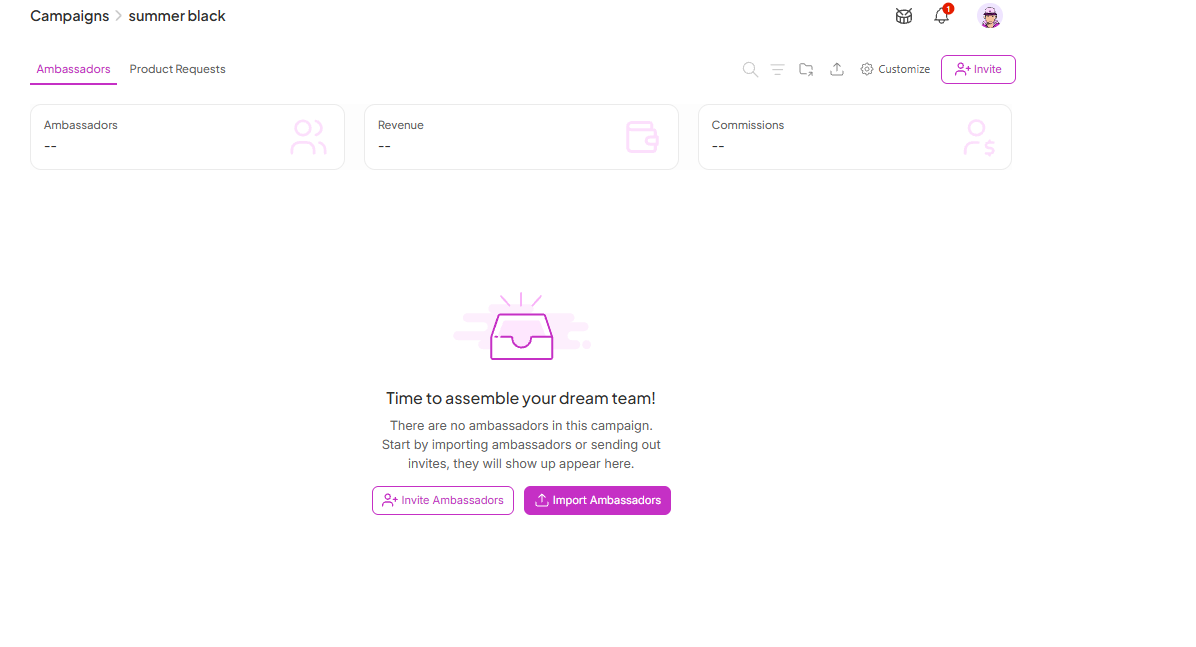
Once you're done, your first campaign is ready. SATHI takes you to your Campaign page.
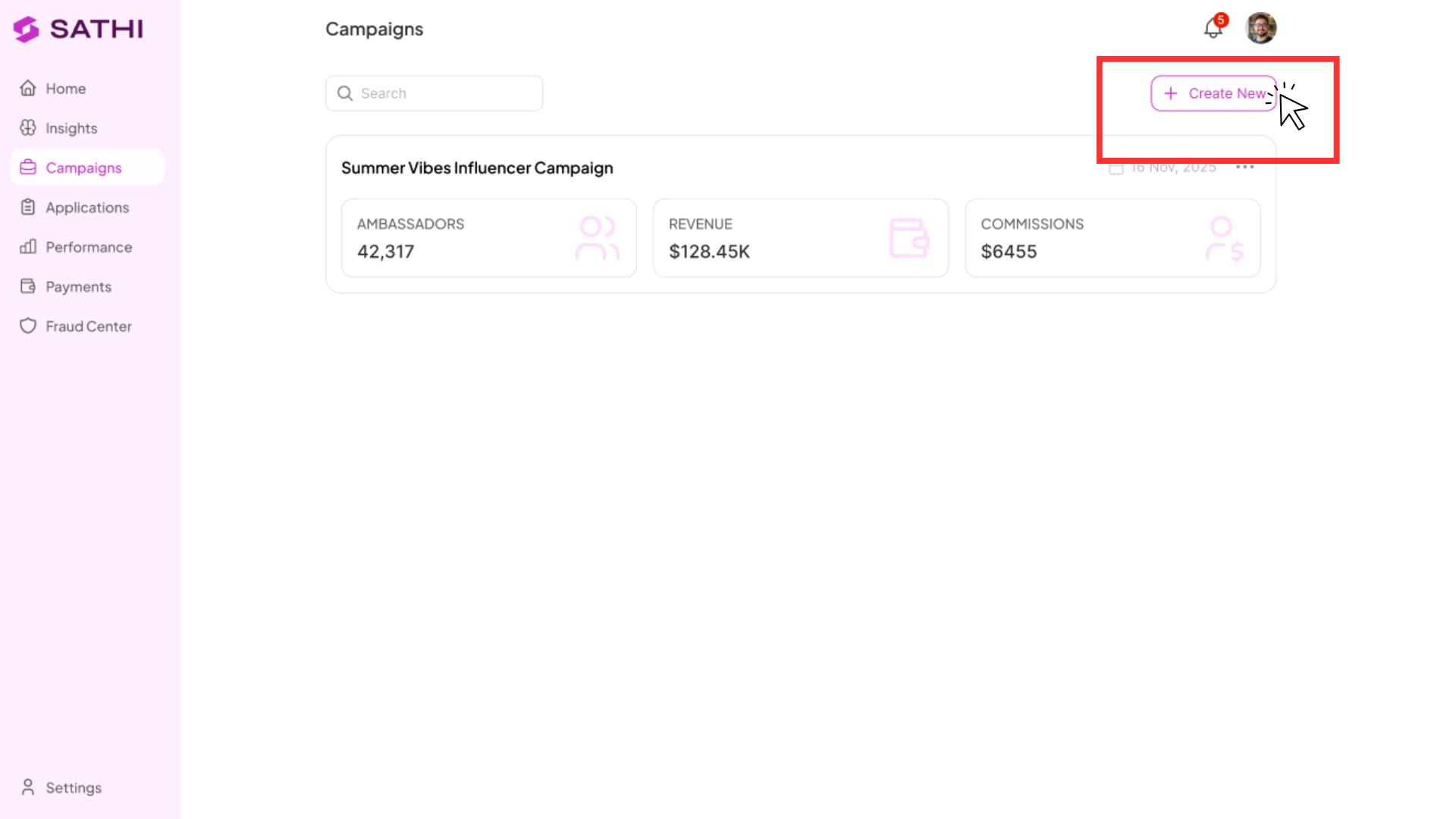
Want to run separate campaigns — say, one for major influencers and one for micro-ambassadors? Create more from the Campaigns tab: click Create New Campaign and follow the same steps above.
How to Import Existing Affiliates into SATHI
Bring existing affiliate information into SATHI
How to Create an Affiliate Application Form
Creating an Affiliate Application Form
Still need help?
Reach out anytime to our Support team using the button at the bottom-right corner of your dashboard, or email us at [email protected].

