While you may have a separate messaging channel for your affiliates, SATHI also makes it easy to reach out directly whether it’s a quick update, a reminder, or a personalized message. You can send emails manually or in bulk, all right from your campaign page.
Where to find the Send Email button:
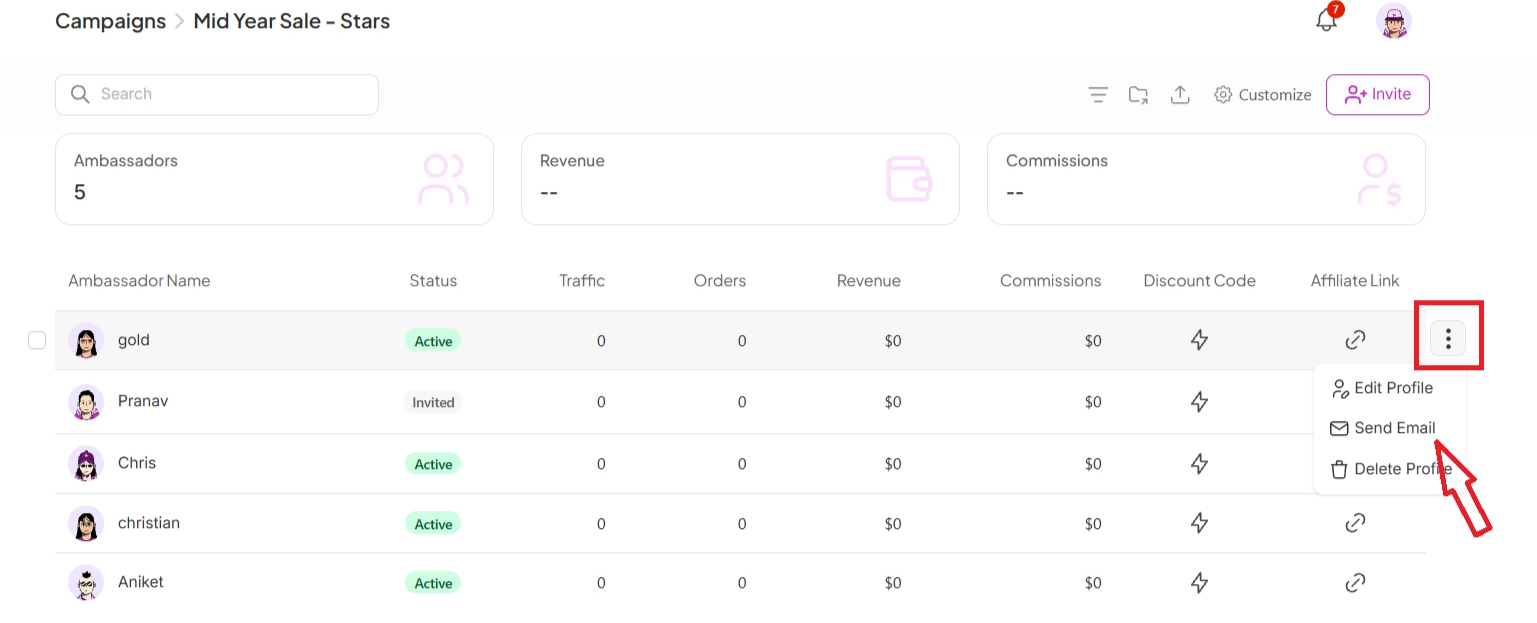
Go to the Campaign where the influencer is added
Find the influencer in the list
Click the 3 dots beside their profile
Select View Actions
Choose Send Email

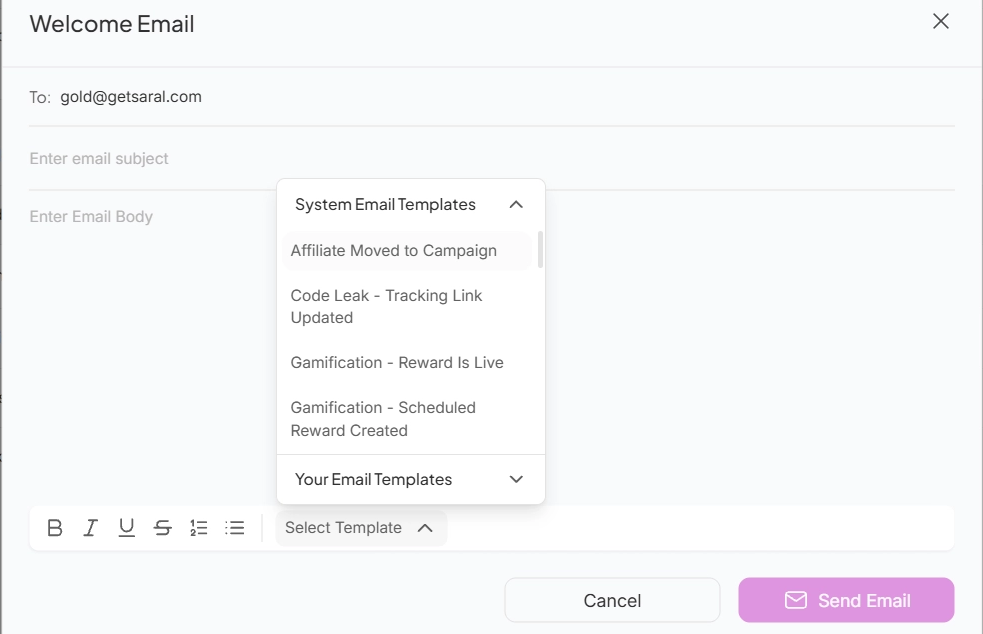
Inside the email window, you have two options:
Blank email body - write your message from scratch
Templates - choose from System Templates or your saved Custom Templates for faster sending
Once ready, just click Send Email and you’re good to go.
Need to reach multiple influencers at once? No problem.
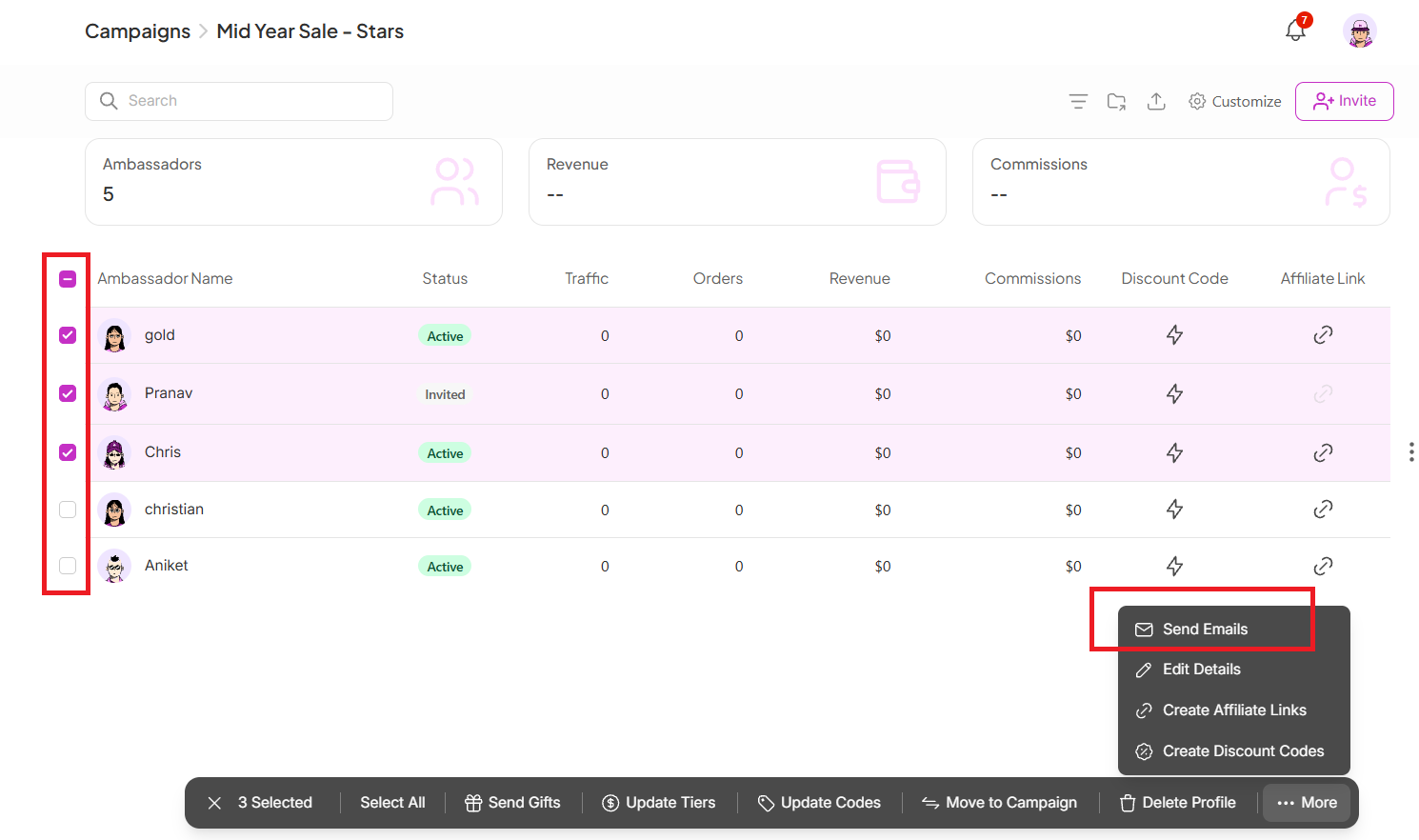
How to get here:
Stay inside the same Campaign page
Tick the checkboxes next to the influencers you want to email
Click Send Email from the bulk actions
Send Emails by finding it inside Campaign → Influencer → 3 dots → View Actions → Send Email
Send custom emails or use templates
Bulk email via checkbox selection in Campaigns
Emails are always sent individually, not as CCs
Fast, flexible, and built for scale
Still need help?
Reach out anytime to our Support team using the button at the bottom-right corner of your dashboard, or email us at [email protected].