

You may already have a separate channel for reaching ambassadors, but SATHI also lets you email them directly from the platform. You can send a quick update, a reminder, or a personalized note to one ambassador at a time or to several at once, without leaving the campaign page.
Sending an Email to One Ambassador
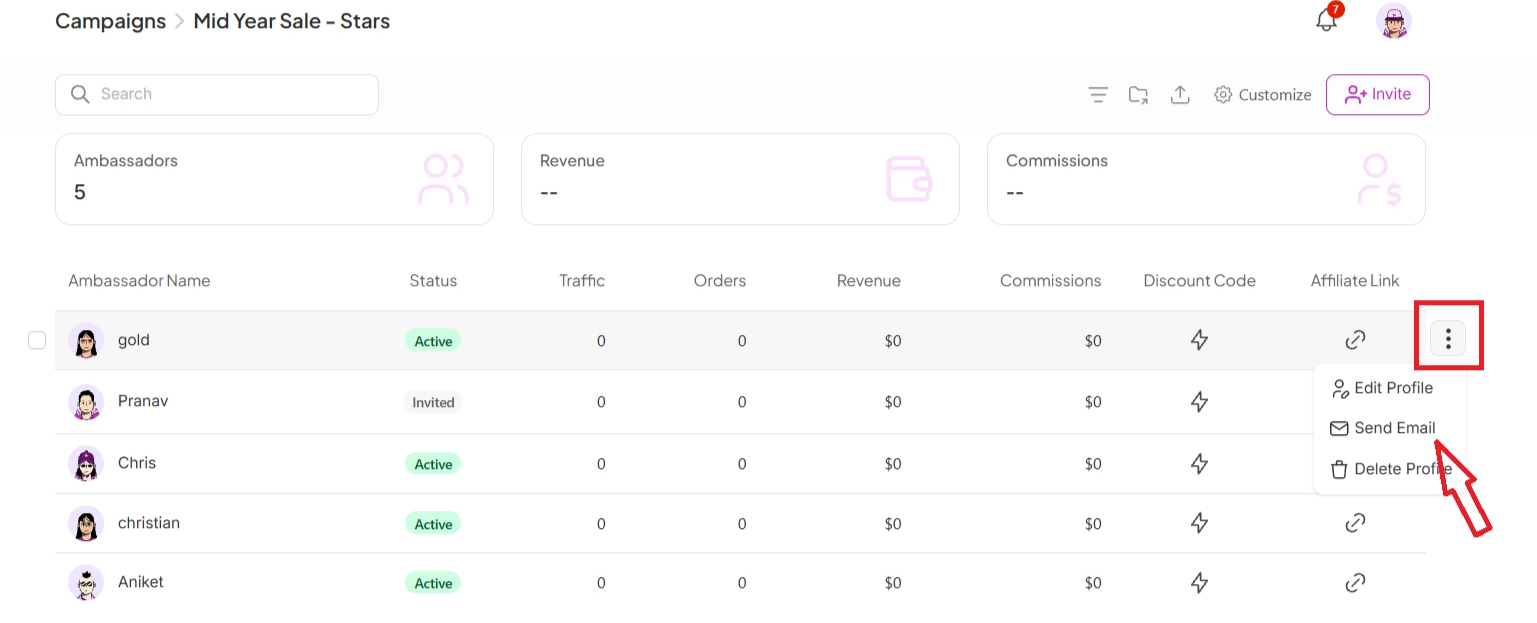
Go to the campaign where the ambassador is added.
Find the ambassador in the list.
Click the 3 dots beside their profile.
Choose Send Email.
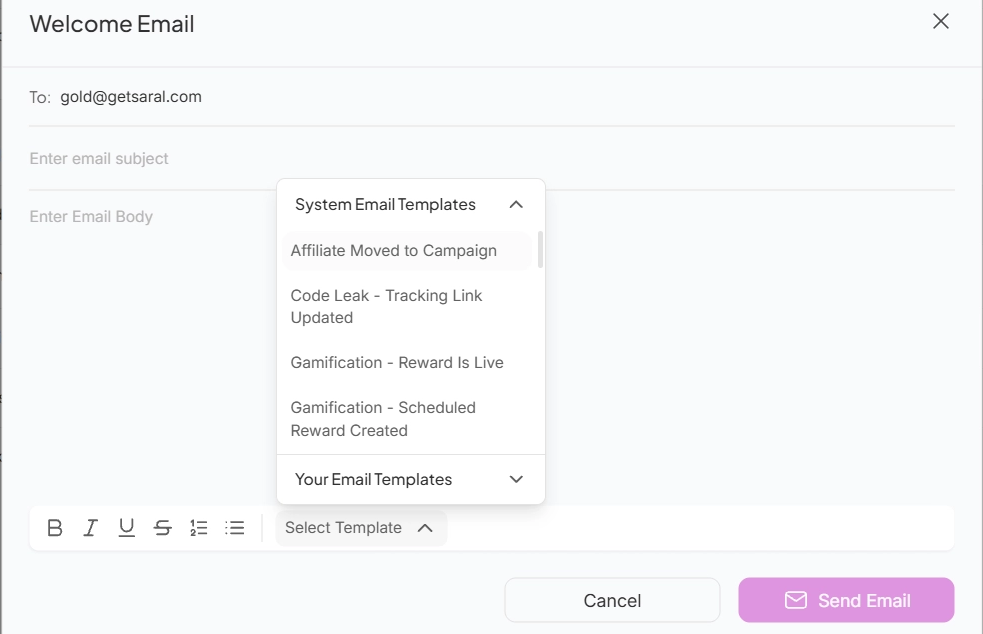
This opens the email composer, where you can write a message or select a template.
Composing the Email
Inside the composer, you have two options:
Blank email body — write your message from scratch.
Templates — choose from System Templates or your saved Custom Templates.
Once ready, click Send Email.
Sending Emails in Bulk
To email multiple ambassadors at once:
Stay on the campaign page.
Tick the checkboxes next to the ambassadors you want to email.
Click Send Email from the bulk actions bar.

Why This Is Important
Emailing ambassadors directly from SATHI keeps communication tied to the campaign context, so you don't have to switch tools or manually track who received what. Sending each ambassador an individual email, even in bulk, also keeps personal details and reply threads private between you and that ambassador.
Still need help?
Reach out anytime to our Support team using the button at the bottom-right corner of your dashboard, or email us at [email protected].