Sometimes a commission needs to be changed after a sale has already been recorded — for example, due to a refund, a discount, or a correction. SATHI lets you manually update commissions directly from the Payments section, either for an ambassador's overall pending commission or for a single order.
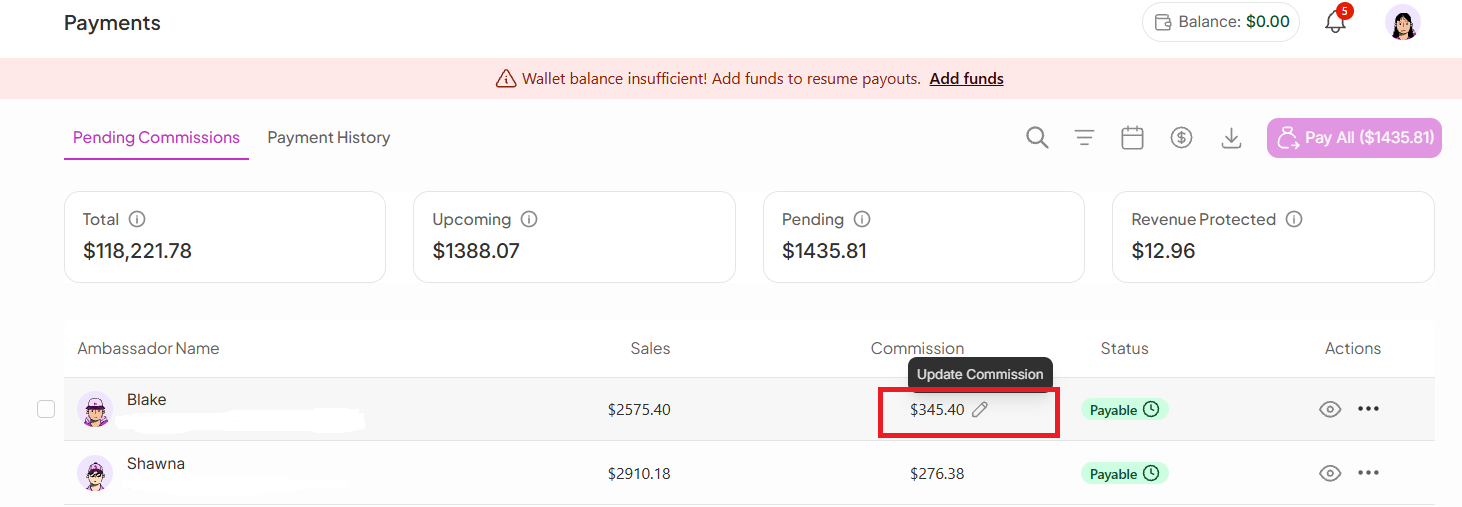
To edit a commission:
Go to the Payments section.
Open Pending Commissions.
Find the specific ambassador.
Click the Edit icon (✏) next to their commission.
Once you click the edit option, you can:
Update the commission amount.
Select or enter a reason for the update.
Click Save to confirm the changes.
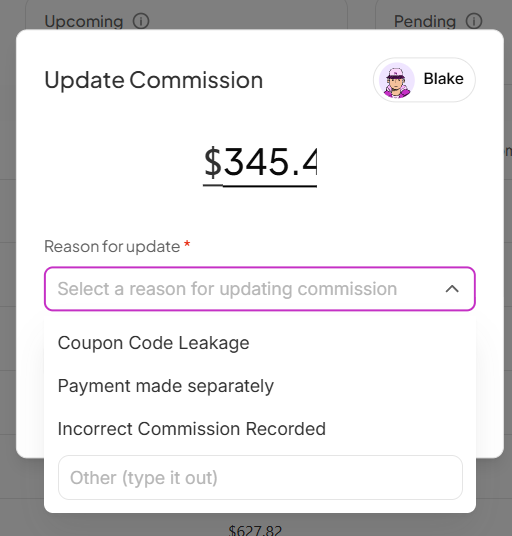

After saving, the updated commission automatically reflects in the commission section.
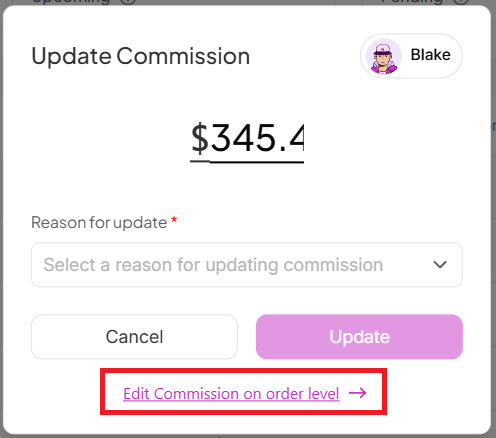
SATHI also supports editing commissions at the order level, giving you more granular control over individual transactions. This is useful when:
A specific order needs correction.
A discount, refund, or other adjustment affects the payout.
You want to update a single order instead of the ambassador's full commission.
You can access this from the Update Commission view.
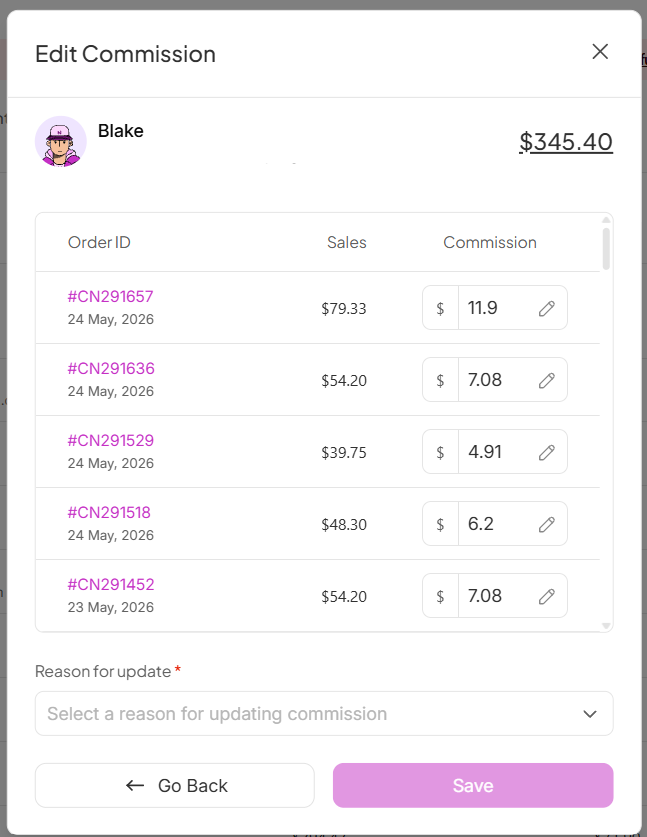
Manually adjusting commissions ensures ambassadors are paid accurately when a sale changes after the fact. Whether it's a single order or an ambassador's full pending balance, having this level of control keeps your payout records correct and auditable.
Still need help?
Reach out anytime to our Support team using the button at the bottom-right corner of your dashboard, or email us at [email protected].

