With SATHI, you have full flexibility to adjust payouts whenever needed. In some cases, you may need to manually update commissions after a sale has already been recorded and you can easily do this directly inside the platform.
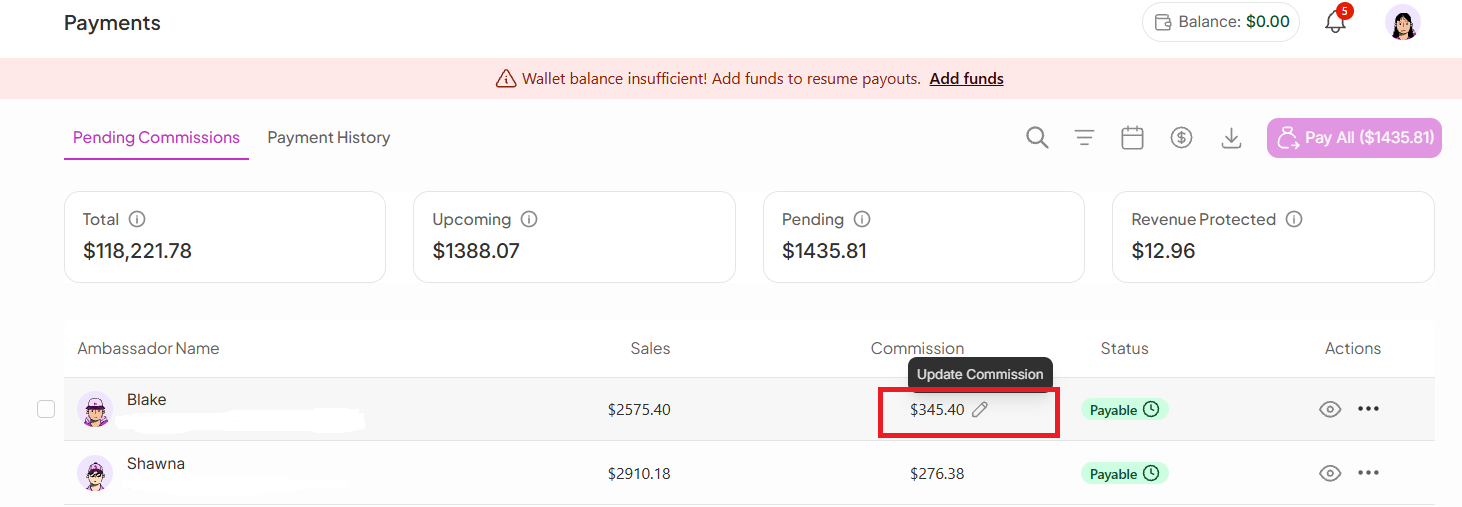
To edit commissions:
Go to the Payments section
Open Pending Commissions
Find the specific affiliate/creator
Click the Edit icon(✏) next to their commission
Here’s a closer view:
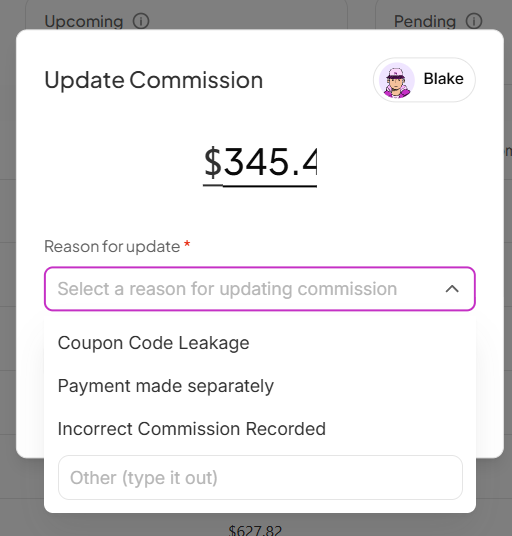
Once you click the edit option, you can:
Update the commission amount
Select or enter a reason for the update (required for tracking clarity)
Click Save to confirm the changes
After saving, the updated commission will automatically reflect in the commission section.
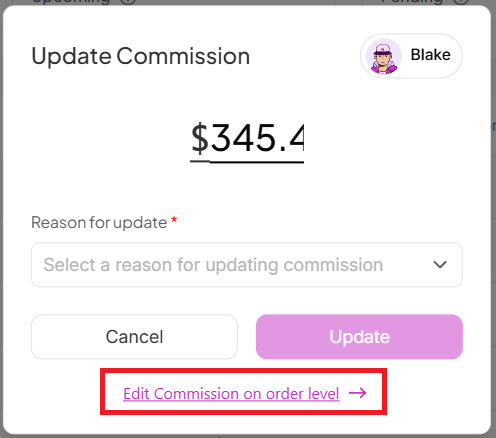
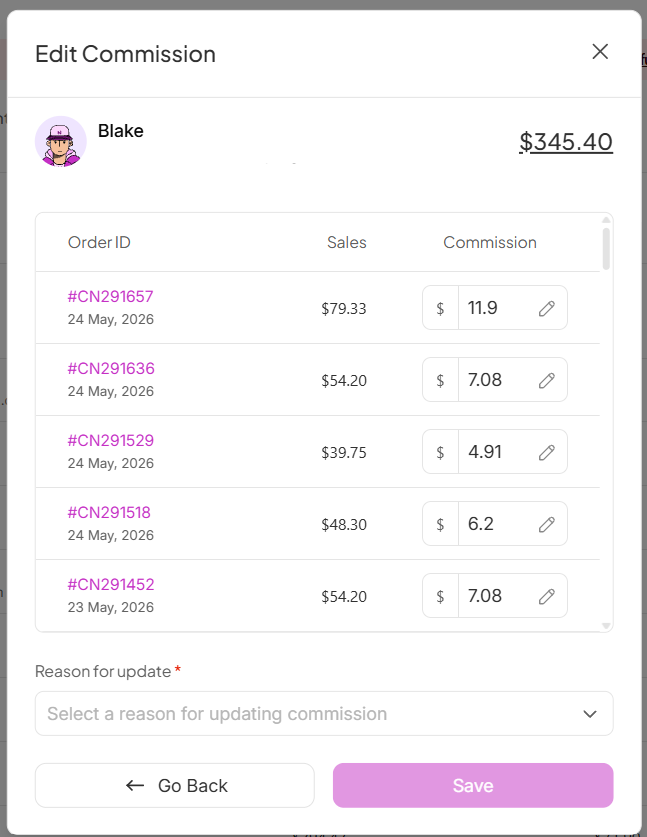
SATHI also supports editing commissions at the order level, giving you more control over specific transactions.
This is useful when:
A specific order needs correction
Discounts, refunds, or adjustments affect payout
You want more granular control instead of updating the full affiliate commission
Where to find it:
You can access this from the Update Commission view.
Still need help?
Reach out anytime to our Support team using the button at the bottom-right corner of your dashboard, or email us at [email protected].