

You can move an ambassador from one campaign to another directly from their profile, or move several ambassadors at once from Campaigns. This is useful when an ambassador's fit for a campaign changes, or when you want to reorganize your program structure.
Move an Ambassador From Their Profile
Go to the ambassador's profile in SATHI.
Look for the arrow icon on their profile, beside the campaign name.
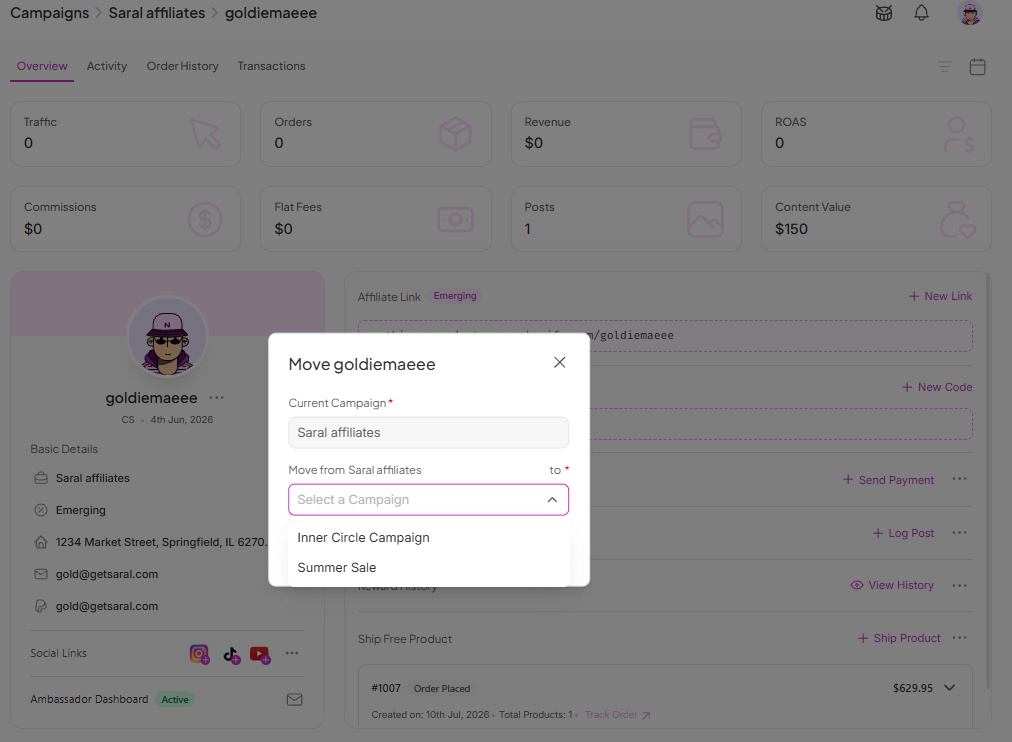
Click the arrow icon, then select the new campaign.
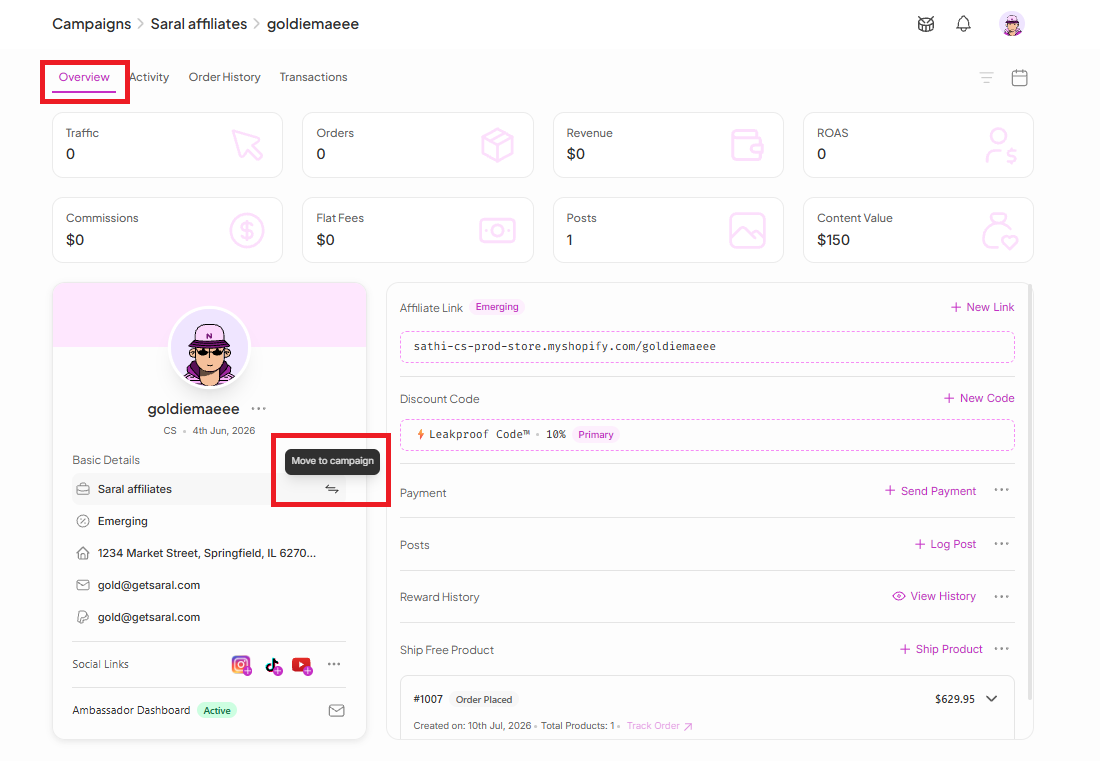
Clicking Move to Campaign shows a preview of the change before it's applied.
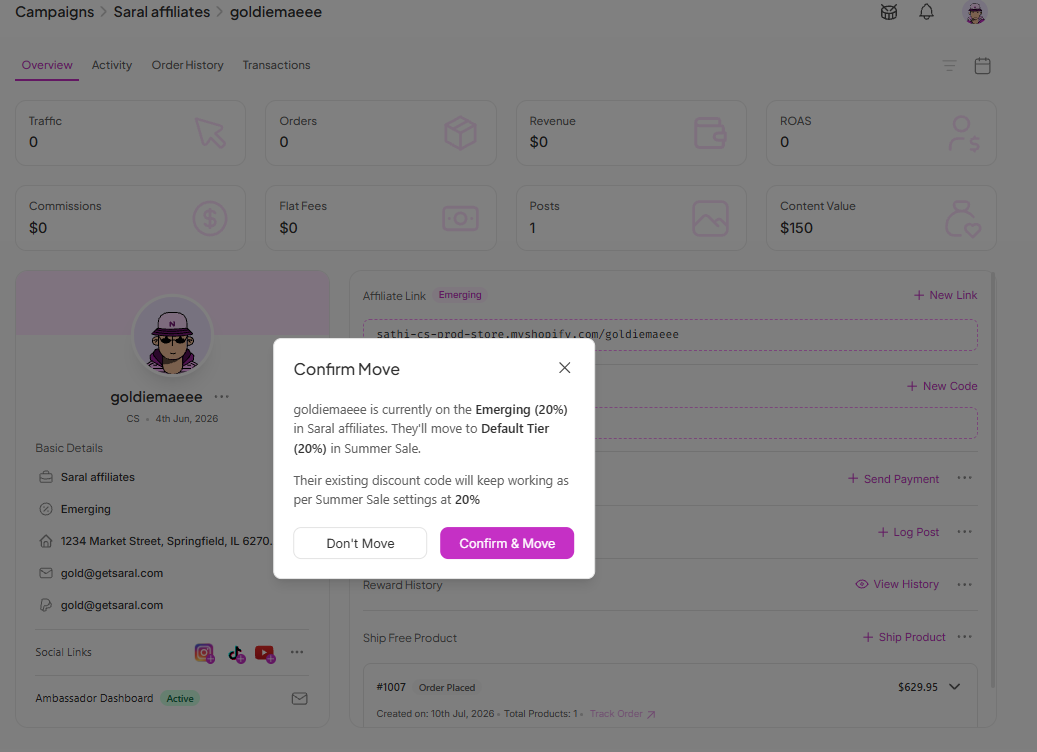
Before the move happens, the platform asks you to confirm one last time. If everything looks correct, click Confirm and Move.
🎉 Done! The affiliate has now been successfully moved to the new campaign.
Move Multiple Ambassadors From Campaigns View
Go to Campaigns in SATHI.
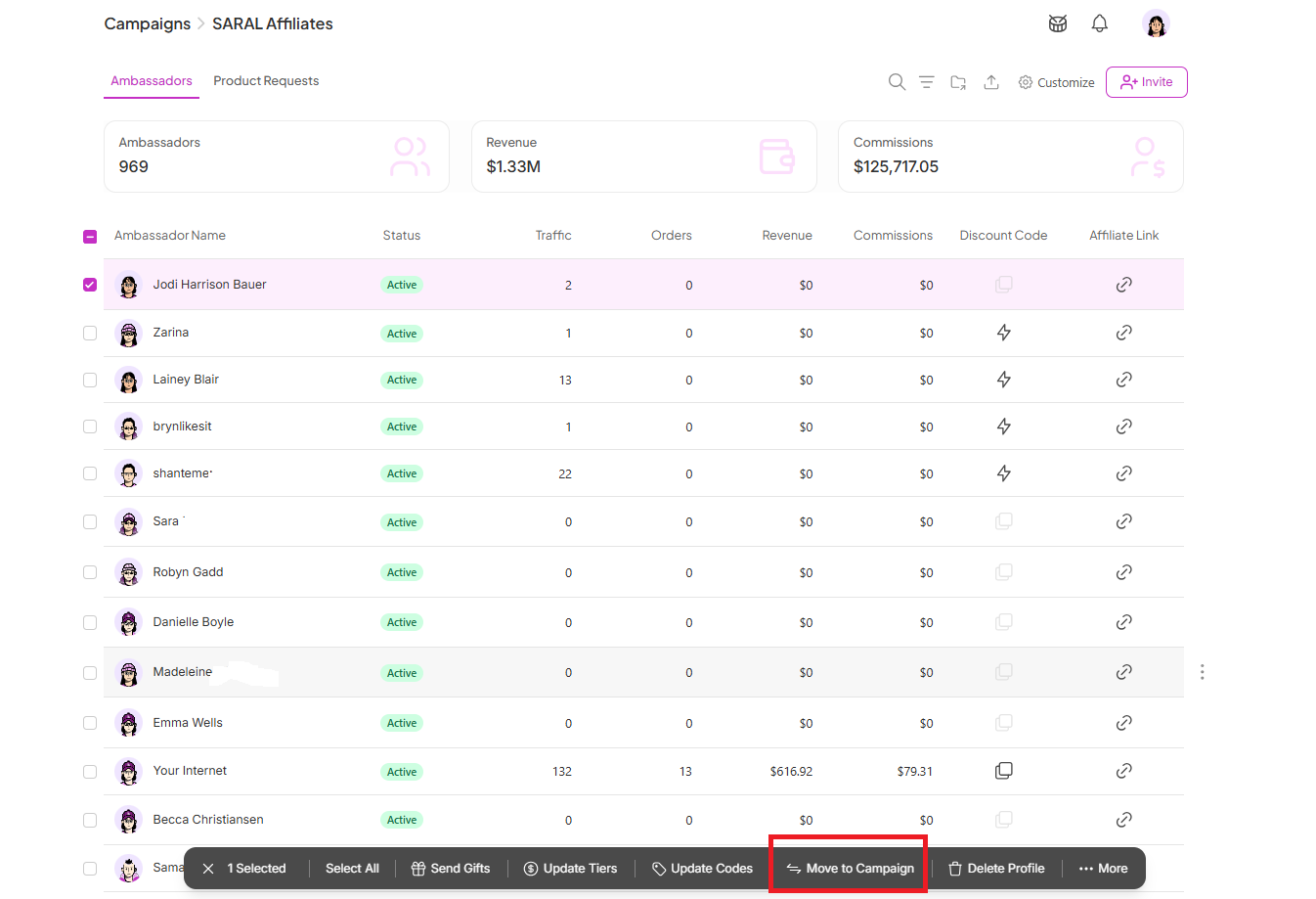
Select the ambassador profiles you want to move.
Click Move to Campaign, which appears once profiles are selected.
Select the new campaign, review the preview, then click Confirm and Move.

Why This Is Important
Moving ambassadors between campaigns keeps your program organized as ambassador fit or campaign strategy changes, without requiring you to remove and re-add them manually. The confirmation step also helps prevent accidental moves, since campaign reassignment affects which commission tier and tracking links apply to that ambassador.
Still need help?
Reach out anytime to our Support team using the button at the bottom-right corner of your dashboard, or email us at [email protected].