Sometimes affiliate links need a quick update. Maybe a new tracking setup, a cleaner link, or simply removing an old one. No worries, SATHI makes this super easy so you don’t have to jump between screens or get stuck in manual work.
Everything you need is available right inside the influencer’s profile.
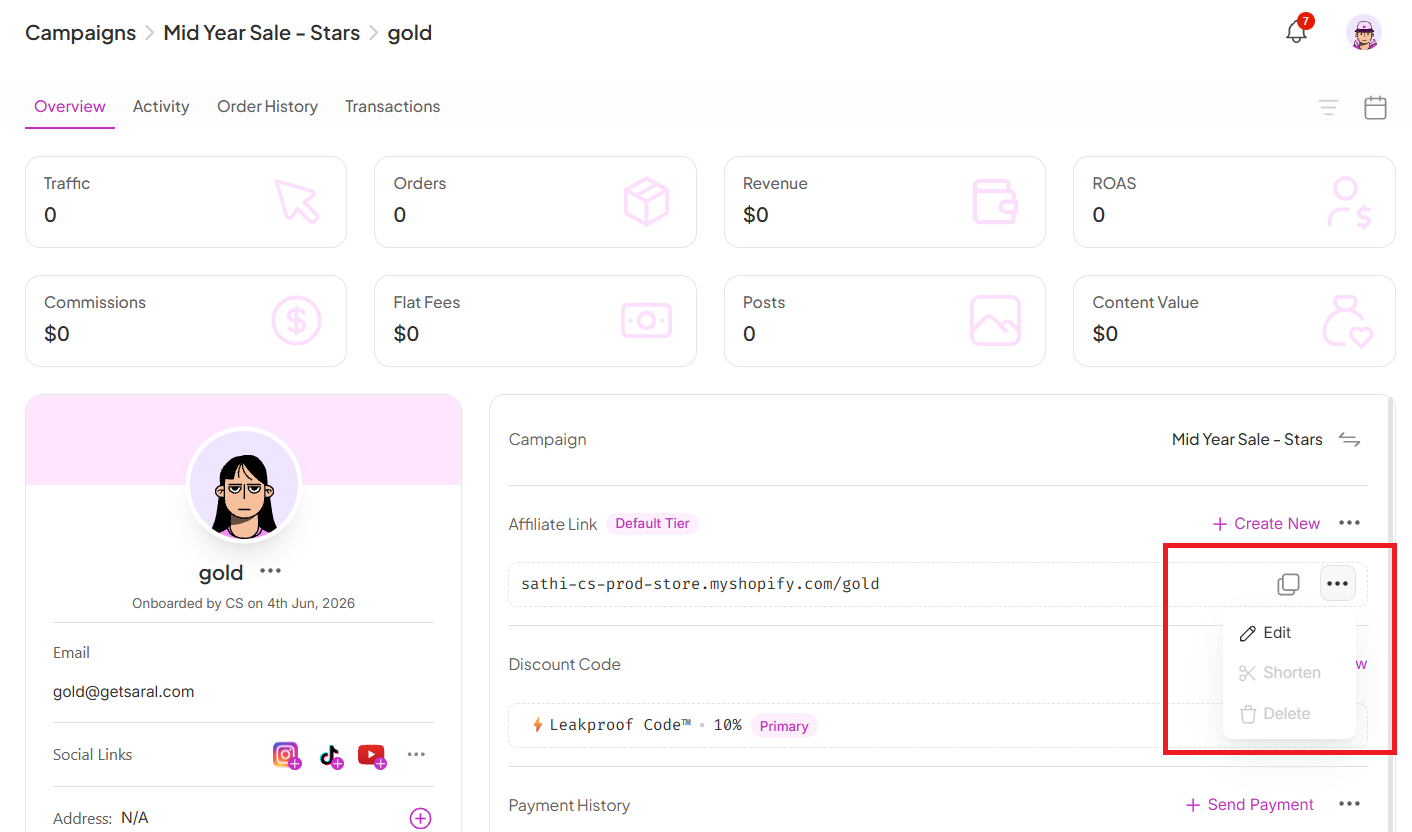
Go to the relevant Campaign
Search and open the influencer’s profile
Scroll down to the Affiliate Link section
Once you’re there, you’ll see all the links connected to that influencer along with all available actions — you’ve got full flexibility to:
Edit
Shorten
Delete a link


While you’re here, you can also update the influencer’s commission setup:
Click the (✏) icon next to the commission tier
Choose the updated commission tier
Save your changes
Done! The new commission setup will be applied immediately.
Manage affiliate links directly from the influencer's profile
You can Edit, Shorten, or Delete links
Deletion requires at least 2 links to be present
Commission tiers can be updated
All changes reflect instantly
Still need help?
Reach out anytime to our Support team using the button at the bottom-right corner of your dashboard, or email us at [email protected].