

Sometimes ambassador links need a quick update: a new tracking setup, a cleaner link, or simply removing an old one. Everything you need to manage a link is available directly inside the ambassador's profile, without jumping between screens.
Where to Find Ambassador Links
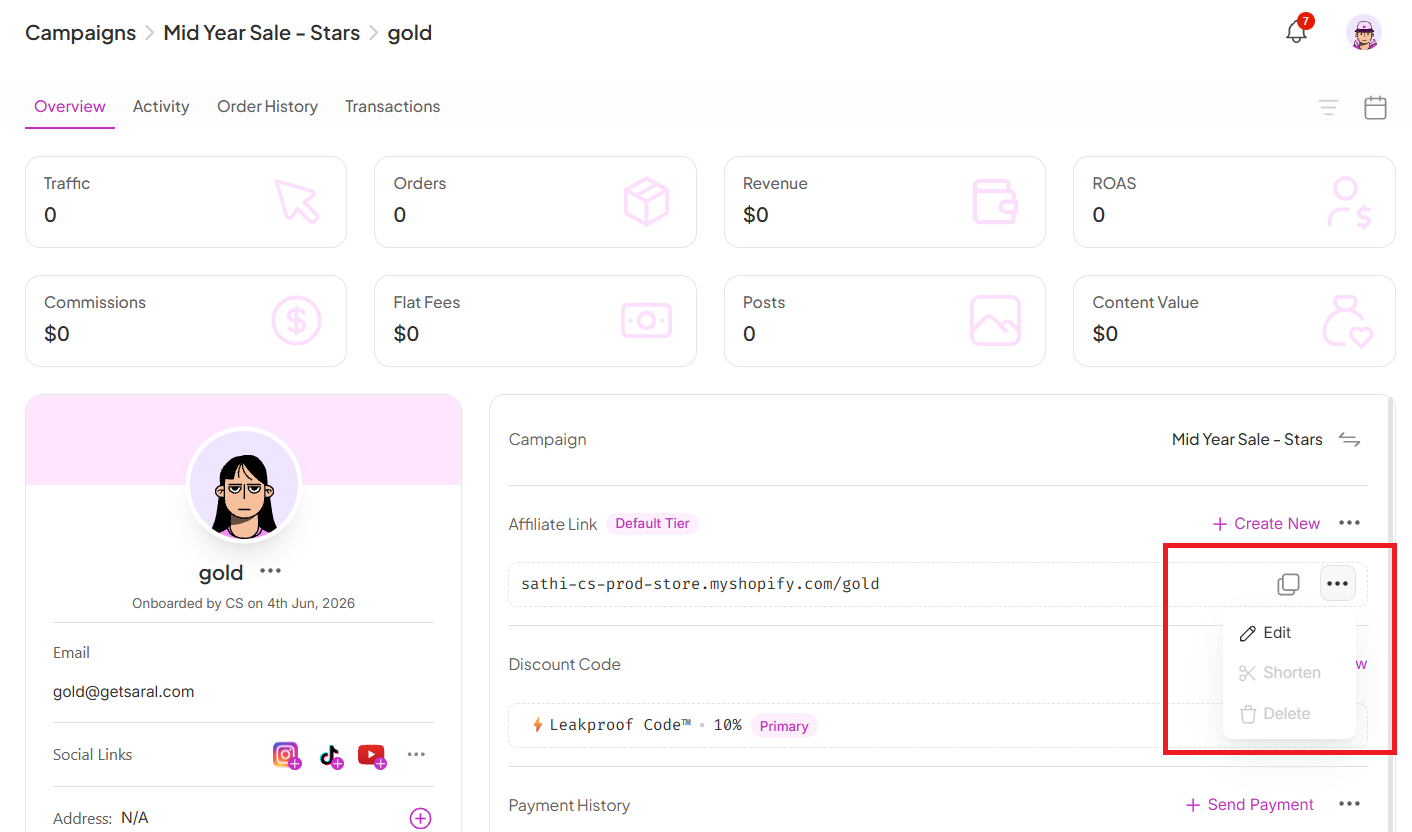
Go to the relevant Campaign
Search for and open the ambassador's profile
Scroll down to the Ambassador Link section
Here you'll see all the links connected to that ambassador along with the available actions:
Edit
Shorten
Delete

Updating Commission Tier from the Same Place

While you're here, you can also update the ambassador's commission setup:
Click the pencil icon next to the commission tier
Choose the updated commission tier
Save your changes
The new commission setup applies immediately.
Why This Is Important
Link and commission changes come up often, whether an ambassador needs a cleaner URL, an old link needs retiring, or a tier needs adjusting after a performance review.
Keeping edit, shorten, delete, and commission tier controls all in one place means you're not hunting across multiple screens for a routine update, and the minimum-one-link rule protects you from accidentally breaking an ambassador's tracking altogether.
Still need help?
Reach out anytime to our Support team using the button at the bottom-right corner of your dashboard, or email us at [email protected].