Discount codes are a key part of running successful ambassador programs, and SATHI is built to create, manage, and scale them without getting lost in setup. Templates, bulk generation, and advanced rules are all designed to save you time and keep your campaigns consistent.
Go to Campaigns
Open the Campaign you want to set up
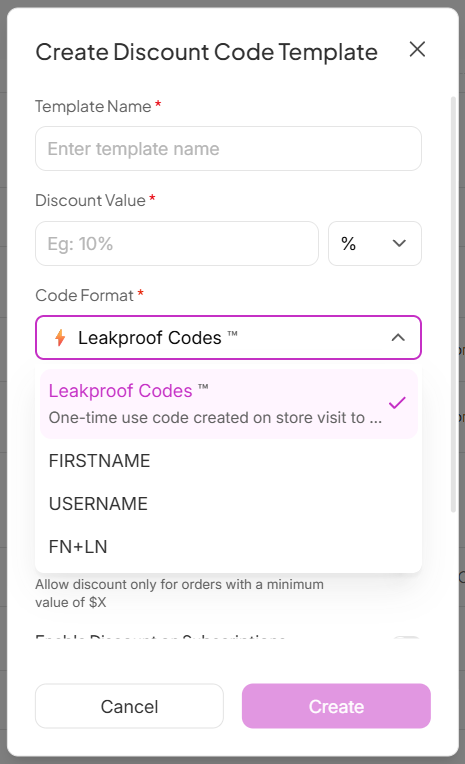
Click Customize → General → Discount Code Templates
Click New Template and follow the on-screen steps
SATHI gives you the flexibility to create discount codes that fit your ambassador strategy. Choose between:
Personalized Codes: Codes based on an ambassador's First Name, Username, or First Name + Last Name.
LeakProof Codes: Secure, unique codes that are automatically applied at checkout and cannot be shared, copied, or leaked.
Each template is fully flexible. You can customize:
Template Name: Easily identify and manage your templates
Discount Value: Choose from percentage off, fixed amount ($), or free shipping
Code Format: Customize how your discount codes are generated and displayed
Once created, your template is saved with all selected settings and ready to use for your campaigns.
SATHI also gives you controls to fine-tune your discount rules:
Single Use per Customer: Limits usage to once per customer
New Customers Only: Applies only on first purchase
Minimum Order Value: Requires a minimum cart value (e.g. $X)
Enable Discount on Subscriptions: Required for subscription products to avoid checkout errors
Only for Specific Products: Restricts the discount to selected items
Non-Numeric Codes: Generates codes without numbers

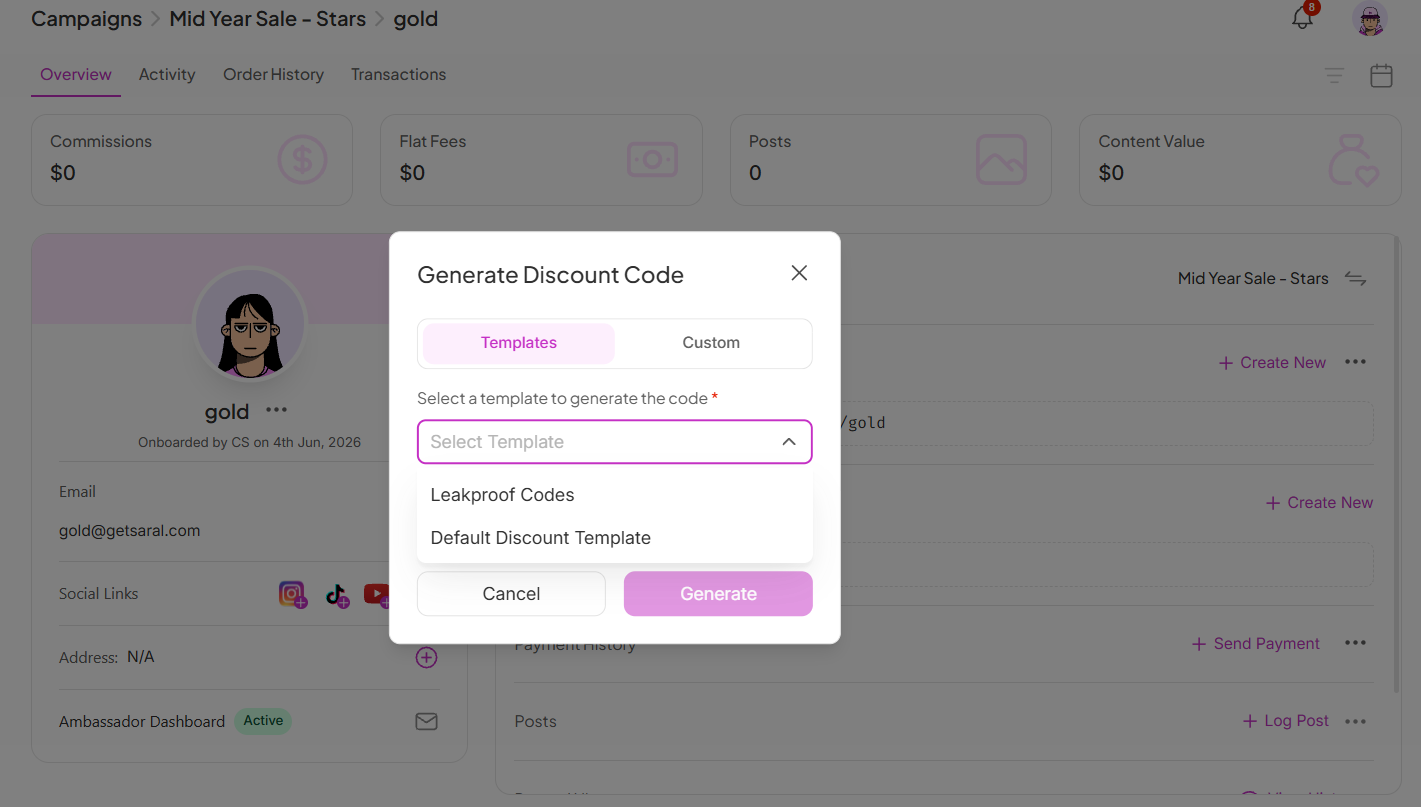
Go to the Campaign
Open the ambassador's profile
Find the Discount Code section
Click Create New
Select a template
Click Generate to save
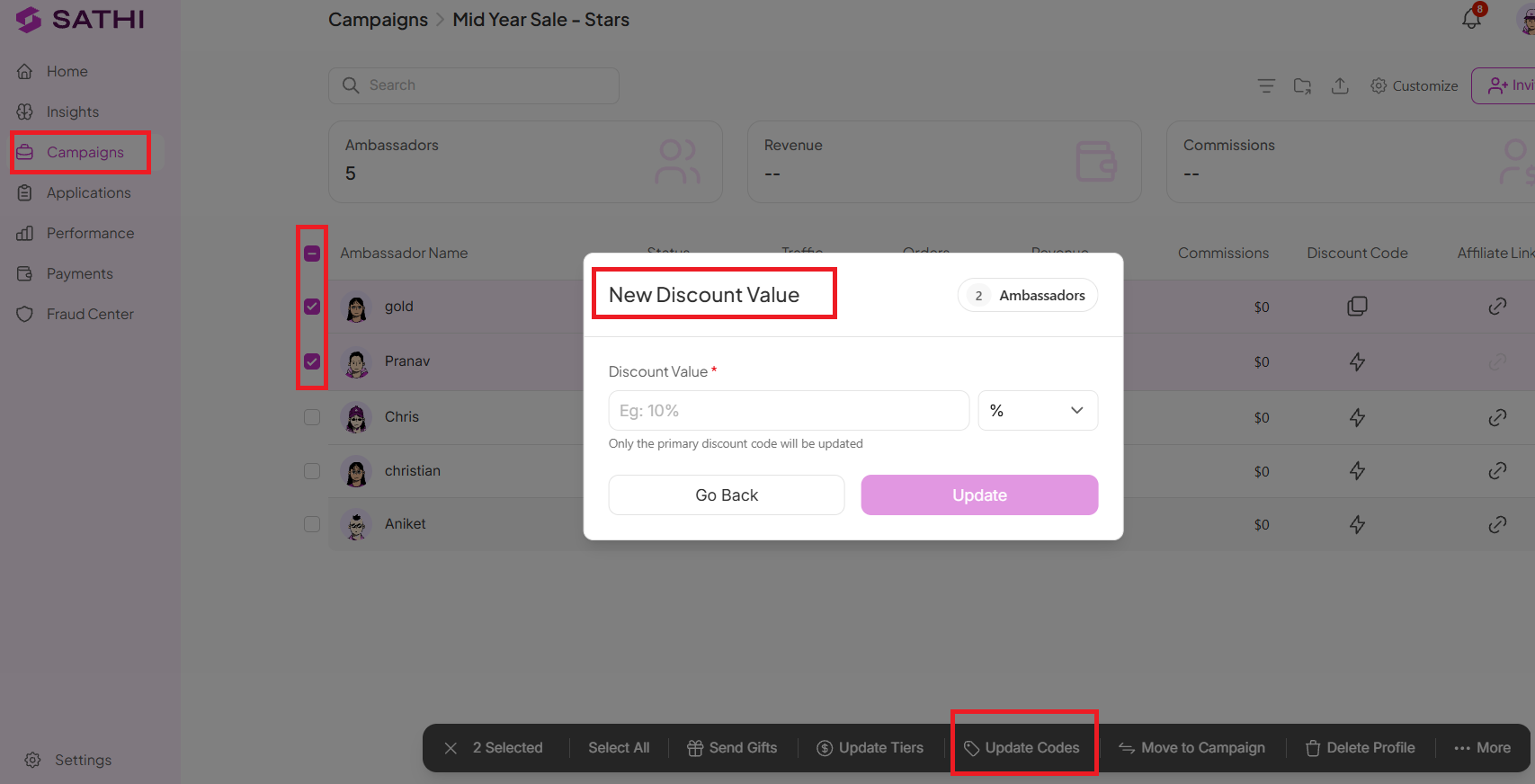
If you need to update a discount value:
Only the primary discount code will be updated
Changes apply directly and reflect instantly
To create codes in bulk:
Go to Campaigns → select a campaign
Tick the checkboxes beside ambassador profiles
Click More → Create Discount Codes
Generate codes for all selected ambassadors

If you need ambassador discount codes to combine with your Shopify automatic discounts:
Go to SATHI Settings
Open Preferences
Find Combine Discount Codes
Select the discount types you want to allow
Changes apply instantly.
Discount codes are one of the most direct ways ambassadors drive and get credit for sales, so getting the setup right matters. Templates and bulk generation mean you're not creating codes one by one for every ambassador, and rules like LeakProof codes and subscription support prevent revenue loss from leaked codes or checkout failures that would otherwise go unnoticed.
Still need help?
Reach out anytime to our Support team using the button at the bottom-right corner of your dashboard, or email us at [email protected].