With Product Requests, ambassadors can request products directly from your brand instead of you spending time collecting product preferences manually. You decide what's available, ambassadors choose what fits their audience, and you approve the request. The rest is handled for you.
Choose the products you want to offer: Select which products ambassadors can request from your brand.
Ambassadors browse and request products: Ambassadors view available products directly from their dashboard and request the ones they're excited to promote.
Approve and let the process flow: Review requests and approve the ones you want, without the back-and-forth of collecting addresses and coordinating shipments manually.
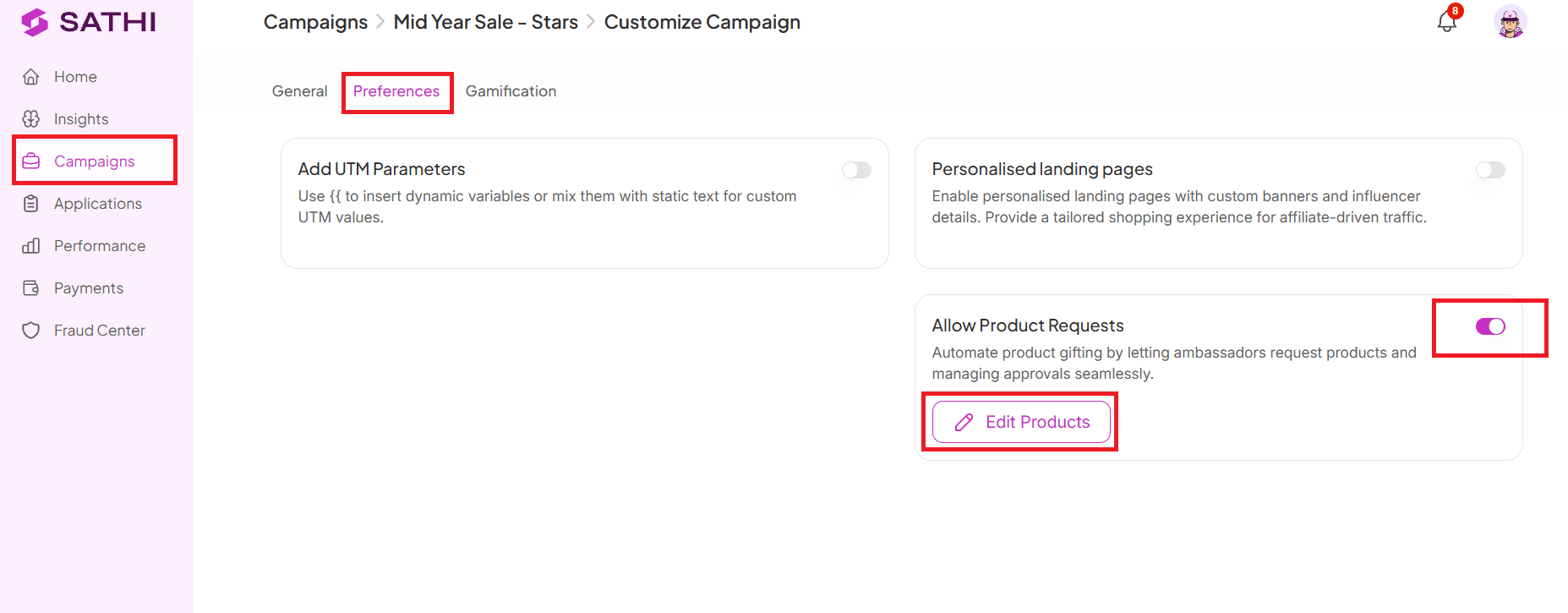
Go to Campaigns → Customize → Preferences
Toggle on Allow Product Requests
Click Edit Products
Select the products you want ambassadors to request

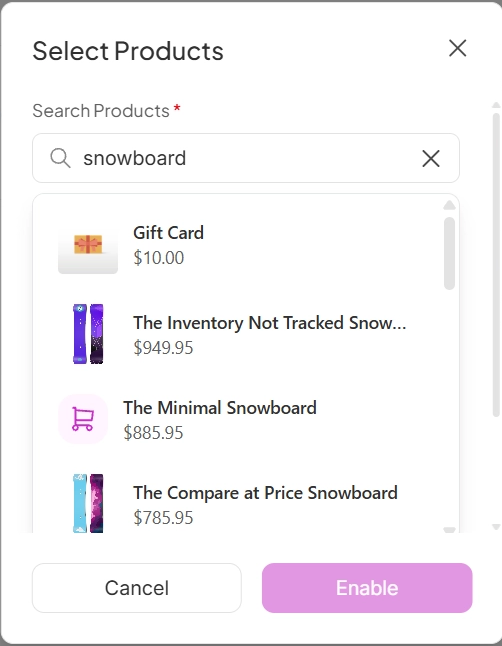
Choose exactly which products ambassadors can request. You can:
Search and select specific SKUs
Set variants (for example: size, color, or other options)
Set the maximum quantity each ambassador can request
This option gives you full control over which products are available for gifting.
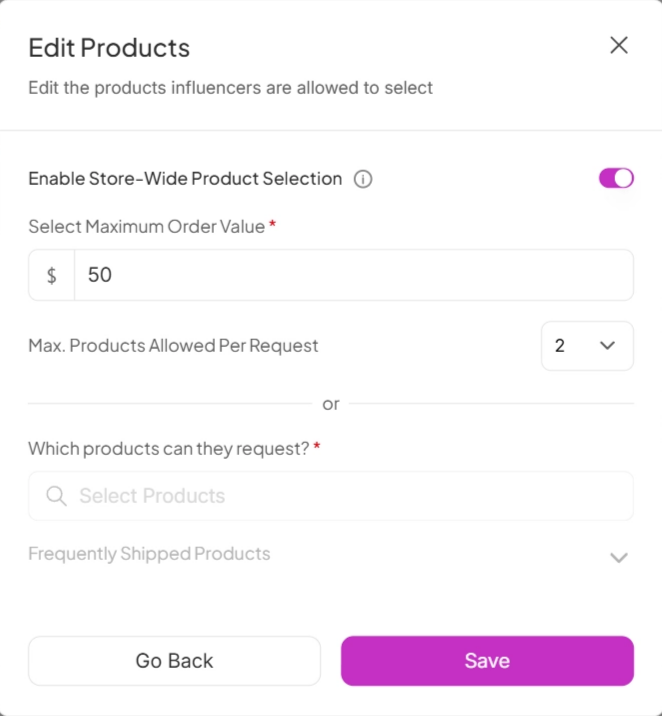
Give ambassadors the flexibility to browse your entire store and request the products they're most excited to promote. You can manage this by setting:
Maximum Order Value: The maximum value of products an ambassador can request per order
Max. Products Allowed Per Request: How many products an ambassador can add to each request
Click Save once your limits are set to activate Store-Wide Product Selection.
Your ambassadors can now discover available products and send requests directly from their dashboard.
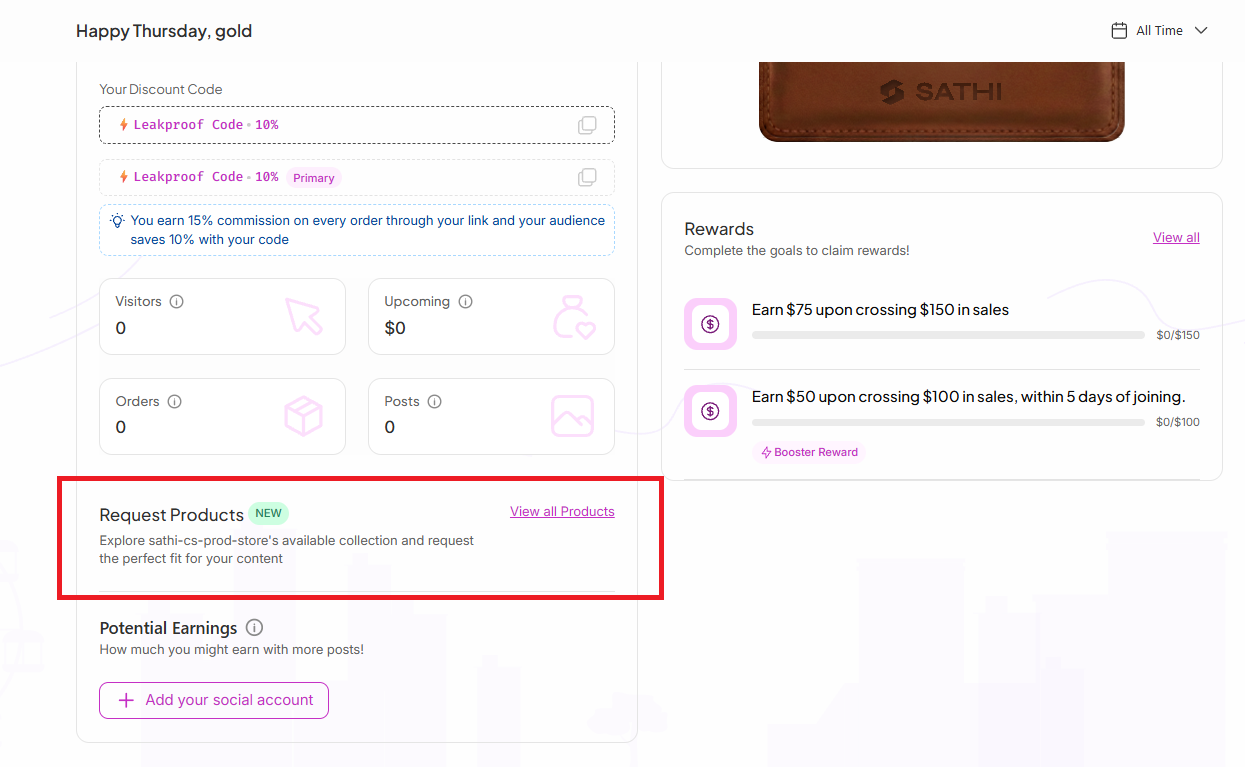
Ambassadors see a Request Products section where they can browse your selected products, choose their preferred variants, and confirm their shipping address to receive the product.
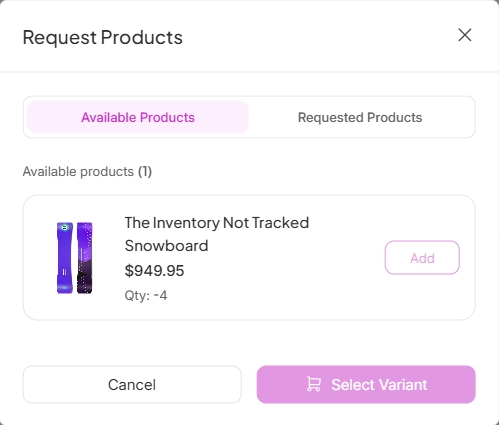
Once ambassadors start requesting products, you can manage everything from your campaign dashboard.
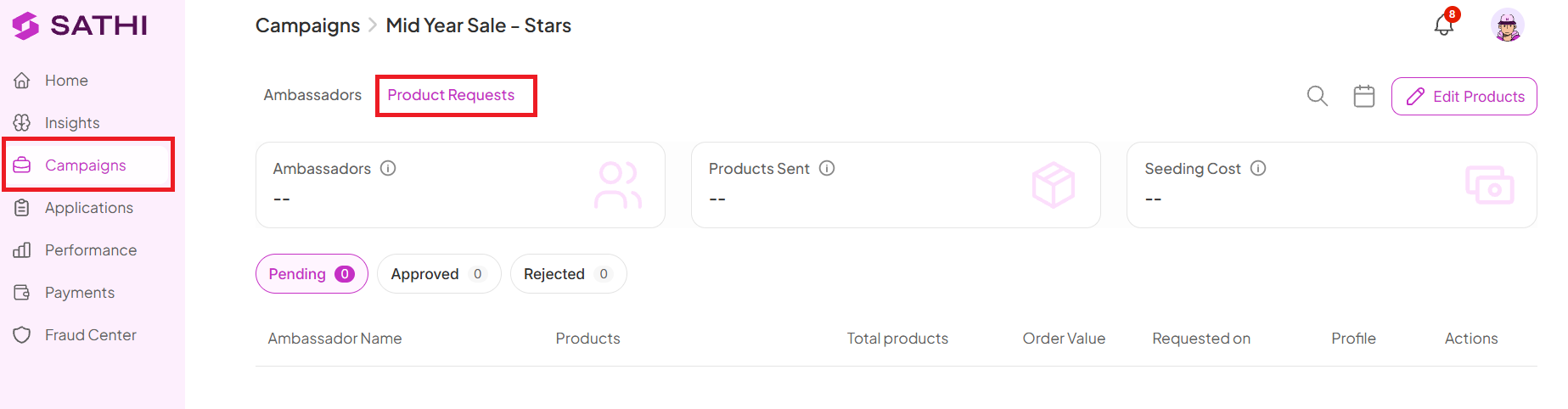
Go to the same Campaign where you enabled Product Requests
Click the Product Requests tab
From here, you'll see an overview of:
The number of ambassadors who have requested products
The number of products sent
The total COGS (Cost of Goods Sold) for all products sent
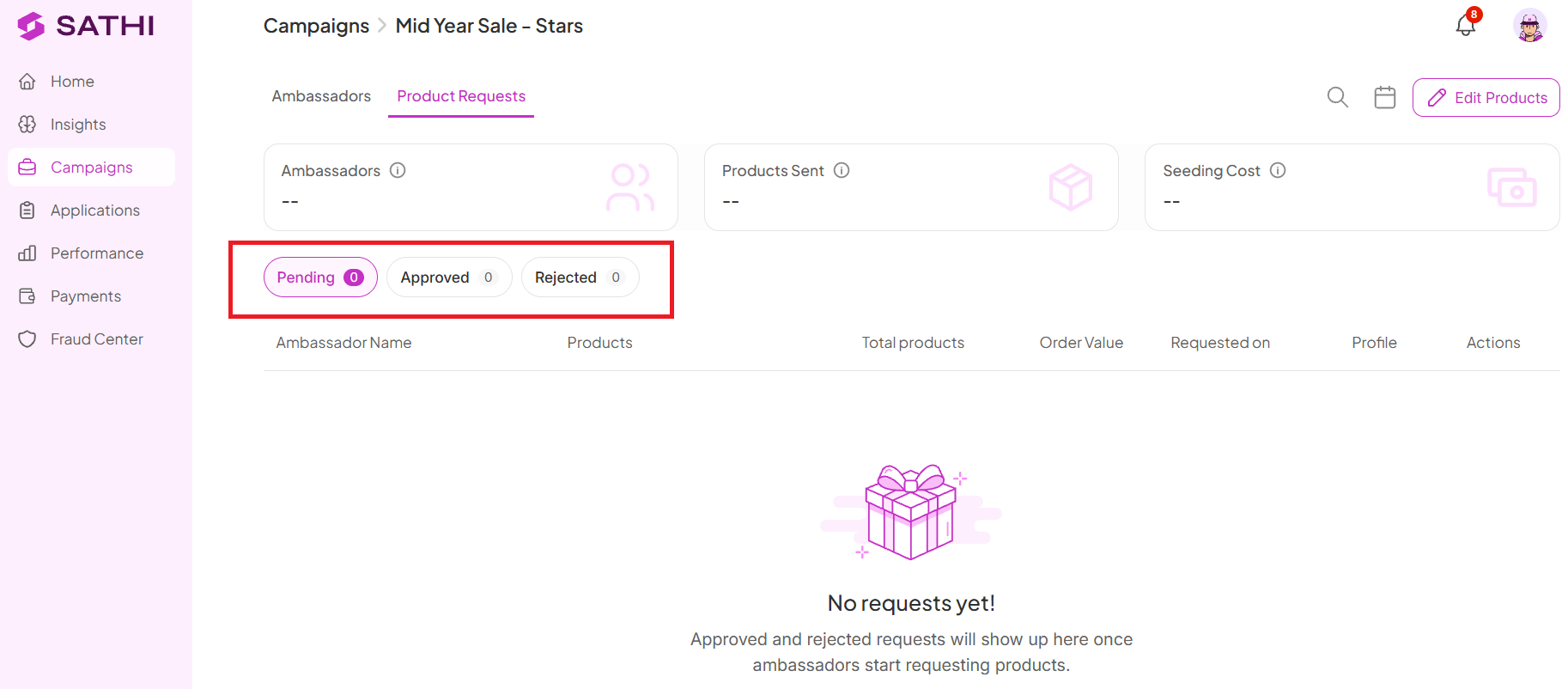
Each product request appears under one of three statuses:
Pending: Review incoming requests and decide whether to approve or reject them
Approved: View requests you've approved and track the products being sent
Rejected: Keep track of requests that were not approved
Coordinating gifting manually means chasing ambassadors for shipping addresses and guessing which products they'd actually want to promote. Product Requests puts the choice in the ambassador's hands within limits you control, so gifting happens faster, and the products that do go out are ones ambassadors are already excited to share.
Still need help?
Reach out anytime to our Support team using the button at the bottom-right corner of your dashboard, or email us at [email protected].

