Every purchase made through an ambassador's unique link or discount code is automatically tracked and recorded on their Order History page. This page is the source of truth for confirming whether a sale was tracked correctly and understanding exactly why a commission is pending, on hold, paid, or refunded.
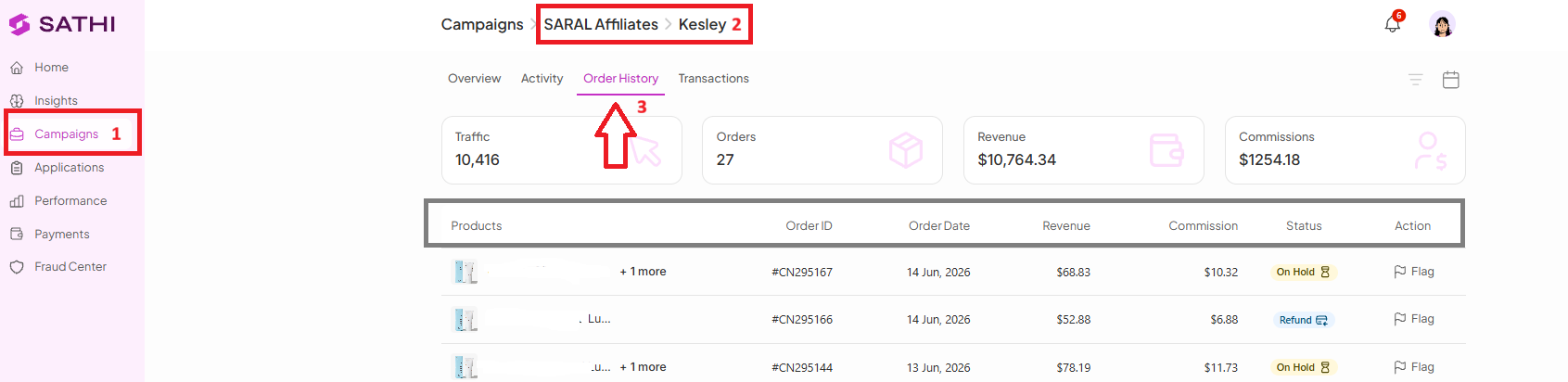
Go to Campaigns.
Open the campaign where the ambassador is enrolled.
Open the ambassador's profile.
Click Order History.
The Order History page gives you a detailed breakdown of each tracked order, including:
Product purchased
Order ID
Order date
Revenue generated
Ambassador commission earned
Traffic driven by the ambassador
Total orders
Total revenue
Total commissions
Status
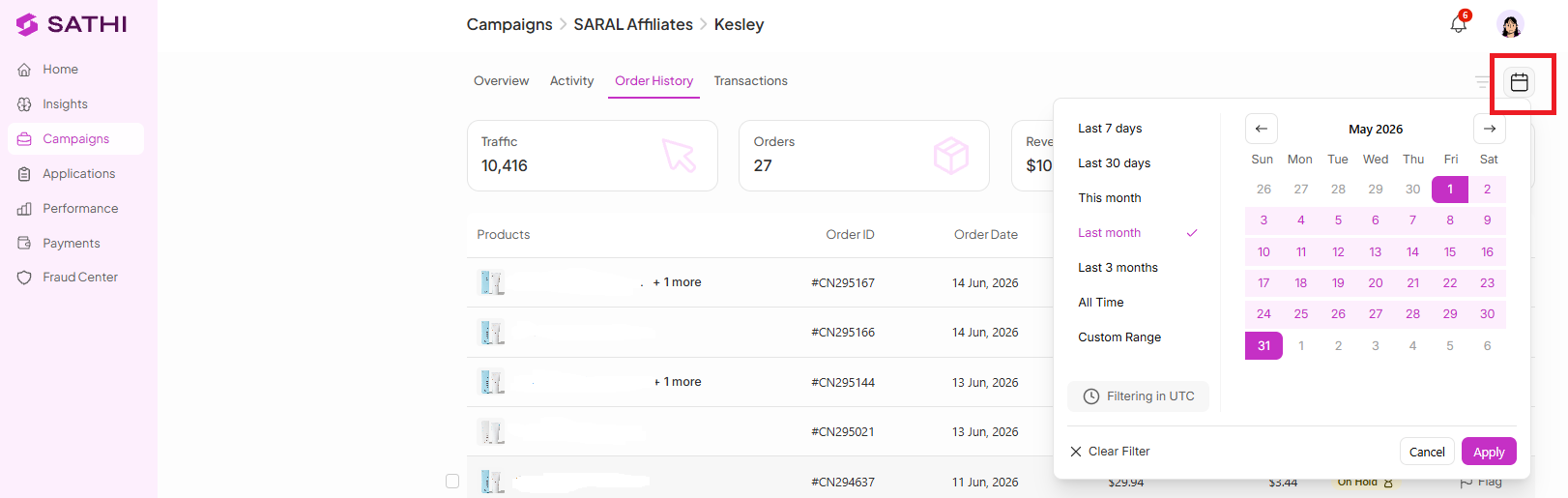
To investigate commissions for a specific period, apply the Date Filter at the top of the page. For example, selecting May 1–31, 2026 shows all tracked orders and commission activity from that range.
The Status column shows where each commission stands:
Pending — The commission is eligible for payment but hasn't been paid yet. It appears in the Pending Payments section as "Payable," waiting to be processed. See the Help Center article on payments for more detail.
On Hold: Below Minimum Payout Threshold — The commission hasn't yet reached your minimum payout threshold. Once the threshold is met, it can move forward for payment.
On Hold: Within Return Window — The order is still inside your configured return window in Settings (for example, 14 days). While in this status, the commission appears as "Upcoming" on the ambassador's dashboard, and payment won't be released until the return window expires.
Paid — The commission has been successfully paid to the ambassador.
Clawback — The commission was previously paid, but the order was later returned, so the commission was deducted from the ambassador's earnings.
Refund — The customer received a refund, so the commission is no longer eligible for payment.

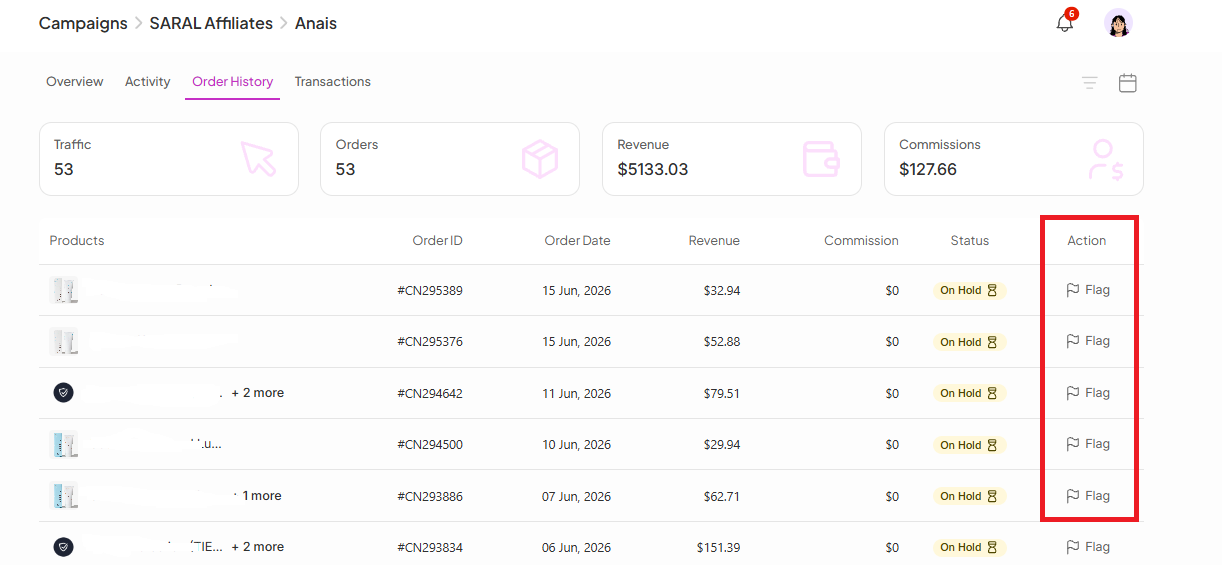
Order History also lets you take action on individual orders. If you identify an order that shouldn't receive a commission, you can reject it:
Open the specific order.
Click Flag.
Provide a reason for the rejection.
Order History gives you a full audit trail for every ambassador sale, so you can confirm tracking accuracy, explain commission status to ambassadors with real data, and catch invalid or suspicious orders before they're paid out — all without leaving SATHI.
Still need help?
Reach out anytime to our Support team using the button at the bottom-right corner of your dashboard, or email us at [email protected].

