Instead of editing each ambassador's profile individually, you can bulk update Commission Tiers and Discount Code values directly from the Campaigns section in SATHI. This is especially helpful when preparing for a new campaign, promotion, or seasonal sale, letting you keep your ambassadors up to date in just a few clicks.
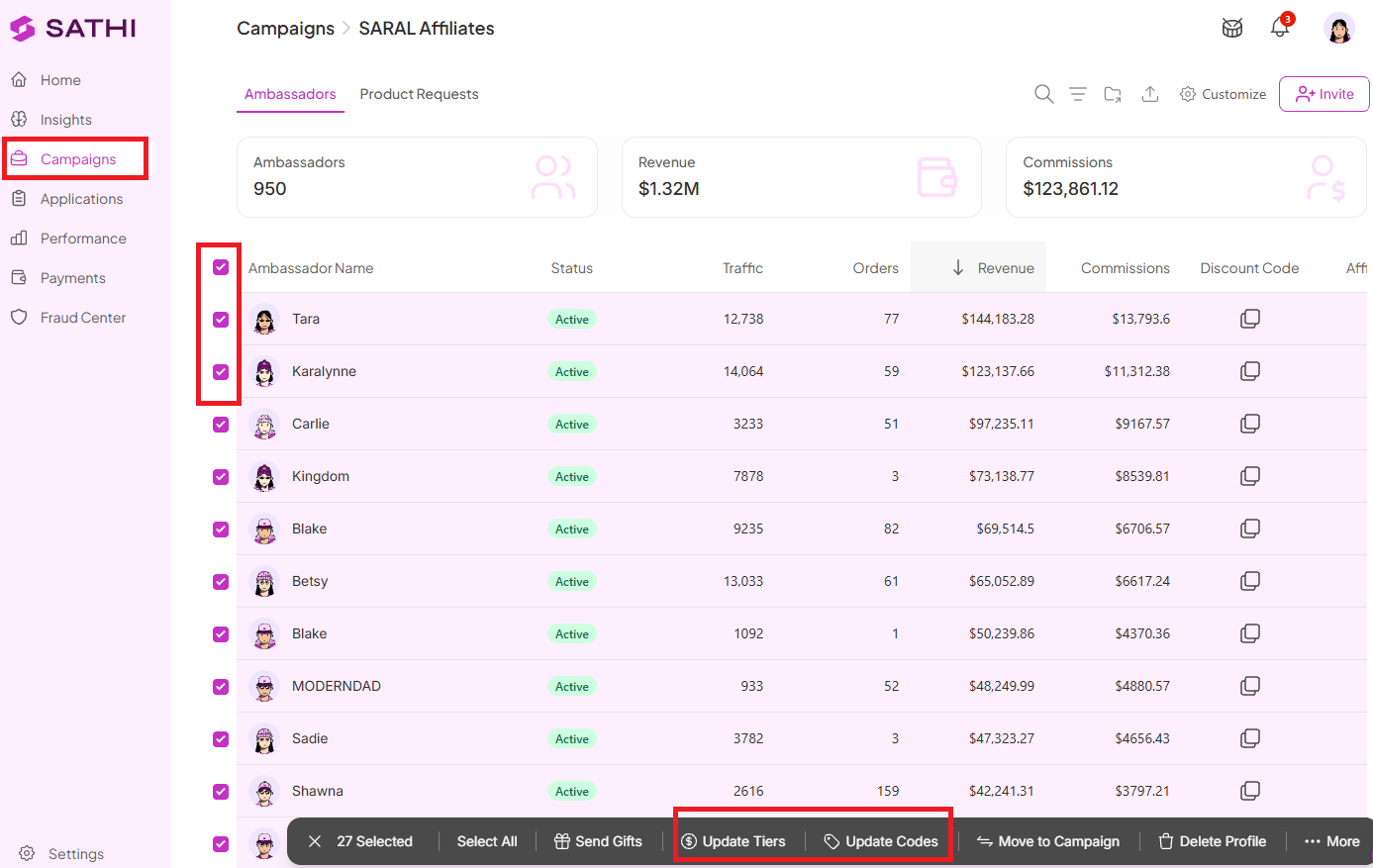
Go to Campaigns
Select the campaign where you want to update ambassadors
Select the ambassador profiles you want to update by ticking the checkbox beside their names
Once you've selected your ambassadors, an Actions menu appears
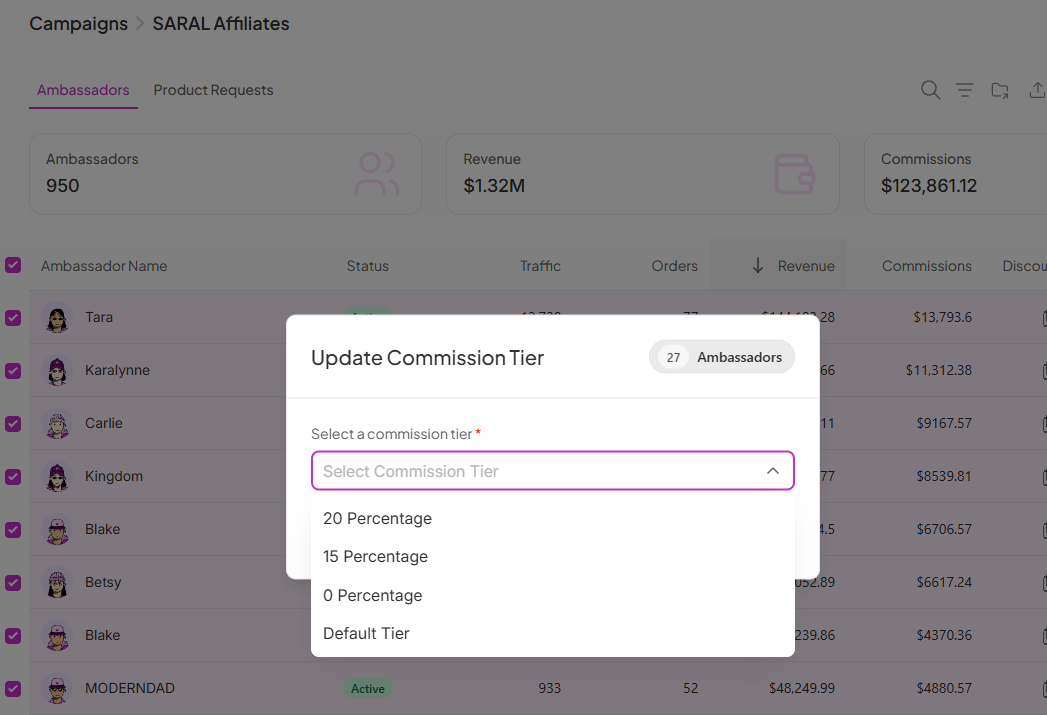
Choose the Commission Tier you'd like to assign to the selected ambassadors
Click Update Tier to save your changes
The selected ambassadors are now assigned to the new commission tier.

Follow the same steps above to select the ambassadors within a campaign
From the Actions menu, select Update Codes
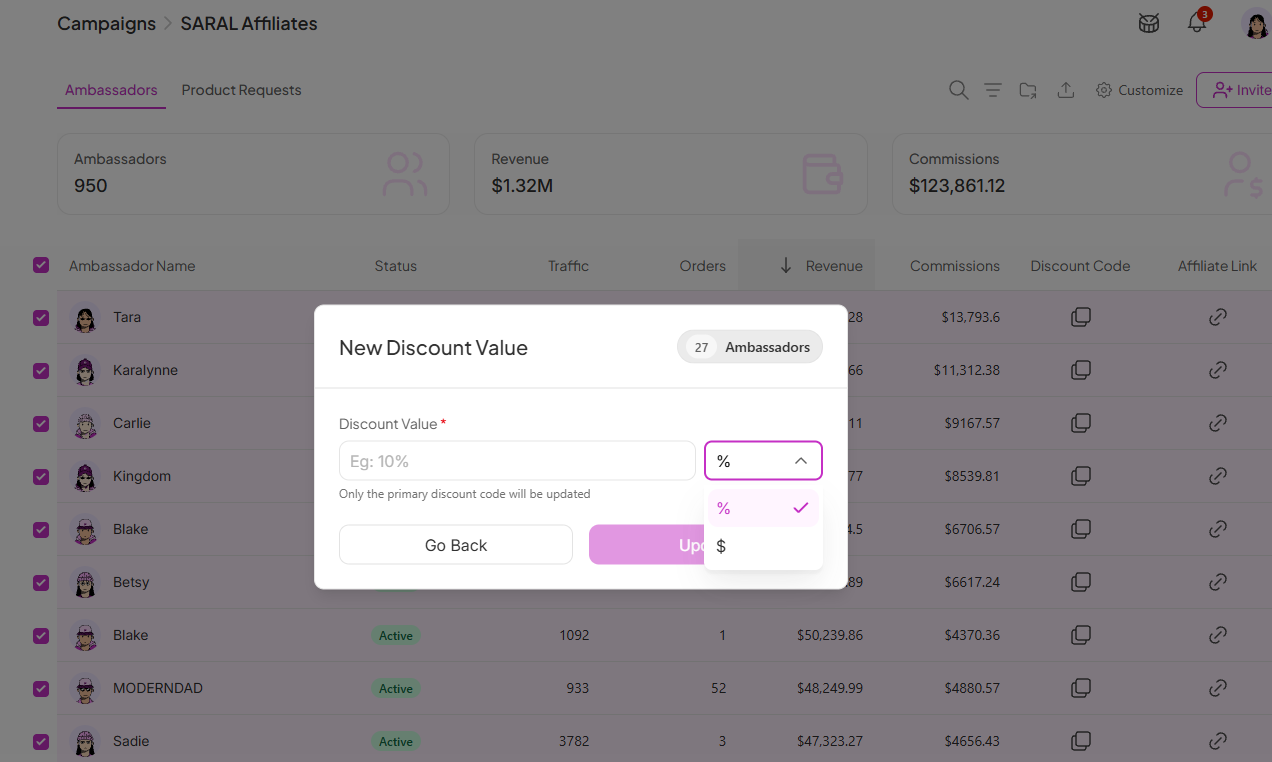
Enter the new Discount Code Value
Choose whether the discount should be applied as a Percentage (%) or a Fixed Amount ($)
Click Update to apply the changes
Your selected ambassadors' primary discount codes now reflect the updated discount value.
Updating tiers or discount values one ambassador at a time doesn't scale once a program grows past a handful of people, especially ahead of a time-sensitive promotion. Bulk update lets you apply the same change across an entire campaign in a few clicks, while the safeguards around future-sales-only tier changes and primary-code-only discount updates keep past attribution and secondary codes from being affected unintentionally.
Still need help?
Reach out anytime to our Support team using the button at the bottom-right corner of your dashboard, or email us at [email protected].

