

You can export detailed ambassador performance data directly from the Core Analytics tab under Performance. The export generates a CSV file covering ambassador details, campaign information, tracking data, and sales performance in one file.
How to Export Performance Data
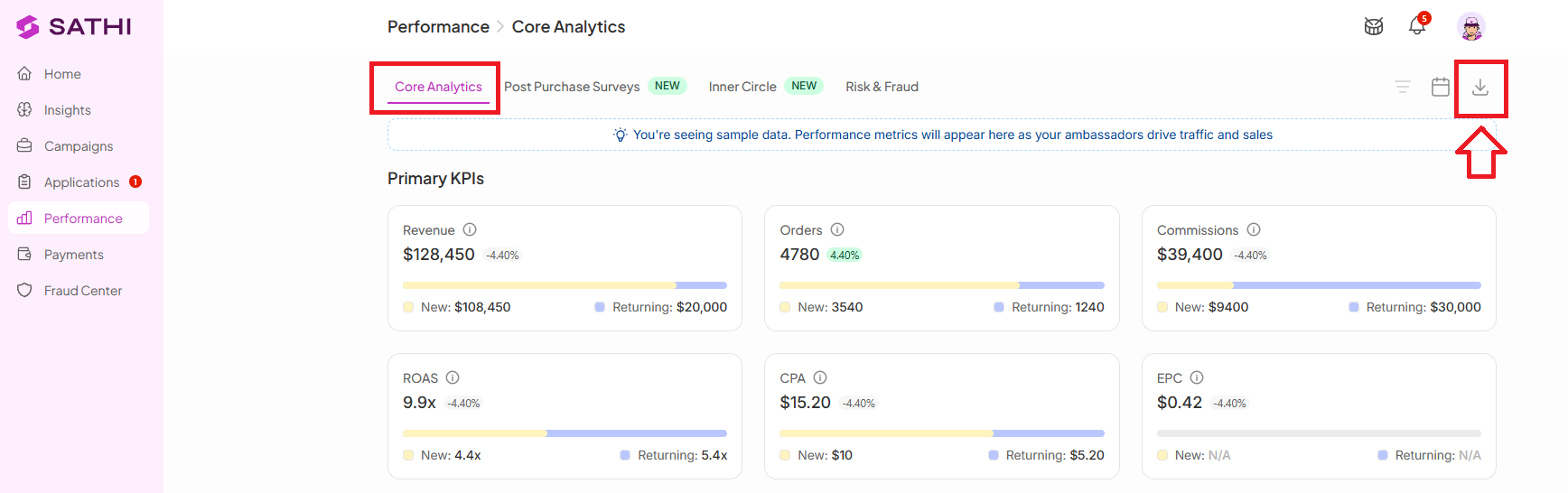
Go to the Performance section.
Open the Core Analytics tab.
Select the button to Export Performance Data.
The CSV file will be generated and sent to your account’s email address.
What Data Is Included in the Export?
Ambassador Information
Ambassador Name
Email Address
Username
Profile Link
Address
Total Followers
Onboarding Date
Campaign Information
Campaign Name (the campaign the ambassador is added to)
Commission Tier
Ambassador Status (if available)
Tracking Information
Ambassador Links
Generated Discount Codes
Traffic
Total Posts
Sales & Revenue Performance
Orders Revenue
Order Dates
Commission Earned
Conversion Rate
EPC (Earnings Per Click)
CPA (Cost Per Acquisition)
AOV (Average Order Value)
Cost Per Sale
Partnership Costs
Flat Fees
Seeding Cost
Why This Is Important
Exporting performance data lets you analyze ambassador results outside the platform, identify your top-performing ambassadors, and spot what's actually driving revenue. This makes it easier to refine campaign strategy and direct support toward the ambassadors and content that produce results.
Still need help?
Reach out anytime to our Support team using the button at the bottom-right corner of your dashboard, or email us at [email protected].