Enabling Select Gift Options in your application form lets ambassadors choose the products or variants they'd like to receive at the time they apply. Once you approve their application, SATHI automatically creates the gifting order based on their selections, with no spreadsheets or follow-up messages asking for sizes or colors.
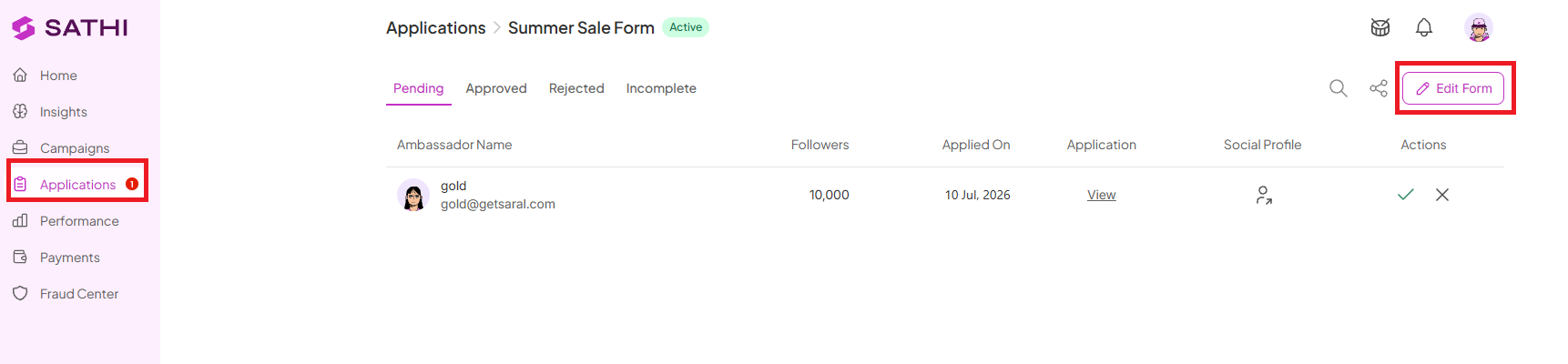
Navigate to Applications
Select your Application Form
Click Edit Form
Go to Form Setup (Step 2)
Toggle ON Select Gift Options
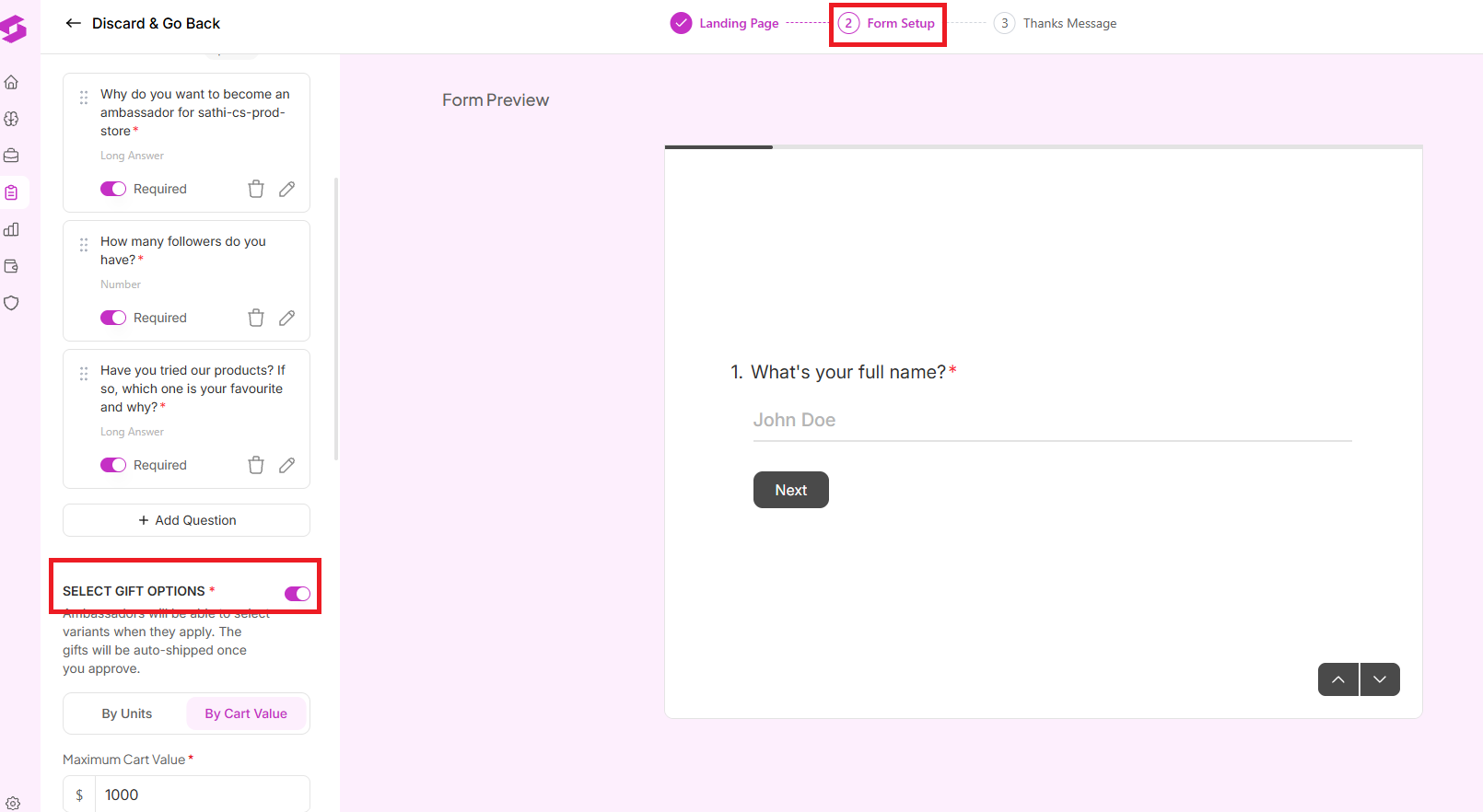
Once enabled, ambassadors can choose their preferred products during the application process.
Depending on how you want to run your campaign, you can configure gifting in one of two ways.
[Image: screenshot of the product selection configuration, centered, 100% width]
This option lets ambassadors select individual products or variants directly from your catalog. You can:
Make as many products or SKUs available as you'd like
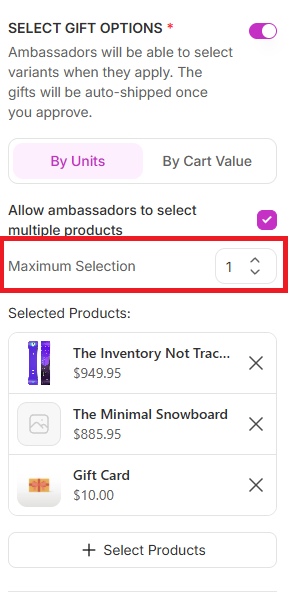
Allow ambassadors to choose a single product or multiple products
Set a maximum number of products they can select by enabling Allow ambassadors to select multiple products and specifying the selection limit
This setup works well if you're gifting specific products and want ambassadors to choose what suits them best.
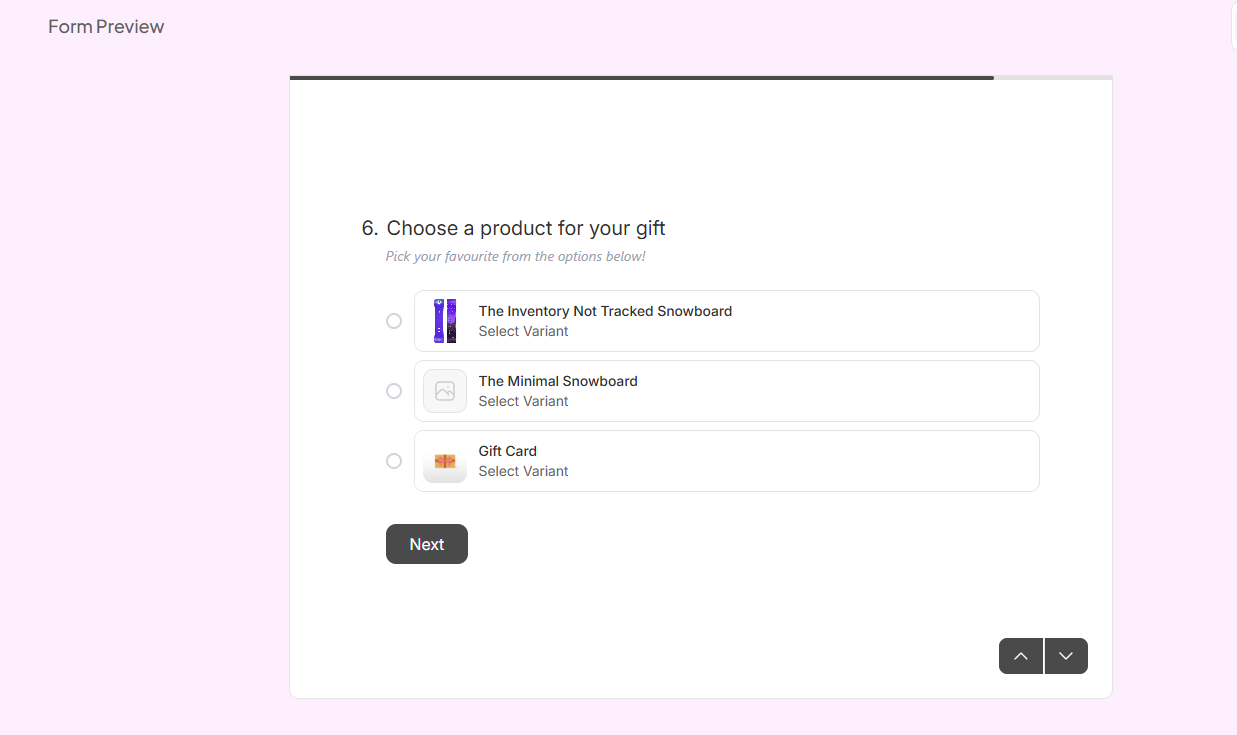
When completing the application form, ambassadors browse the available products and select their preferred items.
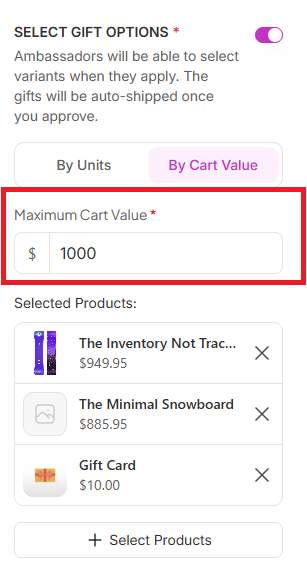
Instead of limiting the number of products ambassadors can choose, you can set a maximum gift cart value. With this option enabled:
Ambassadors can browse all eligible products
They can mix and match items
Their total selections must stay within the budget you set
For example, if you set a maximum gift value of $1000, ambassadors can choose any combination of available products as long as their total cart value doesn't exceed $1000.
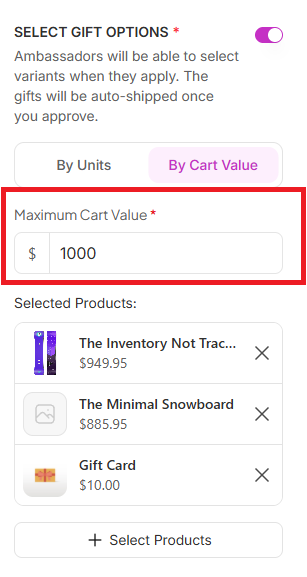
The application form automatically calculates selected items and prevents ambassadors from exceeding the allowed budget.
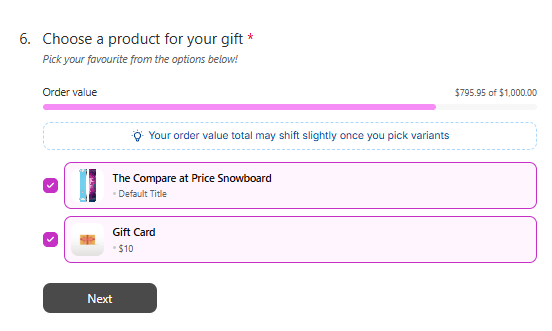
You can combine both settings for even greater control. For example, you can enable Select Gift Options, allow multiple product selections, and set a maximum gift cart value. This means ambassadors can select multiple products, but their total order value must remain within your specified budget.
For example, with a maximum gift value of $1000:
An ambassador selecting products totaling $960 can submit their application
An ambassador selecting products totaling $1001 is asked to remove items until they're back within budget
This gives ambassadors flexibility while ensuring your gifting budget stays under control.
To create the best experience for your ambassadors:
Offer enough product variety for ambassadors to choose from
Set a realistic gift budget that aligns with your campaign goals
Double-check your available inventory before launching the application form
Preview your application form to see exactly what applicants will experience
Gifting is usually one of the slowest parts of onboarding a new ambassador, since it means chasing down size and color preferences over email or DM after they're already approved. Letting ambassadors select their own gift during the application, within limits you control, means the order is ready to go the moment you approve them, with no back-and-forth needed on either side.
Still need help?
Reach out anytime to our Support team using the button at the bottom-right corner of your dashboard, or email us at [email protected].

