Maintaining a trusted, compliant ambassador network protects your brand reputation and keeps the experience fair for customers and partners. If an ambassador violates your program guidelines or no longer meets your partnership standards, you can ban them from your program. Banning immediately prevents further participation while keeping their historical performance data available for reporting.
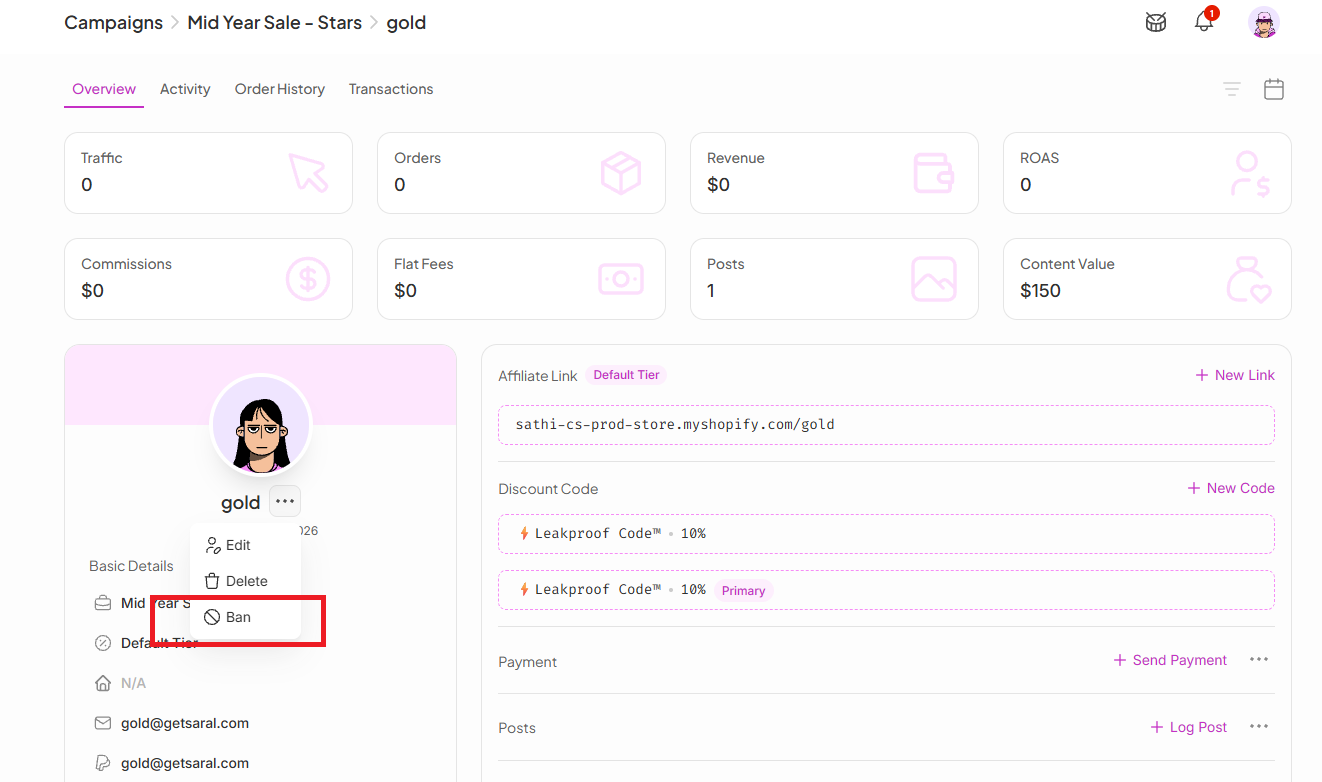
Go to the ambassador's profile in SATHI
Click the three-dot menu (⋯) beside the ambassador's profile name
Select Ban
You'll be redirected to the ban confirmation page.
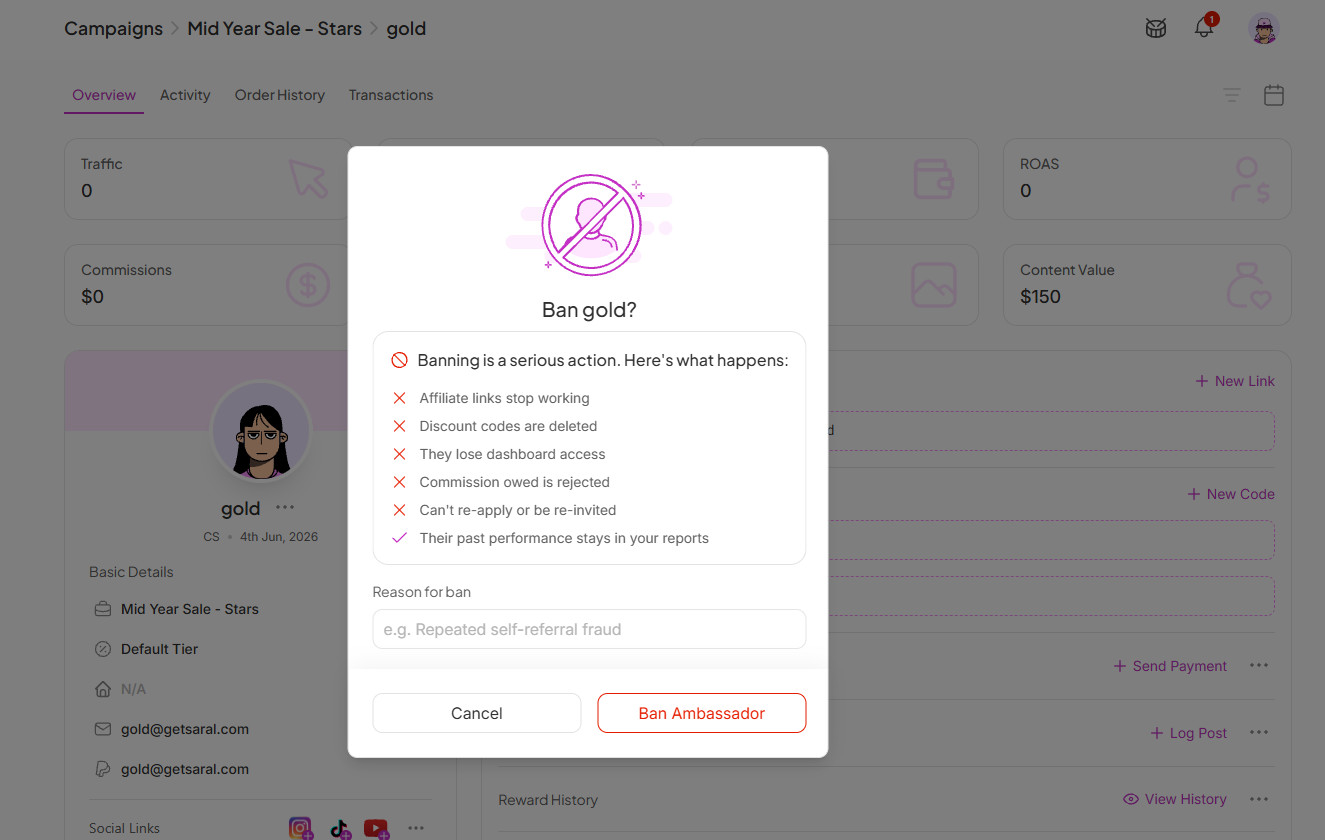

The following changes take effect immediately:
Ambassador links stop working: Any links created by the ambassador no longer generate referrals or commissions
Discount codes are deleted: Any active discount codes assigned to the ambassador are removed
Dashboard access is removed: The ambassador can no longer access their dashboard
Outstanding commissions are rejected: Any unpaid commissions associated with the ambassador are rejected according to your program rules
They cannot re-apply or be re-invited while banned: The ambassador is blocked from joining your program again unless unbanned
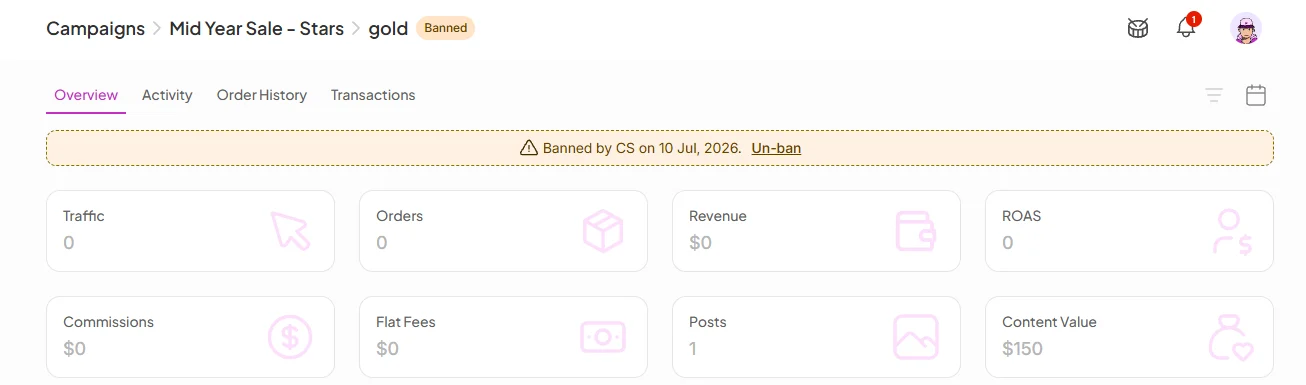
After the ban is completed, a banner appears on the ambassador's profile showing "Banned on [date]."
They can re-apply to your program or be re-invited, even using the same email address
Previously created ambassador links and discount codes are not restored
Commissions are not reversed or reinstated
Their previous performance history remains available in your reports
The ambassador is tagged as "Deleted" and no longer appears in your active campaign
Banning gives you a clean way to enforce program standards without losing the historical data tied to that ambassador's past performance. The reason field and the profile banner keep a clear record of why and when action was taken, which matters if the ambassador re-applies or the decision is ever reviewed later.
Still need help?
Reach out anytime to our Support team using the button at the bottom-right corner of your dashboard, or email us at [email protected].

