Connecting SARAL with SATHI lets you power your affiliate program through SATHI while continuing to manage creator relationships in SARAL. SATHI replaces GoAffPro as your affiliate backend, so your day-to-day workflow in SARAL stays the same.
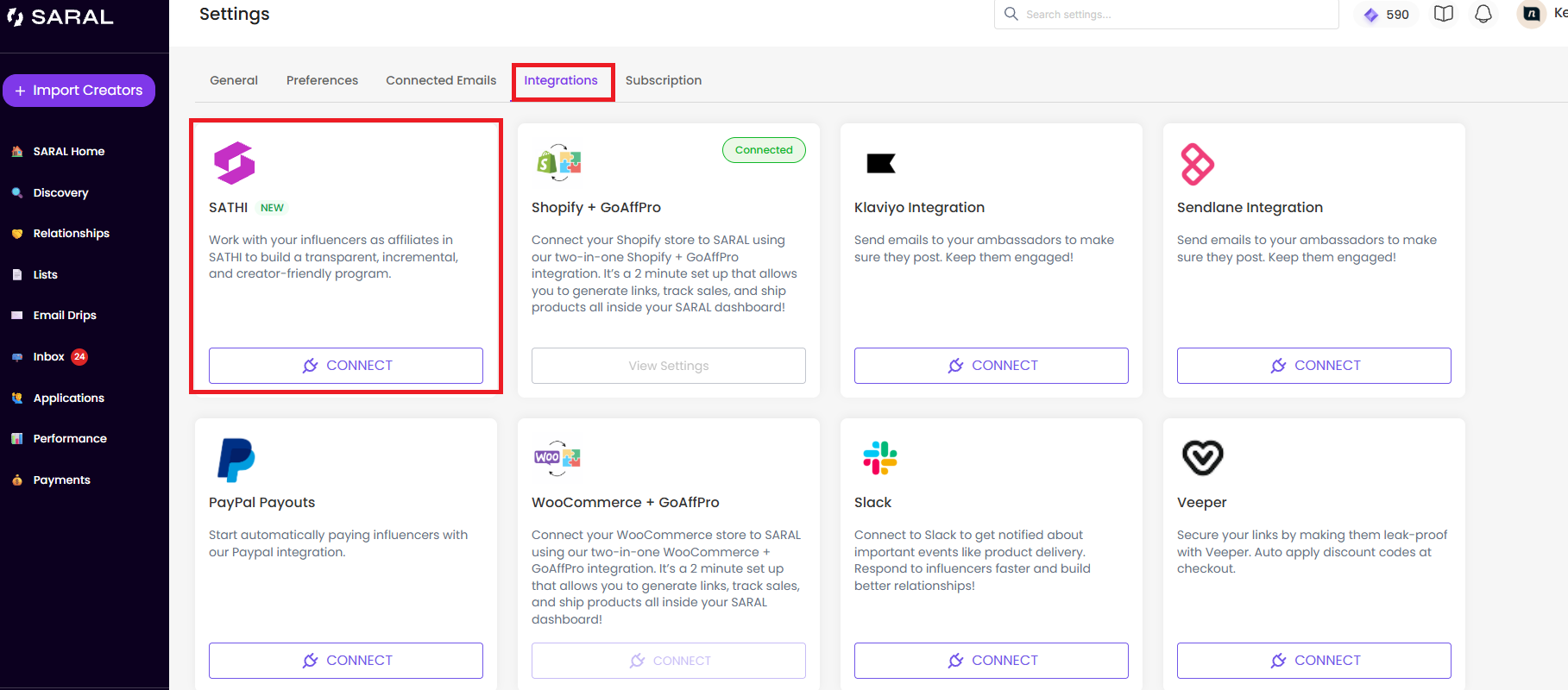
In SARAL, go to Settings.
Select Integrations.
Find SATHI and click Connect.
Follow the on-screen instructions to generate and enter your SATHI API Key.
Once connected, SARAL and SATHI will work together automatically.

SATHI becomes the backend powering your Shopify affiliate program.
Once you've completed the migration and confirmed everything is working correctly, you can uninstall GoAffPro from your Shopify store.
Uninstalling GoAffPro will:
Stop automatic static code application: GoAffPro will no longer automatically apply static discount codes at checkout, allowing your Leakproof codes to take precedence.
Keep existing codes intact: Your discount codes won't be deleted and will remain available in SARAL and SATHI.
Transfer affiliate functionality to SATHI: SATHI will handle affiliate tracking and checkout functionality moving forward.
Enable Leakproof codes at checkout: The Leakproof codes configured as the primary codes on each affiliate's profile should apply instead.
Your day-to-day workflow in SARAL stays the same. You can continue to:
Generate affiliate links and discount codes
Manage creator relationships
Ship products to creators
Onboard and manage ambassadors
SATHI handles the affiliate infrastructure in the background.
Your existing GoAffPro ambassadors are automatically imported into SATHI. During migration:
Existing affiliate links remain unchanged.
Existing discount codes remain unchanged.
Ambassador data is migrated automatically.
Your ambassadors can continue promoting your brand without needing to create new links or discount codes.
The integration upgrades your affiliate infrastructure without disrupting your existing workflow. Your team can continue working in SARAL, while SATHI powers affiliate tracking and checkout behind the scenes.
Still need help?
Reach out anytime to our Support team using the button at the bottom-right corner of your dashboard, or email us at [email protected].

