The Ambassador Profile is where you view and manage everything related to an individual ambassador. From performance metrics and account information to commissions, payments, orders, and activity history, this page gives you a complete overview of that ambassador's partnership with your brand.
Whether you're reviewing campaign performance, updating profile details, investigating commissions, or sending payments, the Profile section gives you all the tools you need in one place. This guide walks through each section of the Ambassador Profile.
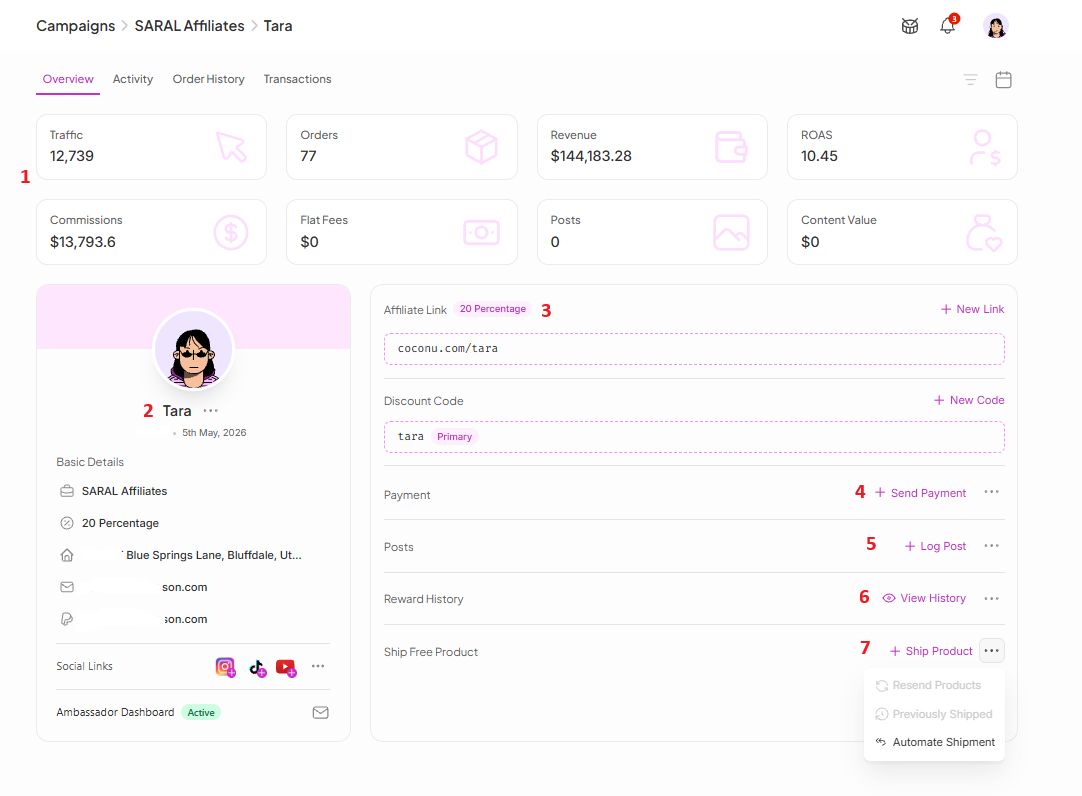
At the top of the profile, you'll find key performance metrics to quickly evaluate how an ambassador is performing:
Traffic: Total visitors driven by the ambassador
Orders: Number of attributed orders
Revenue: Total sales generated
ROAS: Return on Ad Spend
Commissions: Total commissions earned
Flat Fees: Manual payments sent outside of commission payouts
Posts: Number of content posts created (viewable for all time or within a selected date range)
Content Value: Estimated value of the ambassador's published content
This section lets you manage an ambassador's information from one place. You can:
Move the ambassador to a different campaign
Change their commission tier
Update their home address
Edit their email address and payment email
Add or update social media accounts (Instagram, TikTok, YouTube)
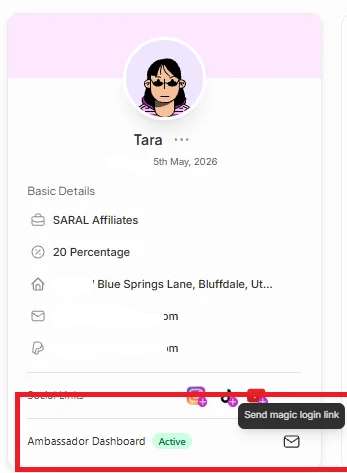
Access the ambassador's dashboard
View their account status: Active, Deleted, or Banned
Generate and send a Magic Login Link, letting ambassadors securely access their dashboard without creating or remembering a password
Everything related to an ambassador's tracking links and discount codes lives here.
Ambassador Links — you can copy the default link, generate additional links, edit existing links, create shortened links, and delete links you no longer need.
Discount Codes — you can copy the default code, generate new codes, edit existing codes, create shortened links for code promotions, and delete unused codes.
Reward ambassadors directly from their profile:
Send a new payment through Tremendous
Log an offline or manual payment
View the complete payment history for the ambassador
This gives you a clear record of every payment made, keeping payouts organized and transparent.
Keep track of ambassador content in one place. You can log a new social media post or content piece, and view all previously logged posts.
See every reward the ambassador has earned through your Gamification program. This section displays the complete reward history, making it easy to track milestones and verify rewards.
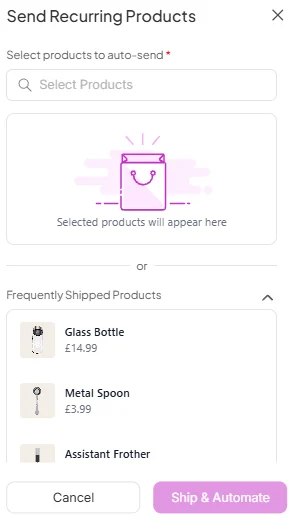
From this section you can:
Ship a first-time welcome gift
Resend products
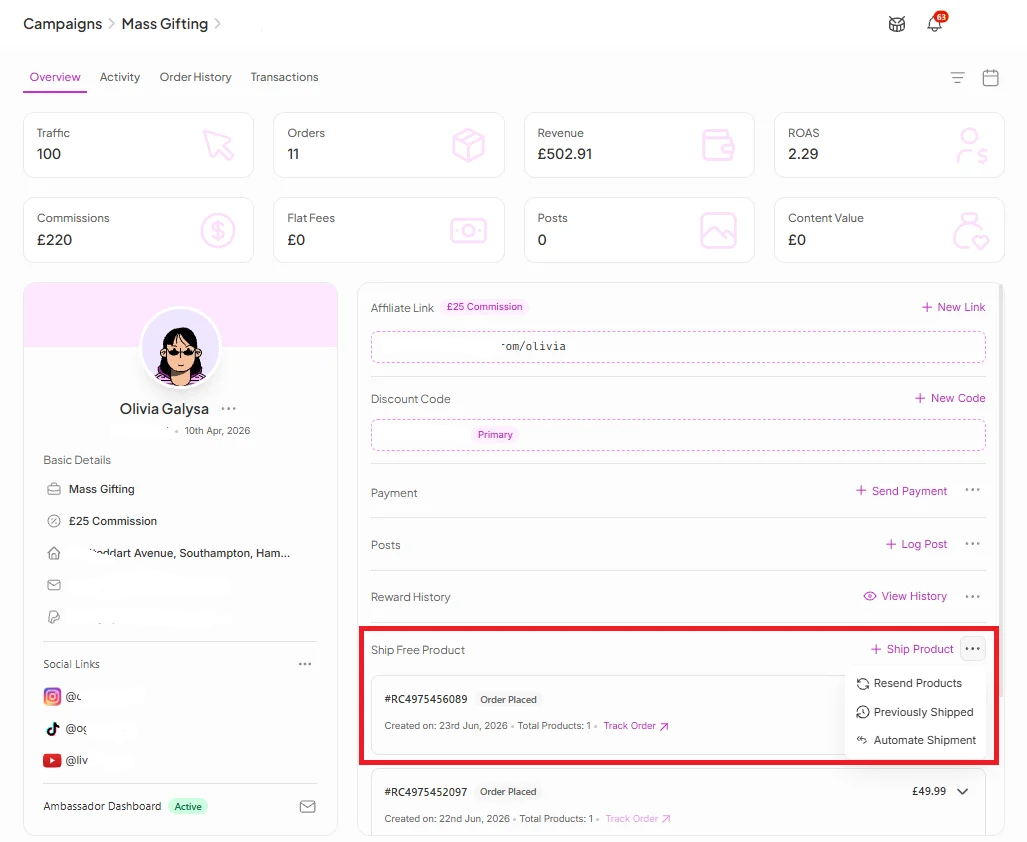
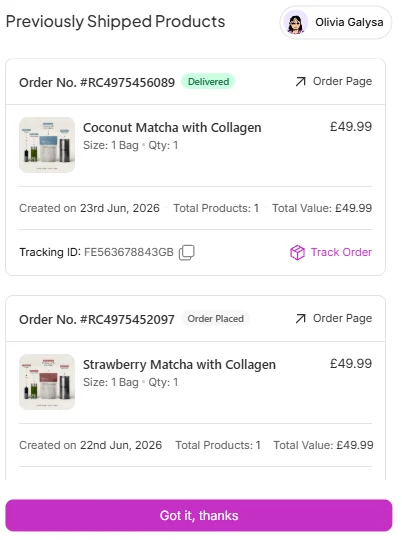
View previously shipped items
Set up automated product shipments
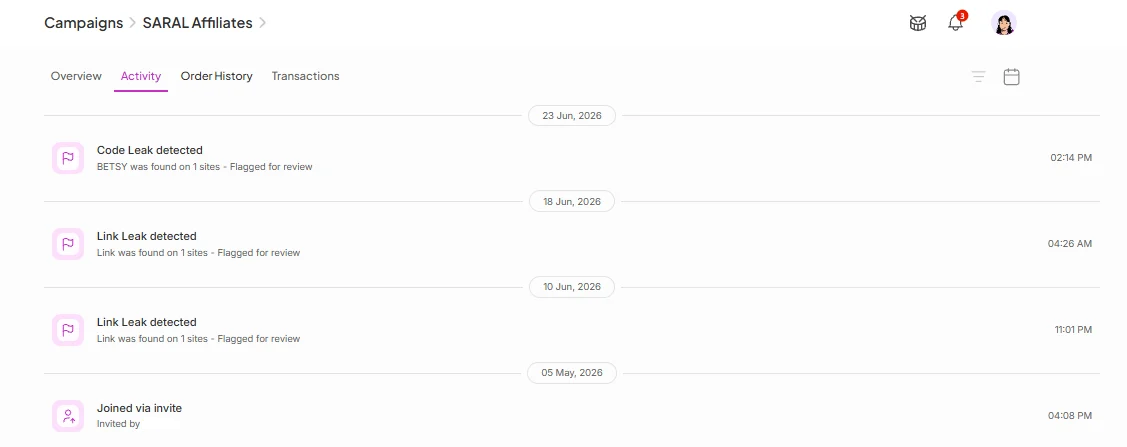
The Activity Timeline gives you a complete audit trail of everything that has happened on the ambassador's account, including:
Ambassador registration
Welcome emails sent
Profile updates
Campaign changes
Payments
Fraud alerts (such as link leaks or discount code leaks)
Email notifications
And more

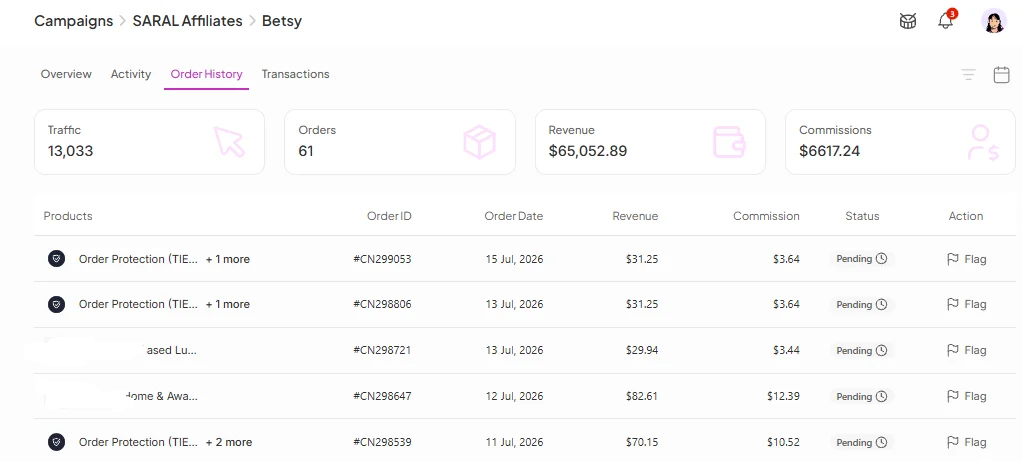
The Order History section provides a detailed breakdown of every attributed order, including:
Order ID
Products purchased
Order date
Revenue generated
Commission earned
Attribution source (ambassador link or discount code)
Commission status (Processing, Payable, Paid, Rejected, etc.)
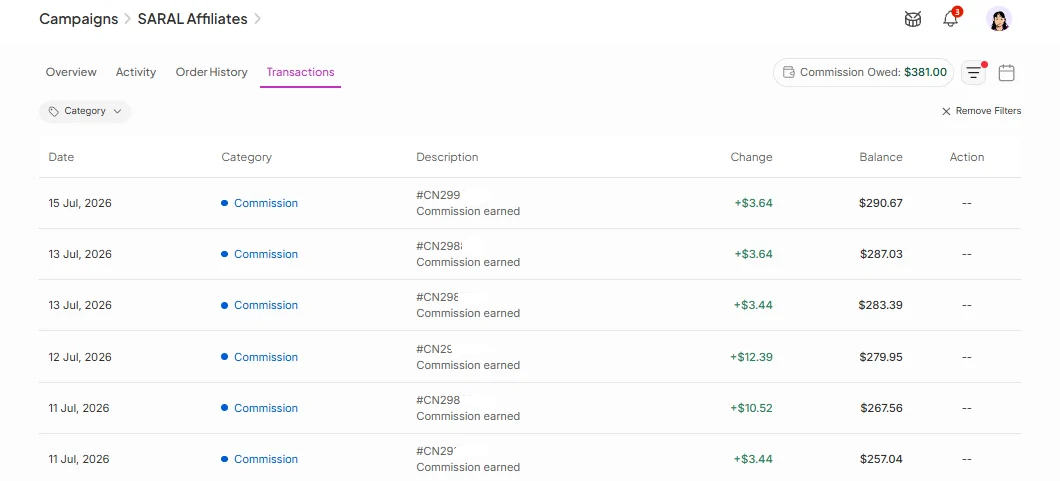
The Transactions tab gives you a complete financial history of the ambassador's earnings, including:
Every commission earned since the ambassador's first sale
Order dates and Order IDs
Commission adjustments
Running commission balance
Current commission owed
Payment history
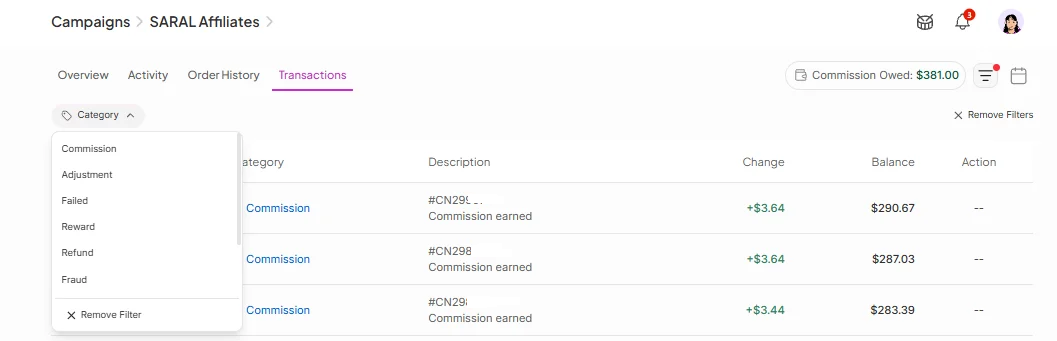
Quickly find the transactions you're looking for:
Filter by Date — use the Date Filter button in the top right to narrow down metrics, orders, transactions, posts, and other activity to a specific date range. This makes it easier to analyze performance during specific promotions, launches, or reporting periods.
Filter by Transaction Type — available filters include Commissions, Adjustments, Failed, Refunded, Fraud, Rejected, and Flat Fees. Instead of scrolling through every transaction, you can instantly focus on the records that matter.
Having every detail about an ambassador in one place means less time switching between tools and more time acting on what you find. Whether you're resolving a payment question, investigating a fraud alert, or deciding who to move up a tier, the profile gives you the full context to make that call with confidence.
Still need help?
Reach out anytime to our Support team using the button at the bottom-right corner of your dashboard, or email us at [email protected].

