

New vs Returning Customer Insights splits your conversions by buyer type. This gives you visibility into whether ambassadors are bringing in new customers or mostly reaching people who already know the brand, which a raw sales spike alone can't tell you.
What New vs Returning Customers Means
The feature separates conversions into two groups:
New Customers: First-time buyers introduced through your ambassadors or campaigns
Returning Customers: Customers who have purchased from your brand before
This tells you whether your ambassadors are driving new customer acquisition, supporting retention, or both.
Performance Dashboard View
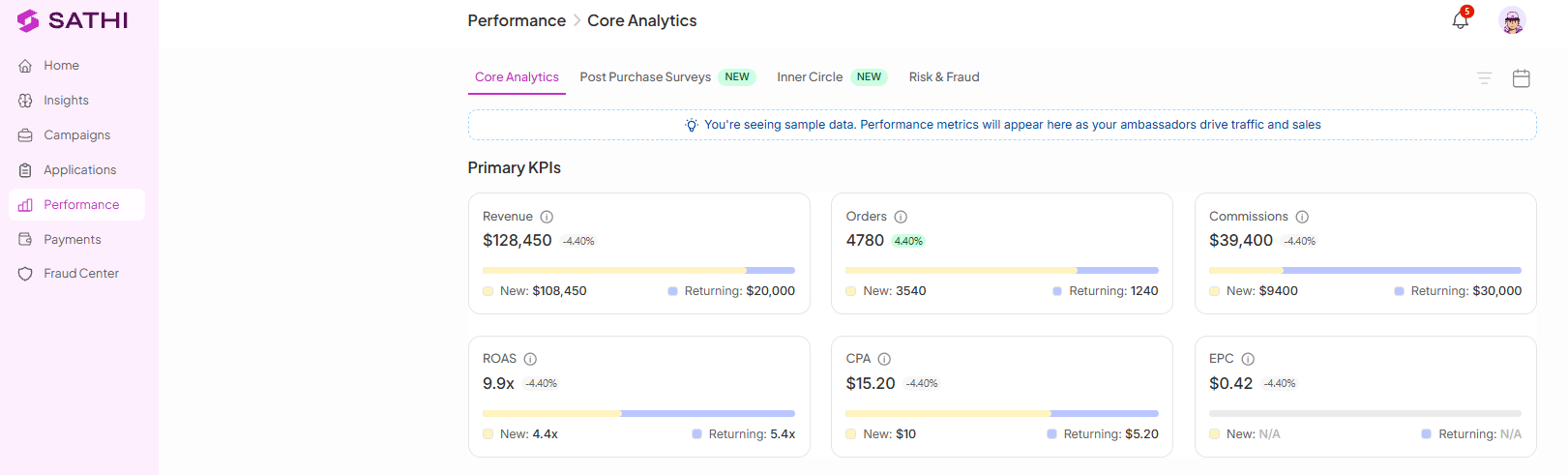
In the Performance dashboard, this split is applied to Primary KPIs, showing how each segment, new and returning, contributes to overall performance.
How to Enable New vs Returning Insights
Go to SATHI Settings
Navigate to Preferences
Enable the toggle for New vs Returning Insights
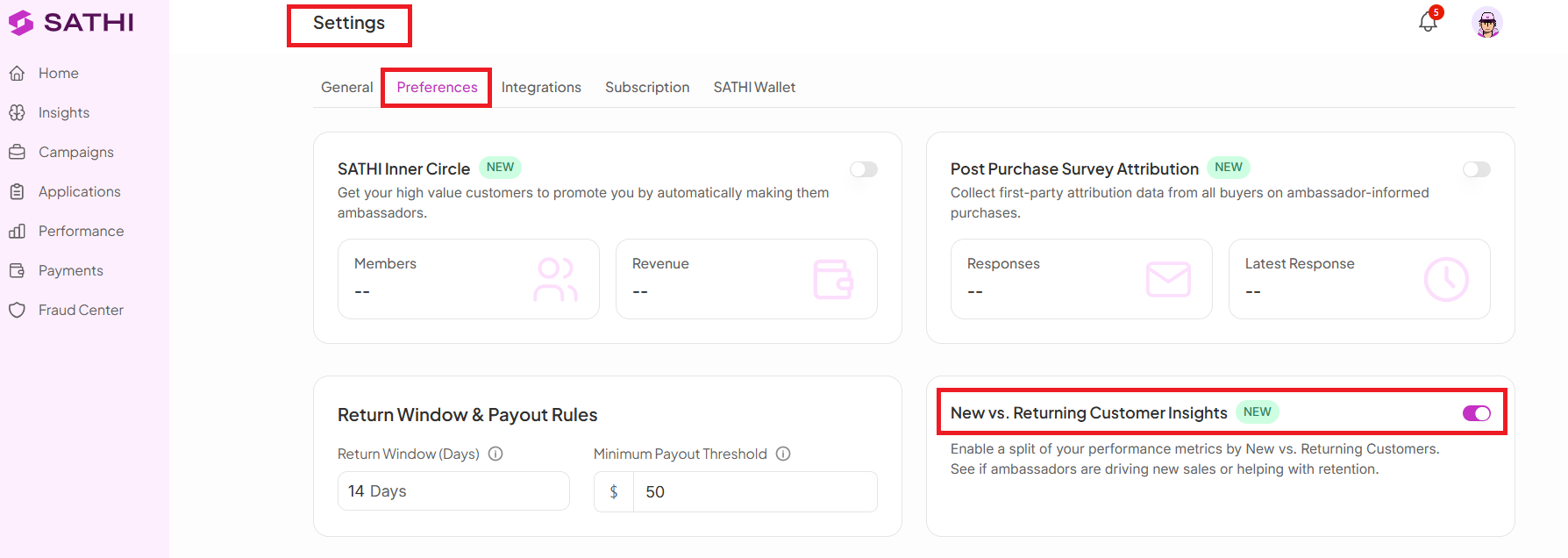
Once enabled, the split view appears in your Performance dashboard.
Performance Trends View
The Performance Trends section shows the same split over time, including:
Traffic (new vs returning)
Revenue from new customers
Revenue from returning customers
New orders
Returning orders
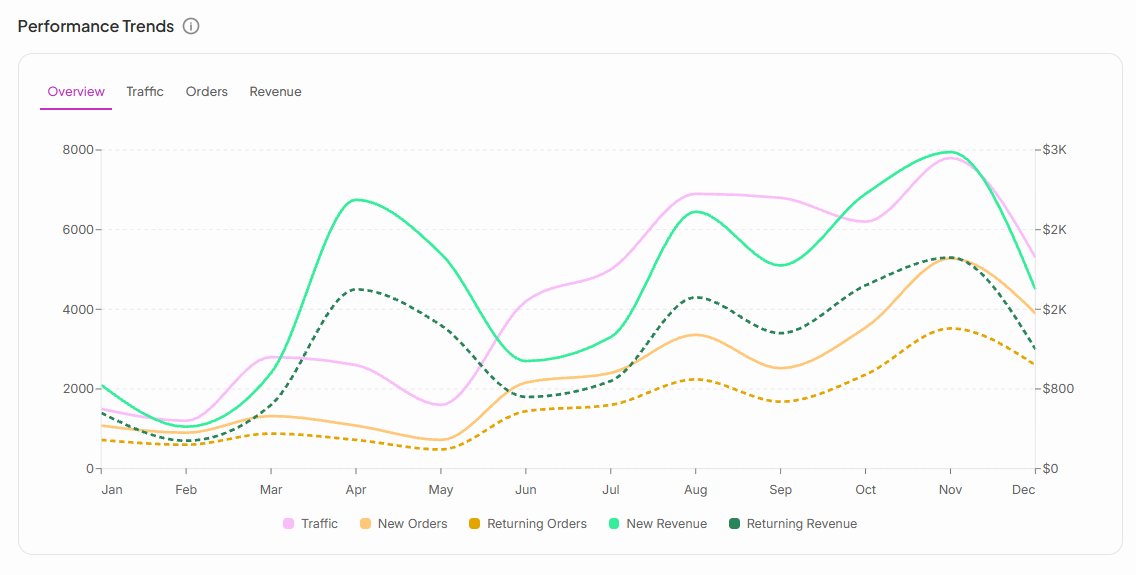
This lets you track how customer behavior shifts over time, not just at a single point.
Why This Is Important
Knowing whether ambassadors are acquiring new customers or reactivating existing ones changes how you evaluate their impact and where you invest budget. Without this split, a strong sales number can hide whether growth is coming from expansion or just from repeat buyers.
Still need help?
Reach out anytime to our Support team using the button at the bottom-right corner of your dashboard, or email us at [email protected].