Once SARAL and SATHI are connected, actions completed in SARAL can automatically sync with SATHI, letting your team manage ambassadors without duplicating work across platforms. SARAL handles influencer discovery and relationships, while SATHI powers the affiliate infrastructure behind it, including fraud detection, program health scoring, and performance tracking.
When an influencer becomes an ambassador, their affiliate dashboard details from SATHI can be shared directly through SARAL, so ambassadors can access their affiliate information while their experience stays connected across both platforms.
The affiliate onboarding process can be managed directly through SARAL. During the application approval workflow, you can complete setup actions such as creating affiliate links, creating discount codes, and setting up product shipments. These actions automatically sync with SATHI once completed.
Activation emails can be configured and managed in SARAL. Once set up, emails are automatically sent to ambassadors based on your triggers.
Ambassador performance data shown in SARAL is powered by SATHI, so your metrics, tracking, and reporting are managed through SATHI's affiliate infrastructure while remaining accessible in SARAL.
Affiliate links created in SARAL are synced with SATHI, and changes stay consistent across both platforms. For example, deleting a link in SARAL also deletes the corresponding link in SATHI, and link updates are reflected on both sides.
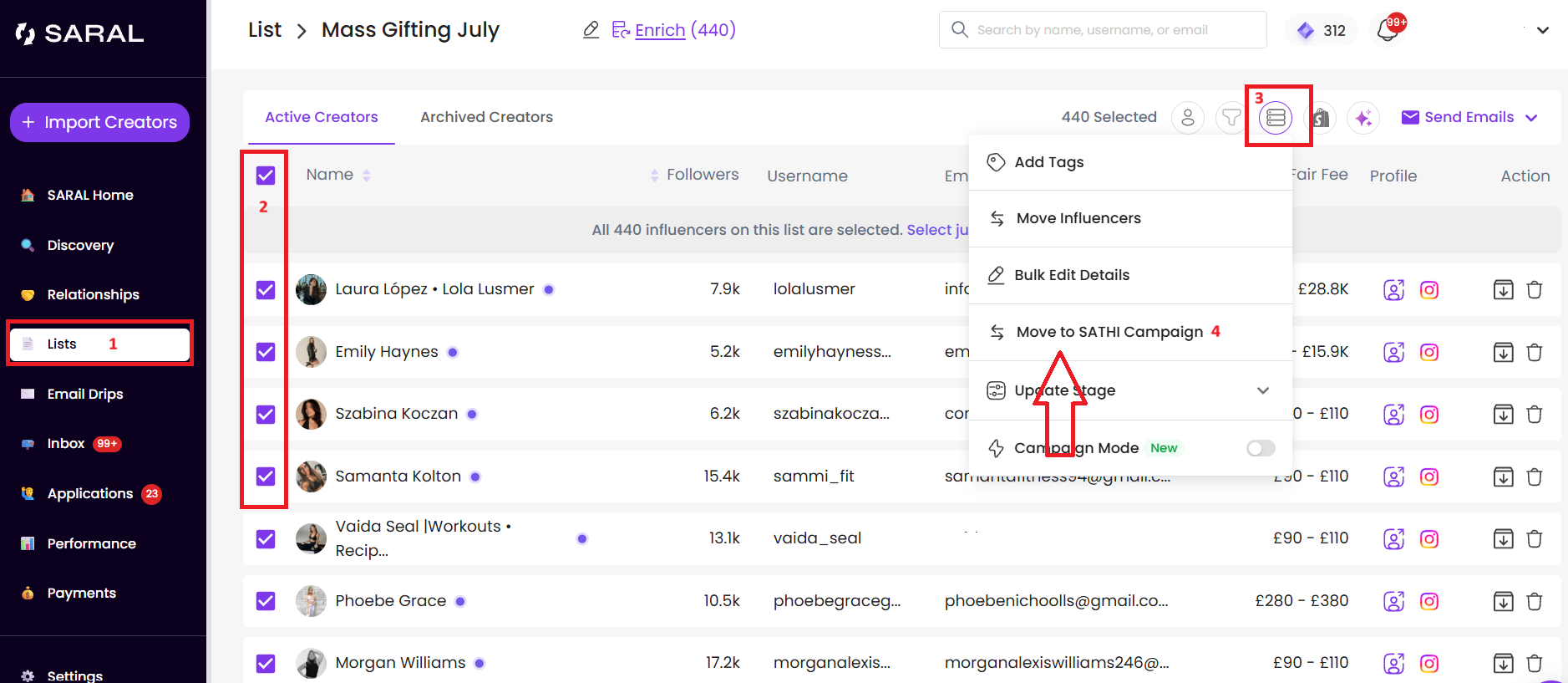
You can move multiple creators from a SARAL list into a selected SATHI campaign in a few clicks, without moving them one by one.
To move creators in bulk:
Go to your Lists in SARAL.
Open the list containing the creators you want to move.
Select the creators individually, or use the checkbox beside Name to select all creators in the list.
Click Take Bulk Actions at the top of the page.
Select Move to SATHI Campaign.
Choose the destination SATHI campaign and confirm.
Automated shipments created in SARAL also appear in the ambassador's SATHI account. Once configured, ambassadors can view their shipment details and updates across both platforms.
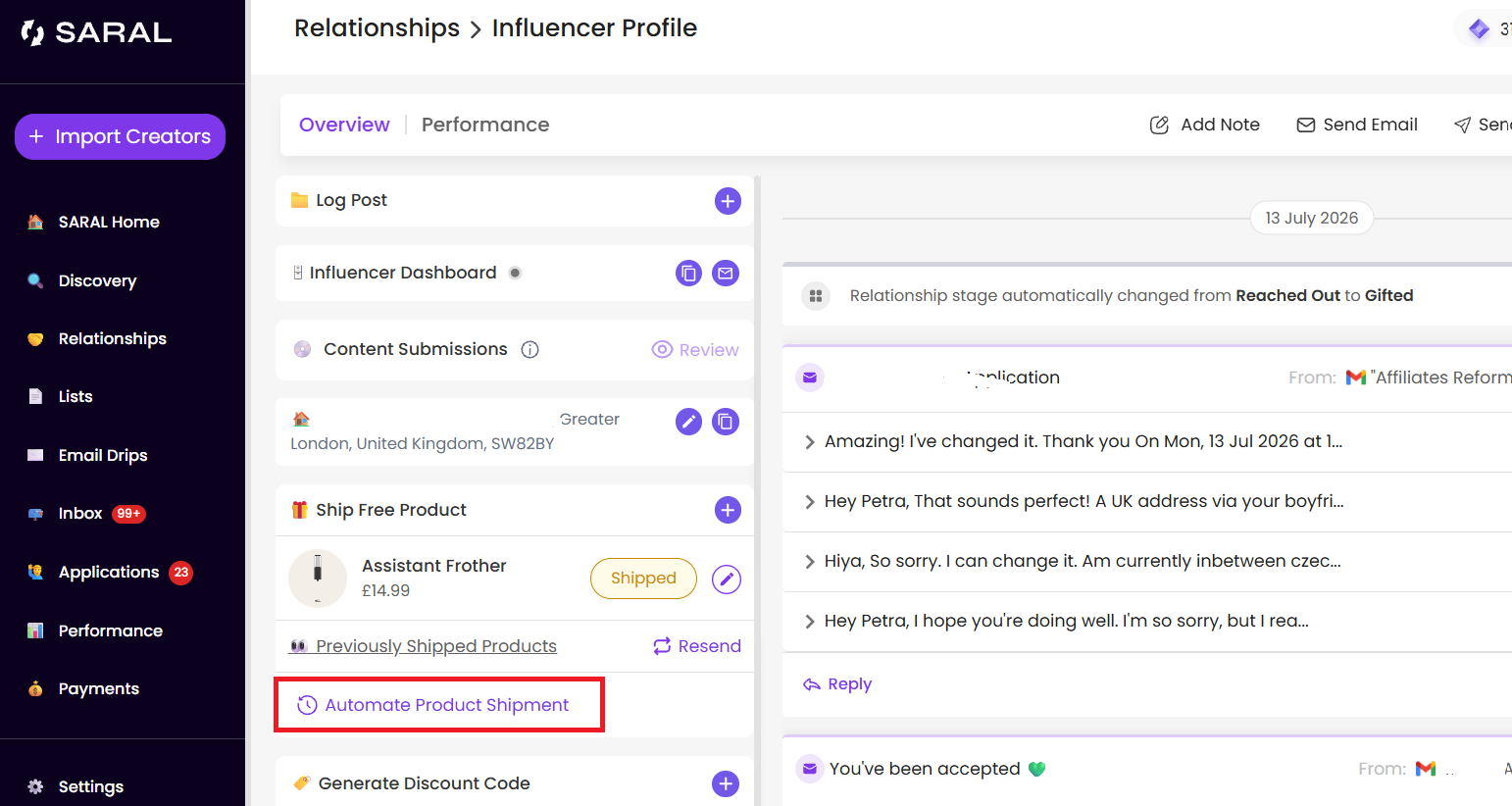
For setup steps, see the Help Center article on automating product shipments.
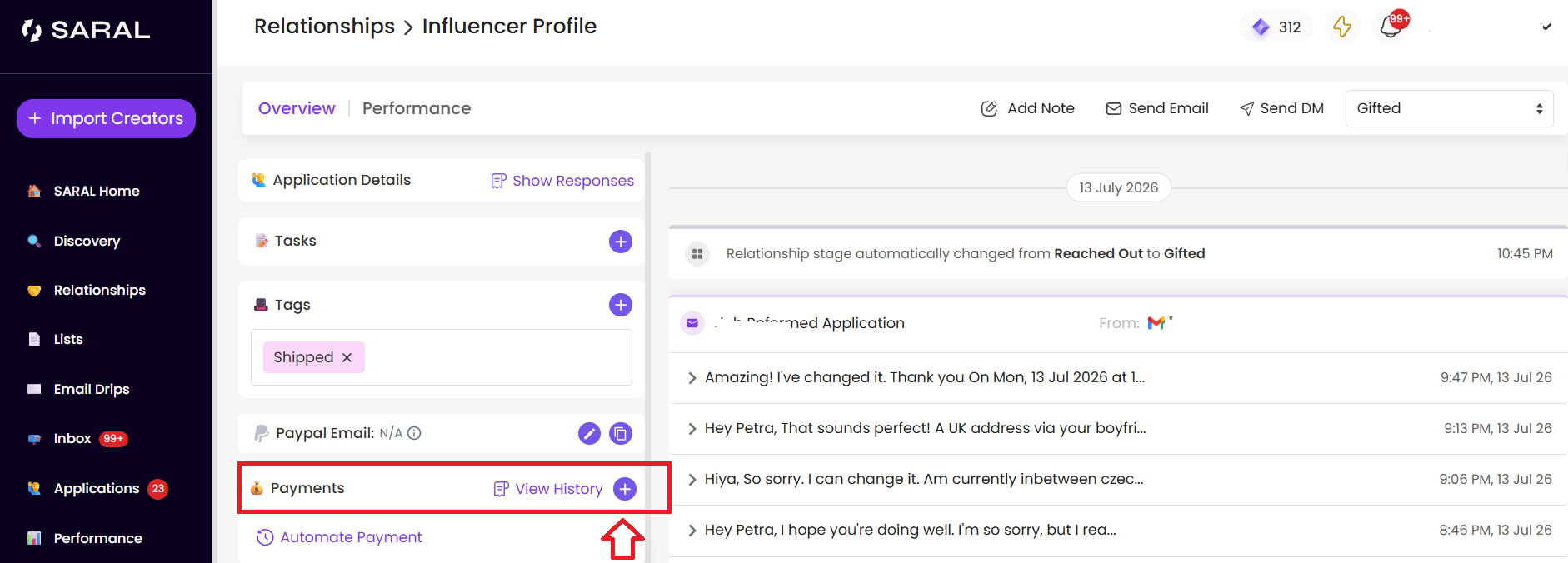
You can send payments to non-ambassadors directly from an influencer's profile in SARAL using the Send Payment option.

These synced actions let your team manage the full creator journey — from discovery to affiliate growth — without switching tools or re-entering data. SARAL stays your workspace for sourcing and relationships, while SATHI scales and protects the affiliate program running underneath it.
Still need help?
Reach out anytime to our Support team using the button at the bottom-right corner of your dashboard, or email us at [email protected].

