SATHI lets you ship free products to ambassadors either in bulk from within a campaign or one at a time from an individual ambassador's profile. Both methods route through the same shipping and tracking system, so you can manage resends, automation, and delivery status from one place.
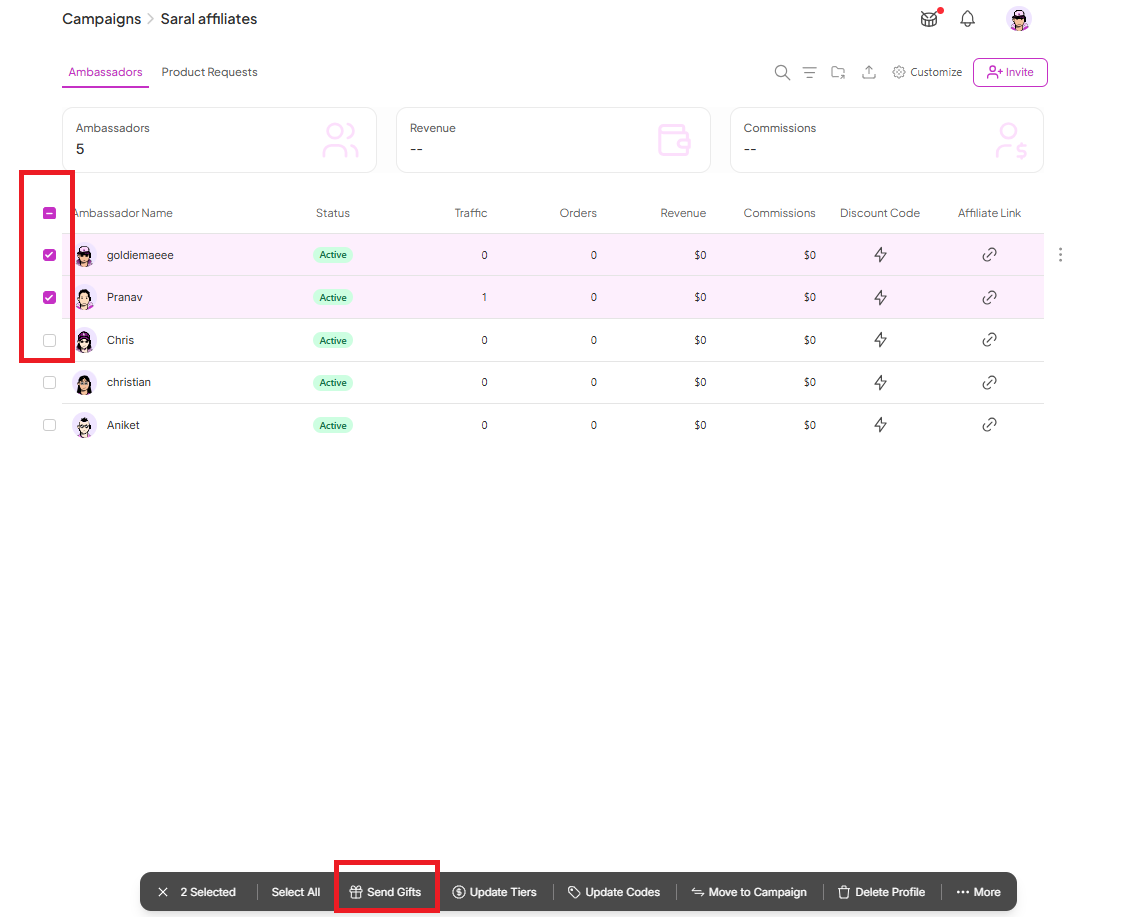
Go to the campaign where you want to ship products.
Click the box beside each ambassador you want to ship to (or select all to ship in bulk).
Click Send Gifts.
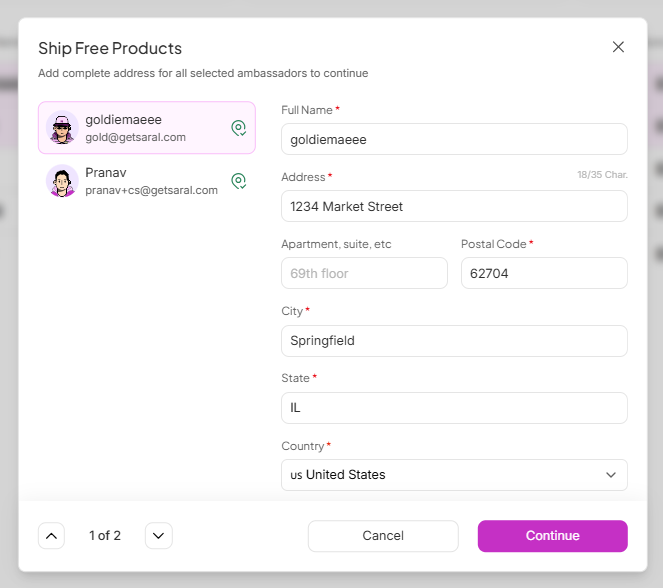
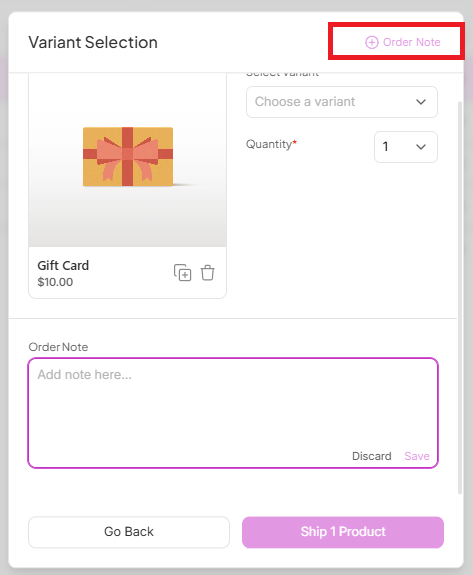
You'll be taken to a screen to ship the free products. Fill in the shipping info, select the product variants, then confirm by clicking Ship Product.

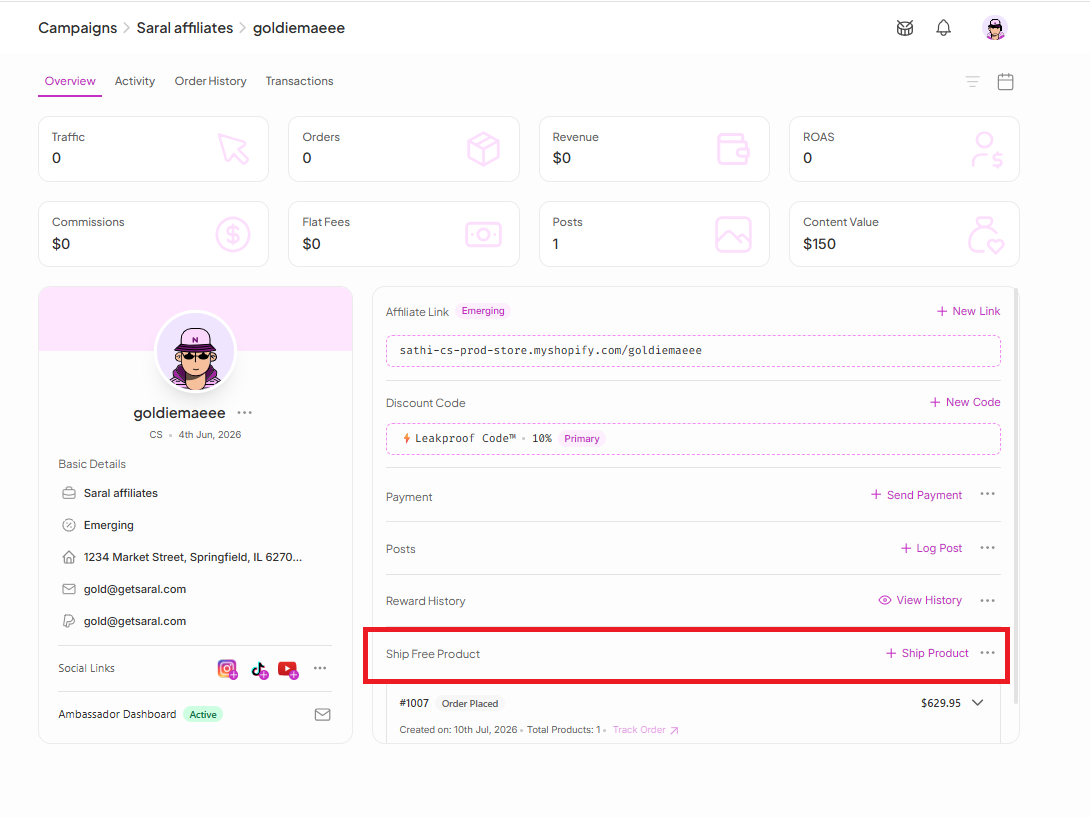
From the ambassador's profile, click Ship Product.
Three actions are available to simplify your shipping process:
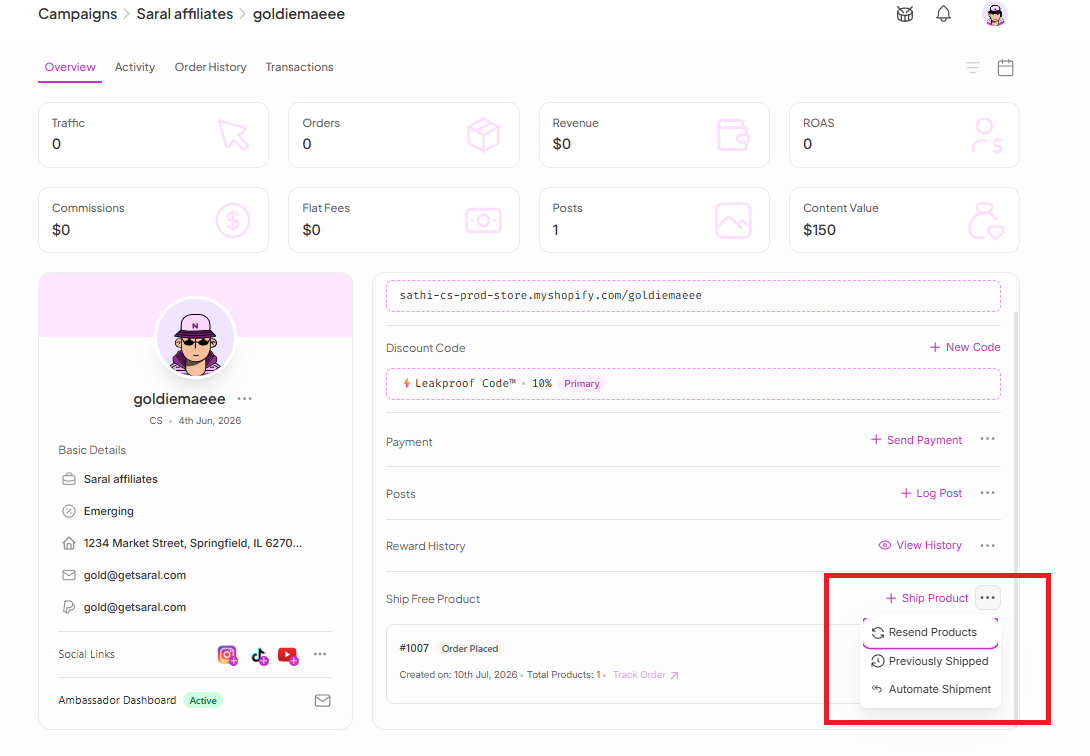
Resend Products: The last item shipped to this ambassador appears here, letting you resend it instantly without re-entering the address or other shipping details.
Previously Shipped: Shows past shipped items, including basic details, tracking ID, and tracking link.
Automate Shipment: Automatically sends a product to the ambassador on a set frequency (every 14, 30, 60, or 90 days). You can end the automation at any time.
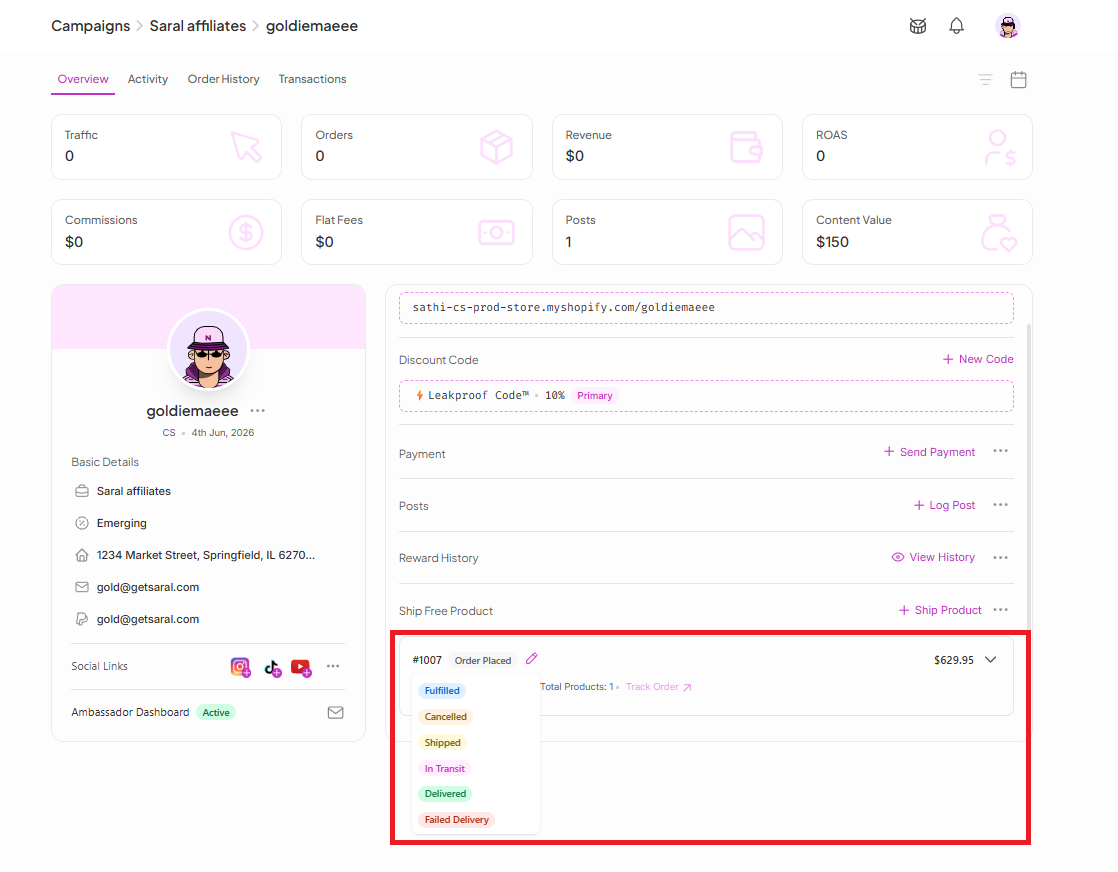
Every shipped item can be tracked from the same ambassador profile, under Ship Free Product. Each order shows an Order ID along with its status: Fulfilled, Canceled, Shipped, In Transit, Delivered, or Failed Delivery.
Free product shipping is often the first step in an ambassador relationship, so keeping it fast and accurate matters. Bulk shipping saves time when launching a campaign to many ambassadors at once, while the individual tools — resending, automation, and manual tracking updates. Keep repeat shipments and status accuracy manageable without added manual work.
Still need help?
Reach out anytime to our Support team using the button at the bottom-right corner of your dashboard, or email us at [email protected].

