

SATHI lets you decide which discount codes can be used together at checkout. This setting determines whether an ambassador discount can stack with other product or shipping discounts, giving you control over how your promotions behave.
Enable Combine Discount Codes
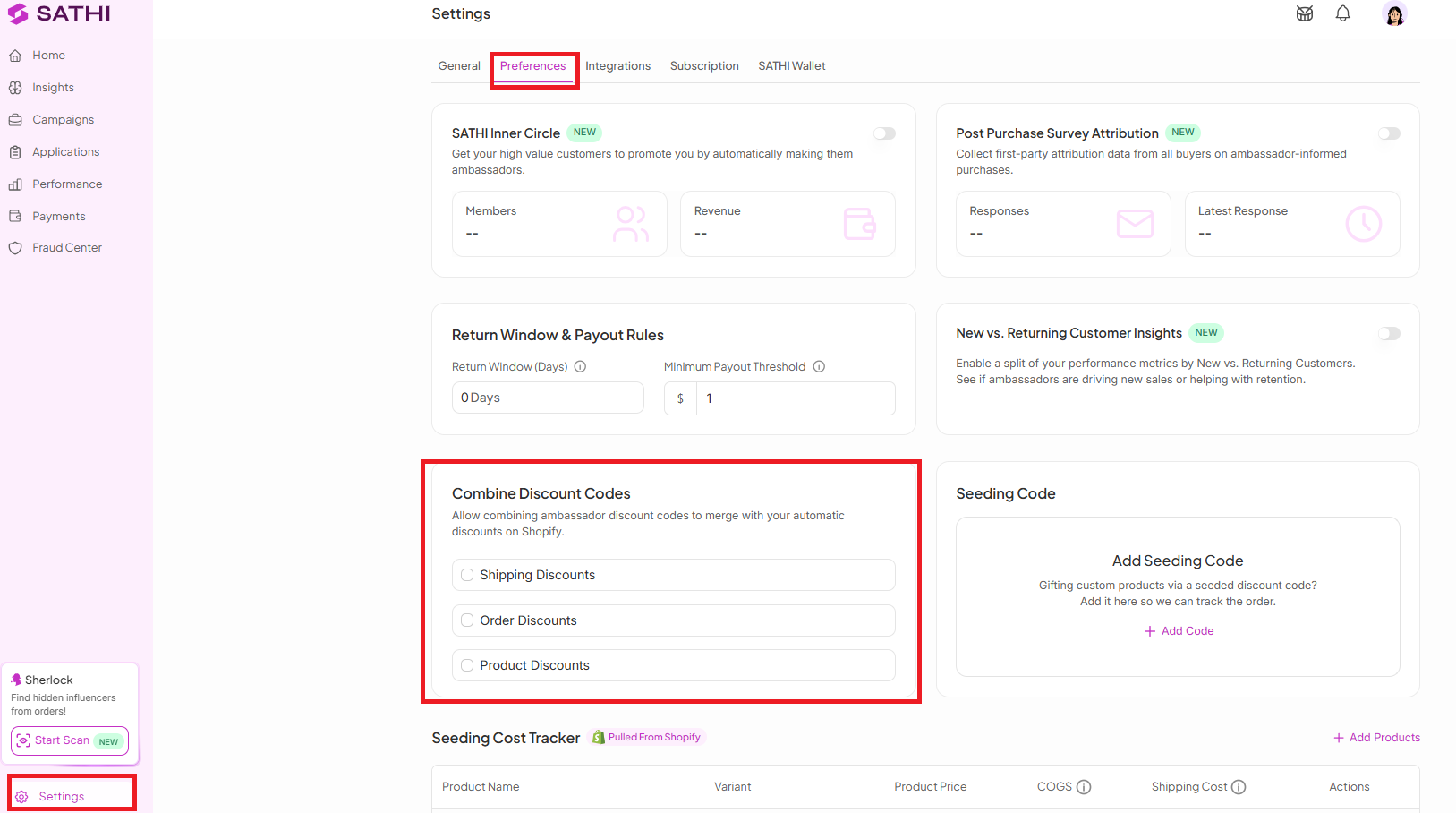
Go to SATHI Settings.
Navigate to Preferences.
Enable Combine Discount Codes.
Check or uncheck the boxes for each discount type you want to allow to combine.
An example could be:
Say you're running an ambassador discount code for 15% off, and you're also running a site-wide sale of 20% off select items.
Scenario A — Discounts don't combine:
Leave all boxes under this setting unchecked.
A customer using the ambassador code on a sale item gets only the 15% ambassador discount, or only the 20% sale discount — whichever applies first. The two do not stack.
Scenario B — Discounts combine:
Check the box for the discount type you want to allow (for example, Product Discounts).
A customer using the ambassador code on a sale item now gets both discounts applied together — 15% off, then 20% off the reduced price.

Why This Is Important
Uncontrolled discount stacking can erode margins fast. An ambassador discount combined with a sale price and a shipping discount can turn a healthy order into a loss. Combine Discount Codes gives you a single place to prevent that, so every promotion runs on the terms you set.
Still need help?
Reach out anytime to our Support team using the button at the bottom-right corner of your dashboard, or email us at [email protected].