Tracking seeded discount codes when gifting products can get overwhelming, especially with custom SKUs. SATHI lets you register your 100%-off discount codes so that when an ambassador uses one at checkout, the order is automatically tracked as a free product shipment including its cost, revenue impact, and effect on COGS.
For a custom SKU, you generate a 100%-off Shopify discount code. For example, VIB100 and share it with the ambassador. When the ambassador applies the code at checkout, it brings the item's cost to zero, letting them order it for free.
Once that code is registered in SATHI, any order placed with it is automatically tracked as a free product shipment, with its cost logged in your COGS tracker.
Here's how to add your 100%-off codes:
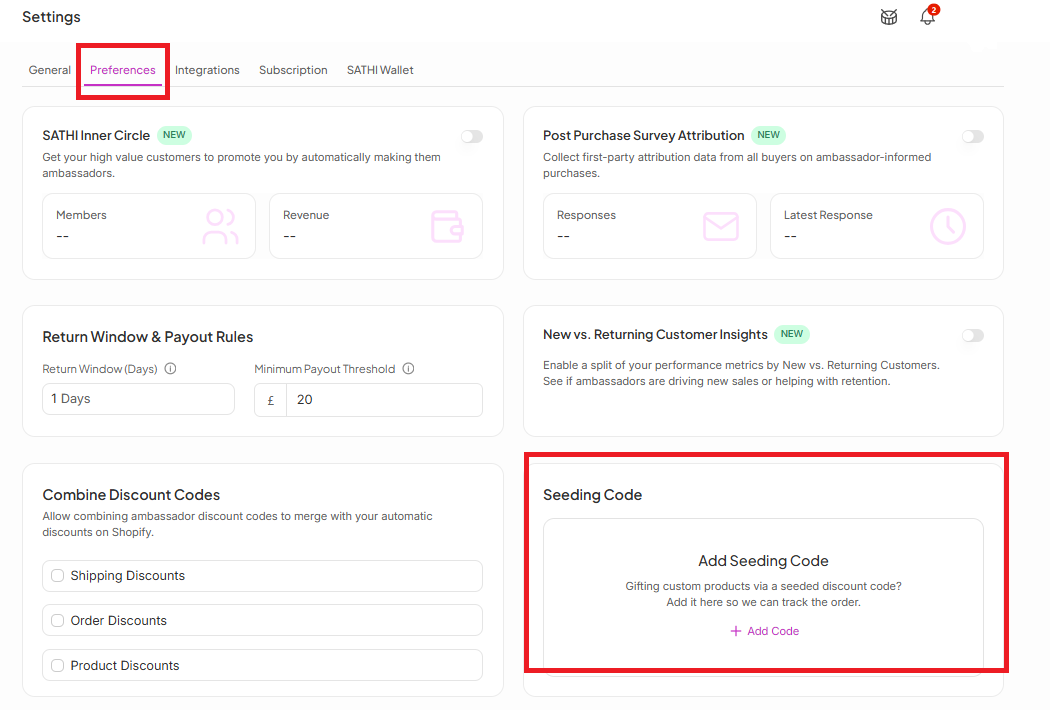
Go to SATHI Settings.
Click Preferences.
Look for Seeding Code.
Click Add Code and enter your 100%-off Shopify discount code.
Once a seeding code is set up and an order is processed with it:
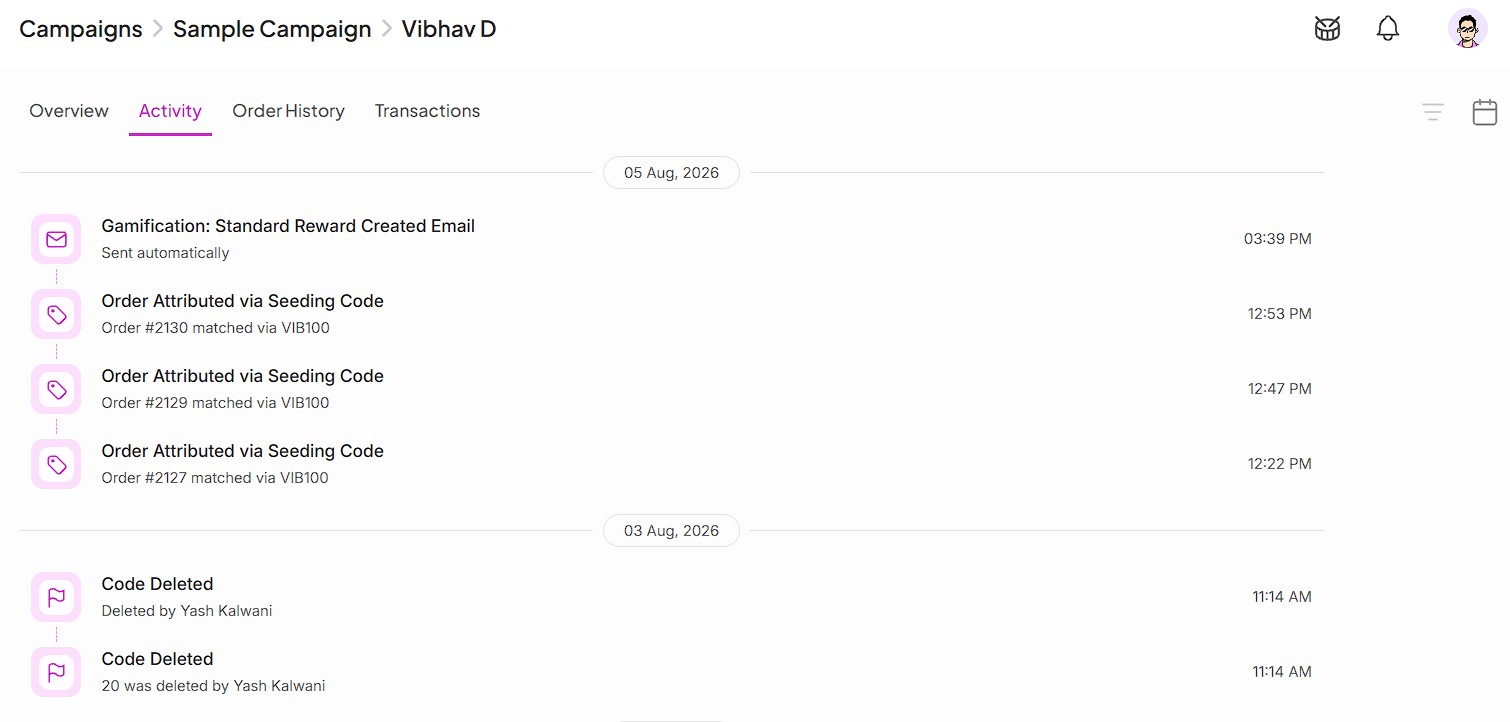
In the ambassador's profile, under the Activity section, you'll see an entry that reads "Order attributed via Seeding code."

Any order placed using a seeding code shows up in your Seeding Cost Tracker. SATHI also updates this cost in Core Analytics, alongside the total number of products you've shipped to ambassadors — so your seeding activity is reflected in both cost and shipment totals without manual entry.
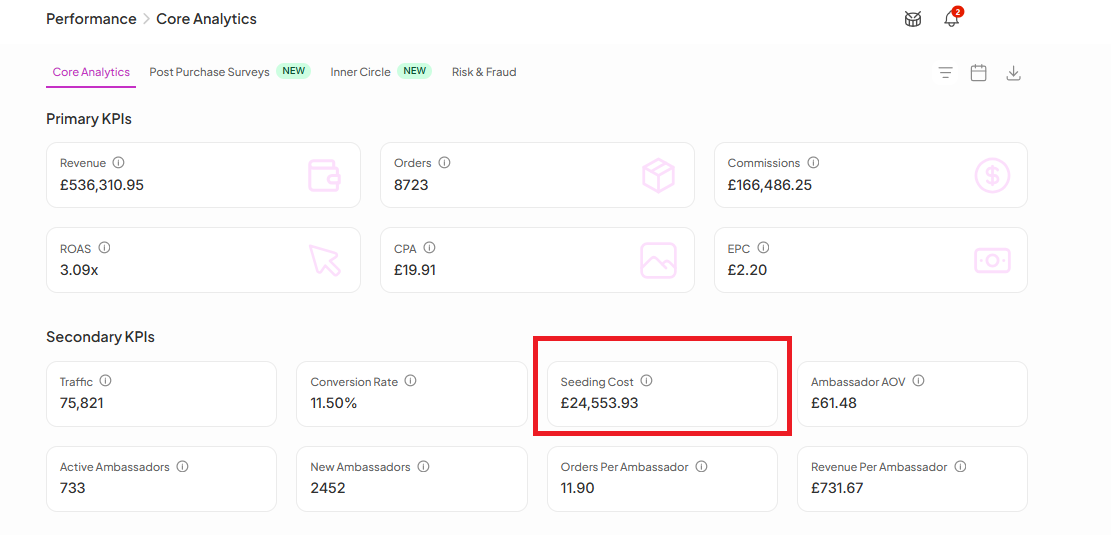
Gifted products are a real cost, but they can be easy to lose track of when they happen outside a normal paid order. Seeding codes allow SATHI to recognize a $0 checkout as a tracked shipment, keeping your COGS, revenue, and shipment counts accurate without needing to manually log gifted orders.
Since seeding orders are intended for gifting, no commission is attributed to the order, even if the order is placed through an ambassador’s tracking link. Seeding orders also bypass the Fraud Center, allowing you to gift products without triggering fraud checks or creating unnecessary friction.
Still need help?
Reach out anytime to our Support team using the button at the bottom-right corner of your dashboard, or email us at [email protected].

