

Store credit is now available as a reward type in Gamification. When an ambassador hits a milestone you set, SATHI creates a gift card for them to spend on your store. Ambassadors are notified by email and on their dashboard.
Create a Store Credit Reward
Open any campaign and go to Settings.
Open the Gamification tab.
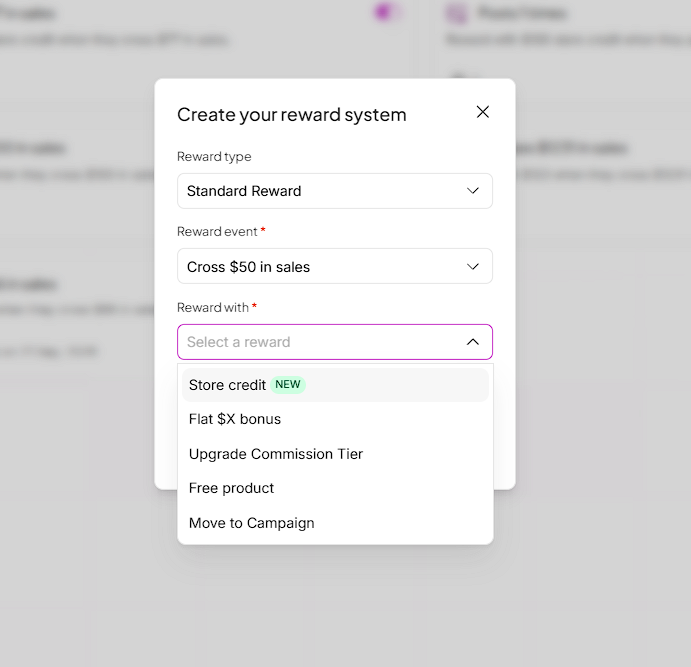
Choose a Reward type, such as Standard Reward.
Choose a Reward event, such as Cross $50 in sales.
Under Reward with, select Store credit.
Enter the store credit amount and save the reward.
To pay commissions in store credit as well, see our guide on paying commissions as store credit.
What Happens When an Ambassador Hits the Milestone
As soon as the ambassador meets the reward event, a gift card is created for the reward amount. The ambassador receives an email with the gift card code and sees a pop-up on their ambassador dashboard.
What Ambassadors See on Their Dashboard
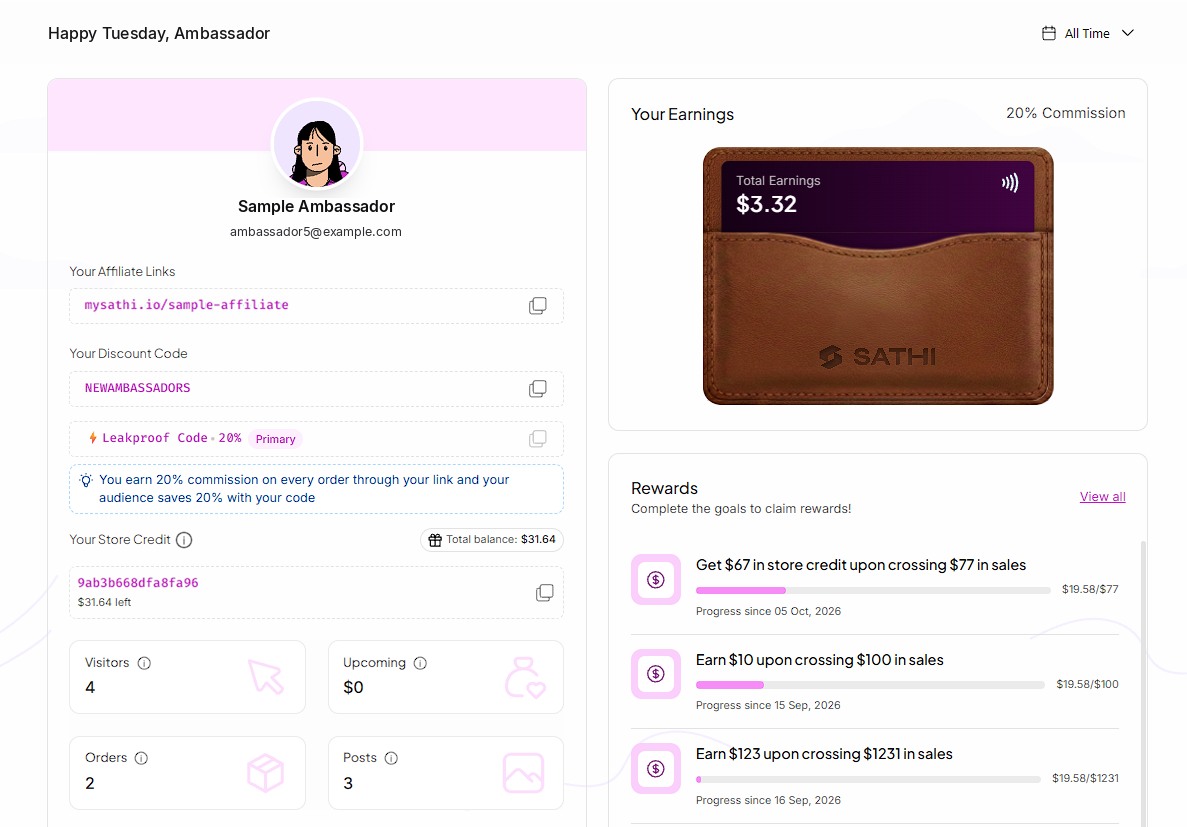
Ambassadors can track their progress toward store credit rewards in the Rewards section of their dashboard. Each reward shows the amount, the milestone and a progress bar.
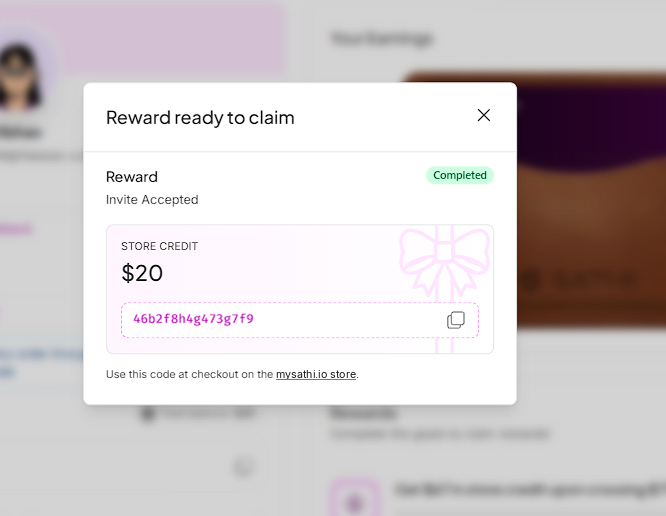

Ambassadors can also see their gift card code and remaining balance under Your Store Credit on their dashboard.
Why Customers Love This Feature
Store credit lets you reward ambassadors for hitting goals without a cash payout. The reward is spent on your store, which gives ambassadors a reason to come back and shop with you while they work toward the next milestone.
Still need help?
Reach out anytime to our Support team using the button at the bottom-right corner of your dashboard, or email us at [email protected].