A cookie window is how long a click on an ambassador’s referral link stays eligible for credit. You can use one window across all your campaigns, or set a different window for each campaign.
Every brand starts with a 30-day cookie window. This default applies to all your campaigns, including new campaigns you create, unless you set a different window for a specific campaign.
Head over to Settings → Preferences.
Scroll down to Attribution Window.
Select a new window for each campaign you want to change. You can choose 7, 14, 30, 45, or 60 days.
Save your changes.
Campaigns you don’t change continue to follow your default window.
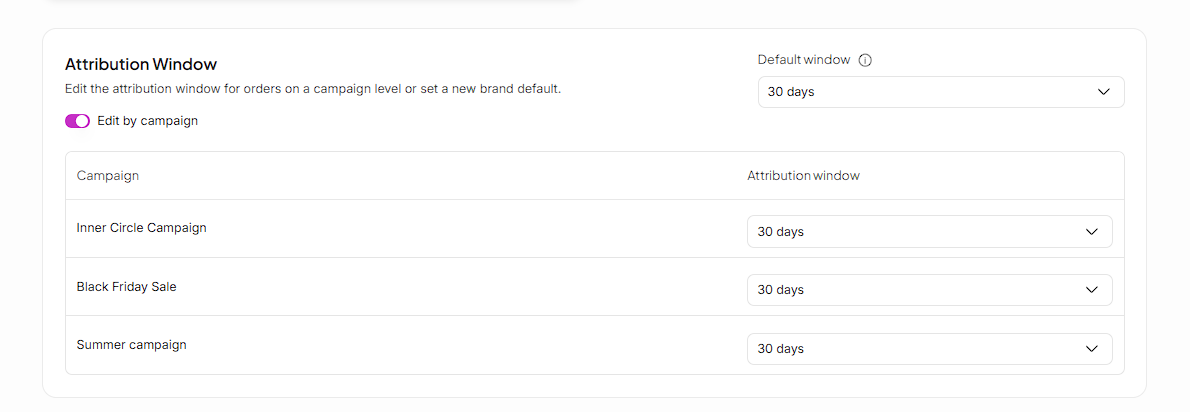
To change your default, select a new window, and save. Campaigns that don’t have their own window will follow the new default. Campaigns with their own window keep it.
When you turn off Edit by Campaign and save, every campaign goes back to your default window.

Changes to a cookie window only apply to new clicks. For example, if you shorten a campaign’s window from 30 days to 14 days, clicks made after the change use 14 days. Clicks made before the change keep their 30-day window.
Still need help?
Reach out anytime to our Support team using the button at the bottom-right corner of your dashboard, or email us at [email protected].