We've already covered fraud scenarios in the Help Center articles on how fraud protection works in SATHI and fraud flags and their meaning, but there's another common situation brands deal with every day: refunds and returns, and how commissions are handled when they happen.
Since orders are part of a live shopping experience, customers may request refunds after making a purchase. To protect brands from paying commissions on refunded orders, SATHI uses Return Window & Payout Rules to control how and when commissions are processed.
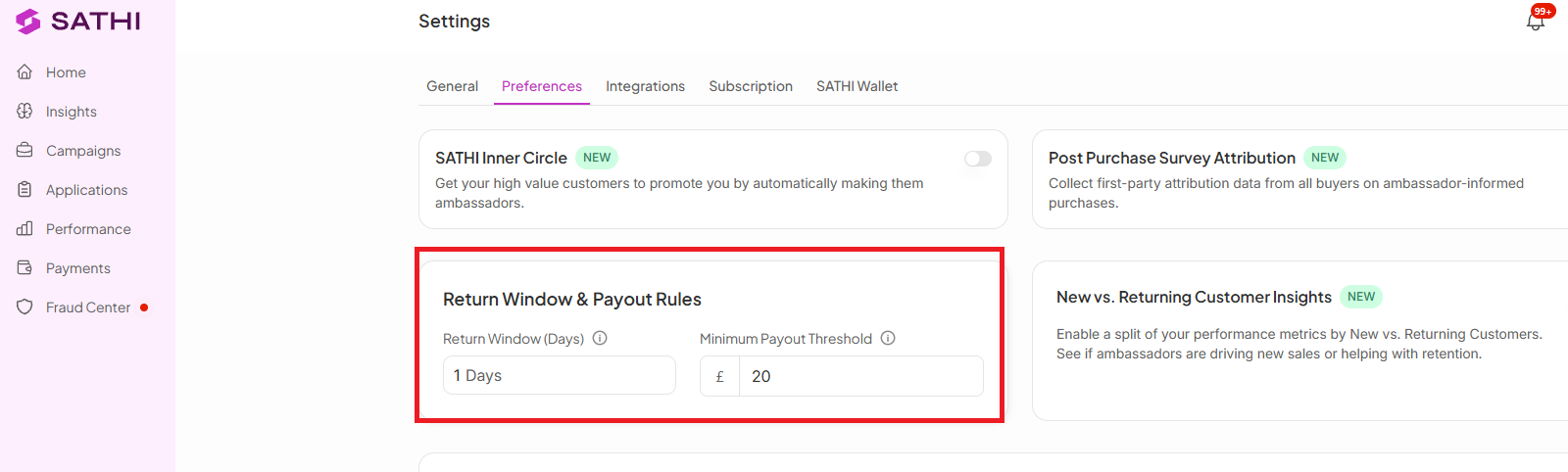
The Return Window is a holding period that temporarily pauses commission payouts after an order is placed, giving customers enough time to request a refund or return before commissions become payable.
For example, if your brand sets a 30-day return window, commissions linked to those orders stay on hold for 30 days before they can be paid out. If the order is refunded during that period, the commission is automatically rejected and no payout is made.
The process:
A customer places an order attributed to an ambassador.
The commission is created and appears under Payments → Pending
The commission is placed on hold for the duration of your Return Window.
During this period, SATHI monitors the order for refunds or returns.
Once the Return Window ends:
No refund: The commission becomes Payable.
Refund: The commission is automatically Rejected.
The default Return Window is 14 days, but you can customize it based on your brand's return policy.
Your Minimum Payout Threshold is a separate rule that determines when an ambassador has accumulated enough eligible commissions to receive a payout.
For example, if your minimum payout is set to $20, an ambassador with $15 in eligible commissions won't be paid yet. The amount remains on hold under On Hold — Below Minimum $ until their eligible commissions reach the threshold.
You can adjust both the Return Window and Minimum Payout Threshold here:
Settings → Preferences → Return Window & Payout Rules
You may see the following statuses while commissions move through the payout process:
Status and What it means
On Hold — Return Window | The order is still within the return window and isn't ready for payout yet. |
On Hold — Below Minimum $ | The commission is eligible, but the ambassador hasn't reached the minimum payout threshold. |
Rejected — Refunded (Pre-Payout) | The order was refunded during the return window, so the commission was automatically rejected. |
Payable — Pending | The return window has passed successfully and the commission is ready to be paid. |
Sometimes a refund happens after a commission has already been paid.
When this happens, SATHI uses a clawback to keep payouts accurate. The refunded commission amount is deducted from the ambassador's future eligible payouts.
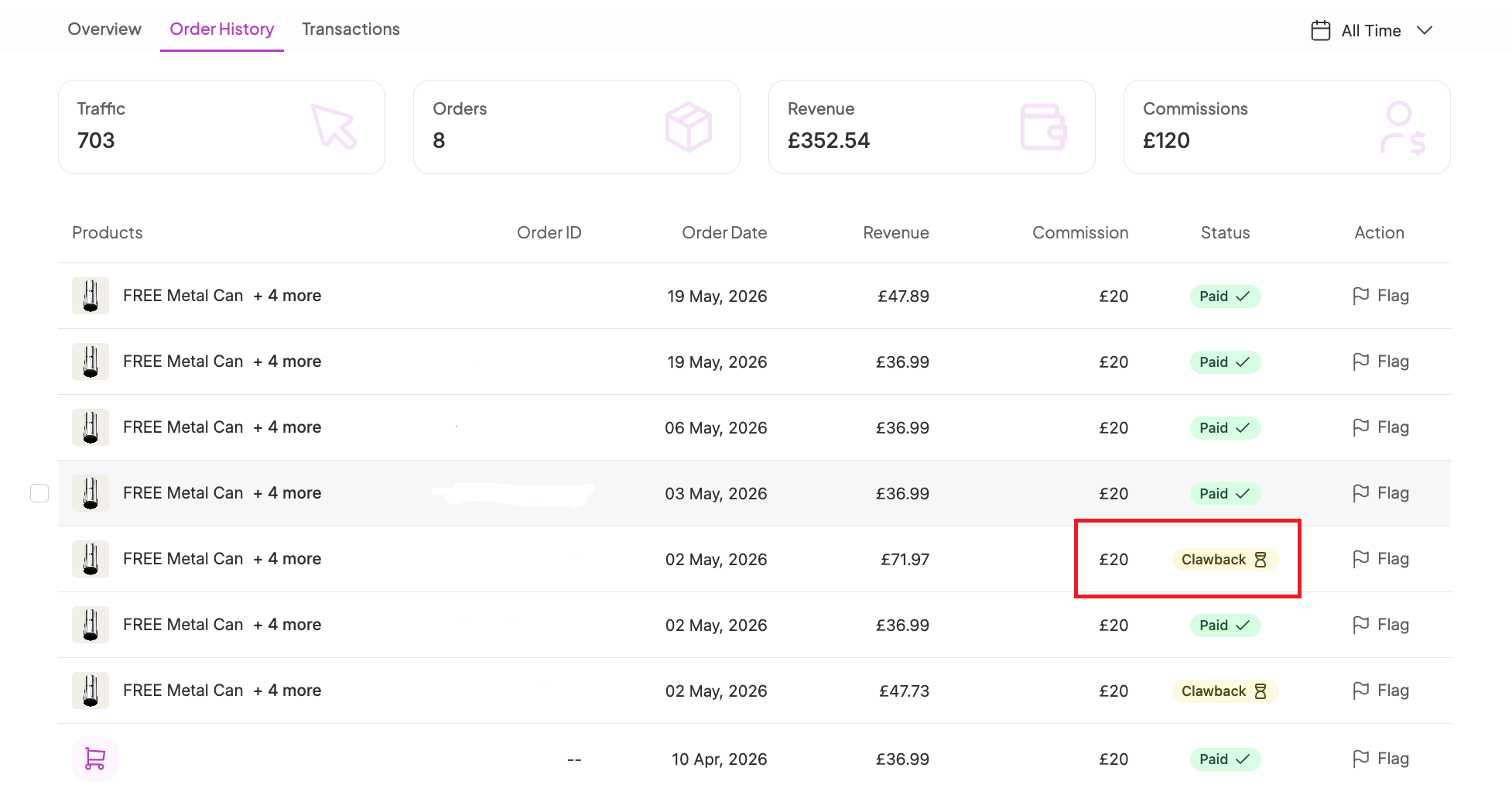
This means you don't need to manually track every refund and determine how it affects previously paid commissions.
When an order is successfully attributed to an ambassador, SATHI sends them a “New Sale” email to let them know they’ve generated a sale.
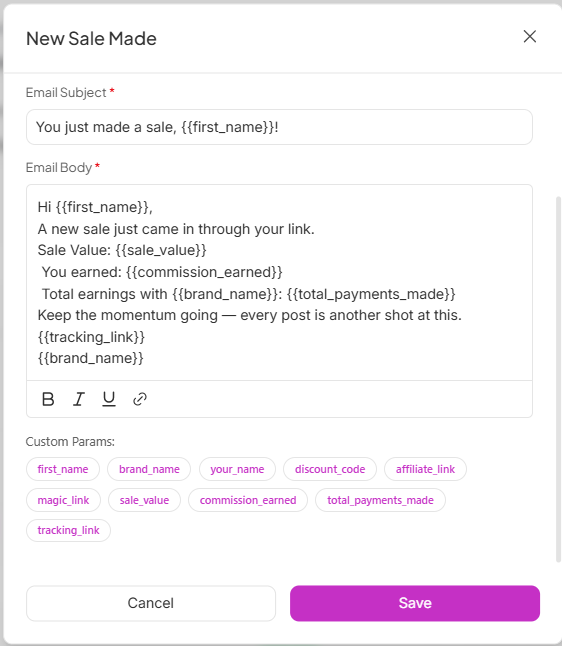
However, the commission may not appear in the ambassador’s Pending Commissions immediately.
This is expected if the order is still within your brand's Return Window. During this period, the commission is held until the return window has passed and the order is eligible for payout.
Once the Return Window has passed and the commission becomes Payable, it will automatically appear in the ambassador's Pending section.
Without these safeguards, a brand could end up paying commissions on orders that get refunded days or weeks later, with no clean way to recover that cost. The Return Window and Minimum Payout Threshold catch this automatically before a payout ever goes out, and clawbacks handle the rare case where a refund comes in after payment, so payouts stay accurate without you needing to track refund timing manually.
Still need help?
Reach out anytime to our Support team using the button at the bottom-right corner of your dashboard, or email us at [email protected].