Rejecting commissions gives you full control over which sales are eligible for payouts. SATHI lets you manage each ambassador's incoming commissions by flagging suspicious activity in the Fraud Center or rejecting orders based on your brand's policies, with full visibility into the signals, evidence, and activity behind each alert. Rejecting a commission ensures only valid, genuine activity gets paid out.
The sale isn't eligible under your brand's policy
Fraud-flagged activity, including:
Identity Match: The ambassador purchased the product themselves
Coupon codes leaked onto deal or discount forums
Self-Referral: The customer email matches the ambassador's email
The ambassador requested a refund
Paid Ads Abuse: Paid traffic is detected, or the ambassador is posting their code on ads
Geo Traffic Signals: Traffic is coming from unexpected or unusual locations
High Risk Orders: Shopify detected potential fraud signals on the transaction

1. Rejecting via Payments View
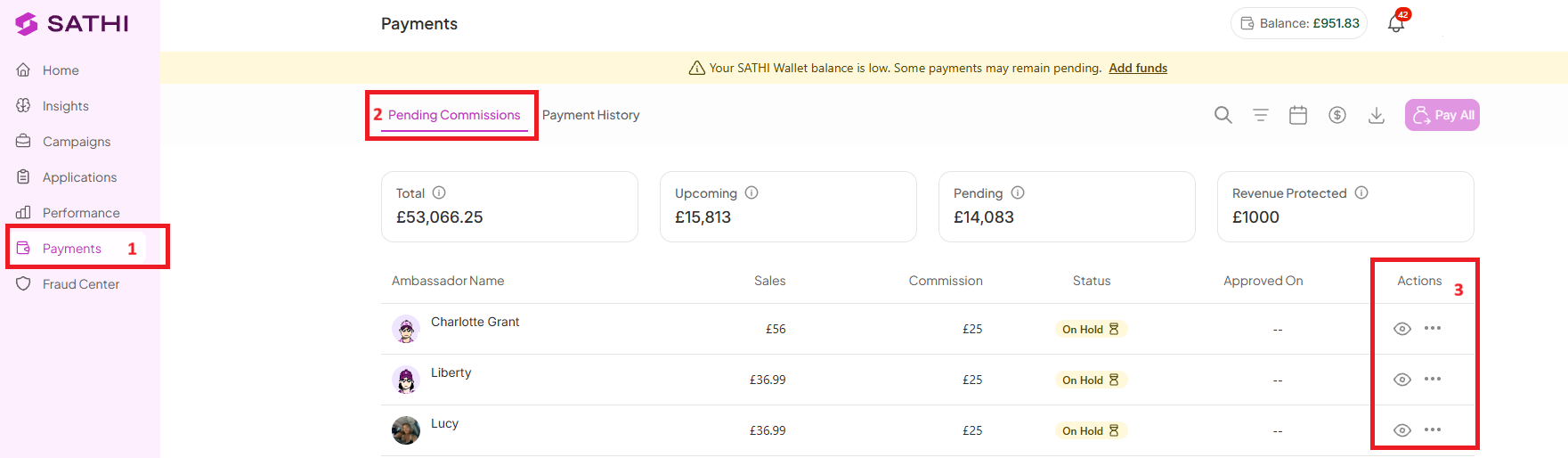
Navigate to Payments
Go to Pending Commissions
Under Actions, click the (…) menu
Select Reject
2. Bulk Rejection
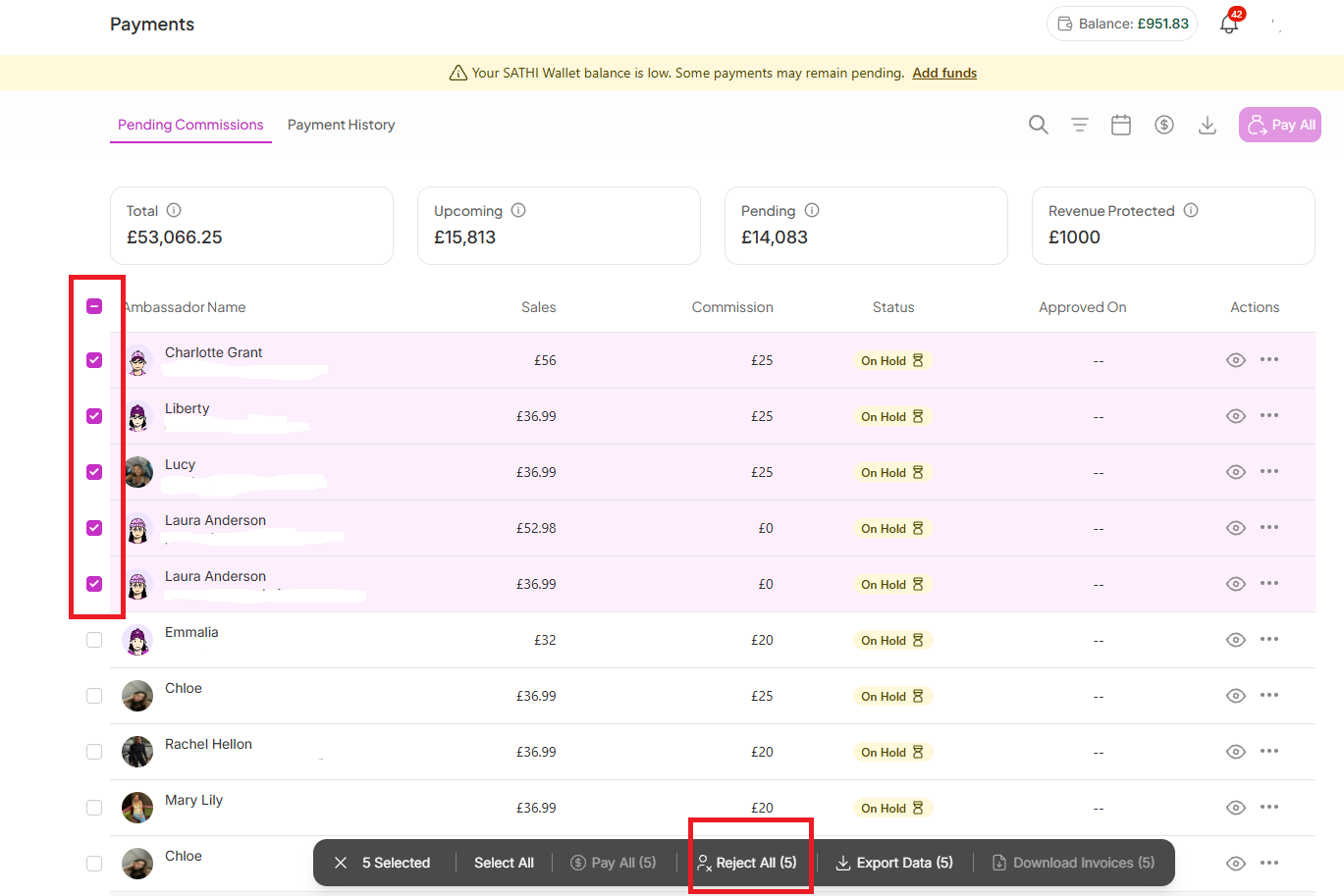
Reject multiple commissions at once by selecting the checkboxes beside ambassador names, then rejecting the selected group in bulk.
3. Rejecting via the Fraud Center
This requires two sections:
Commission Flags Section
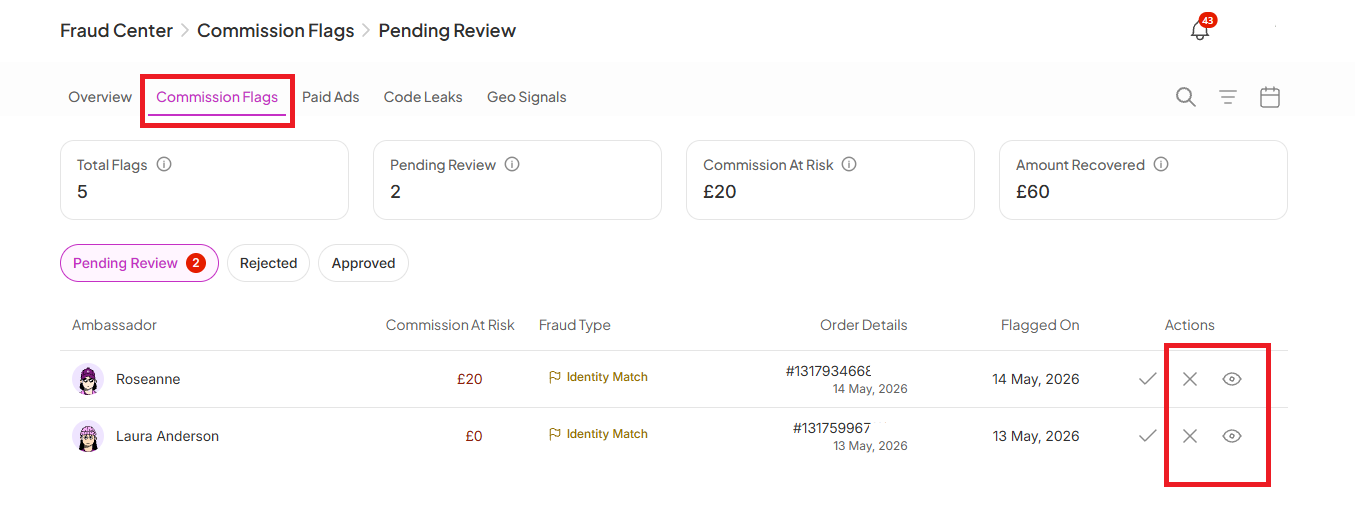
Navigate to Fraud Center
Go to Commission Flags
Ambassadors requiring review appear under the Pending Review tab
Under Actions, click the View icon to review the exact fraud signals and activity detected
Click Reject Commission if you confirm the commission is invalid
Paid Ads Section
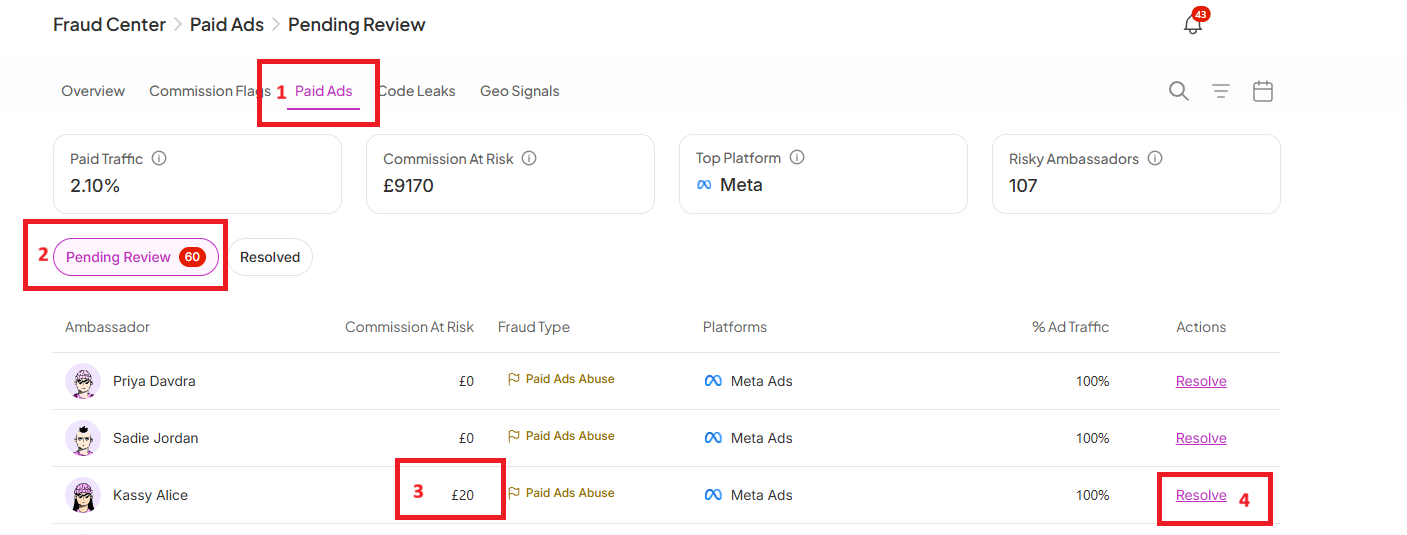
Go to Pending Review
Open a profile with an amount shown under Commission at Risk
Click Resolve
Click Reject Commission
Confirm and resolve the action
Info: See the Help Center article on how fraud protection works in SATHI for a full breakdown of the Fraud Center.
Once a commission is rejected:
It's immediately removed from Pending Commissions in Payments and deducted from the ambassador's Upcoming earnings amount
If rejected via Fraud Center, the transaction moves to the Rejected tab, and the amount is reflected under Amount Recovered
If rejected via Payments, the rejected amount is reflected under Revenue Protected
If rejected via Paid Ads, the rejected amount moves to the Resolved section
The ambassador no longer receives payout for the rejected transaction, and the amount is excluded from future payout calculations
Review Fraud Center regularly: Check the Fraud Center before approving or paying commissions. Scheduling weekly reviews helps catch issues early and maintain program quality.
Communicate clearly with ambassadors: Before rejecting a commission, explain the issue and next steps clearly. Transparency helps ambassadors understand policy violations and adjust future behavior.
Use warning emails when needed: SATHI includes a Paid Ads Abuse Warning email template under Settings, which you can customize based on your program guidelines to warn ambassadors before rejecting commissions.
Not every sale that generates a commission should actually be paid out, whether that's due to policy, fraud, or a refund. Rejection gives you the control to keep payouts accurate, while the audit trail across Payments, Fraud Center, and Paid Ads means you always know why a commission was rejected and can point to the exact signal if an ambassador asks.
Still need help?
Reach out anytime to our Support team using the button at the bottom-right corner of your dashboard, or email us at [email protected].