Once a campaign is created in SATHI, you can customize how it runs, from commission structure and discount codes to affiliate links and milestone rewards. To access these settings, go to Campaigns in the sidebar, open the campaign you want to edit, and click Customize in the top-right corner.
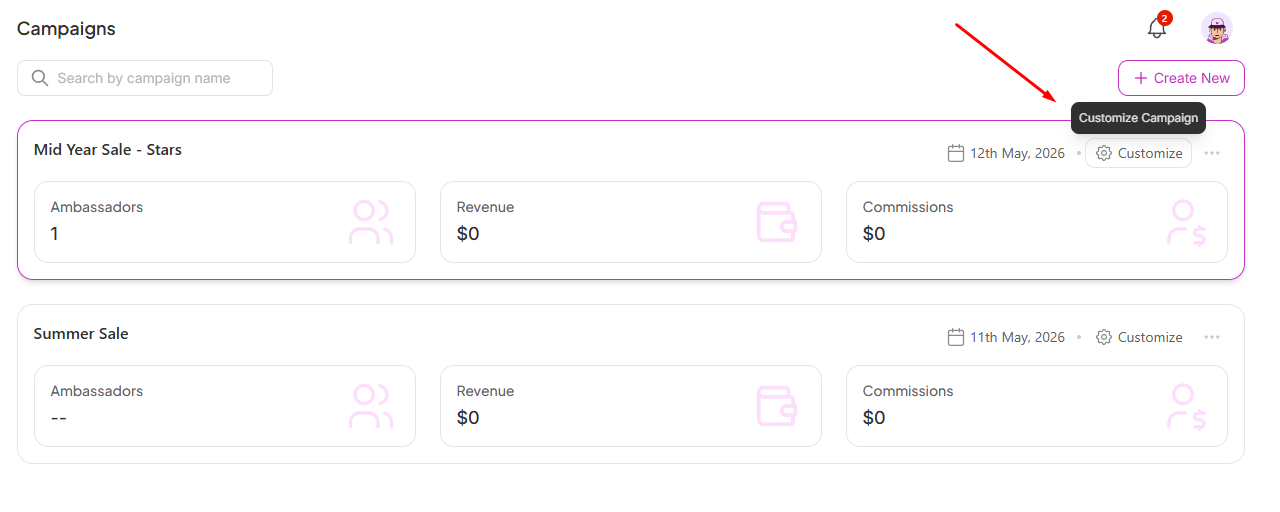
You'll find three tabs inside: General, Preferences, and Gamification.
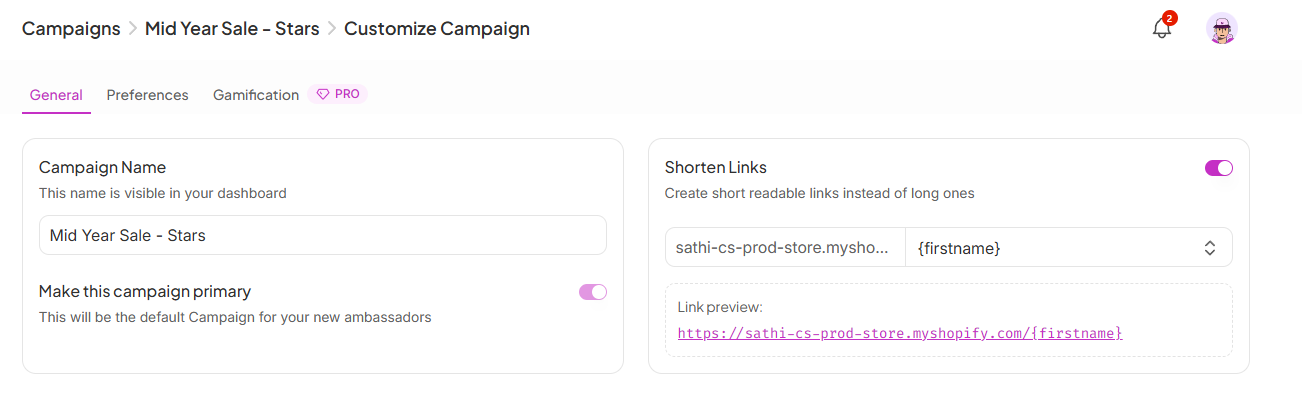
This is where the core settings for your campaign live.
Campaign Name
The name you give your campaign is visible in your dashboard only; ambassadors won't see it. Keep it descriptive so your team can easily tell campaigns apart (e.g. "New Ambassadors").
Make This Campaign Primary
Toggling this on sets the campaign as the default for any new ambassadors who join your program. Only one campaign can be primary at a time.
Shorten Links
When enabled, SATHI generates clean, readable affiliate links instead of long URLs. You can customize the link format using dynamic variables like {firstname}, so each affiliate gets a personalized link (e.g. www.yourstore.com/jane). A live preview updates as you configure it.
Commission Tiers let you offer different payout levels within the same campaign. This is useful if you want to reward top performers with higher commissions or run different incentives for different affiliate segments.
Each tier includes:
Tier Name: A label to identify it (e.g. "Elite", "Matcha")
Commission Value: The flat or percentage payout for that tier
Landing Page: The URL affiliates in this tier will drive traffic to
Status: One tier must be set as Primary — this is the default for new affiliates added to the campaign
To add a new tier, click + New Tier in the top-right of the section. You can edit or delete any tier using the icons on the right.
Discount Code Templates control how SATHI generates unique discount codes for your affiliates. Instead of creating codes one by one, you set a template and SATHI handles the rest automatically.
Each template includes:
Template Name: A label for internal reference
Customer: Whether the discount applies to new customers only or all customers
Discount: The percentage or amount off
Apply For: Which products the discount applies to (e.g. All Products, or specific collections)
Cart Minimums: A minimum cart value required for the code to work (optional)
Code Format: The pattern used to generate each affiliate's unique code (e.g. FIRSTN generates codes based on the affiliate's first name)
To add a new template, click + New Template. Similar to tiers, one template must be marked as Primary.
Add UTM Parameters
When enabled, SATHI automatically appends UTM parameters to your affiliate links. You can use dynamic variables ({{ }}) alongside static text to build custom UTM values — helpful for tracking affiliate-driven traffic in Google Analytics or any other analytics tool.
Personalised Landing Pages
When enabled, each affiliate gets a custom landing page that includes their details and a personalized banner. This gives their audience a more tailored shopping experience and makes the affiliate feel more invested in promoting your brand.
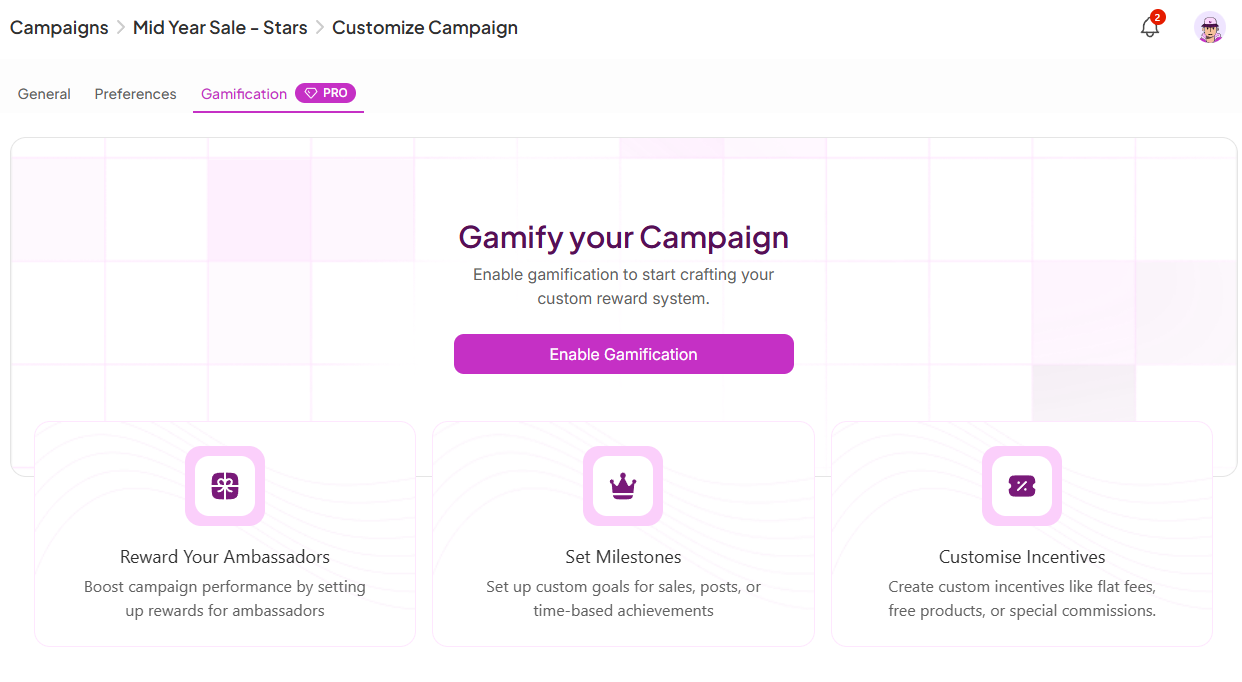
The Gamification tab is where you set up milestone rewards to keep your affiliates motivated and posting consistently. Each reward card defines an event (a sales/posts threshold) and what the affiliate earns when they hit it.
Reward types include:
Flat $X bonus (e.g. $200 when they bring more than 10 orders)
Free product (e.g. a free product when they bring more than 3 orders)
Tier upgrade (e.g. automatically move to a higher commission tier after 10 or 100 orders)
You can toggle individual rewards on or off without deleting them, and track how many affiliates have hit each milestone using the people icon on each card.
To add a new reward, click + New Reward in the top-right. To review which affiliates have triggered past rewards, click Reward History.

Customizing a campaign lets you match its structure to how your program actually operates, rather than relying on default settings. Tiered commissions and discount templates let you reward performance and manage incentives at scale, while gamification keeps ambassadors engaged and posting consistently over time.
Still need help?
Reach out anytime to our Support team using the button at the bottom-right corner of your dashboard, or email us at [email protected].