SATHI's Gamification feature lets you set milestones for ambassadors, and automatically applies a reward when an ambassador reaches one. Rewards notify ambassadors and process without manual tracking on your end.
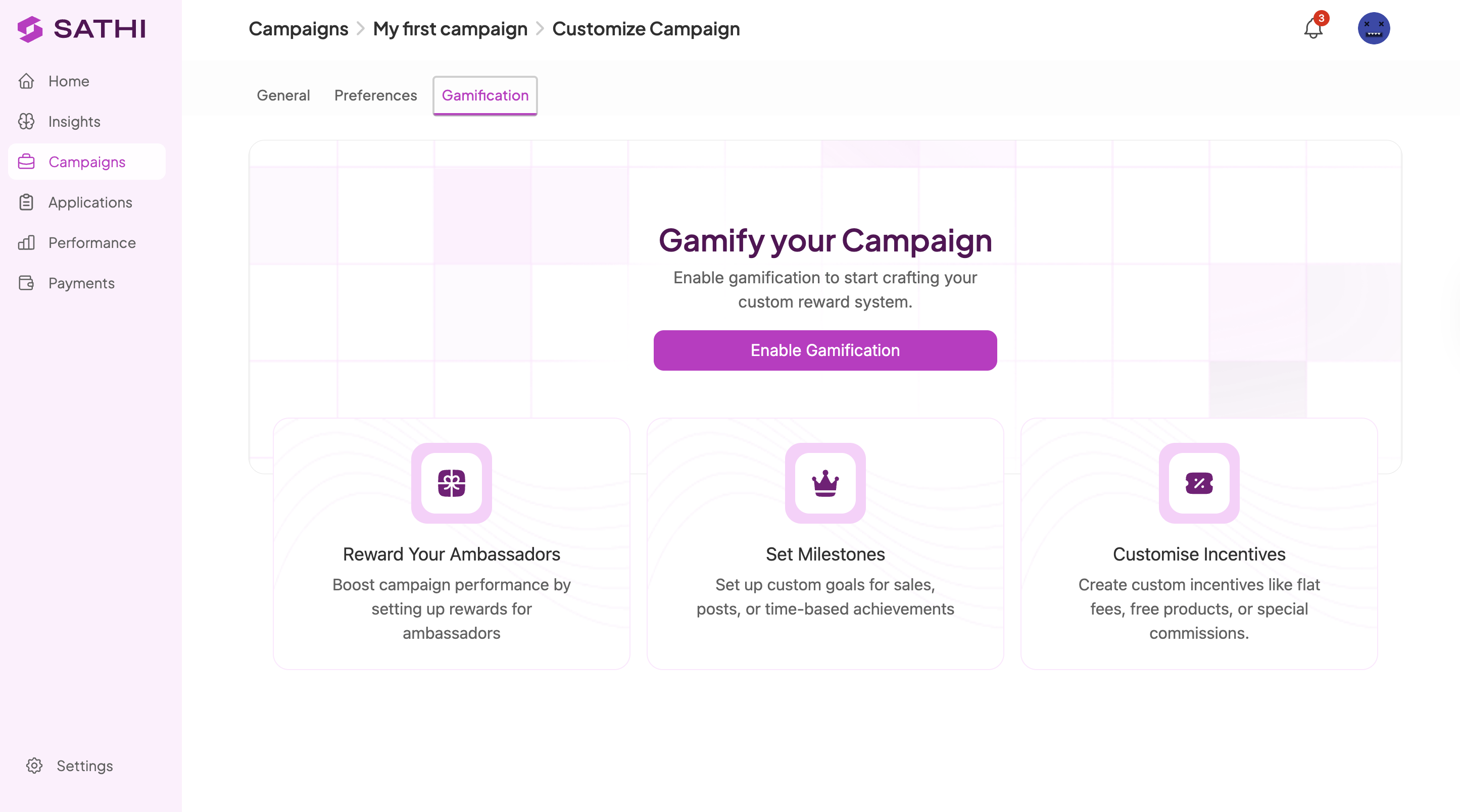
Go to Campaigns in the left sidebar and select the campaign you want to gamify. Click Customize in the top right, then open the Gamification tab.
If no rewards have been created yet, an Enable Gamification button appears. Click it to open a modal for creating your first reward.
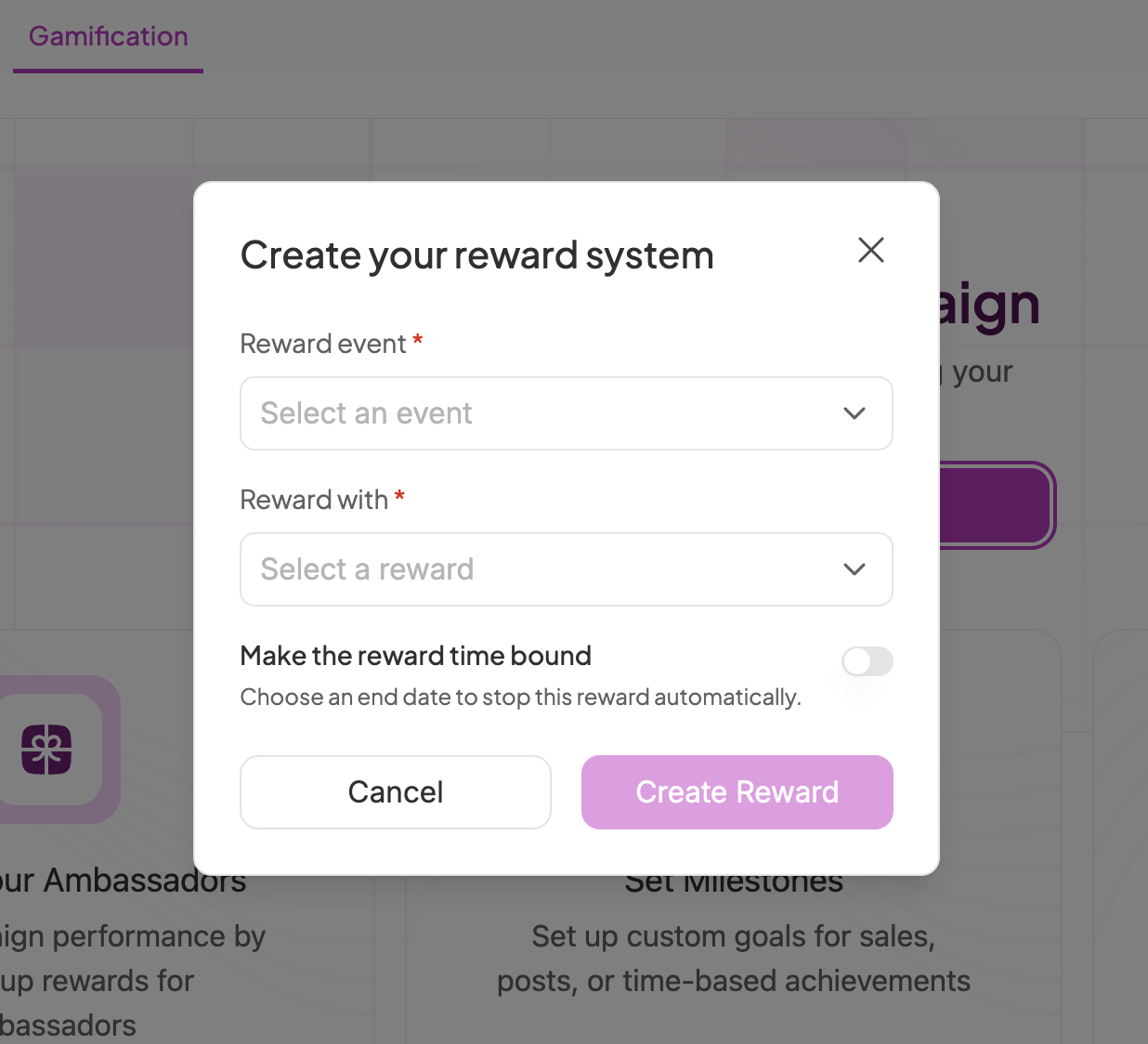
Reward Event — choose what triggers the reward:
Crosses $X in sales: enter the sales amount
Brings more than #Y orders: enter the number of orders
Brings X amount of traffic: enter the number of clicks
Posts X times: enter the number of posts
Posts X times every Y period: enter the number of posts and the time period
Is Onboarded: fires when the ambassador joins the program
Reward With — choose what the ambassador receives:
Flat $X bonus: enter the cash amount
Upgrade Commission Tier: automatically moves the ambassador to a higher commission tier
Free Product: search for a product and select variants; SATHI ships it once approved
Make the reward time bound (optional): Toggle this on to run the reward for a limited time. Set an end date, and SATHI stops the reward automatically once it expires.
Once configured, click Create Reward.
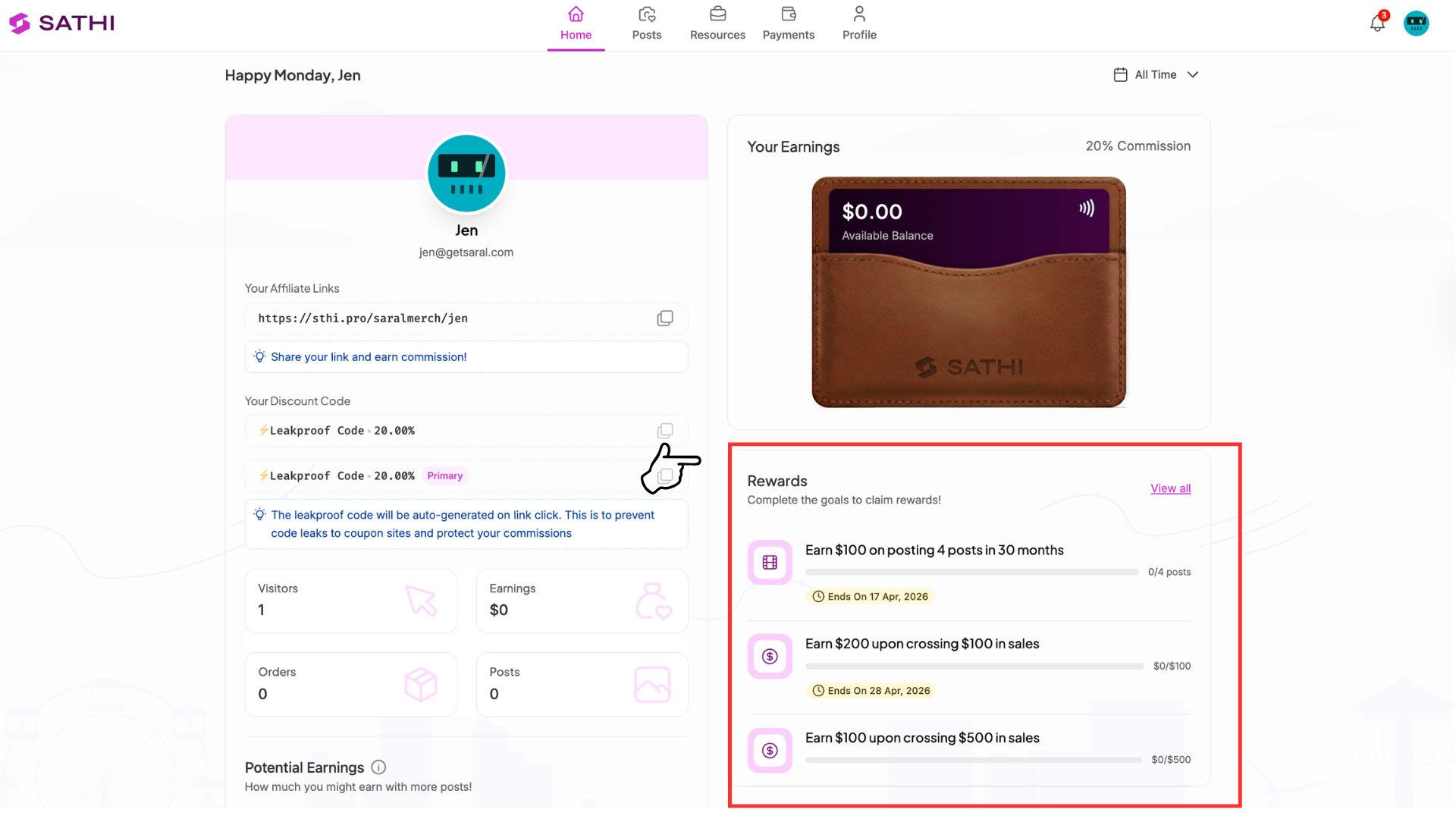
As soon as a reward is created, every ambassador in that campaign receives an email announcing the reward and explaining what's needed to earn it. Their dashboard also displays this information.
Info: Once a reward goes live, SATHI tracks ambassador progress toward it automatically. No manual updates are required.
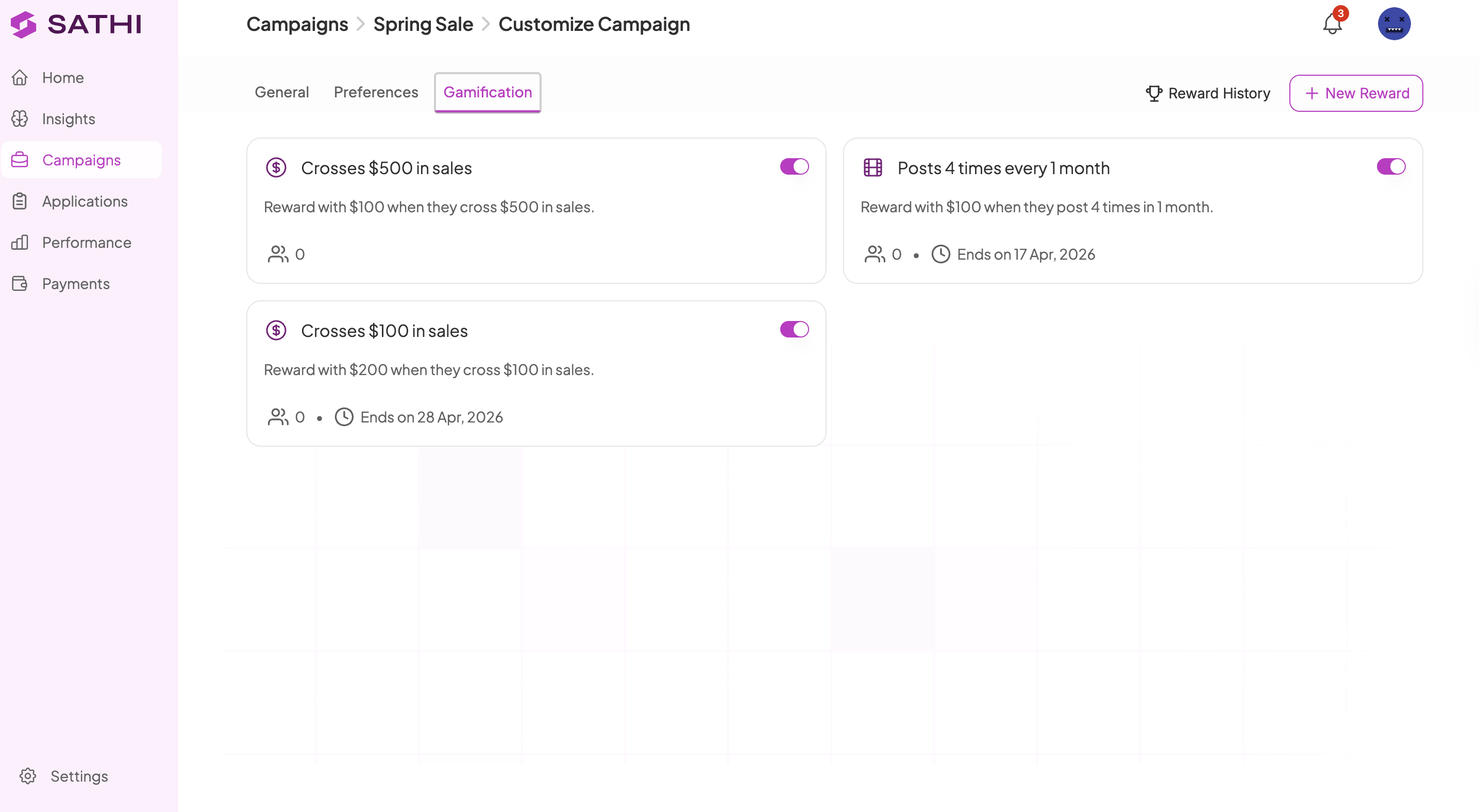
All rewards are listed on the Gamification tab. From here you can:
Edit a reward: change the event, reward type, or end date
Pause a reward: temporarily stop it without deleting it
Delete a reward: remove it permanently
See the Help Center articles on setting up Inner Circle and getting started with SATHI for next steps.
Milestone rewards give ambassadors a reason to stay active beyond a flat commission rate. Because SATHI tracks progress and applies rewards automatically, there's no manual follow-up needed to notify ambassadors, calculate whether they've hit a goal, or process the payout — the entire cycle runs on its own once a reward is created.
Still need help?
Reach out anytime to our Support team using the button at the bottom-right corner of your dashboard, or email us at [email protected].

