A deeper look at your program's performance, beyond just revenue and other basic metrics.
The Insights page gives you a more complete picture of how your affiliate program is running. While the Home page shows you top-line numbers, Insights breaks things down across ambassador activity, program health, and who needs your attention.
You can filter everything by campaign and date range using the dropdowns in the top-right corner.
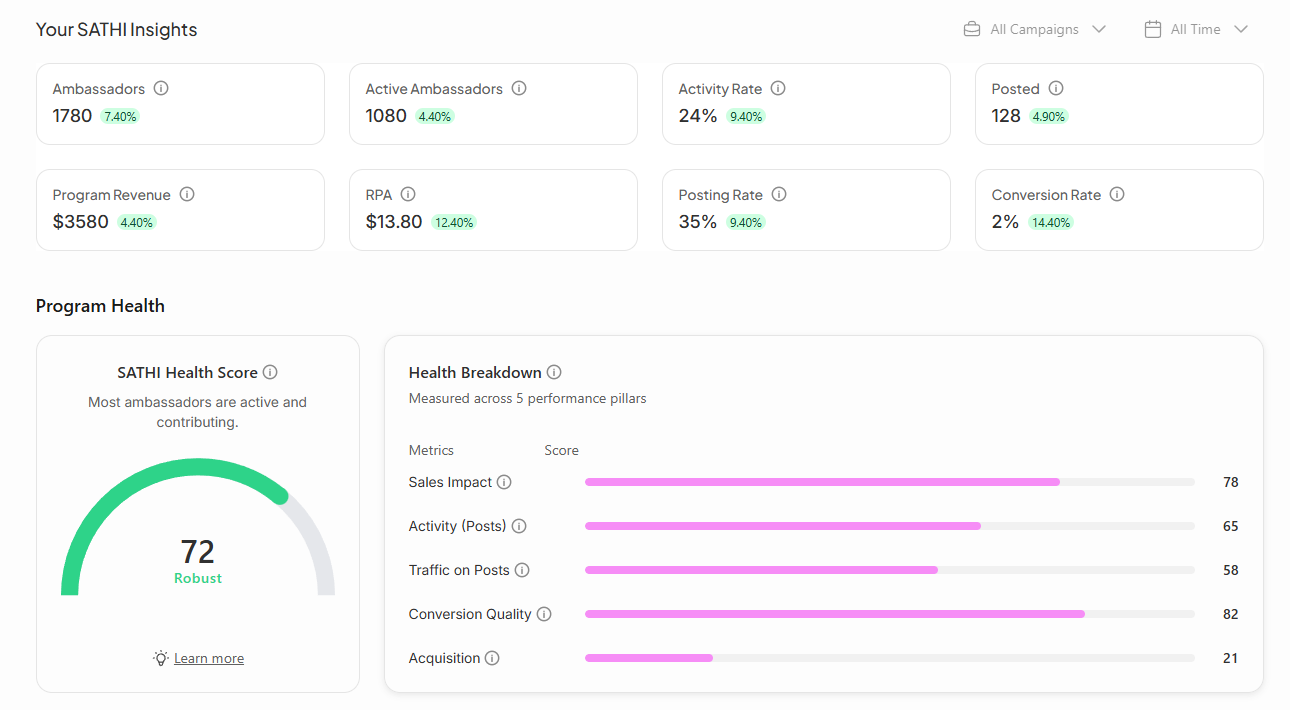
At the top of the page, eight metrics summarize the overall state of your program:
Ambassadors: The total number of ambassadors across your program, active or not
Active Ambassadors: Ambassadors who have made at least one sale or post within the selected period
Activity Rate: The percentage of your total ambassadors who are currently active and driving traffic.
Posted: The number of posts your ambassadors have submitted during the selected period
Program Revenue: Total revenue generated through your affiliate program
RPA (Revenue Per Ambassador): Average revenue generated per active ambassador — a useful signal for how hard your program is working per person
Posting Rate: The average number of posts per ambassador over the selected period
Conversion Rate: The percentage of affiliate-driven visitors who completed a purchase
This section gives you a single score that summarizes how well-distributed and sustainable your program is.
SATHI Health Score A composite score out of 100. A low score doesn't always mean low revenue, it can reflect a number of other challenges such as revenue concentration, low conversion rates, lagging traffic signals, etc.
Health Breakdown The score is measured across five performance pillars:
Sales Impact: % of ambassadors generating at least 1 order
Activity (Posts): % of ambassadors who shared at least 1 post
Traffic on Posts: % of ambassadors driving meaningfull clicks
Conversion Quality: How well affiliate-driven traffic is converting into orders vs store average
Acquisition: % of orders coming from new orders via Ambassadors
Each pillar is scored individually so you can pinpoint exactly where your program is strong and where it needs work.

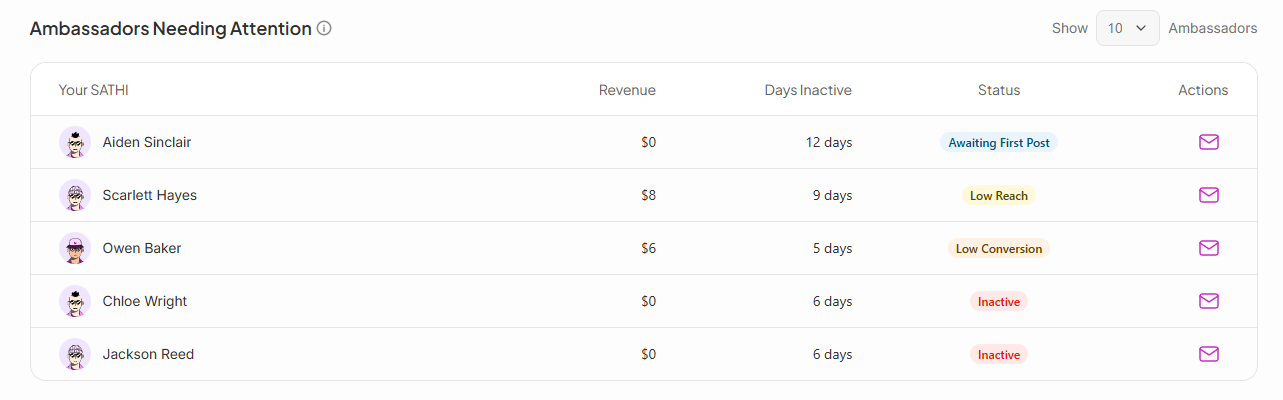
This table surfaces ambassadors who haven't been active recently — flagging them before they go fully dormant. For each ambassador you can see their revenue, how many days they've been inactive, and their current status (e.g. Awaiting First Post).
The email icon in the Actions column lets you reach out to them directly from this page, making it easy to re-engage at-risk ambassadors without leaving SATHI.
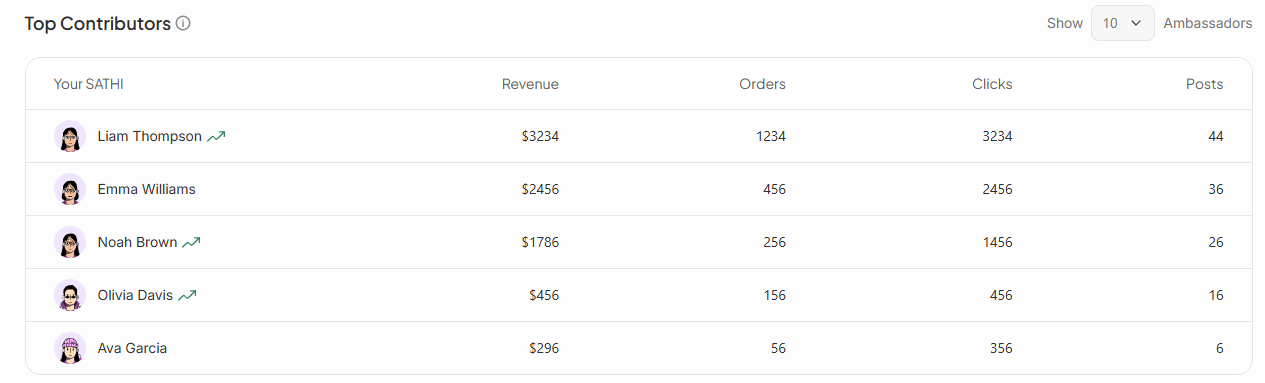
Below the attention list, SATHI shows your highest-performing ambassadors ranked by revenue. The table includes revenue, orders, clicks, and posts side by side — giving you a full picture of how each top contributor is generating results, not just how much they're earning you.
Still need help?
Reach out anytime with our Support team using the button at the bottom-right corner of your dashboard, or email us at [email protected].

