Commission Tiers let you offer different payout rates to different groups of ambassadors within the same campaign. You might start everyone on a base rate and move top performers to a higher tier, or set up product-specific commissions for a new launch. Each campaign can have multiple tiers, with one set as the default for new ambassadors.
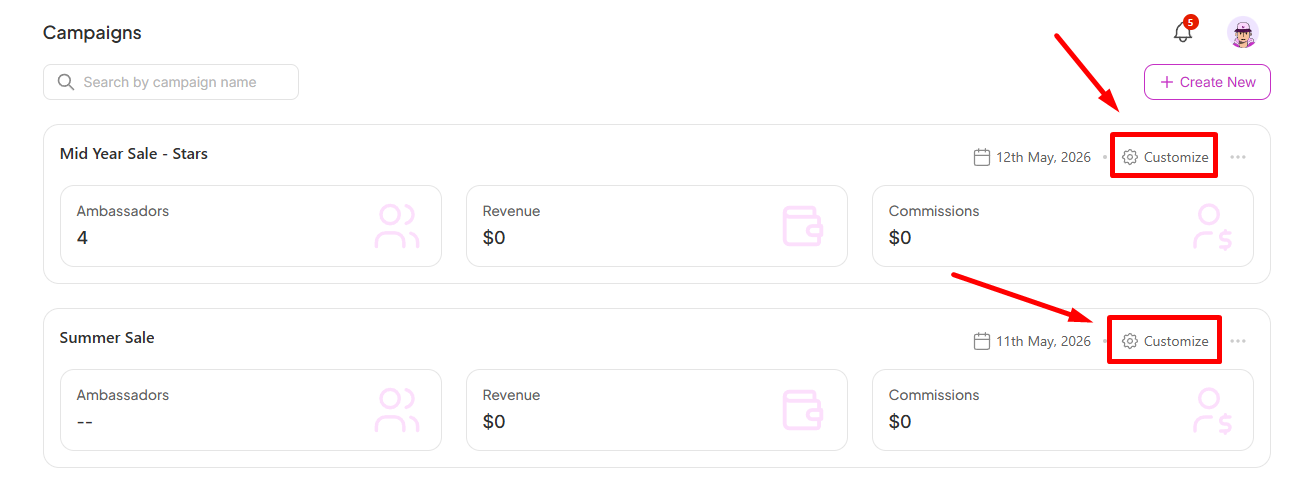
Go to Campaigns in the left sidebar, select your campaign, and click Customize in the top-right corner
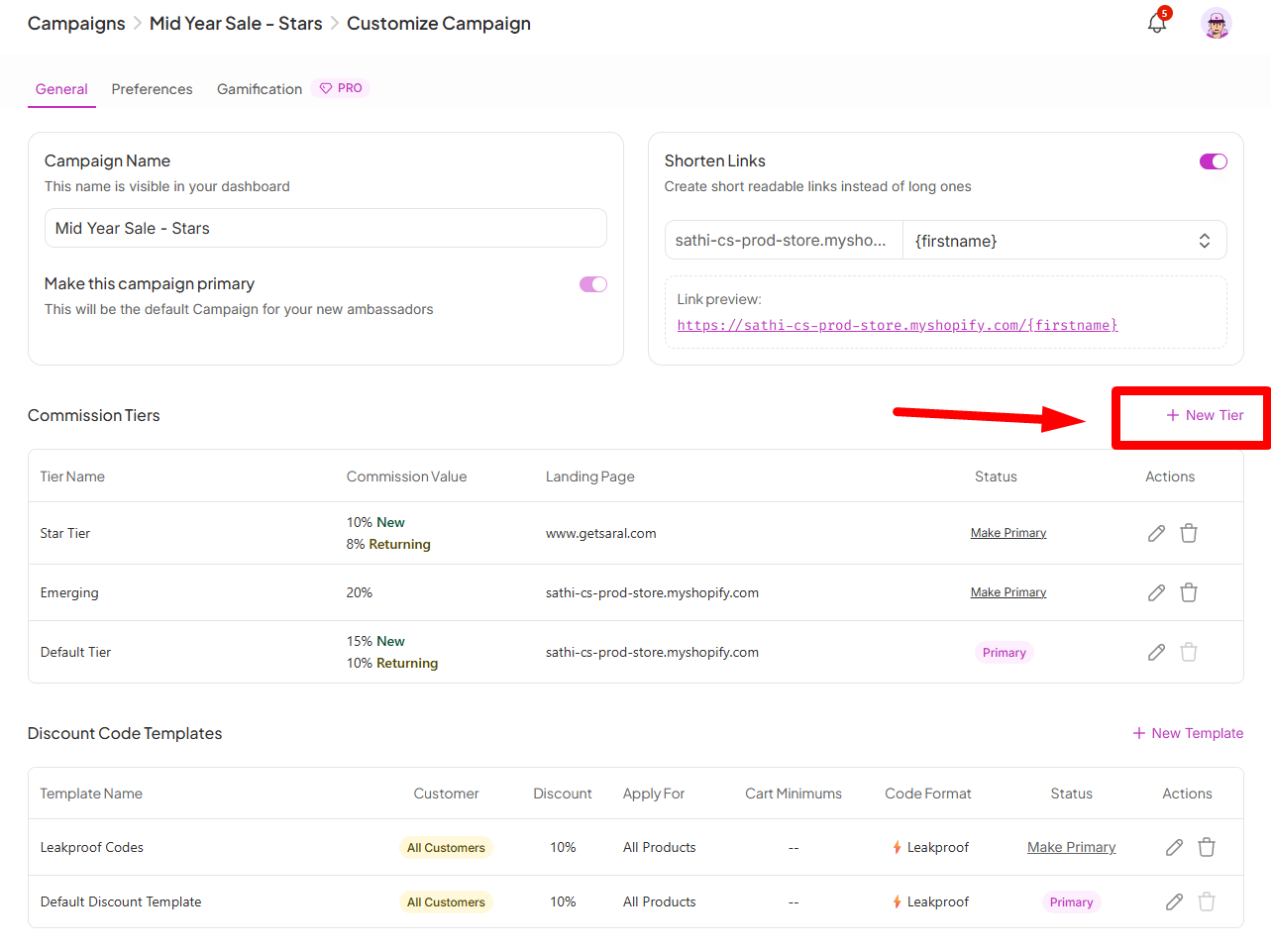
On the General tab, scroll down to the Commission Tiers section and click + New Tier
The Create Commission Tier modal has three main sections:
1. Tier Name: Give the tier a clear, descriptive name so you can tell them apart at a glance (e.g. "Elite," "Standard," "New Ambassadors").
2. Commission Value: Enter the payout amount and choose the format from the dropdown:
%: A percentage of the order value (e.g. 10%)
$: A flat amount per order (e.g. $15)
3. Landing Page: Enter the URL you want ambassador traffic from this tier to land on. This can be your homepage, a specific product page, or a collection, whatever makes the most sense for this group.
Toggle this on if you want to pay a different (lower) rate when an ambassador drives a repeat purchase rather than a new customer order. Once enabled, a separate Commission Value for Returning Customers field appears where you set that rate. This is useful if your strategy is to reward new customer acquisition more than repeat sales.
Toggle this on to give ambassadors in this tier a clean, readable link instead of a long URL. You can personalize the link format using dynamic variables like {firstname} or {username}, and a live preview shows exactly what the link will look like before you save.
See the Help Center article on how to shorten links for more detail.
Choose which products this tier's commission applies to:
All Products: Commission is earned on any order
Specific Products: Commission only applies to selected products or collections
Once everything is set, click Create to save the tier.
All your tiers are listed in the Commission Tiers table under a Campaign. From there you can:
Make Primary: Set a tier as the default for new ambassadors joining the campaign
Edit: Update any tier settings at any time using the pencil icon
Delete: Remove a tier permanently using the trash icon

A single flat commission rate treats every ambassador the same, whether they're just starting out or driving significant revenue.
Commission Tiers let you match payout to performance and product strategy at the same time, so top performers are rewarded appropriately without needing to build separate campaigns for every rate structure you want to run.
Still need help?
Reach out anytime to our Support team using the button at the bottom-right corner of your dashboard, or email us at [email protected].