

SATHI handles ambassador payouts through Tremendous, a payment platform that lets you send funds to ambassadors worldwide. Your SATHI Wallet is the balance SATHI draws from every time a payout goes out, so keeping it funded is what keeps your program running smoothly.
To get there, go to Settings in your dashboard and open the SATHI Wallet tab.
Setting Up Your Wallet
Payment Email: The email address associated with your Tremendous account. Make sure it's correct, since payment confirmations and receipts are sent here.
Bank Details: Add your bank details to connect a payment method for funding your wallet.
Adding Funds

Your available wallet balance is shown on the card on the right side of the screen. Click + Add Funds and follow the steps on Tremendous to top up your wallet.
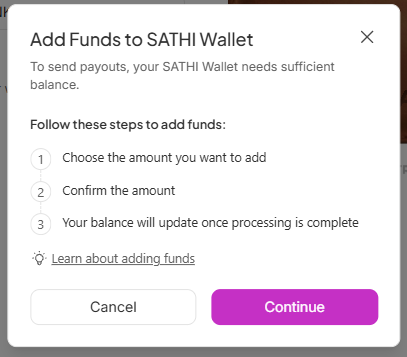
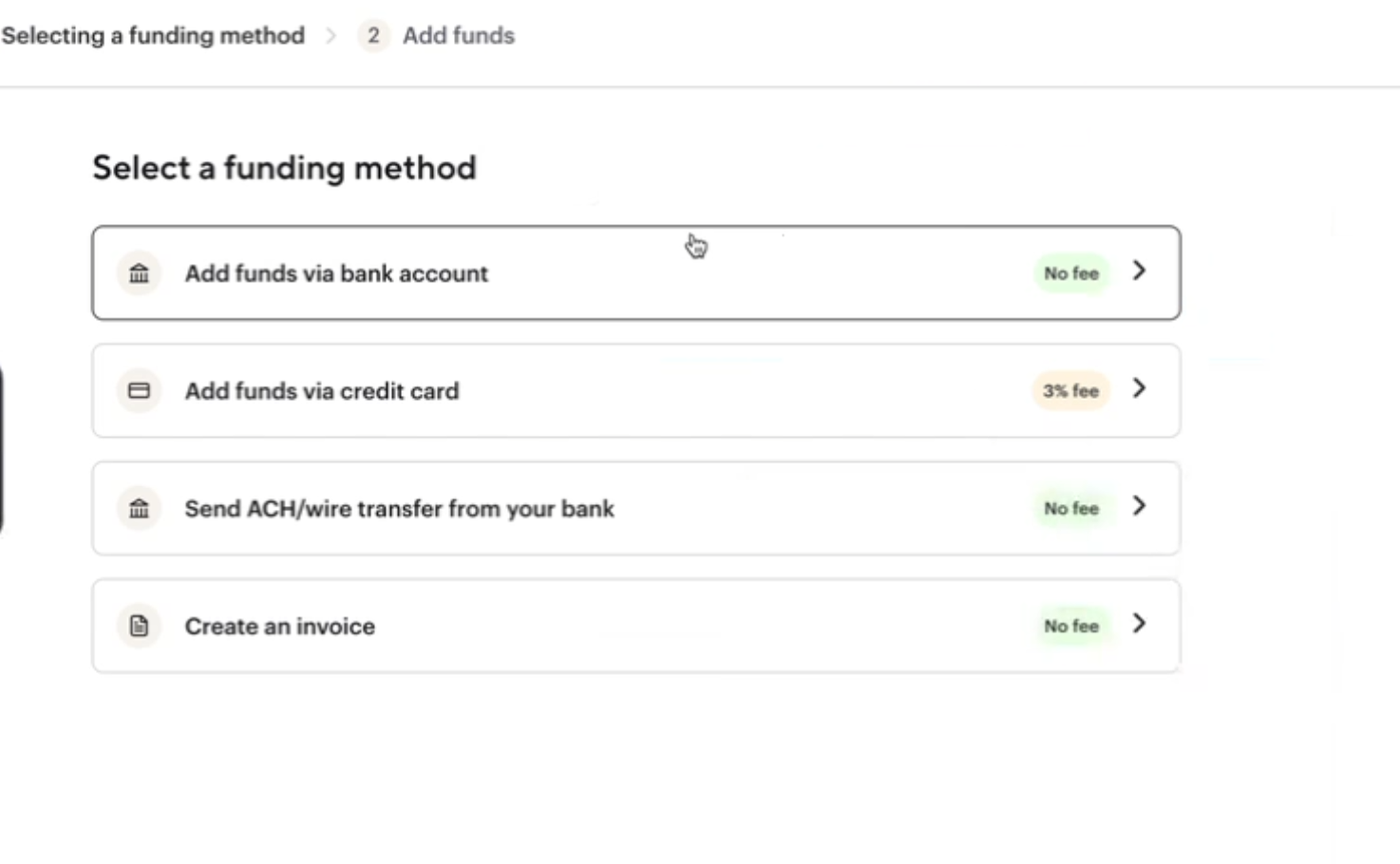
You can top up your SATHI Wallet via bank account or credit card. During setup, you'll select a primary funding source. All top-ups and auto-refills process through this source, and you can update it anytime.
Auto-Refill
When your balance runs low, SATHI displays a banner at the top of the page to let you know it's time to top up. Rather than manually refilling your wallet every time, you can enable Auto-Refill to have SATHI add funds automatically once your balance drops below a set threshold.

Why This Is Important
A payout program only runs smoothly if the wallet behind it stays funded, and running out of balance mid-payout cycle can delay ambassadors getting paid. Setting up Tremendous once and enabling Auto-Refill means your wallet stays topped up on its own, so you're not manually checking balances or scrambling to fund a payout at the last minute.
Still need help?
Reach out anytime to our Support team using the button at the bottom-right corner of your dashboard, or email us at [email protected].