

This article explains each ambassador status shown in SATHI — New, Imported, Accepted, Active, Inactive, Banned, and Deleted and where to find and filter them on your dashboard.
Every ambassador in SATHI is assigned a status based on how they joined the program and their level of activity. Understanding these statuses helps you know who's engaged, who needs a nudge, and who's no longer participating. Statuses are visible from the Campaigns page and can be filtered to quickly find ambassadors in a specific stage.
Where to Find Ambassador Statuses
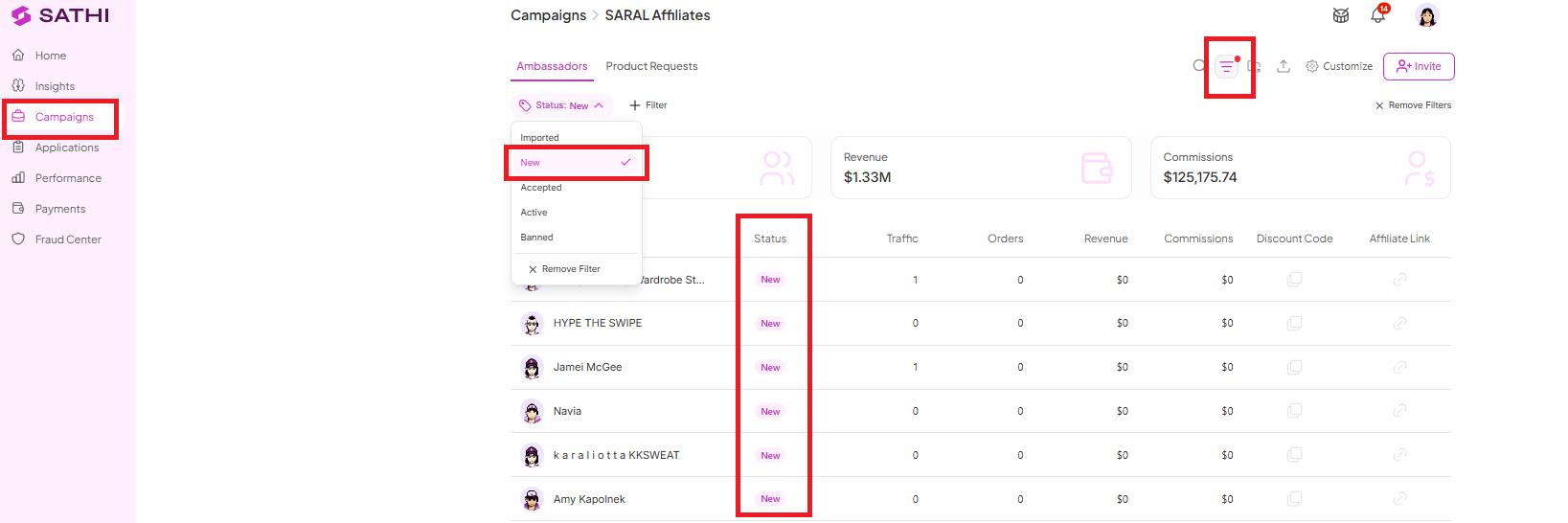
Go to Campaigns in your SATHI dashboard. Ambassador statuses appear here, and you can use the filter on the top-right part of the screen to view ambassadors by status.
Status Definitions
New — The ambassador was invited through email and has not had any activity yet.
Imported — The ambassador was added through a CSV import and has not had any activity yet.
Accepted — The ambassador applied through the application form and was accepted, but has not had any activity yet.
Active — The ambassador has activity recorded on their account.
Banned — The ambassador has been banned from the program and can no longer participate. [Learn more about what this status means here.]
Deleted — The ambassador has been removed from the program.
Inactive Status
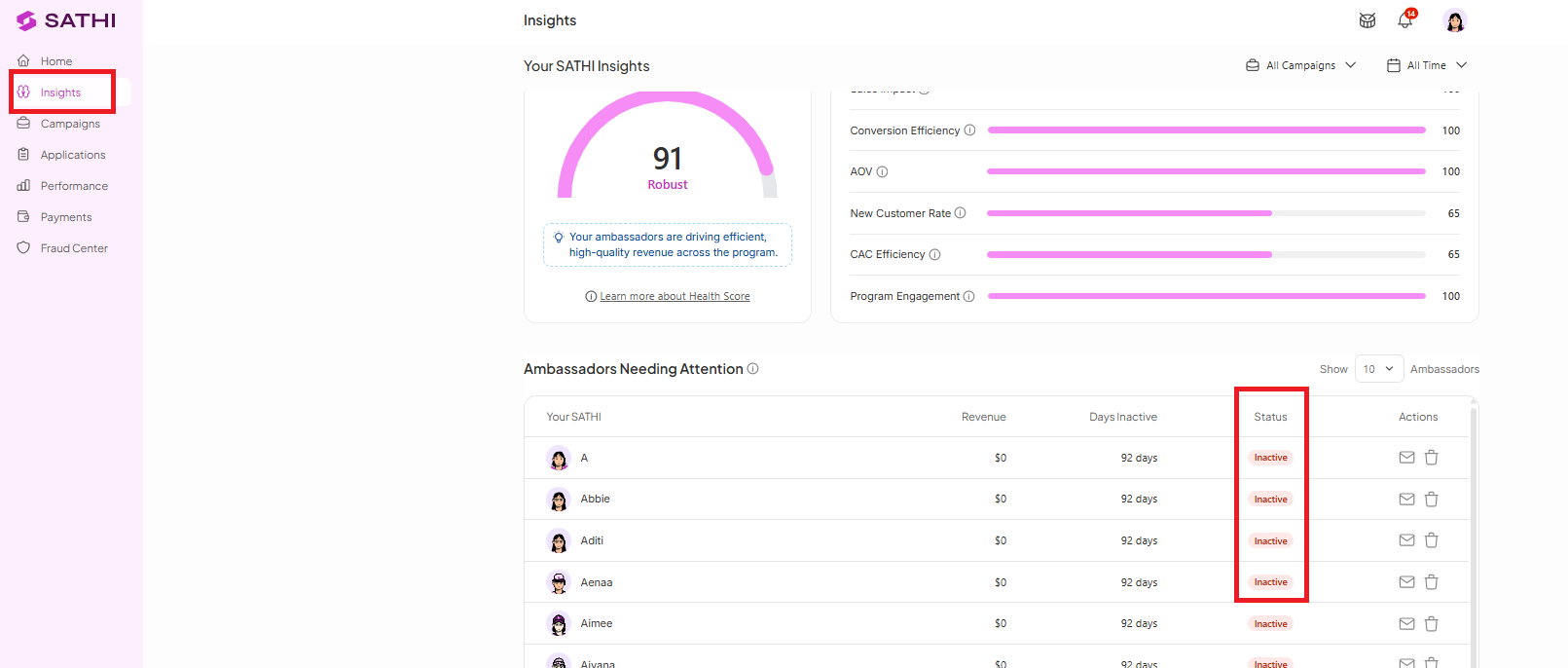
An additional status, Inactive, appears on the Insights page under Ambassadors Needing Attention. An ambassador is marked inactive when there has been no activity on their account for more than 30 days.

Why This Is Important
Ambassador statuses give you a quick way to see where each person stands in your program without digging through individual profiles. You can spot ambassadors who joined but never engaged, identify who's actively driving results, and catch inactive ambassadors before they disengage completely. This makes it easier to prioritize outreach, clean up your ambassador list, and keep your program running efficiently.
Still need help?
Reach out anytime to our Support team using the button at the bottom-right corner of your dashboard, or email us at [email protected].