Match is the creator discovery feature in SATHI. It reads your store, suggests creators who fit your brand, and lets you filter, review profiles, and invite them to a campaign. Creators you invite become ambassadors once they join.
When you first land on Match, it reads your store's metadata and gathers context about your brand. It uses this to suggest the creators most likely to fit. You do not need to enter anything to see the first set of suggestions, our AI does everything for you, including auto-applying filters!
Use filters to narrow the suggestions. Select Filter Creators to open the panel, choose your filters, then select Apply filters. Your applied filters appear as tags at the top of the panel. Select Clear filters to reset everything.
The panel includes these filters:
Recommended for you: These are quick picks recommended basis your brand’s context — for creator size, creator age group, and audience country.
Category: Select one or more categories, such as Fashion, Performing Arts, TV & Movies, or Visual Arts & Crafts.
Follower count: Drag the slider to set a minimum and maximum follower count.
Audience location: Filter by the country where the creator's audience is based.
Creator age: Select one or more age ranges, from 18-24 up to 65-above.
Creator gender: Choose Male, Female, or All.
Creator country: Filter by the country where the creator is based.

To search for an unlimited number of creators, connect your Meta account. This requires an eligibility check on your Meta account and an enablement step. After that, you can search and manage everything inside SATHI.
For the full steps, see our guide on connecting Meta to Match:
How to Connect Meta to Match
Connect your Meta account to Match to search for unlimited creators inside SATHI. This guide covers the eligibility check, onboarding to Meta's Creator Marketing Hub, and enablement in SATHI.

Select a creator to open their profile. Review their content and audience details before you decide to invite them.
The profile shows:
Handle and country: The creator's username and the country they are based in. Select the link icon next to the handle to open their profile on the platform. [confirm: link destination]
Bio: The creator's bio as it appears on their profile.
Followers: The creator's total follower count.
Creator reach: The number of accounts the creator's content reached.
Engagement rate: The share of the audience that engaged with the creator's content.
Non-follower reach: The share of reach that came from people who do not follow the creator.
Hook rate: The share of viewers who kept watching past the opening of a video.
Reel interaction rate: The share of Reel viewers who interacted with a Reel.
Recent media: The creator's latest posts and Reels. Select View post to open one.
Reach by media type: How the creator's reach splits across Reels, Posts, and Stories.
Engagement distribution: The number of engaged accounts, split between followers and non-followers.
Email: The creator's contact email (if available).

Select Invite on a creator's profile or card to invite them to a campaign. You can invite one creator at a time or select several and invite them together.
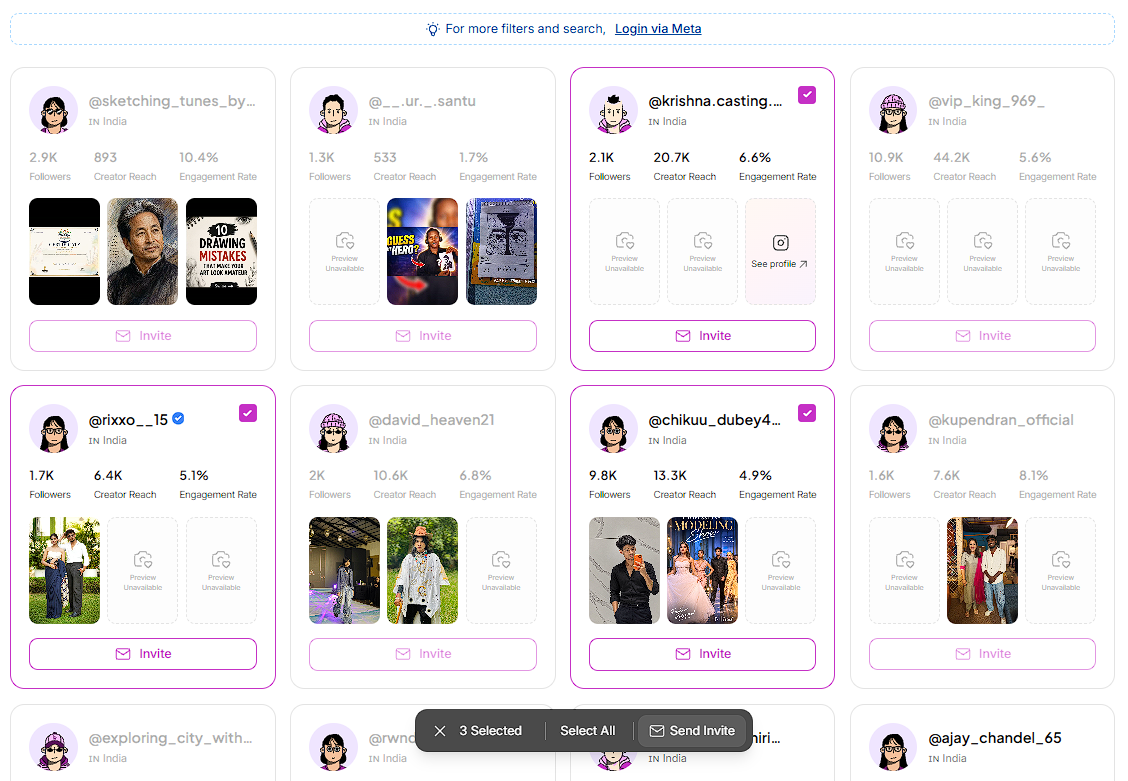
When you select creators to invite, Match scans each creator's content, analyzes it, and shows a set of personalized lines for each creator. Review the lines, then invite them.
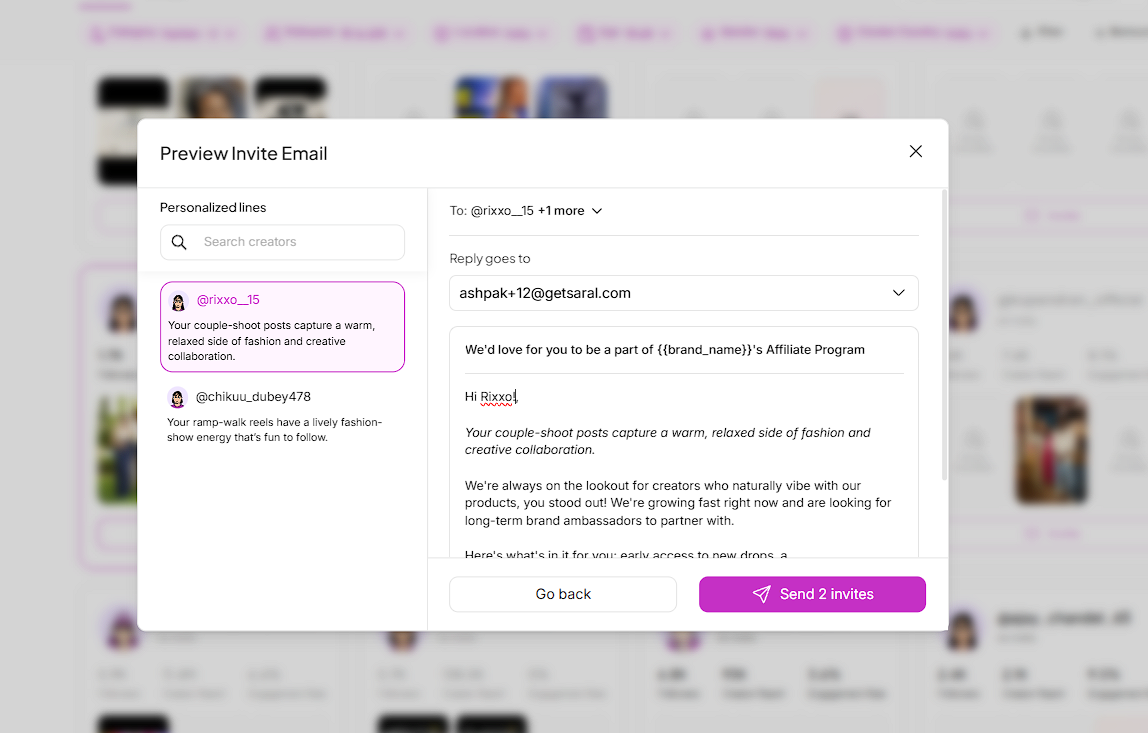
Personalized lines can be edited - these are then applied into the respective email(s) for creators.
Every creator you invite appears in the Invited tab. Filter the tab by status:
Invited: The creator has been invited to a campaign in SATHI. The campaign is set in your template.
Active: The creator is bringing in orders, traffic, or both.
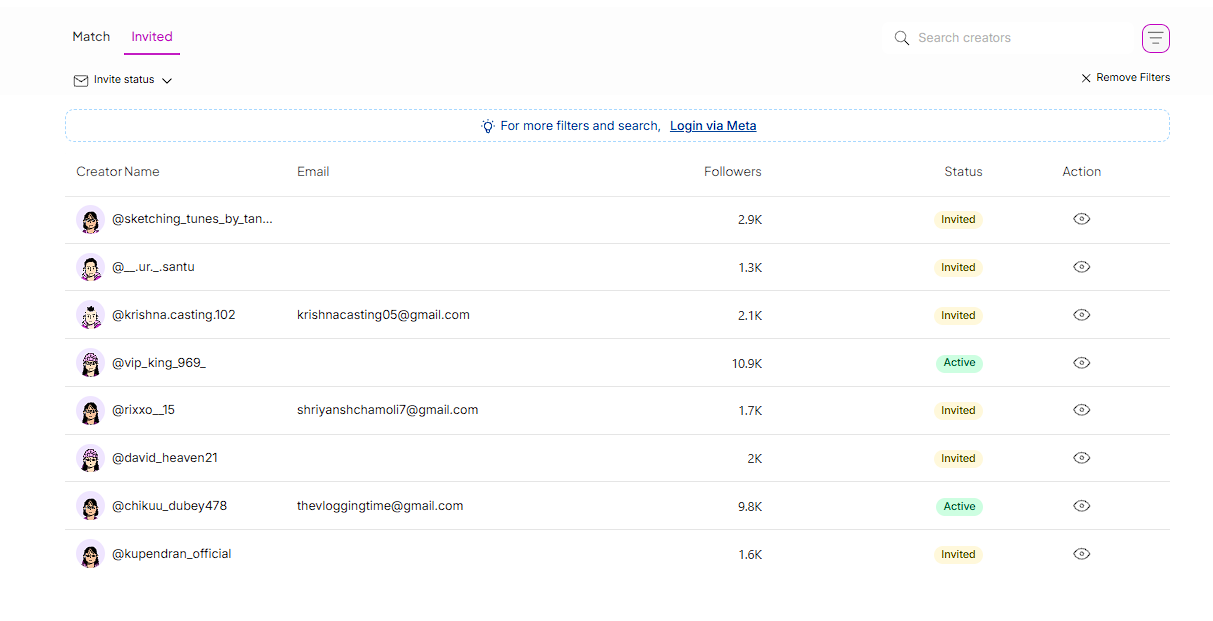
To change which campaign creators are invited to, edit your main template. See our guide on editing the main template.
The shortlist starts from your store. Match uses your store's own context, so you begin with relevant creators instead of a blank slate.
Filters cover the details that matter. Size, category, audience, and creator demographics are all in one panel.
Personalization does not need manual research. Match reads each creator's content and generates the lines for you.
Discovery and results stay together. You find, invite, and track creators in SATHI, from the first invite to the first order.
Still need help?
Reach out anytime to our Support team using the button at the bottom-right corner of your dashboard, or email us at [email protected].