Store credit is a payout option for commission tiers. Instead of a cash payout, ambassadors on the tier receive their commission as a gift card they can spend on your store. Your return window and payout rules still apply as saved in your settings.
Open any campaign and go to Settings.
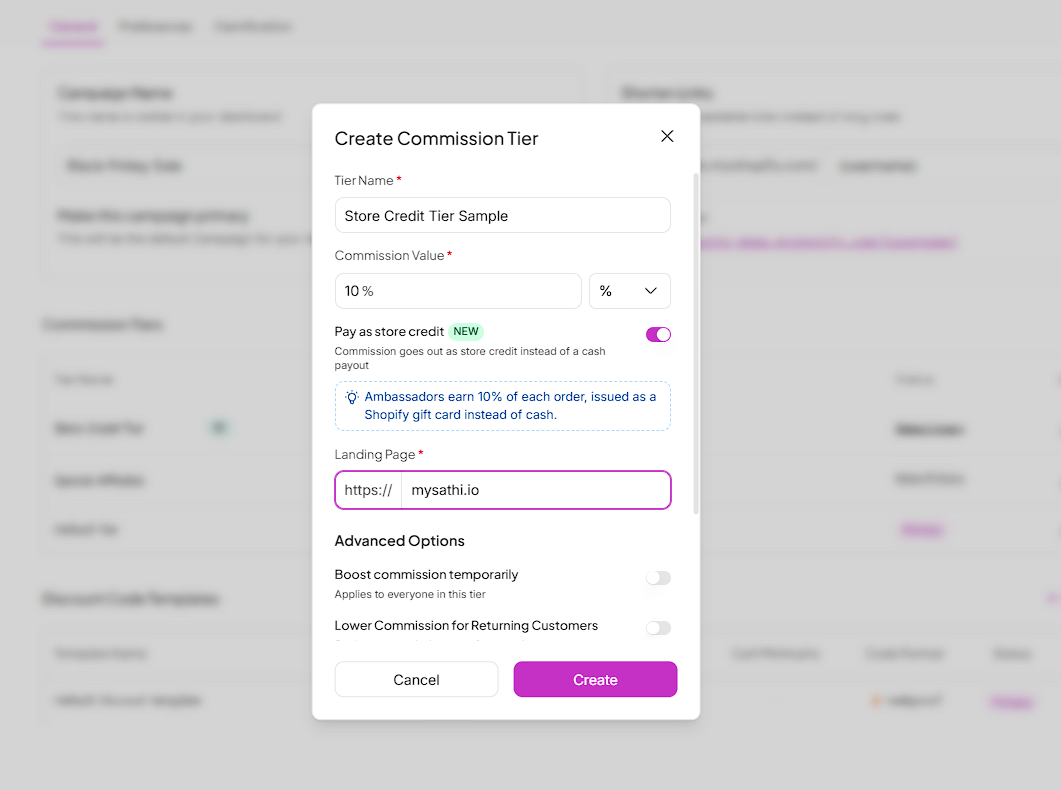
Under Commission Tiers, click + New Tier.
Enter a Tier Name and Commission Value.
Turn on Pay as store credit.
Add a Landing Page and click Create.
Once the toggle is on, a note below it confirms how ambassadors on this tier will be paid.
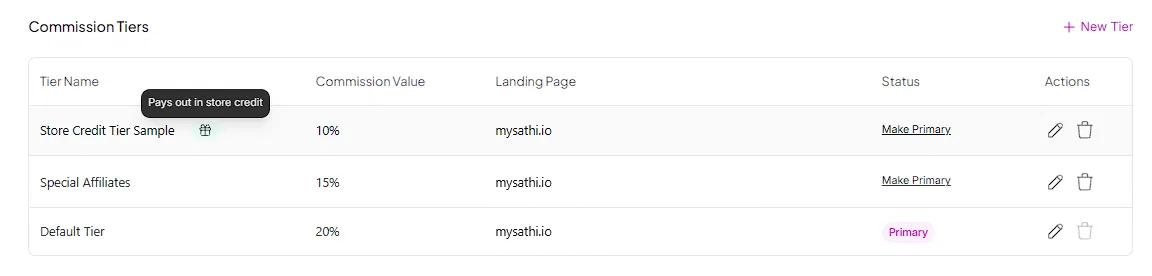
Tiers that pay in store credit show a gift icon next to the tier name. Hover over the icon to confirm the tier pays out in store credit.

Commission is issued as a gift card instead of money. Ambassadors receive the gift card code by email and can view it in their dashboard. They can use the full balance on your store.
All other rules, including your return window and payout settings, apply as saved in your settings.

How to View and Redeem Your Store Credit
Find your store credit on your ambassador dashboard, copy your gift card code and use it at checkout on the brand's store. Covers store credit from commissions and from rewards.
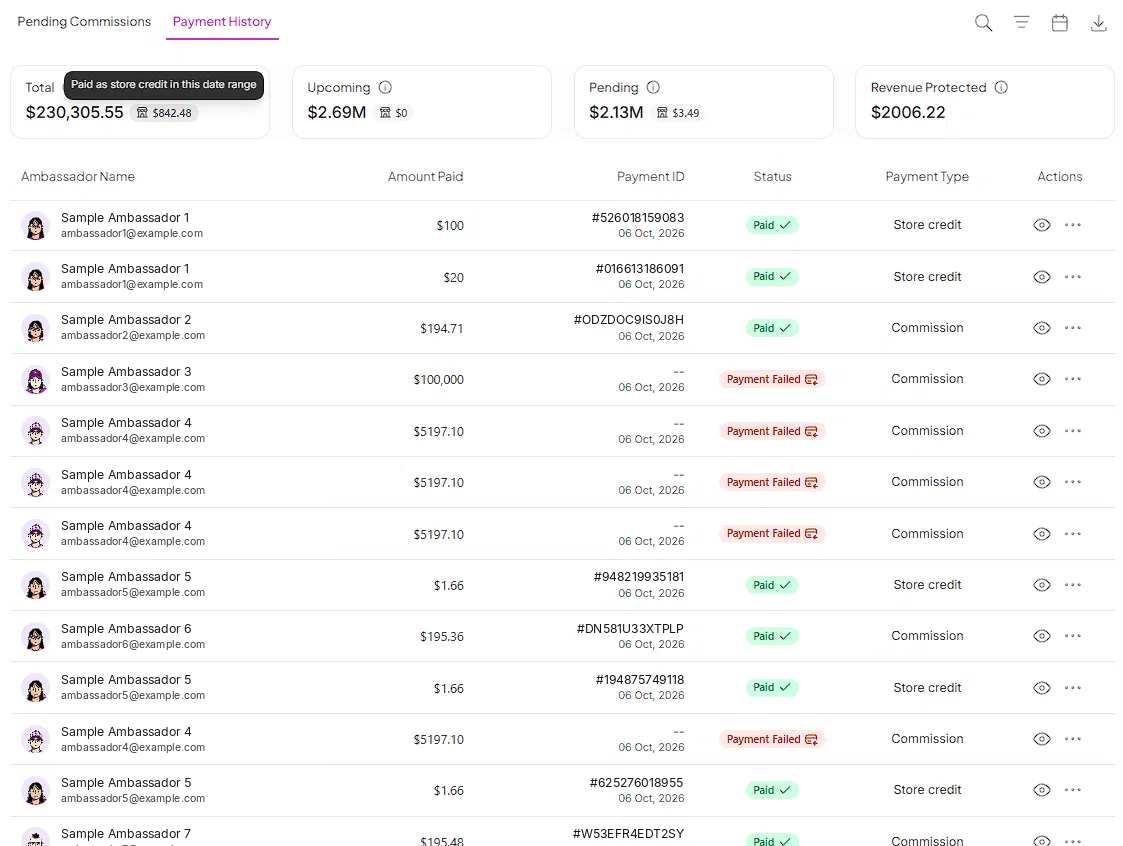
Go to Payments and open Payment History. Store credit payouts show Store credit under Payment Type.
The summary cards at the top show the store credit portion of your Total, Upcoming and Pending amounts. Hover over it to see how much was paid as store credit in the selected date range.
Store credit gives you another way to pay ambassadors without a cash transfer. The commission value is spent on your store, which brings ambassadors back to shop with you and keeps them closer to your products.
Still need help?
Reach out anytime to our Support team using the button at the bottom-right corner of your dashboard, or email us at [email protected].