Inner Circle is a SATHI feature that automatically invites eligible customers to become ambassadors after they make a purchase. Instead of requiring an application, eligible customers receive their own affiliate link and discount code to share, turning repeat purchases and brand loyalty directly into new ambassadors. Setup involves configuring eligibility and rewards in SATHI, then completing one required step in Shopify.
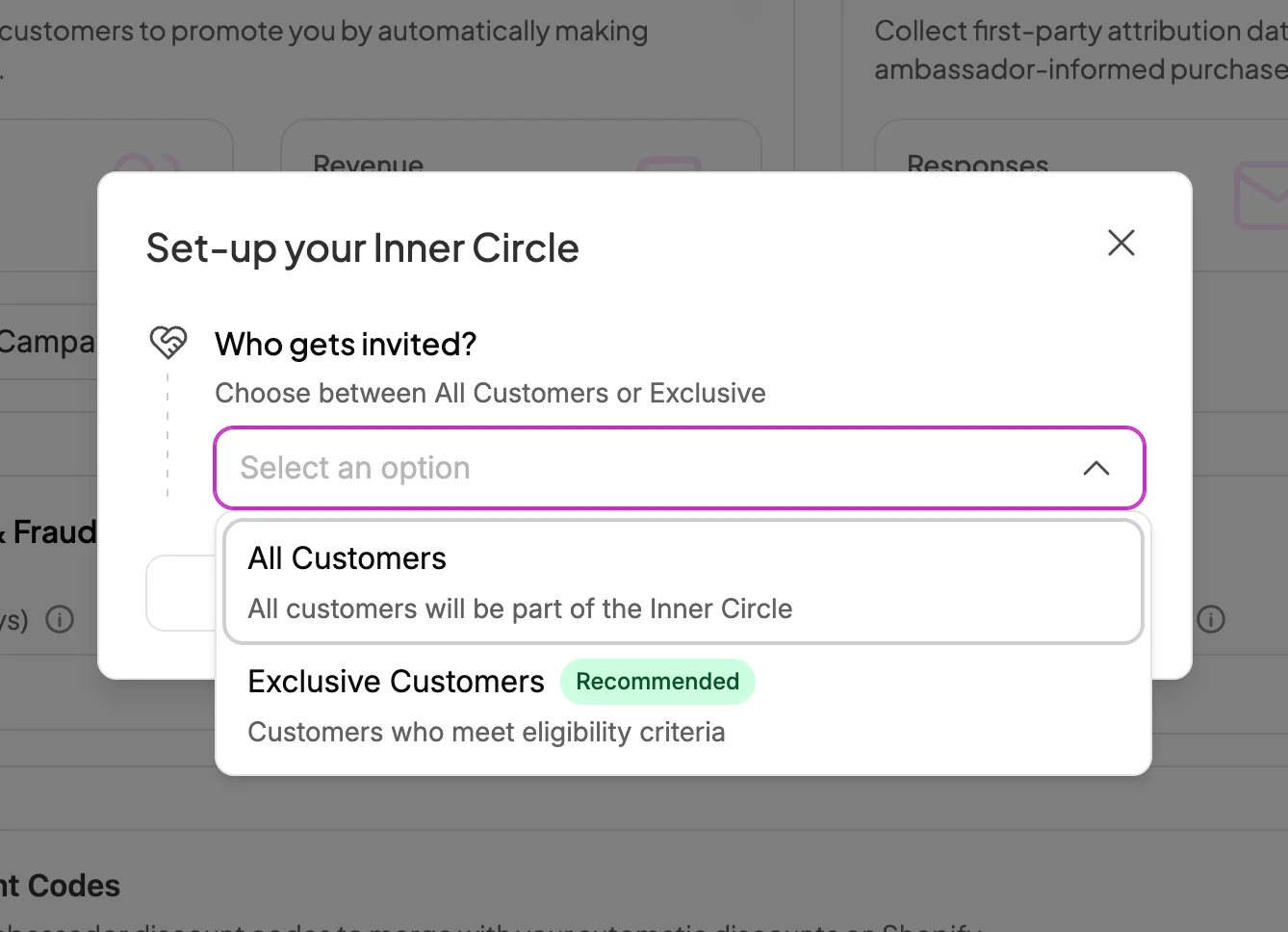
You can choose which customers are eligible to join your Inner Circle:
All Customers: Every customer who makes a purchase is invited to join.
Exclusive Customers (Recommended): Only customers who meet specific criteria are invited.
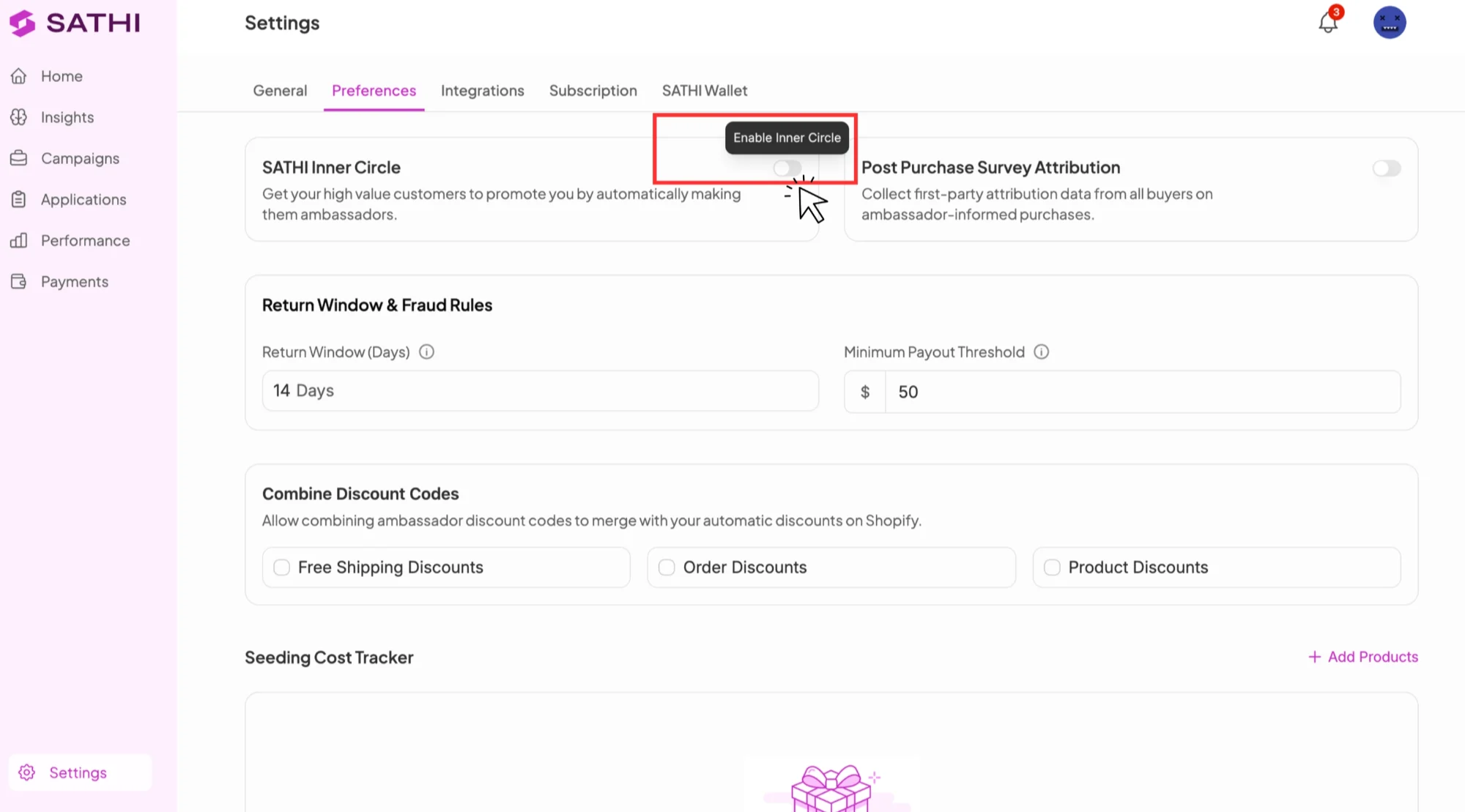
Go to SATHI Settings & Preferences
Find Inner Circle and toggle it ON
Click Customize to configure your Inner Circle settings
Follow the on-screen instructions to complete setup

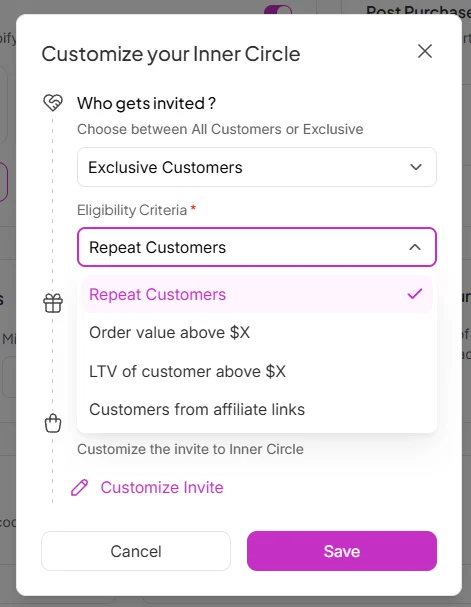
If you choose Exclusive Customers, select the criteria a customer must meet to receive an invitation:
Repeat Customers: Customers who have purchased from your brand more than once
Order Value Above $X: Customers whose order value exceeds a specific amount
Customer LTV Above $X: Customers whose total lifetime spend exceeds a specific amount
Customers from Affiliate Links: Customers who originally purchased through an ambassador's referral link
For example, if you choose Order Value Above $100, you'll need to define:
Commission value: How much the customer earns each time someone makes a purchase using their affiliate link or discount code
Discount value: The discount amount their referral link provides to the new customer
This automatically creates a campaign called "Inner Circle." You can change these values later in settings.
Based on your customization settings, you can preview and personalize the customer experience across two pages: the Invite Page and the Confirmation Page.
Invite Page: This is where customers see the Inner Circle invitation after completing their purchase. You can customize the Header, Page Description, and Call-to-Action (CTA) button.
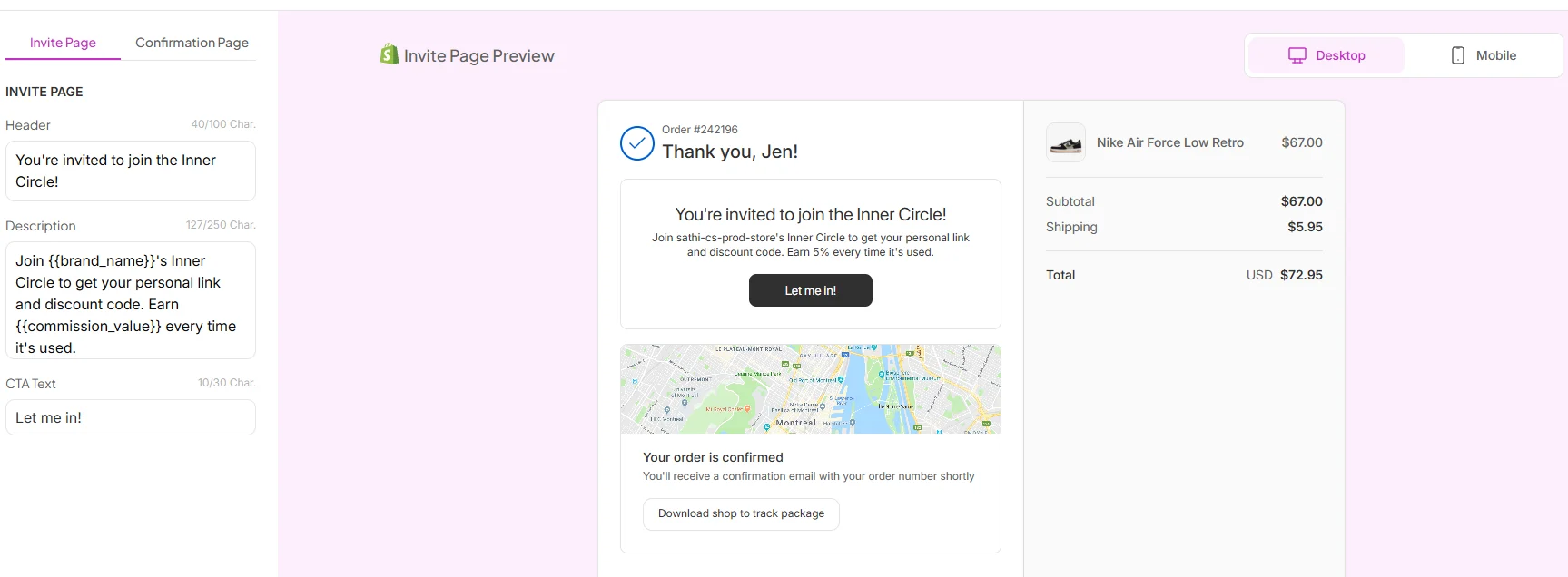
Confirmation Page: This page appears after a customer accepts the invitation. It confirms their membership and displays their personal affiliate link and discount code.
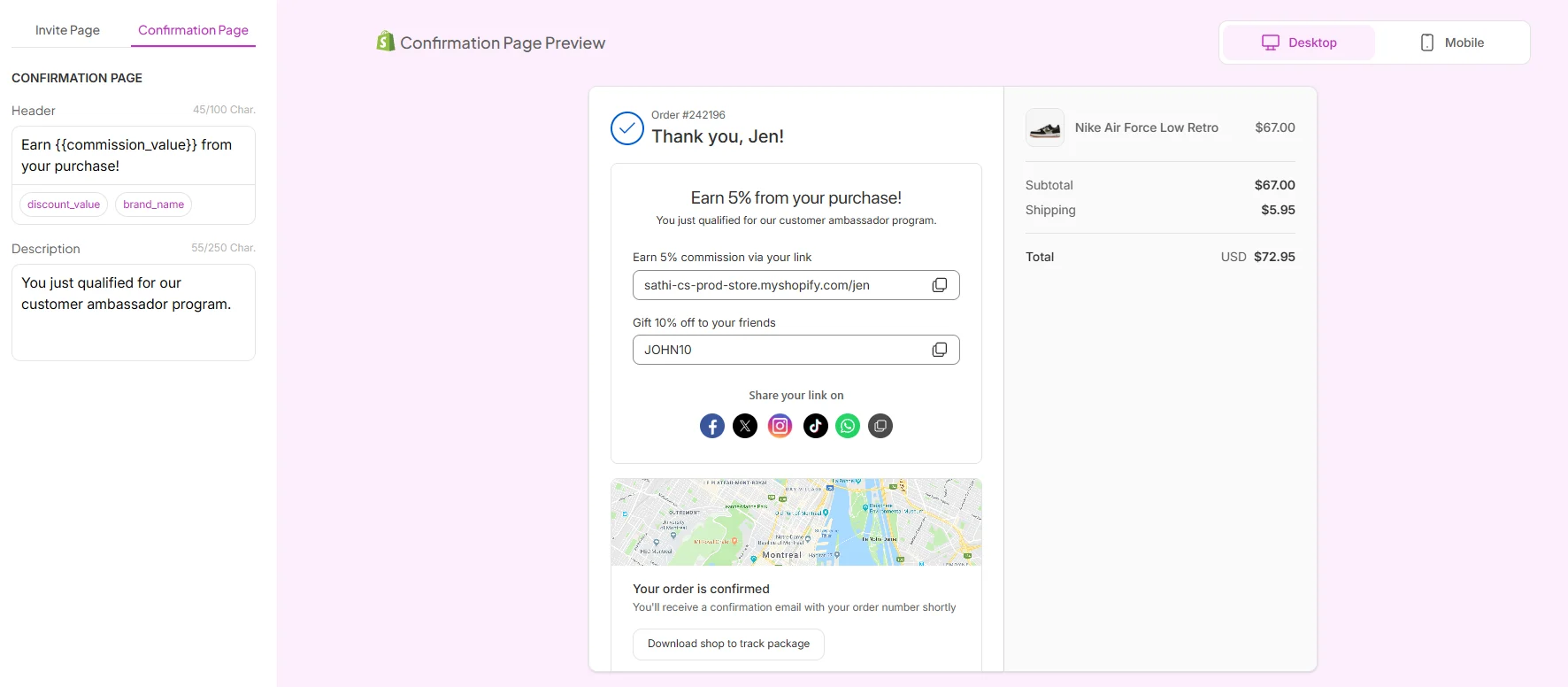
Once Inner Circle is activated, SATHI automatically creates an Inner Circle campaign on your Campaigns page. From here, you can see all customers who have joined your Inner Circle and track your new ambassadors.
Activating Inner Circle in SATHI configures your program, but the invitation will not appear on your store until Inner Circle is also enabled in Shopify.
SATHI creates and manages the Inner Circle program. Shopify displays the Inner Circle experience to customers. Both steps are required before Inner Circle goes live.
From the same Settings & Preferences page where you customized Inner Circle:
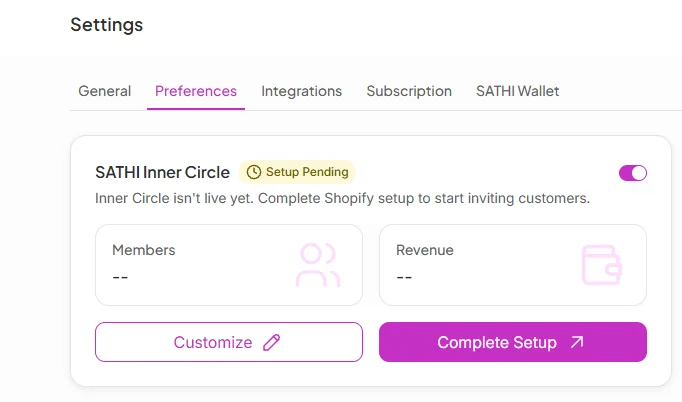
Click Complete Setup and follow the on-screen instructions.
You'll be redirected to Shopify.
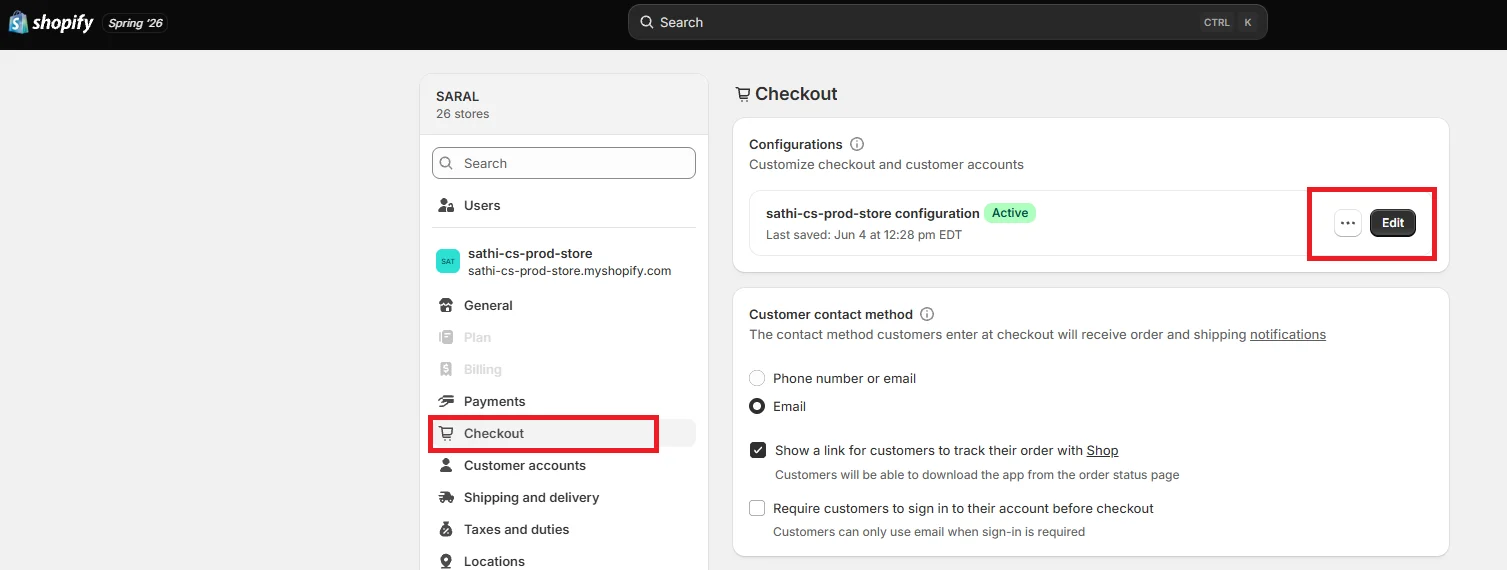
In Shopify Admin, go to Settings → Checkout. Under Configuration, click Customize or Edit.
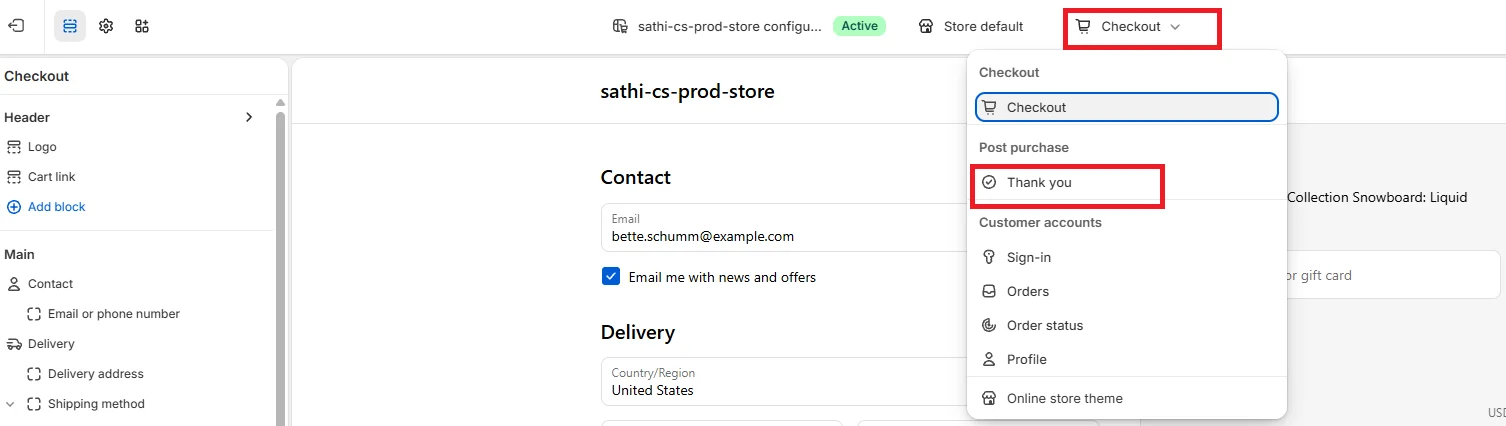
From the top menu, under the checkout dropdown, select Thank-You.
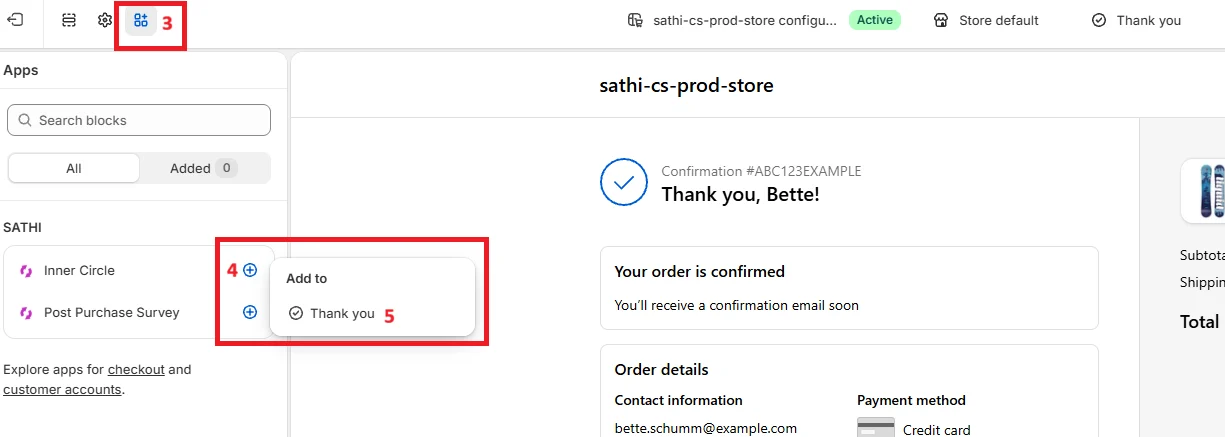
From the top-left panel, click the Apps icon (next to the Settings icon). Under SATHI, click Add (+) next to Inner Circle. When prompted to select where to add it, choose Thank You.
Click Save.
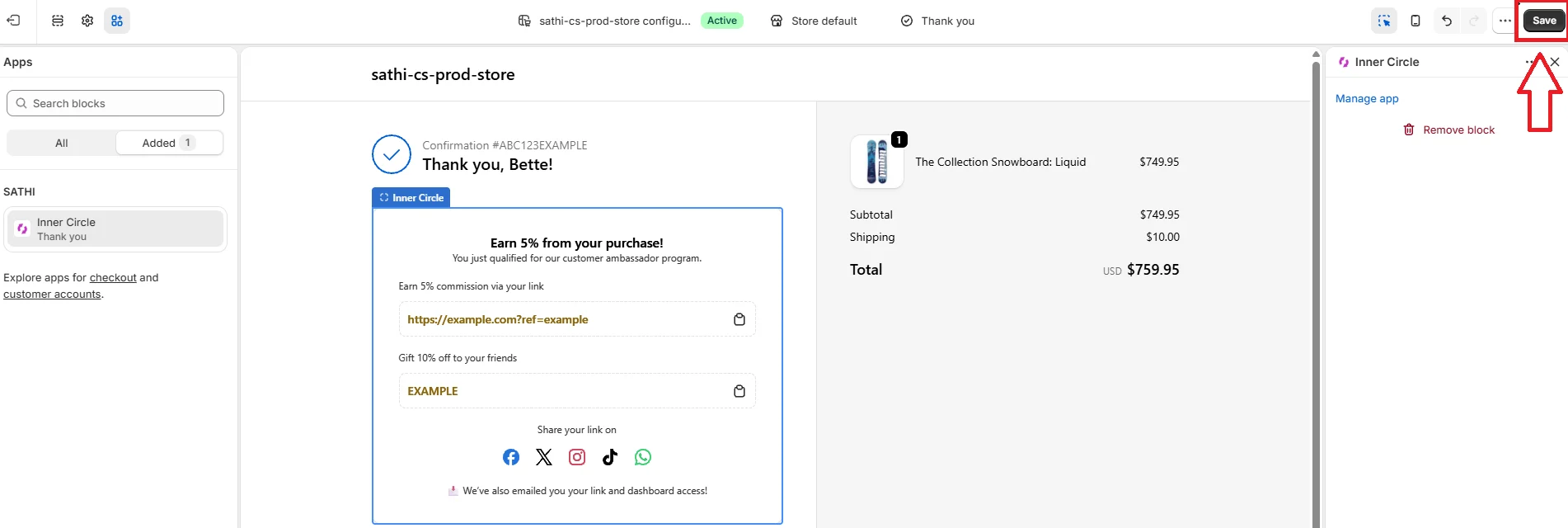
Once saved in Shopify, Inner Circle is live. Eligible customers will automatically see the Inner Circle invitation on their Order Confirmation page after purchase. From there, they can join your ambassador program, receive their personal affiliate link and discount code, and start earning rewards.
See the Help Center articles on setting up a post-purchase survey and getting started with SATHI for next steps.
Inner Circle turns customers who already like your brand into ambassadors, without requiring them to fill out an application or wait for approval. Because the invitation and reward setup happen automatically at the point of purchase, you capture repeat customers and high-value buyers as ambassadors at the moment they're most engaged, rather than relying on them to seek out an application form on their own.
Still need help?
Reach out anytime to our Support team using the button at the bottom-right corner of your dashboard, or email us at [email protected].