Manual payments attribution lets you credit a trusted ambassador for a Shopify order that wasn't automatically tracked through a referral link or discount code. It gives you full control over which order gets attributed and to whom. Once confirmed, the order flows through SATHI's standard commission and payout process like any other attributed sale.
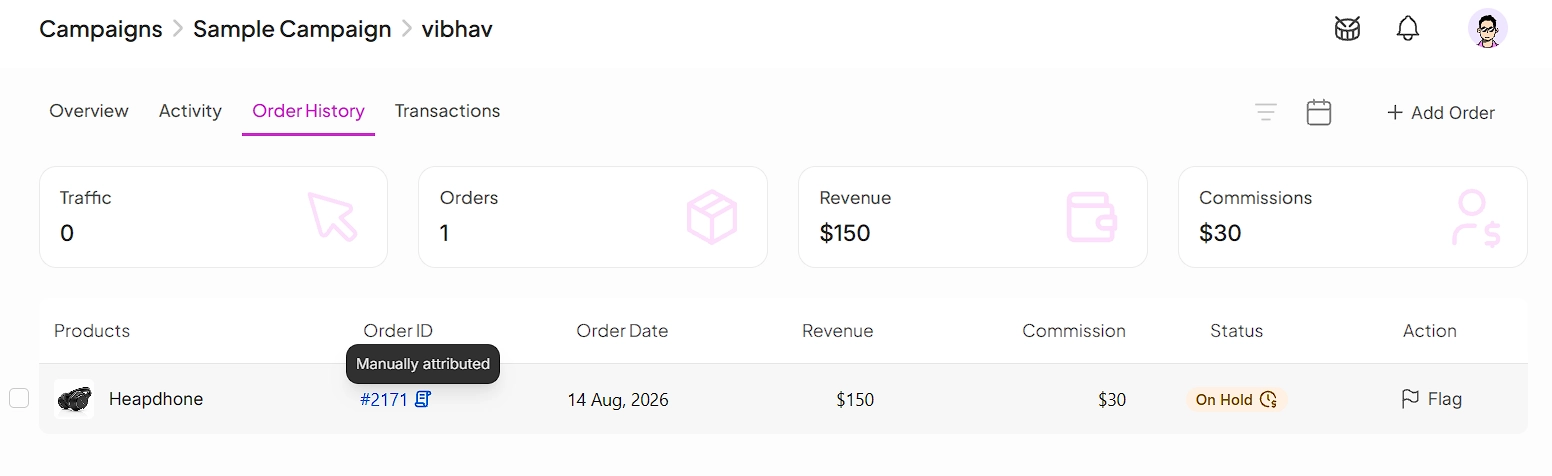
From the ambassador's profile, open their Order History tab and click Add Order.

A modal opens where you paste the Shopify order number and submit it. SATHI looks up the order and returns one of three outcomes.
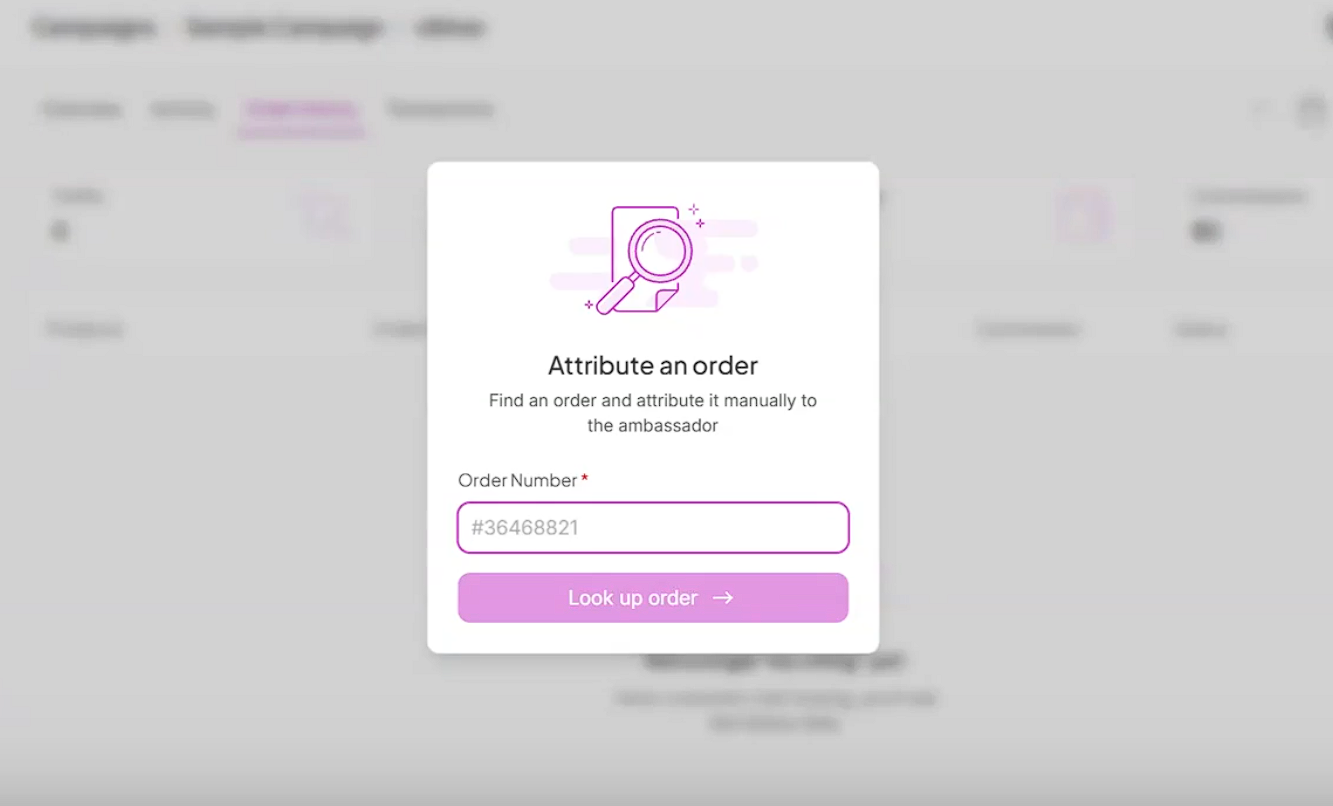
Found and unattributed — you're taken to the commission preview.
Not found — an inline error appears in the modal. Re-enter the order number and try again.
Already attributed — the attribution is blocked.

If the order is found and unattributed, SATHI shows a cart preview with a commission auto-calculated from the ambassador's current commission rate. You can edit this amount before confirming.
Click confirm to complete the attribution.
Confirming creates a commission record with Payment Type set to Commission. It enters the pending state under your existing refund window rules, then moves to payable once the order clears.
The transaction carries the internal note "Manually Attributed Commission."
The transaction appears in the ambassador's activity log.
The ambassador receives a notification.
For more on how commission rates are set, see our guide on setting up commission tiers - https://help.mysathi.io/en/articles/25-how-to-set-up-commission-tiers.
For more on fraud engine rejections, see our guide on SATHI’s Fraud Center - https://help.mysathi.io/en/articles/55-fraud-center-overview
Not every sale from a trusted ambassador comes through a tracked link or discount code — a customer might order directly, or a link might get lost along the way. Manual attribution lets you credit these ambassadors correctly without waiting on engineering fixes or losing trust with your top partners. Because you choose exactly which orders get manually credited, you keep full oversight, and can factor in context — like a fraud-engine flag — that automated tracking can't.
Still need help?
Reach out anytime to our Support team using the button at the bottom-right corner of your dashboard, or email us at [email protected].

