Wondering why a commission hasn't been paid yet? Need to verify whether an affiliate's order was tracked correctly?
The Order History page inside each affiliate's profile is your go-to source for all affiliate-attributed orders. Every purchase made using an affiliate's unique link or discount code is automatically tracked and recorded here.
From individual orders to total revenue and commissions earned, you'll have everything you need to understand exactly what's happening behind each sale — without the guesswork.
The Order History page gives you a detailed breakdown of each tracked order, including:
Product purchased
Order ID
Order date
Revenue generated
Affiliate commission earned
Traffic driven by the affiliate
Total orders
Total revenue
Total commissions
Status
Everything is available in one easy-to-reference dashboard.
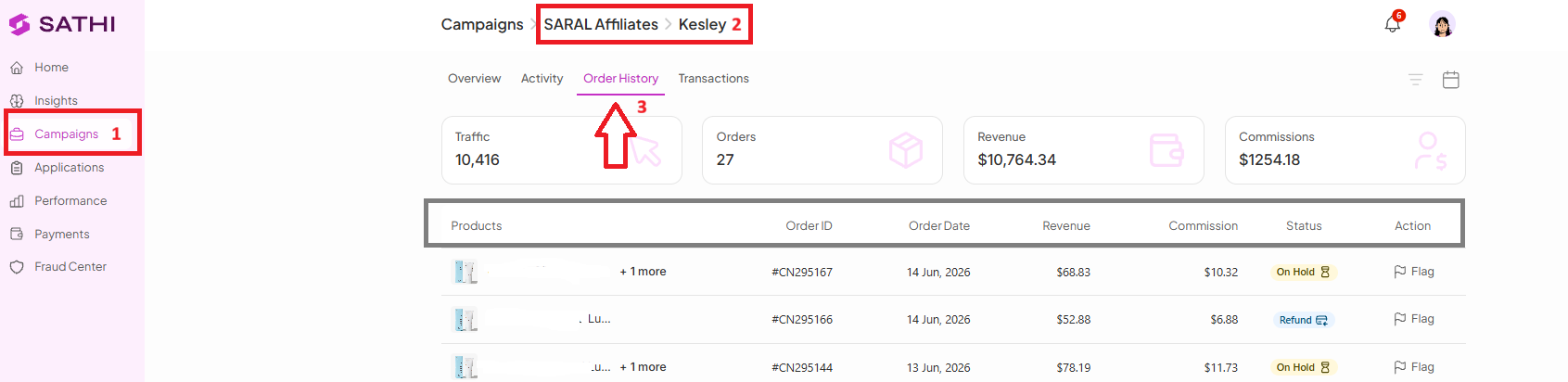
Go to Campaigns
Open the campaign where the affiliate is enrolled
Open the affiliate's profile
Click Order History
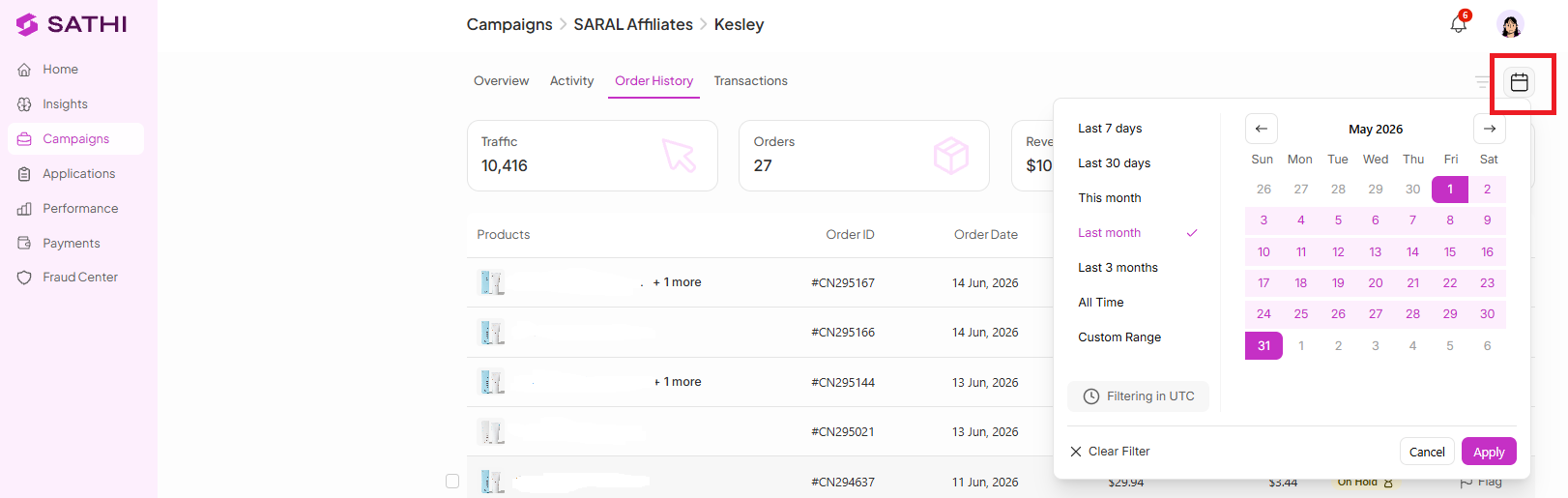
Simply apply the Date Filter at the top of the page.
For example, if you'd like to review orders from May 1–31, 2026, select that date range and SATHI will display all tracked orders and commission activity for that period.
The Status column helps explain exactly where each commission stands.
The commission is eligible for payment but hasn’t been paid yet. These commissions appear in the Pending Payments section as “Payable” and are waiting for you to process the payment.

The commission amount hasn't yet reached your minimum payout threshold. Once the threshold is met, the commission can move forward for payment.
The order is still inside your configured return window in Settings (for example, 14 days).
While in this status:
The commission appears as Upcoming on the affiliate's dashboard
Payment will not be released until the return window expires
The commission has been successfully paid to the affiliate.
The commission was previously paid, but the order was later returned. As a result, the commission was deducted from the affiliate's earnings.
The customer received a refund, so the commission is no longer eligible for payment.
Order History isn't just for viewing data. You can also take action when needed.
If you identify an order that should not receive commission, you can manually reject it.
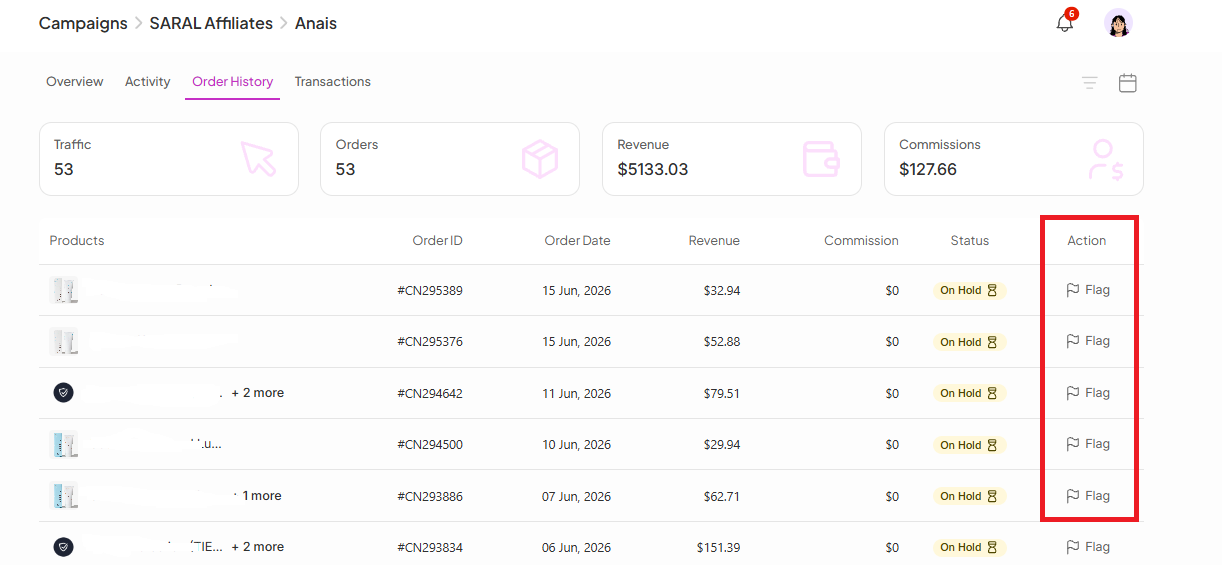
Open the specific order
Click Flag
Provide a reason for the rejection
Quickly verify whether an order was tracked correctly
See exactly why a commission is pending, on hold, paid, or refunded
Confidently answer affiliate questions with real order data
Investigate commission discrepancies without leaving SATHI
Take action on suspicious or invalid commissions directly from the dashboard
Keep a complete audit trail of every tracked affiliate order
Go to Campaigns > Affiliate Profile > Order History
View order details including revenue, commissions, products purchased, and Order IDs
Understand commission statuses such as Pending, On Hold, Paid, Clawback, and Refund
Reject commissions when necessary and track disputes through the Fraud Center
The Order History page is your source of truth for affiliate sales and commissions, making it easy to understand exactly what's happening behind every payout.
Still need help?
Reach out to our Support team using the chat widget in the bottom-right corner of your dashboard, or email us at [email protected].