SATHI lets you pay your ambassadors globally, via bank transfer, gift cards, or other rewards, all from inside SATHI. Payments are powered by Tremendous and sent directly to your ambassador's email. Ambassadors don't need a specific payment account: as long as their email is in SATHI, they can receive and claim their payment.
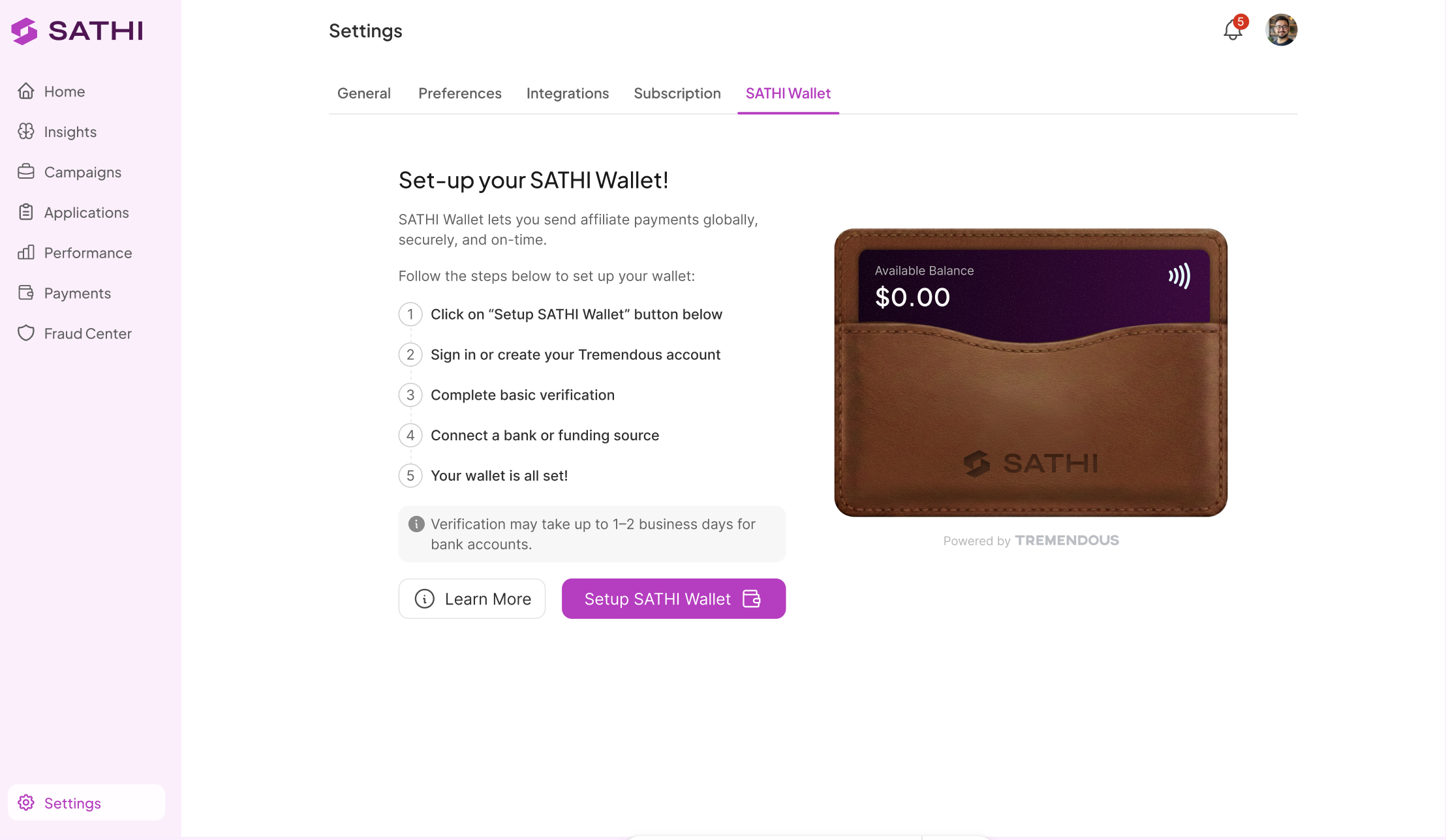
Go to Settings from the bottom of the left sidebar and click on the SATHI Wallet tab.
Click Setup SATHI Wallet. This takes you through the Tremendous connection flow:
Sign in or create a Tremendous account
Complete basic verification
Connect a bank account or funding source

Once done, your SATHI Wallet is active and ready to send payments.
Add funds to your wallet to start making payments using either a bank transfer or a credit card. You can also set up a recurring refill so your wallet stays funded automatically, with no manual top-ups needed.
Once your wallet is funded, you can send payments to your ambassadors directly from SATHI. Payments are sent to the ambassador's email address. They receive a notification and can claim their payment in whichever method they prefer, including cash, gift cards, or other reward options available through Tremendous.
SATHI Wallet is powered by Tremendous. The Tremendous connection is required to send any payments. If you already have a Tremendous account, you can connect it directly in Step 2.
See the Help Center articles on how fraud detection works in SATHI and getting started with SATHI for next steps.
Paying ambassadors usually means collecting bank details, choosing between multiple payout methods, and handling global payments manually.
SATHI Wallet removes all of that: ambassadors only need to provide an email, and they choose how they want to be paid on their end. Combined with recurring refill, you can set up payments once and let the whole payout process run without ongoing manual work.
Still need help?
Reach out anytime to our Support team using the button at the bottom-right corner of your dashboard, or email us at [email protected].

