

How to Connect Klaviyo to SATHI
Connecting Klaviyo to SATHI lets you send automated emails to your ambassadors — onboarding flows, activation nudges, commission updates, and more — all triggered by real activity in SATHI.
Step 1 — Open Integrations
In SATHI, go to Settings from the left sidebar and open the Integrations tab. Find Klaviyo and click Connect.

Step 2 — Get your Klaviyo API key
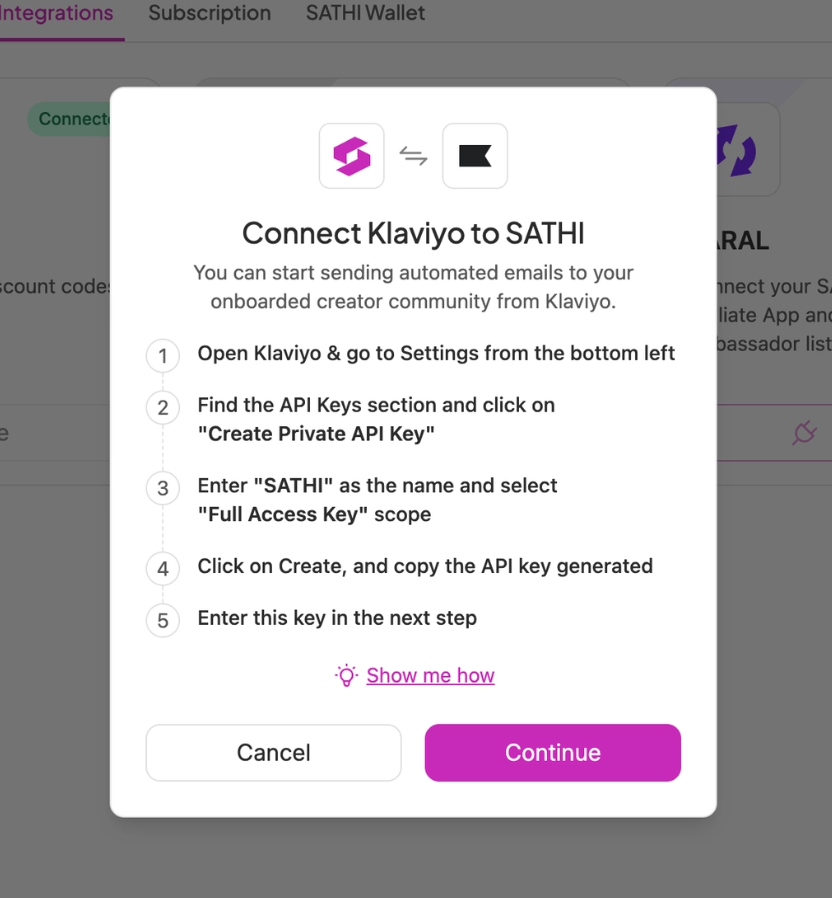
SATHI will show you exactly how to do this, but here's the quick version:
Open Klaviyo and go to Settings from the bottom left
Find the API Keys section and click Create Private API Key
Name it SATHI and select Full Access Key as the scope
Click Create and copy the API key
Step 3 — Enter the API key in SATHI
Click Continue, paste your API key into the field, and click Authenticate.

Step 4 — Sync your existing ambassadors
Once connected, SATHI will sync all your current ambassadors to Klaviyo right away.
What gets synced to Klaviyo
Once connected, SATHI keeps Klaviyo updated automatically.
Ambassador profile — synced when an ambassador is added:
First Name
Last Name
Email
Social Username
Platform
Profile Link
Onboarding Date
Followers
Referral & commission data — synced when created or updated:
Discount Code
Commission Percentage
Referral Link
Activity — synced as events happen:
Posts
Address (street, city, state, country, zip)
Payment Sent
Total Payments Made
Last Payment Date
Last Payment Amount
Ambassador updated event — every time an ambassador's profile changes (new link, new code, sale made), SATHI fires an update to Klaviyo so your flows stay in sync.
What's next?
👉 How to Create an Affiliate Application Form
👉 Getting Started with SATHI
Need help? Reach out to us at [email protected]